Video Player is loading. Play Video Play Skip Backward Skip Forward Mute Current Time 0:00 /
Duration 1:06 Loaded: 18.10 % 0:00 Stream Type LIVE Seek to live, currently behind live LIVE Remaining Time - 1:06 1x Playback Rate Chapters Chapters Descriptions descriptions off, selected Captions captions settings, opens captions settings dialog captions off, selected Audio Track Fullscreen This is a modal window. Beginning of dialog window. Escape will cancel and close the window. Text Color White Black Red Green Blue Yellow Magenta Cyan Opacity Opaque Semi-Transparent Text Background Color Black White Red Green Blue Yellow Magenta Cyan Opacity Opaque Semi-Transparent Transparent Caption Area Background Color Black White Red Green Blue Yellow Magenta Cyan Opacity Transparent Semi-Transparent Opaque Font Size 50% 75% 100% 125% 150% 175% 200% 300% 400% Text Edge Style None Raised Depressed Uniform Drop shadow Font Family Proportional Sans-Serif Monospace Sans-Serif Proportional Serif Monospace Serif Casual Script Small Caps Reset restore all settings to the default values Done Close Modal Dialog End of dialog window. hero-video Merchant Video FAQ
1. Cyclone 2 dongle mode is disconnecting.
A: Make sure that you have the matching dongle and controller firmware: V 1.1. 8 for dongle V 3.3. 3 for controller. You can download a later version of the software from gamesir. com/pages/gamesir-connect-software that allows the controller and dongle to be updated to 3.3. 3 and 1.1. 8 respectively. For the dongle firmware, you can update it while the controller is connected through it in GameSir Connect with the "update firmware" button. Alternatively, if it failed you can force the update by holding the dongle's sync button as you plug it in (the light shouldn't turn on if done properly) with GameSir Connect open to have it automatically install the latest version. For the controller firmware, you simply need to plug it in using wire and press the "update firmware" button in GameSir Connect. You can also force this to the latest version by holding the Logo +Menu buttons while plugging it in with GameSir Connect open. Also, if there are strong Bluetooth signals, such as 8k wireless devices or nearlink devices, there will be disconnection happening, which might also results the jittering inputs from the buttons & sticks. This can also occur if there are thick objects between the dongle & the controller.
The dongle disconnection issue can usually be solved by bringing the dongle nearer to the controller, like using an extended USB. If you're using controllers with a dock, it is suggested to plug the dongle to the usb port of the included charging dock and put it closer to the controller. 2.
Q: I cant connect Cyclone 2 to my device through Bluetooth/dongle and the indicator light keeps blinking slowly.
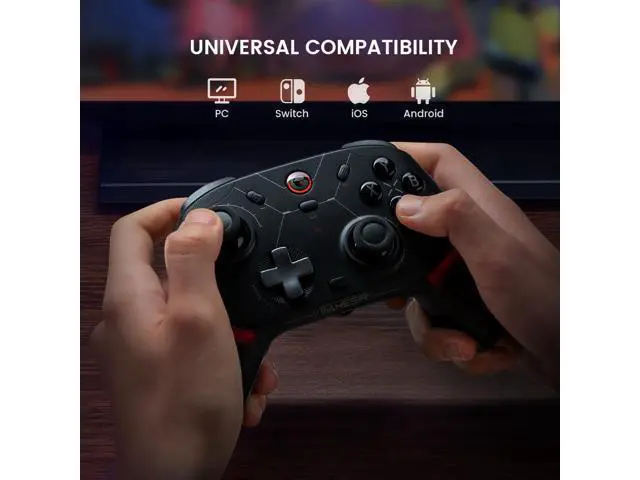
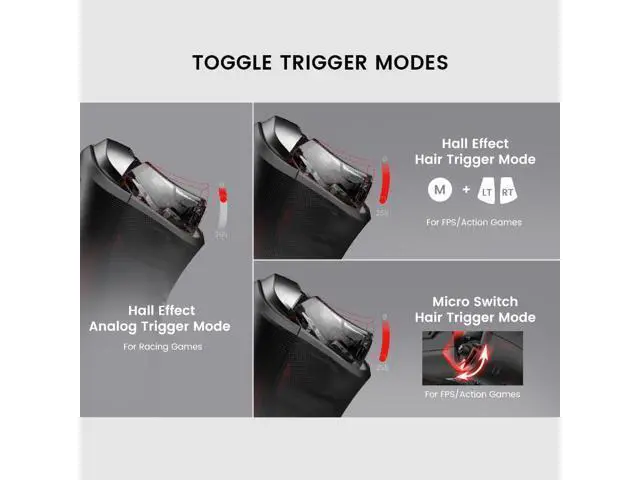
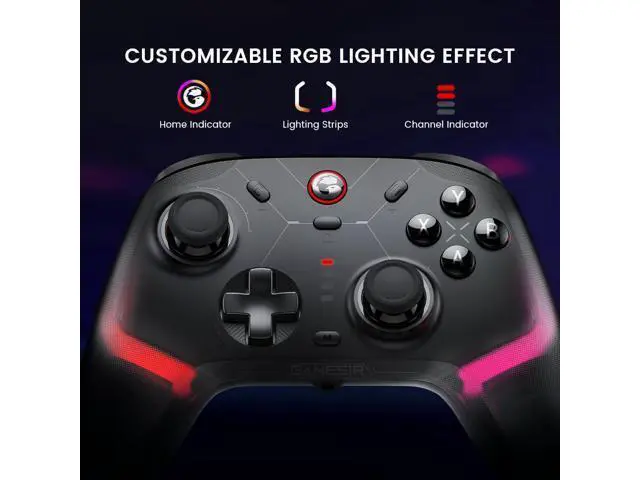
A: Hold the Home Button+ Share Button for 2 seconds to re-enter paring mode, the indicator light should be fast blinking; If its connecting to a dongle/receiver, also hold the pairing button on the dongle to make them re-pair. Previous page Next page Previous page Connection Tutorial For iOS The Way of Stick & Trigger Calibration Indicator Status For Device Connection Tutorial For Windows PC Connection Tutorial For Switch Next page 1. What platforms does Cyclone 2 support? It supports Switch, iOS, Android, PC, and Steam. (DOES NOT COMPATIBLE WITH XBOX) 2. Does Cyclone 2 have analog trigger mode? Yes, Cyclone 2 has a Hall Effect analog trigger mode, perfect for racing game, which supports changing to Hall Effect hair trigger mode for FPS and action game. Gamers can change the trigger gear to toggle between Hall effect or micro switch trigger. 3. Can I customize the lighting effect? Yes, you can adjust and personalize your lighting effects through the software for a truly unique gaming experience. 4. Does Cyclone 2 has Turbo function? Yes, Cyclone 2 has turbo function with 4 modes: Slow (8Hz), Medium (12Hz), Fast (20Hz), and Off.
5. If you can't restart the contr