• $45.85
  • Free 30-day Returns
  • Ships from China.
    Price alert
    Shop it at NeweggBusiness.

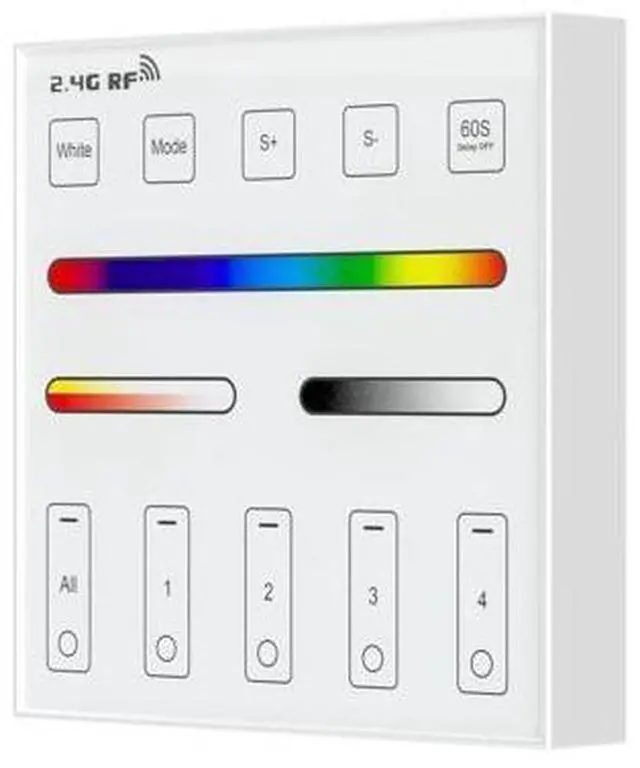
    WR01RF Wireless 2.4G RF 4 Zones RGB RGBW RGBCCT Wall Mounted Smart Panel Remote Powered by 2XAAA Batteries 3V Work with DR03W DR04W WB5 LM052 C03RF C04RF C05RF C03W C04W C05W Controller

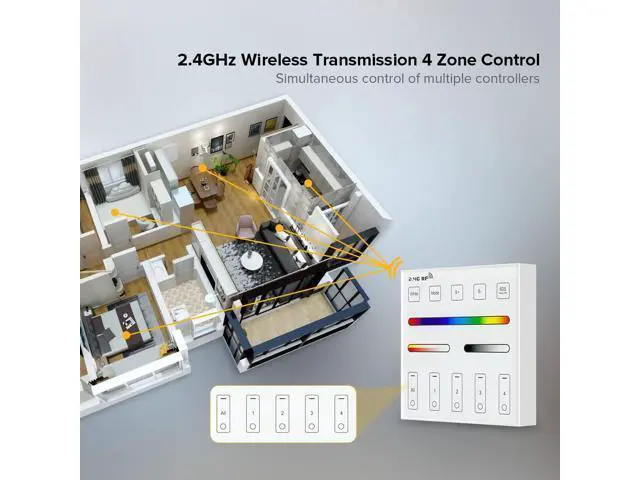
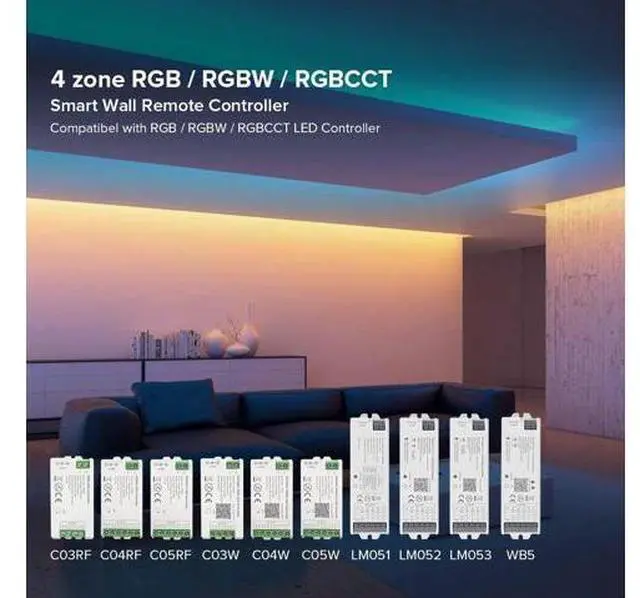
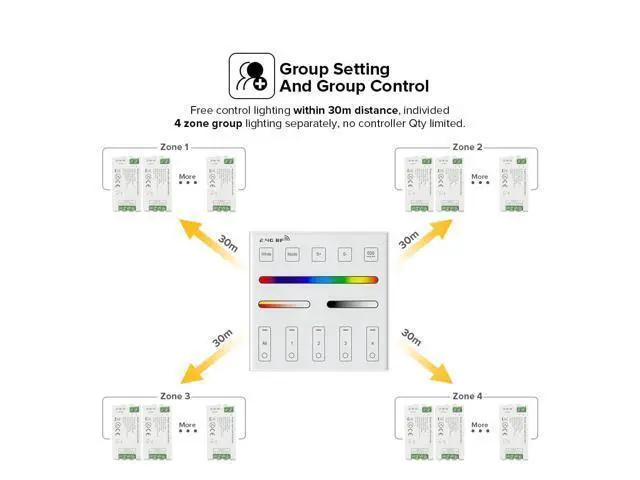
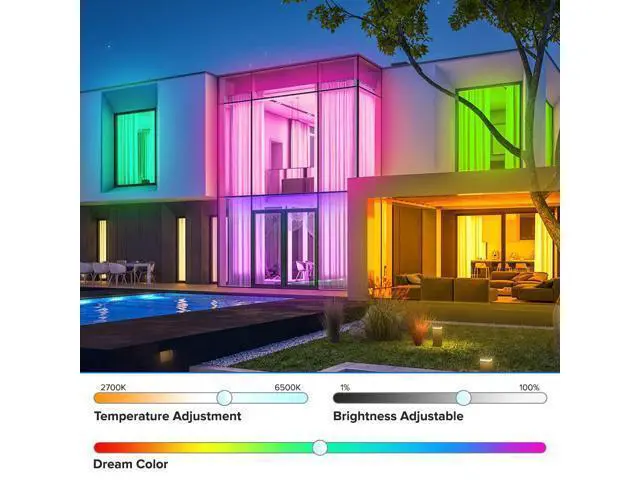
    • Matching controllerRGB RGBW Controller RF Remote .Match with DR03W,DR04W,C03RF,C04RF,C05RF,C03W,C04W,C05W,WB5,LM052,LM053 Controller .Control 4pin 4 wires(V+ R G B) PWM LED controller or 5pin 5 wires(V+ R G B W) PWM LED.; 2.4GHz RF Wireless Transmitting,30 Meters(98 feet) Control Distance,that means you don't have to install it with lamps in the same circuit,don't have to change any electric circuit exist. Free installation,no wiring,more convinent and smart.; 4 Zones Control Separately: Each Zone Control Countless LED Strip Controllers. Each controller can match with 4 Remote at the same time.; Dimming 1%-100% the light randomly,9 Color Changing Models, choose the color atmospheres you want. 16 million colors .Can Light up pure white light.Senstive touching,Touch screen is stable.; Powered by 2pcs AAA batteries package doest not include.You don't have to make any change to your house electric circuit.Just charge it with 2pcs AAA batteries,install or paste it on the wall.Touching button with sound.
    +
    +
    Overview
    Specs
    Reviews
    avatar

    Any questions? Our AI beta will help you find out quickly.

    Product Parameters
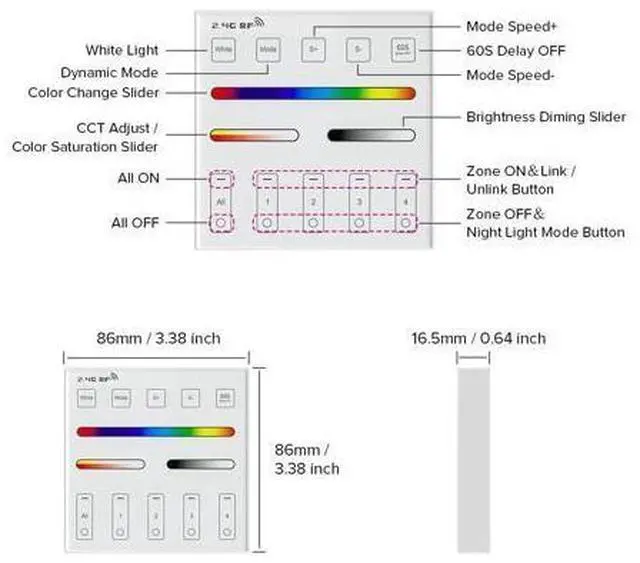
    Product Name: 4 Zone RGB, RGBW and RGBCCT Panel Remote Controller.
    Model No: WR01RF
    Working Voltage: 3V (2*AAA Battery) (Package Not Including
    Battery )
    Transmitting: 6dBm
    Standby Power: 20uA
    Transmission Frequency: 2.4GH z
    Modulation Method: GFSK
    Control Distance: 30cm ( 98.42 ft)
    Working Temperature: -20-60°C
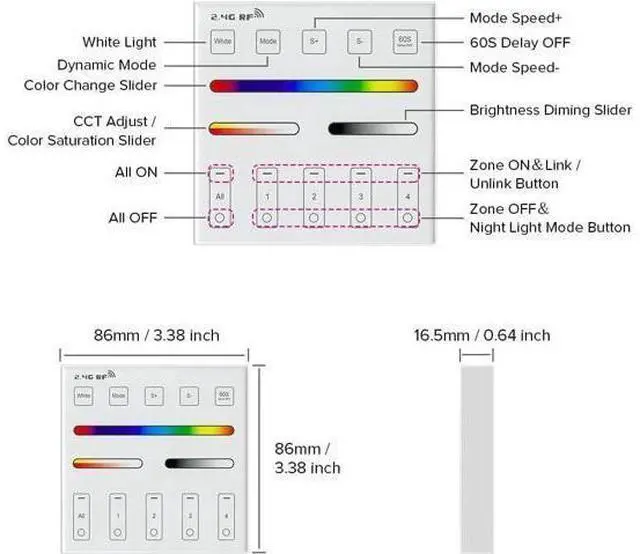
    Size: 86*86*19mm ( 33.86 * 33.86 * 7.5 in)
    Support Controller: C03RF, C04RF, C05RF, C03W, C04W, C05W, WB5, LM052, LM053. Link /
    Unlink Link Instructions: Disconnect the LED controller from the power supply for 10 seconds and reconnect it. When the light on, short press any zone of " " 3 times within 3 seconds. The LED Strip blink 3 times slowly means the linking is successful.
    Note: Linking failed if light is not blinking slowly, Please follow above steps again(
    Note: Light that have linked cant link again).
    Unlinking Instructions: Disconnect the LED controller from the power supply for 10 seconds and reconnect it. When the light is on, short press the been connected " zone 5 times within 3 seconds. (Unlinking must be the same zone with the Linking) The LED strip blinks 10 times quickly means the unlinking is successful.
    Note: Unlinking failed if light is not blinking quickly, Please follow above steps again(
    Note: Light haven't linked that don't need to unlink).
    Attention: Please check the cable, and make the circuit is correct before when power on. When installation, please handle with the care to avoid the broken of the glass panel. Please don't use the

    Warranty & Returns

    Warranty, Returns, And Additional Information

    Warranty

    • Please contact the Seller directly for warranty information. Warranty information may also be found on the Manufacturer's website.
    • CONTACT

    Return Policies

    Manufacturer Contact Info

    LOADING...