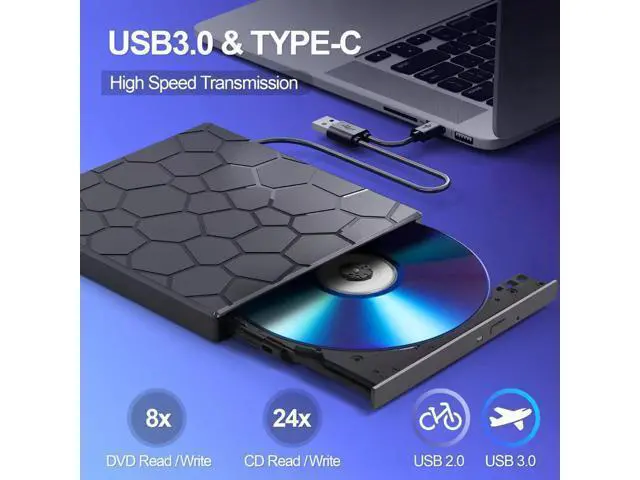
Previous page BPAKDU focus on optical drive production for 20 years, We attach importance to user experience, and with enough patience and care, we have produced products that are popular with people. From parts to finished products, there will be multiple strict inspection procedures to ensure customer get brand products which performe excellent. We believe focus & specialty & quality are what make us progress, also what make you satisfied. External CD/DVD Drive External CD/Blu Ray Drive External DVD Drive for Laptop Next page More Styles Available External CD/DVD Drive CD/DVD Drive with case External CD/DVD Drive CD Burner with case External CD DVD Drive External CD DVD with Case CD Burner Customer Reviews Price Compatible Operating System Windows, Mac OS, Linux Windows, Mac OS, Linux Windows, Mac OS, Linux Windows, Mac OS, Linux Windows, Mac OS, Linux Windows, Mac OS, Linux Windows, Mac OS, Linux Hardware Platform Laptop, PC, Mac.
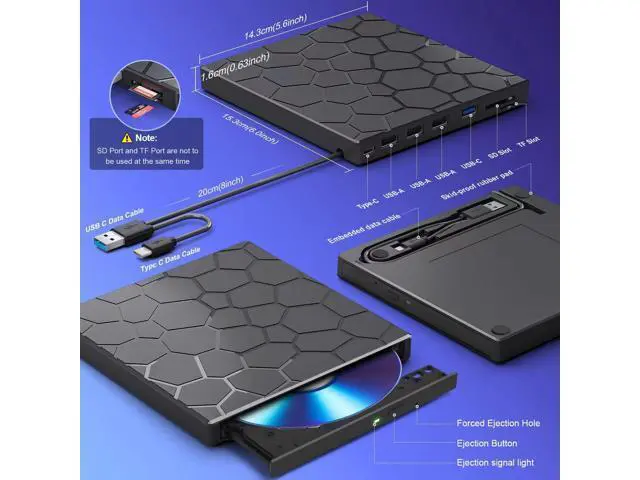
Desktop, iMac Laptop, PC, Mac. Desktop, iMac Laptop, PC, Mac. Desktop, iMac Laptop, PC, Mac. Desktop, iMac Laptop, PC, Mac. Desktop, iMac Laptop, PC, Mac. Desktop, iMac Laptop, PC, Mac. Desktop, iMac Stylename 8 in 1 Black 8 in 1 Black with CASE New 8 in 1 Black New 8 in 1 Black with CASE New 8 in 1 Silver New 8 in 1 Silver with CASE 2 in 1 Black Optical Storage Read Speed Max 24xCD / 8xDVD Max 24xCD / 8xDVD Max 24xCD / 8xDVD Max 24xCD / 8xDVD Max 24xCD / 8xDVD Max 24xCD / 8xDVD Max 24xCD / 8xDVD USB HUB Port 4 4 4 4 4 4 SD/TF Card Reader??????? CD/DVD Reader??????? CD/DVD Burner??????? USB Conector USB C and USB A USB C and USB A USB C and USB A USB C and USB A USB C and USB A USB C and USB A USB C and USB A BPAKDU External CD/DVD Drive for
Laptop Precautions Q: 1. Windows 10/ 11 Not Recognizing DVD
Drive?
A: If your computer(Windows 10 / 11) does not recognize the external DVD drive or it fails to read discs, you might find a solution by searching for "AyPhnwzyuoI" on YouTube. There are repair methods shown in the video that may help
Q: 2. What if I have problems with this external cd/dvd drive for laptop?
A: Before playing or burning cd/dvd for laptop on your laptop, please make sure you have corresponding software on your laptop.
please download free software: VLC media player or Kmplayer. For burning software, please
download free software: Nero.
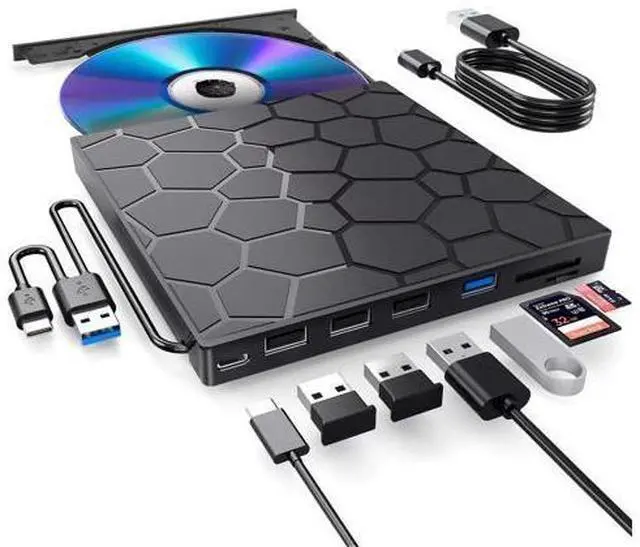
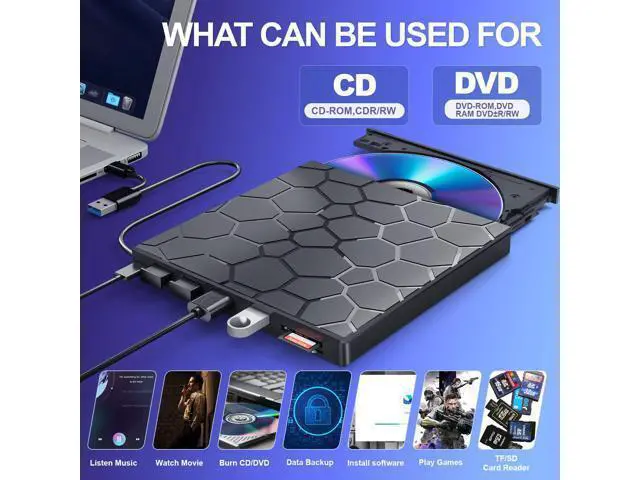
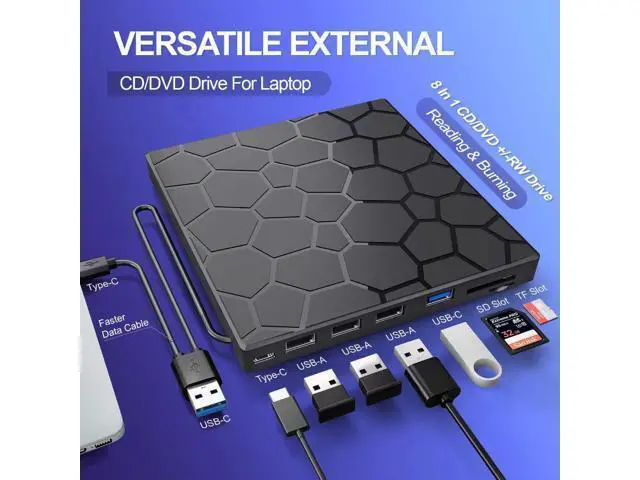
1. Our external optical drive can not only burn and read CDs and DVDs, but also serve as an external USB hub for laptops. It is compatible with USB hard drives, limited/wireless mice and keyboards, computer heat sinks, and other USB computer accessories. The card slot is perfect for transferring camera photos and video files from the card to the computer (note: the SD port and TF port cannot be used simultaneously)
2. The maximum read capacity is 8.5GB, so portable CD/DVD recorders cannot play discs exceeding 8.5GB. Due to the possible instability of the front USB port, if you find instability when using a desktop or laptop computer, please connect the optical drive to the USB port on the back of the computer. Simultaneously connect other power sources using the included power cord.
3. If your device system is Windows 10 or later, please install a VLC media player to play DVDs or CDs when they cannot play properly.
4. There is a reset hole next to the pop-up button. If the tray of the external optical drive cannot be ejected correctly, a pin can be used to eject the tray through the reset hole.
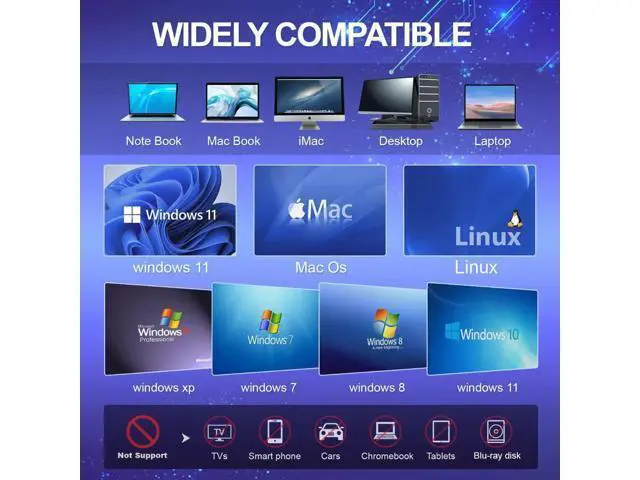
5. It should be noted that it does not support cars, televisions, tablets, smartphones, projectors, Blu ray discs, iPads, Chromebooks, or Surface. The newly released Windows system has stopped using external DVD media player software. 6. The dvd drive should be connected with USB port on laptop rather than connect with USB HUB. 7. Ensure cd is placed well and not scratched. 8. Setting area code according to different regions, you should set region code to #1 to play USA discs. Previous page 8 IN 1 Optical Drive Our portable DVD





 here!
here!