

Your Browsing History
- Free 30-day Returns
$166.33
Ships from China.


Meet Your Seller

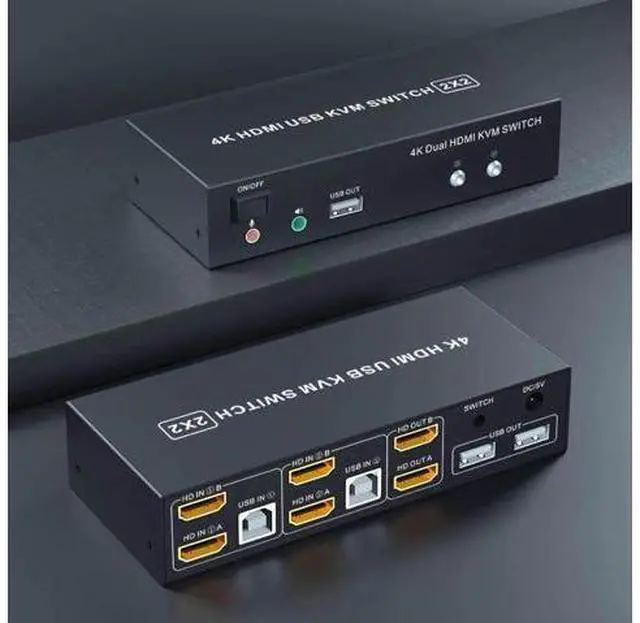

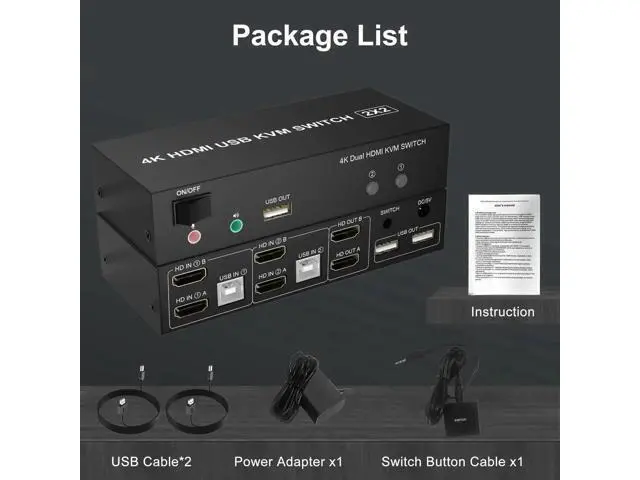
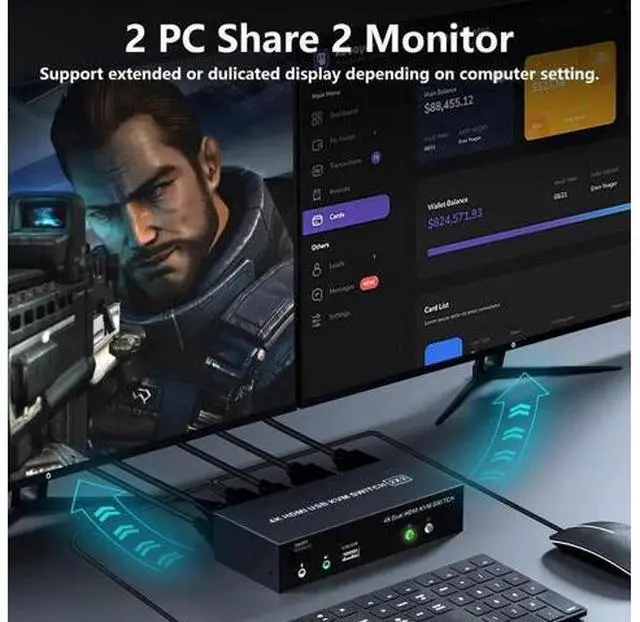


Dual Monitor KVM Switch HDMI 2 Port, 4K@60Hz KVM Switch 2 Monitors 2 Computers with Audio Microphone Output and 3 USB Ports, PC Dual Monitor Keyboard Mouse Switcher
Limited time offer, ends 07/12 By GGnix
- Dual Monitor Switch for 2 Computers: This 2 IN 2 OUT HDMI KVM switch dual monitor allows you to control 2 computers or laptops with one set of wired or wireless keyboard, mouse, and 2 extended or mirrored monitors at the same time. Make your work space tidy and efficient, also a premium choice for working from home.
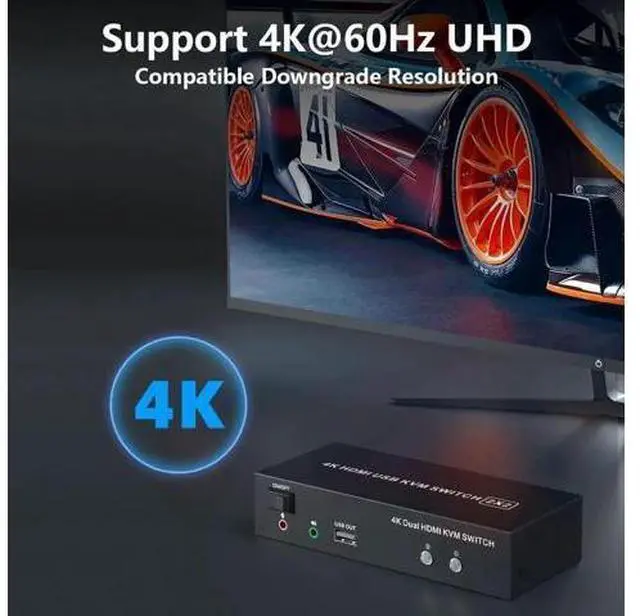
- KVM Switch Dual Monitor 4k 60Hz: Our dual Monitor KVM switch supporting high resolution max up to 4K@60Hz, and also supports 3D and 1080P@60Hz or other lower resolution (Downward Compatible). Supports separate audio and microphone output. Note: Only when both your computer Graphics card and monitor support 4K@60Hz then you can get 4K@60Hz effect, so if you want the max resolution you have to check your devices first.
- With 3 USB 2.0 Ports: Plug and play with no driver needed, with extra USB 2.0 port for sharing USB printers, scanners and jump drives, wireless and gaming keyboard mouse. The upgraded design hides the messy cables at the back, leaving a USB 2.0 port on the fr
+
+
Overview
Specs
Reviews

Any questions? Our AI beta will help you find out quickly.
Try me now
2 Port-Dual Monitor HDMI Switch for 2
Computers Features: 1. Share one set of keyboard, mouse and dual monitors between 2 computers or laptops; 2. Dual monitors output support up to 4K@60Hz for extended or mirrored display; 3. With extra 3 USB 2.0 ports and independent Audio Microphone output. 4. No complicated installation is required, and non-professionals can easily operate it; 5. Cross support major operation systems including Windows, Linux, Mac and more; 6.
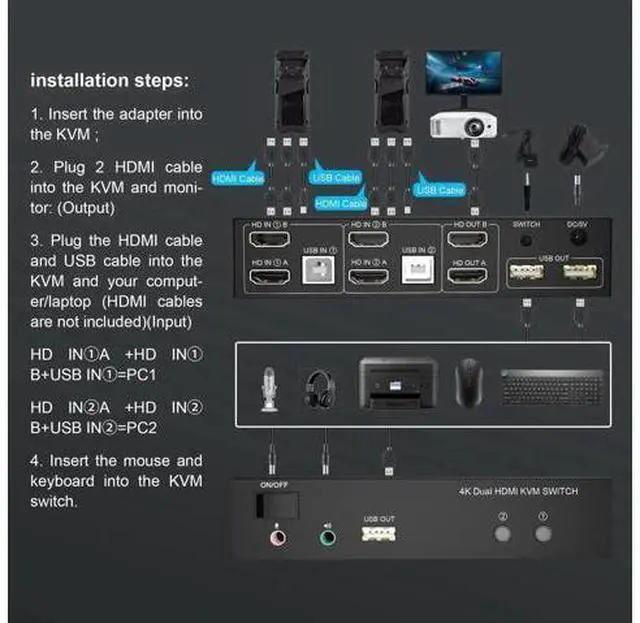
Support 2 switching modes: Buttons switch and wired remote; 7. The ports that need to plug in HDMI/USB cables are all hidden behind the KVM, so the desktop doesn't get cluttered; How to connect? 1. Insert the power adapter into the dual monitor KVM switch; 2. Plug the HDMI cable into the KVM and monitor; (Output) 3. Plug the HDMI cable and USB cable into the KVM and your computer/laptop (HDMI cables are not included) (Input) HD INA + HD IN B + USB IN=PC1 HD INA + HD IN B + USB IN=PC2 4. Insert the mouse and keyboard into the KVM switch 5. If needed, you can connect a microphone and audio port 6. You can switch by press the switch button or wired remote.
Computers Features: 1. Share one set of keyboard, mouse and dual monitors between 2 computers or laptops; 2. Dual monitors output support up to 4K@60Hz for extended or mirrored display; 3. With extra 3 USB 2.0 ports and independent Audio Microphone output. 4. No complicated installation is required, and non-professionals can easily operate it; 5. Cross support major operation systems including Windows, Linux, Mac and more; 6.
Support 2 switching modes: Buttons switch and wired remote; 7. The ports that need to plug in HDMI/USB cables are all hidden behind the KVM, so the desktop doesn't get cluttered; How to connect? 1. Insert the power adapter into the dual monitor KVM switch; 2. Plug the HDMI cable into the KVM and monitor; (Output) 3. Plug the HDMI cable and USB cable into the KVM and your computer/laptop (HDMI cables are not included) (Input) HD INA + HD IN B + USB IN=PC1 HD INA + HD IN B + USB IN=PC2 4. Insert the mouse and keyboard into the KVM switch 5. If needed, you can connect a microphone and audio port 6. You can switch by press the switch button or wired remote.
Warranty & Returns
Warranty, Returns, And Additional Information
Warranty
- Please contact the Seller directly for warranty information. Warranty information may also be found on the Manufacturer's website.
- CONTACT
Return Policies
- Return for refund within: 30 days
- Return for replacement within: 30 days
- This item is covered by GGnix Return Policy
Manufacturer Contact Info
- For a directory of all our manufacturers, please click below.
- Manufacturers Directory
LOADING...