Your Browsing History
Meet Your Seller
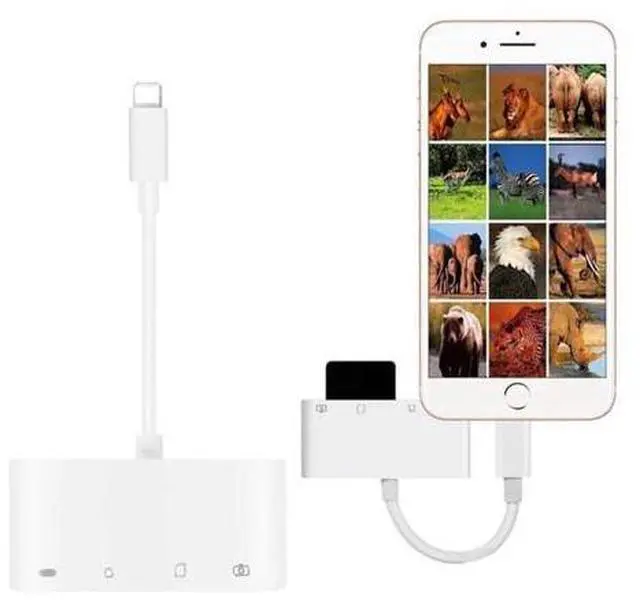
4in1 OTG Card Reader iOS Phone SD TF Memory Card Writer USB 2.0 Camera Connection Kit Adapter for iPhone X XS MAX XR 6 7 8 iPad
Limited time offer, ends 07/26 By Glovibe Tech
- Good Quality
+
+
Overview
Specs
Reviews
Any questions? Our AI beta will help you find out quickly.
Try me now
RM5047170691856233 OTG Card Reader For Lightning iOS Phone to SD TF Card Reading
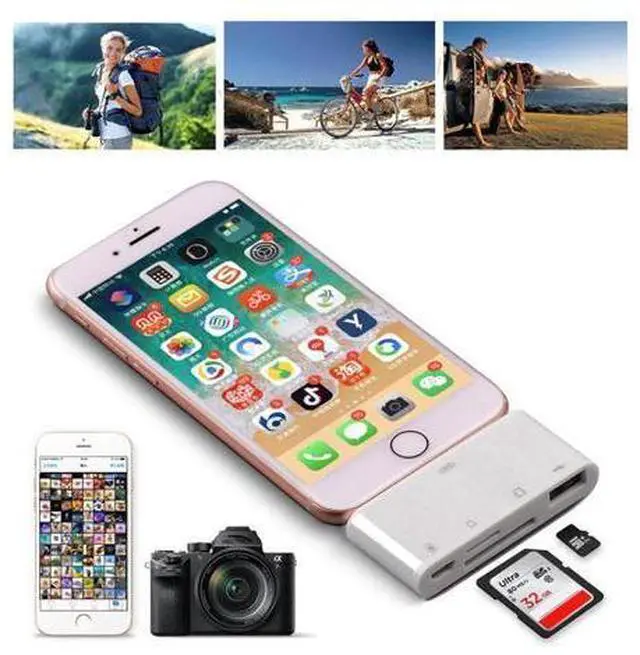
Product Description: Brand new and high quality OTG Card Reader Adapter iOS Card reader can work for lightning all devices
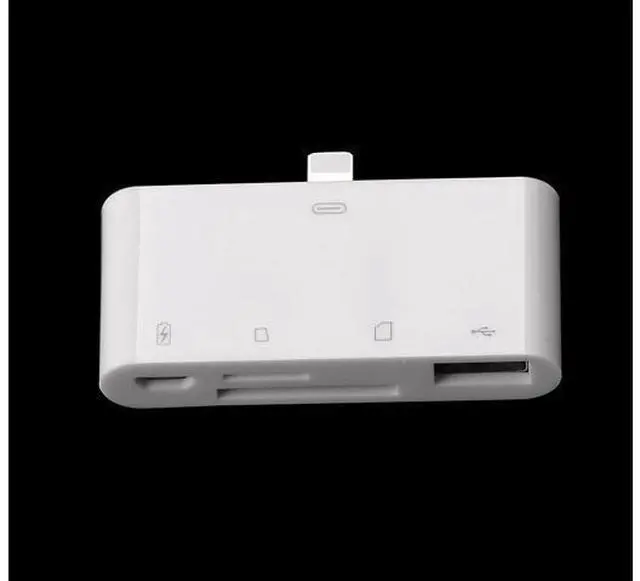
Carder slot type: SD/TF/USB +power supply port 4 in 1 NO Need install app, plug and play, very easy
Note Pls before purchase:
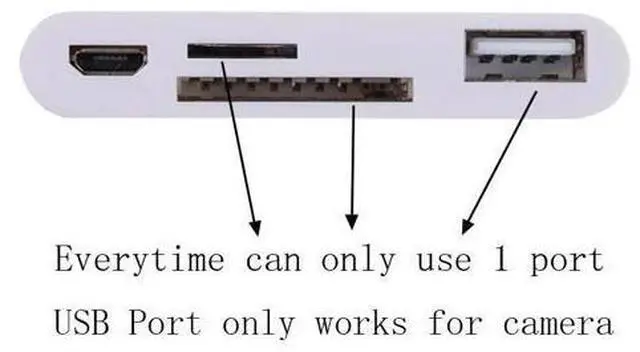
1. Everytime can only use 1 memory card, Cannot use 2pcs or more memory cards simultaneously;
2. The photos should be put into a file named "DCIM" and with the correct format of "MVI_0001. JPG" "MVI_0002. JPG" or "IMG_0001. JPG", etc. The "0001, 0002... " is the unique numeric code in this folder, which cannot be repeated, then the device will automatically recognize it. if the name is wrong, it cannot be recognized! more info pls read the user guide.
3. To iOS 9 to iOS 12 Version phones, this product is one-way transmission, can only read or import photos or videos from memory card to mobile phone; While to IOS 13 and above version phones, this product is two-way transmission, can read or import photos / videos and files between memory card and mobile phone; use method to iOS 9-12 phones: after the memory card is read, you need to open the phone's "Photo/Album" file, click into this file, you will see an icon "import", the memory card photo is inside it. use method to iOS 13+ phones: need to download a "File" app, after the memory card is read, in "File" app, you will see a name called "NOMAME /ERRORNAME etc. " file, your memory card content is inside it. 4. Both models USB Port can work for reading camera photos and videos only, no other function, such as cannot use for USB Flash Disk/Mouse/Keyboard etc.
Package Content: RM5047170691856243

Product Description: Brand new and high quality OTG Card Reader Adapter iOS Card reader can work for lightning all devices
Carder slot type: SD/TF/USB +power supply port 4 in 1 NO Need install app, plug and play, very easy
Note Pls before purchase:
1. Everytime can only use 1 memory card, Cannot use 2pcs or more memory cards simultaneously;
2. The photos should be put into a file named "DCIM" and with the correct format of "MVI_0001. JPG" "MVI_0002. JPG" or "IMG_0001. JPG", etc. The "0001, 0002... " is the unique numeric code in this folder, which cannot be repeated, then the device will automatically recognize it. if the name is wrong, it cannot be recognized! more info pls read the user guide.
3. To iOS 9 to iOS 12 Version phones, this product is one-way transmission, can only read or import photos or videos from memory card to mobile phone; While to IOS 13 and above version phones, this product is two-way transmission, can read or import photos / videos and files between memory card and mobile phone; use method to iOS 9-12 phones: after the memory card is read, you need to open the phone's "Photo/Album" file, click into this file, you will see an icon "import", the memory card photo is inside it. use method to iOS 13+ phones: need to download a "File" app, after the memory card is read, in "File" app, you will see a name called "NOMAME /ERRORNAME etc. " file, your memory card content is inside it. 4. Both models USB Port can work for reading camera photos and videos only, no other function, such as cannot use for USB Flash Disk/Mouse/Keyboard etc.
Package Content: RM5047170691856243
Warranty & Returns
Warranty, Returns, And Additional Information
Warranty
- Please contact the Seller directly for warranty information. Warranty information may also be found on the Manufacturer's website.
- CONTACT
Return Policies
- Return for refund within: 30 days
- Return for replacement within: non-replaceable
- This item is covered by Glovibe Tech Return Policy
Manufacturer Contact Info
- For a directory of all our manufacturers, please click below.
- Manufacturers Directory
LOADING...