


















USBC-NVME ssd enclosure
Merchant Video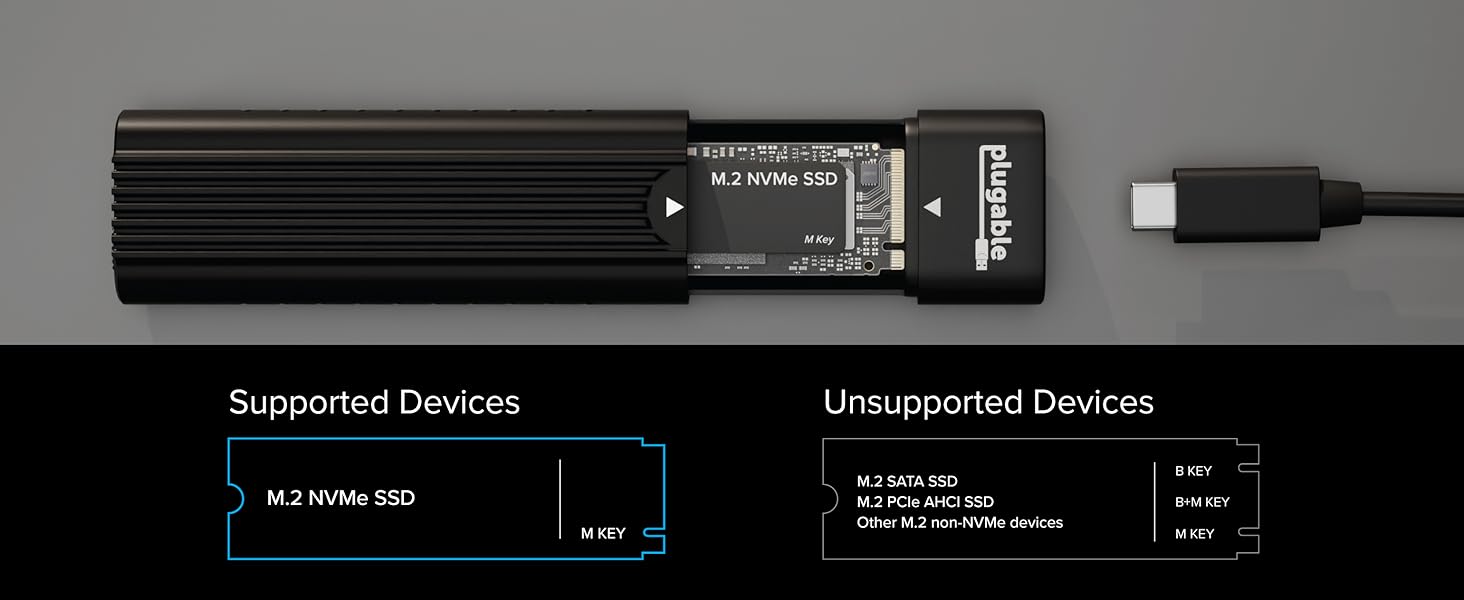

Blazing Fast USB-C Storage with Tool-Free Setup
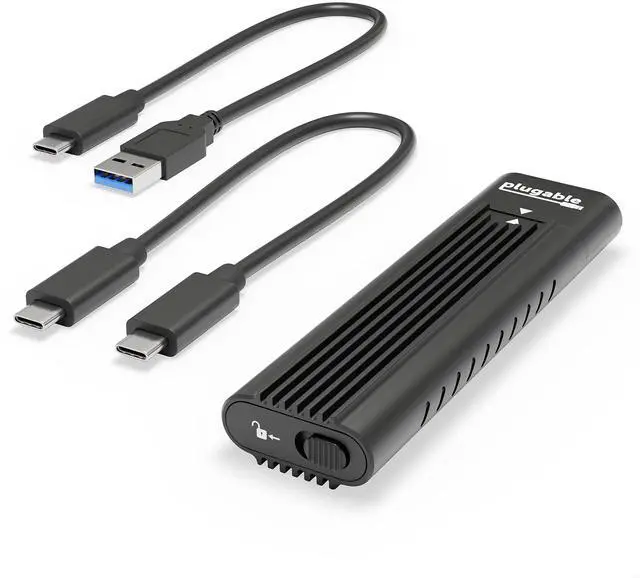
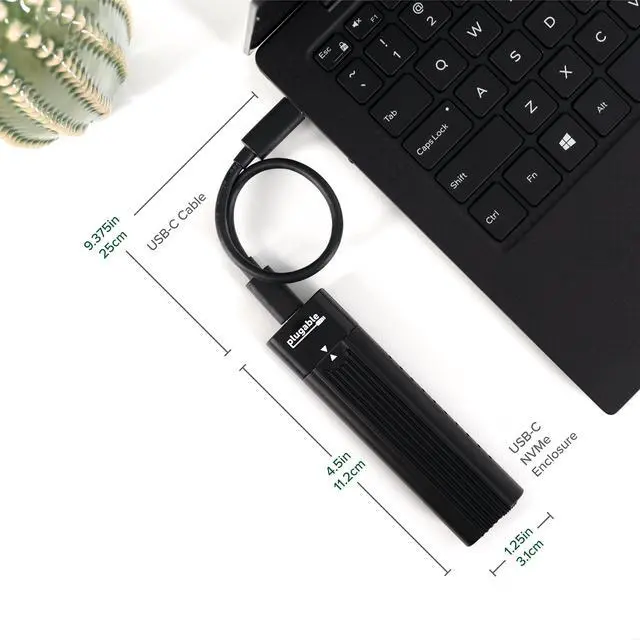
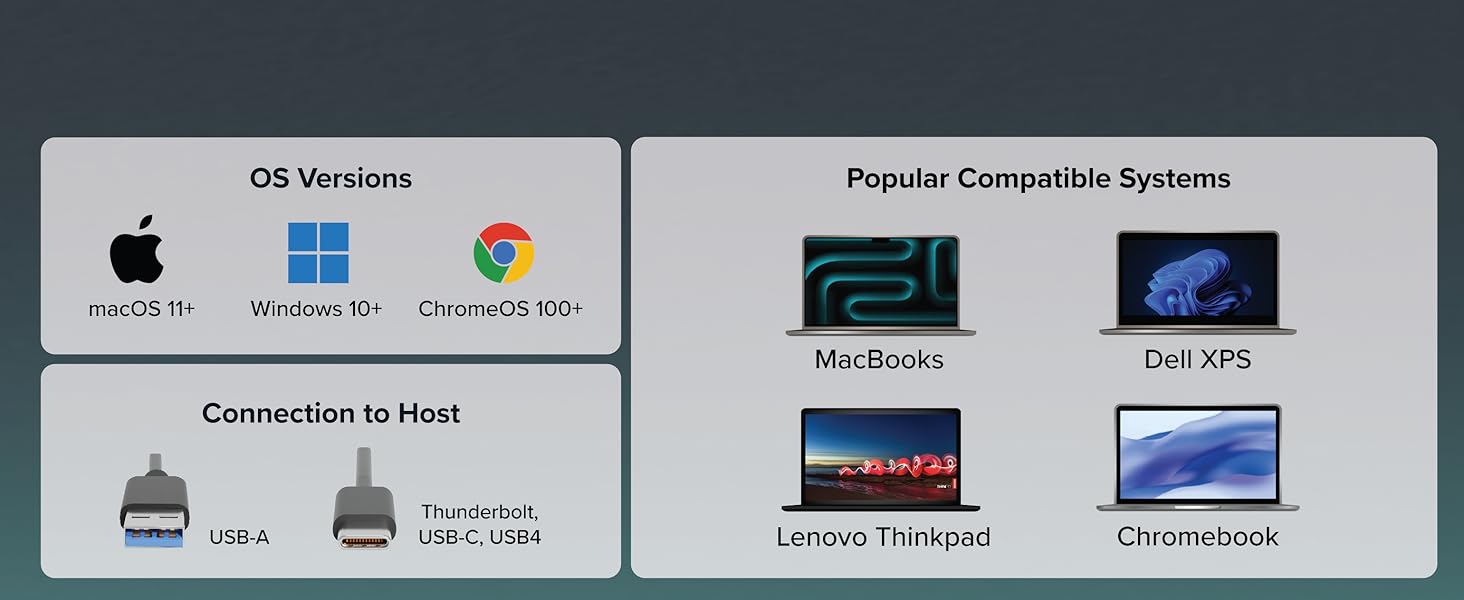
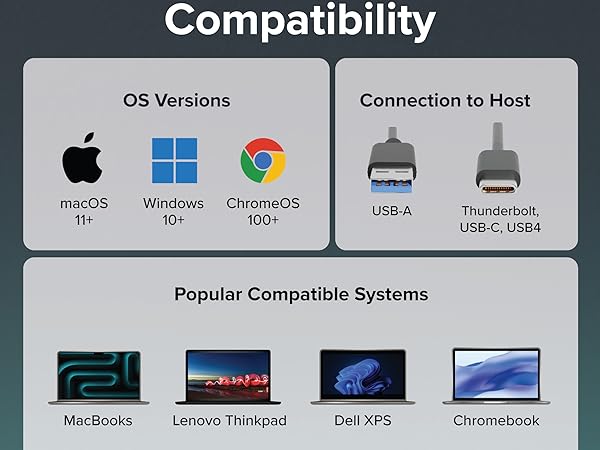
Transfer, back up, and access your data at speeds up to 10Gbps with this high-performance M.2 NVMe SSD enclosure. Designed for speed and ease of use, it includes both USB Type-C and USB Standard-A cables, offering full compatibility with a wide range of systems and ports, including USB 3.0, USB-C, USB4, Thunderbolt 3, and Thunderbolt 4.
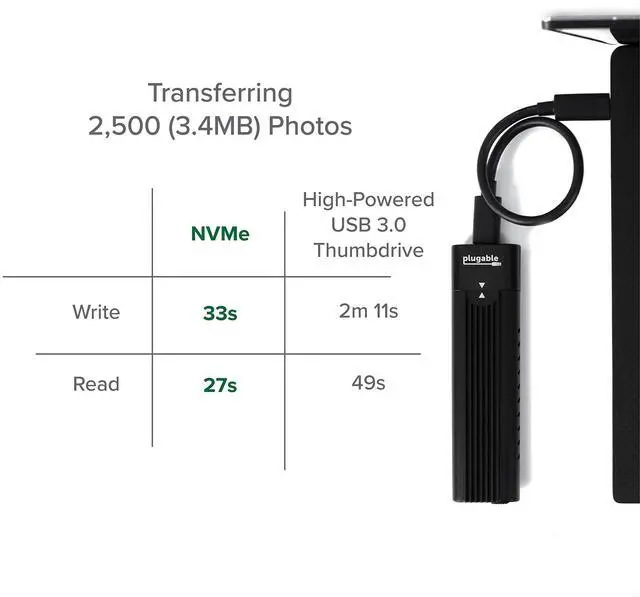
Thanks to USB 3.1 Gen 2 and NVMe technology, this USB NVMe enclosure delivers read and write performance that’s up to twice as fast as traditional SATA-based USB 3.0 external SSDs and significantly faster than standard USB flash drives.
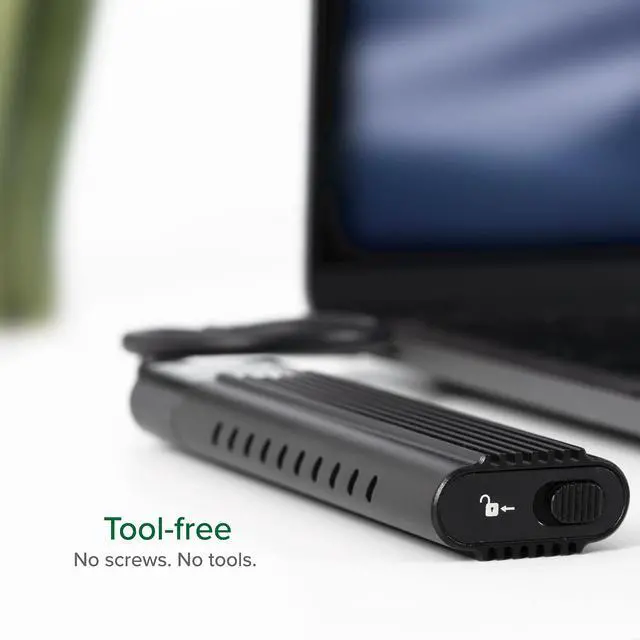
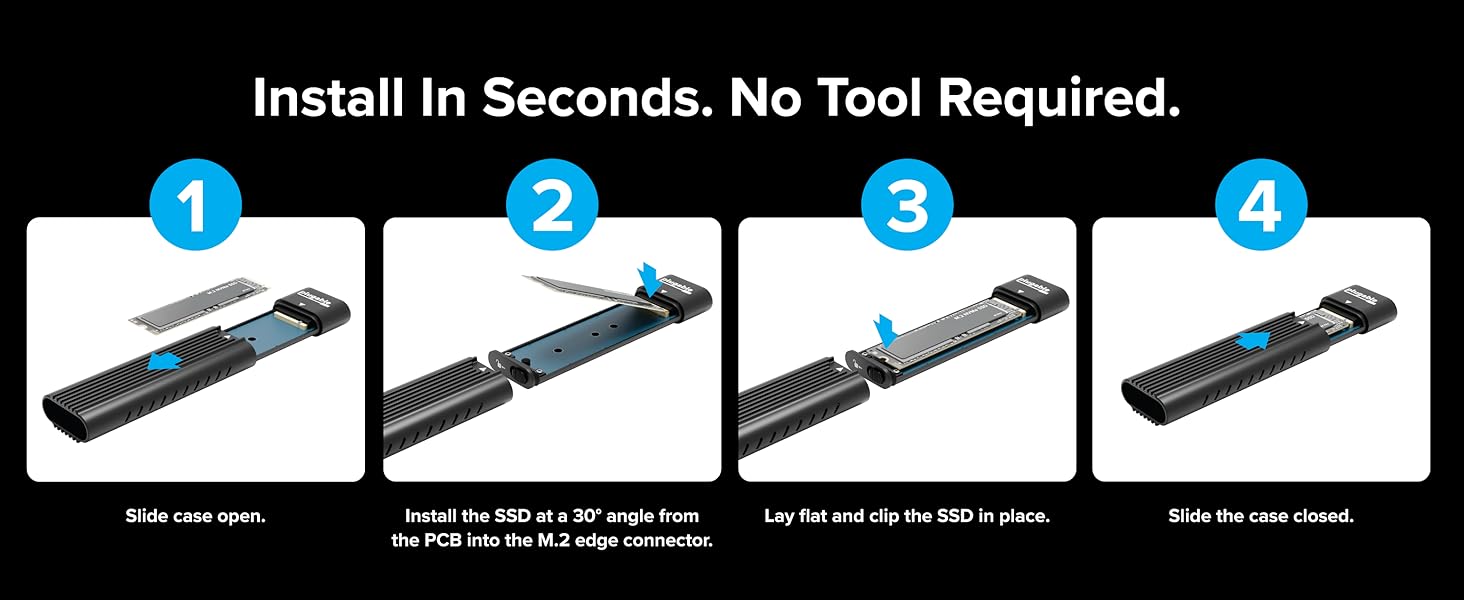
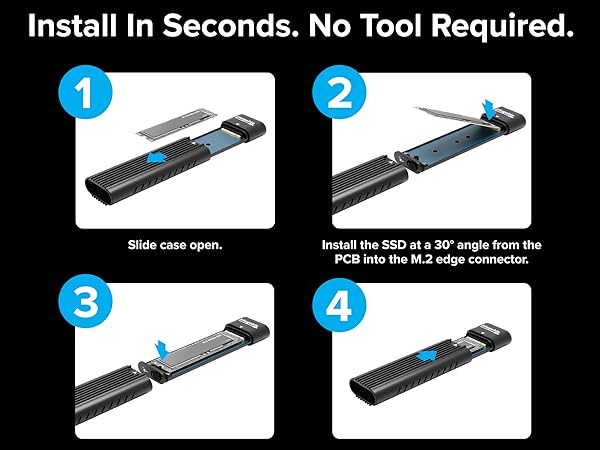
With a tool-free, screwless design, installing your SSD is fast and hassle-free. Just slide open the aluminum cover using the locking latch, insert your M.2 NVMe SSD, secure it with the adjustable retention peg, and close the cover. The adjustable peg supports all common form factors - 2280, 2260, 2242, and 2230.
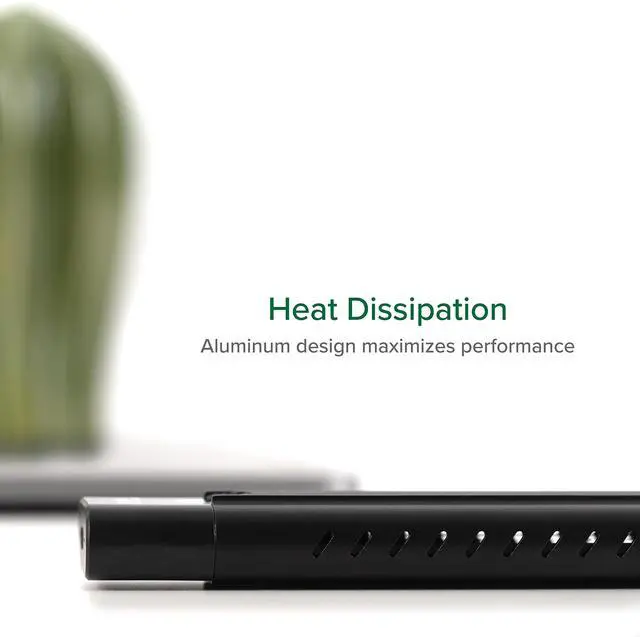
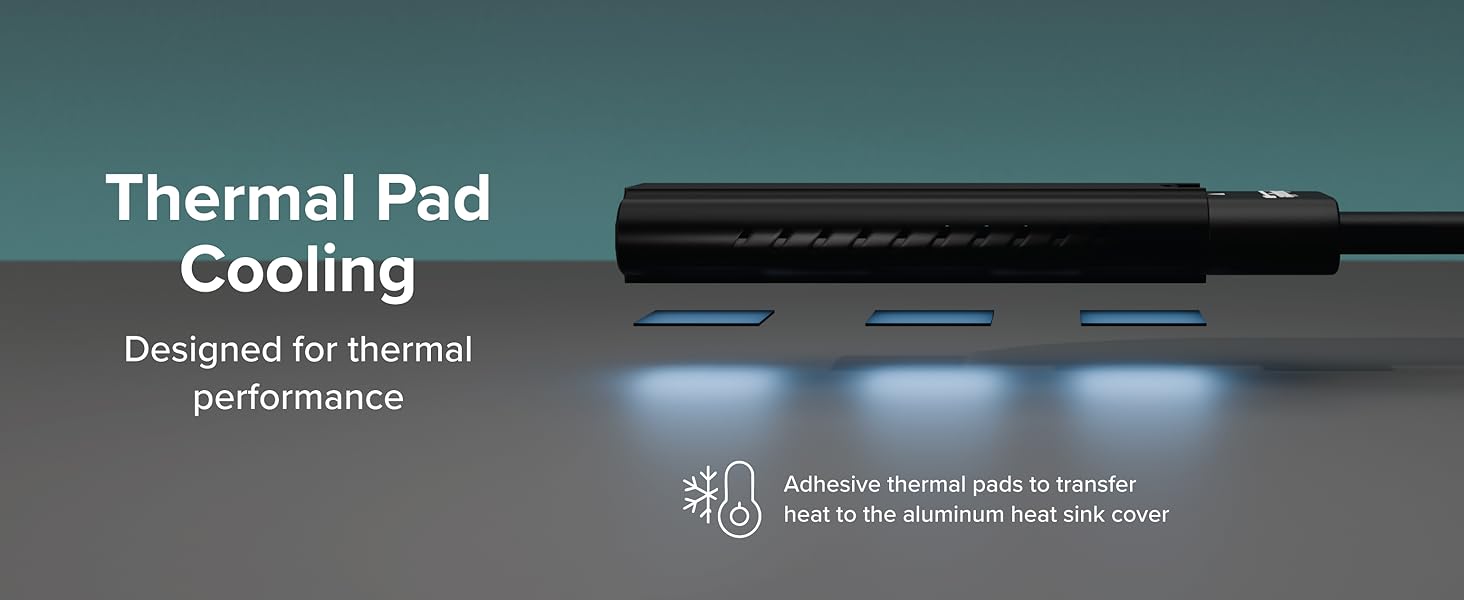
To support sustained high-speed transfers, the enclosure includes three thermal pads that improve heat dissipation by channeling heat into the aluminum heatsink cover – helping reduce thermal throttling on long transfers or older NVMe SSDs.
USBC-NVME Specifications
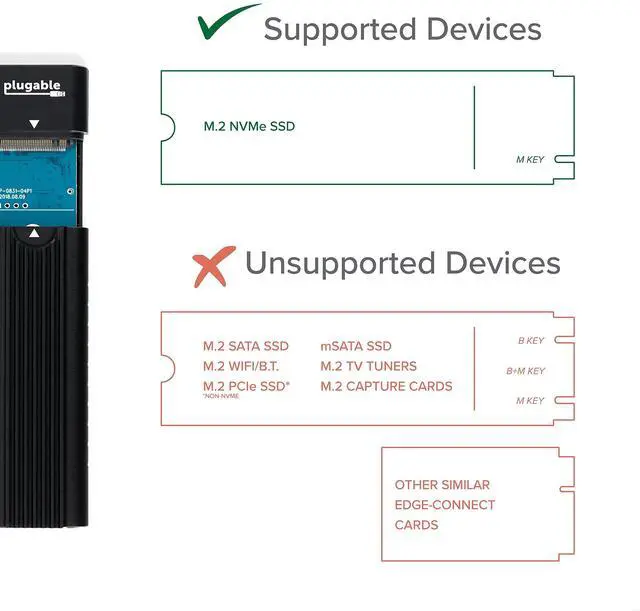
Is this drive enclosure compatible with M.2 SATA SSDs?
No, this enclosure is only compatible with M.2 NVMe SSDs. Retail drives will have the NVMe logo on the packaging and the SSD label, drives removed from a computer (OEM) may not specify if they are SATA or NVMe.
What is the maximum capacity of this enclosure?
NVMe does not specify a maximum capacity like older hard drive technologies, so long as the drive conforms to the NVMe standard it can be used in this enclosure.
Does this enclosure support USB4 PCIe mode?
No, this is a USB 10Gbps enclosure, when connected to a USB4 or Thunderbolt host the drive will operate as a USB 3 device at USB 10Gbps speeds.
NVMe SSDs run hot compared to SATA drives, how does this enclosure manage heat?
The enclosure includes three adhesive-backed thermal pads, these may be attached to the top of the NVMe SSD to provide a direct path for heat to be transferred from the SSD to the aluminum cover which acts as a heat sink to dissipate heat.
USBC-NVME ssd enclosure
Merchant Video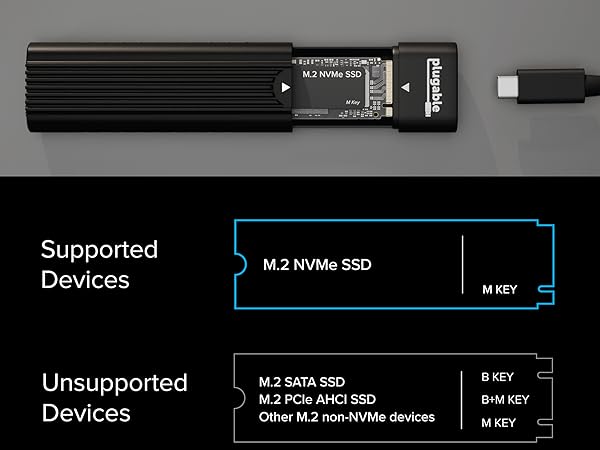

Blazing Fast USB-C Storage with Tool-Free Setup
Transfer, back up, and access your data at speeds up to 10Gbps with this high-performance M.2 NVMe SSD enclosure. Designed for speed and ease of use, it includes both USB Type-C and USB Standard-A cables, offering full compatibility with a wide range of systems and ports, including USB 3.0, USB-C, USB4, Thunderbolt 3, and Thunderbolt 4.
Thanks to USB 3.1 Gen 2 and NVMe technology, this USB NVMe enclosure delivers read and write performance that’s up to twice as fast as traditional SATA-based USB 3.0 external SSDs and significantly faster than standard USB flash drives.
With a tool-free, screwless design, installing your SSD is fast and hassle-free. Just slide open the aluminum cover using the locking latch, insert your M.2 NVMe SSD, secure it with the adjustable retention peg, and close the cover. The adjustable peg supports all common form factors - 2280, 2260, 2242, and 2230.
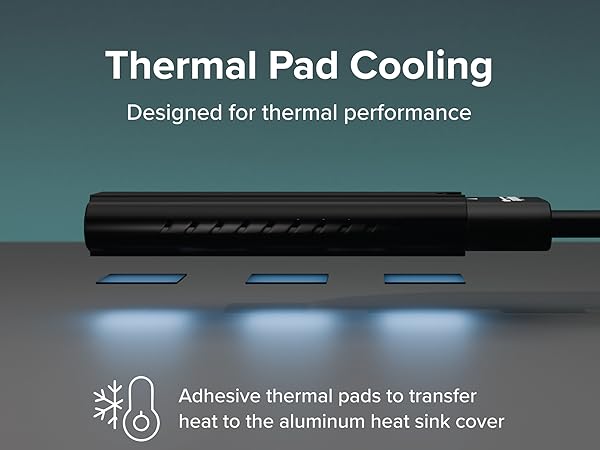
To support sustained high-speed transfers, the enclosure includes three thermal pads that improve heat dissipation by channeling heat into the aluminum heatsink cover – helping reduce thermal throttling on long transfers or older NVMe SSDs.
USBC-NVME Specifications
| Supported Drives | M.2 NVMe SSDs (2230, 2242, 2260, and 2280) |
|---|---|
| USB Data Rate | USB 10Gbps Type-C or Standard-A with included data cables |
| LED | Solid blue indicates power, flashing blue indicates activity |
| Thermal | Includes adhesive backed thermal pads and aluminum cover acts as a heatsink |
| Chipset | Realtek RTL9210 USB 3.1 Gen 2 to PCIe NVMe bridge chipset |
Is this drive enclosure compatible with M.2 SATA SSDs?
No, this enclosure is only compatible with M.2 NVMe SSDs. Retail drives will have the NVMe logo on the packaging and the SSD label, drives removed from a computer (OEM) may not specify if they are SATA or NVMe.
What is the maximum capacity of this enclosure?
NVMe does not specify a maximum capacity like older hard drive technologies, so long as the drive conforms to the NVMe standard it can be used in this enclosure.
Does this enclosure support USB4 PCIe mode?
No, this is a USB 10Gbps enclosure, when connected to a USB4 or Thunderbolt host the drive will operate as a USB 3 device at USB 10Gbps speeds.
NVMe SSDs run hot compared to SATA drives, how does this enclosure manage heat?
The enclosure includes three adhesive-backed thermal pads, these may be attached to the top of the NVMe SSD to provide a direct path for heat to be transferred from the SSD to the aluminum cover which acts as a heat sink to dissipate heat.


Find Your Docking Station

Shop for Mac

Shop for Windows


Shop Universal Compatability


Shop for Business