

• $69.99
  • Free 30-day Returns
  • Shipped by yaoyaoYuLishop

    Price alert
    Shop it at NeweggBusiness.

    Meet Your Seller

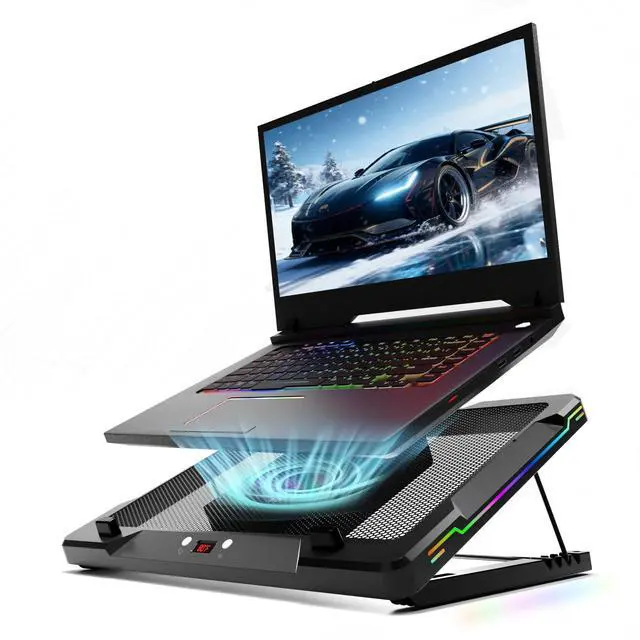
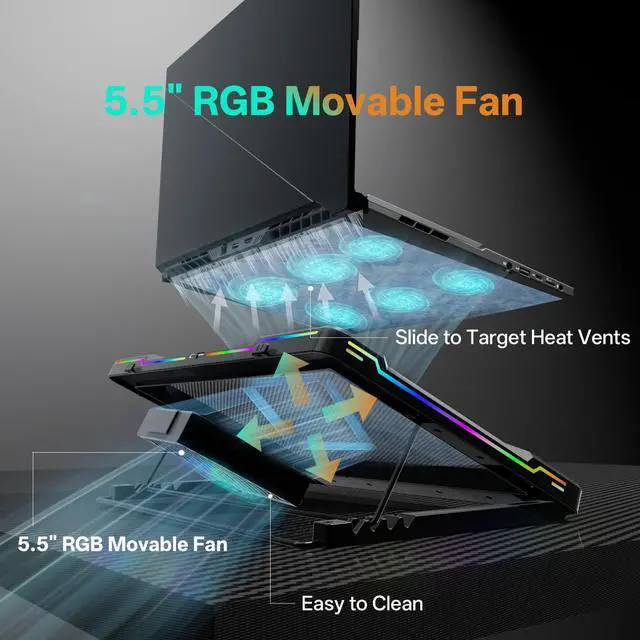
    Movable RGB Laptop Cooler with 5.5" Sliding Fan, Ergonomic Cooling Stand with 8 Light Modes for 14-17.3 Inch Gaming Laptops

    • TARGETED PRECISION COOLING Features a massive 5.5 sliding RGB fan. This laptop fan cooling pad lets you pinpoint and eliminate thermal hotspots by aligning direct airflow with your laptop's CPU and GPU for maximum cooling efficiency
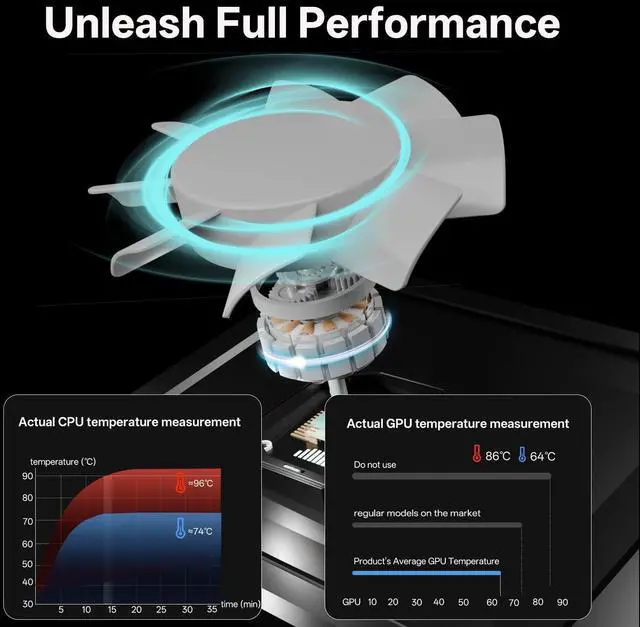
    • UNLOCK PEAK GAMING PERFORMANCE Stop thermal throttling with the ultimate gaming laptop cooling pad. Proven to slash core temperatures by up to 20°C (36°F), ensuring higher FPS, smoother gameplay, and faster rendering times for a clear competitive edge
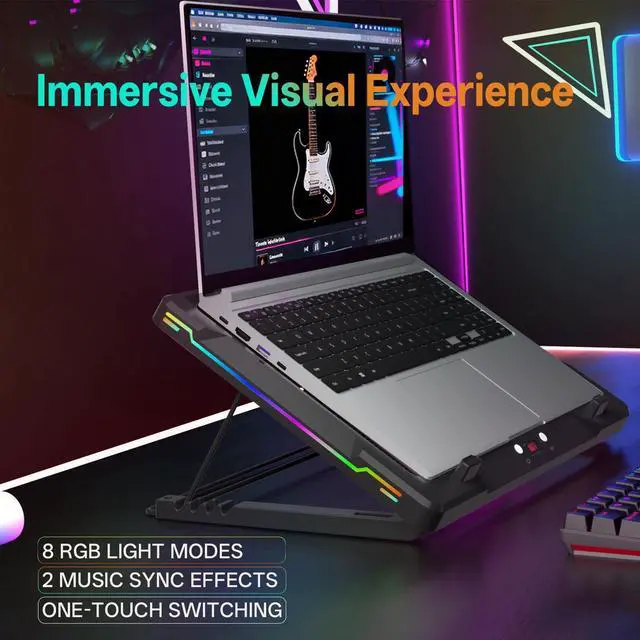
    • CREATE YOUR VIBELight up your battle station. This gaming laptop stand features 8 dynamic RGB modes and 2 rhythm-reactive music effects that sync to your audio, creating an incredibly immersive experience that puts you in the action.
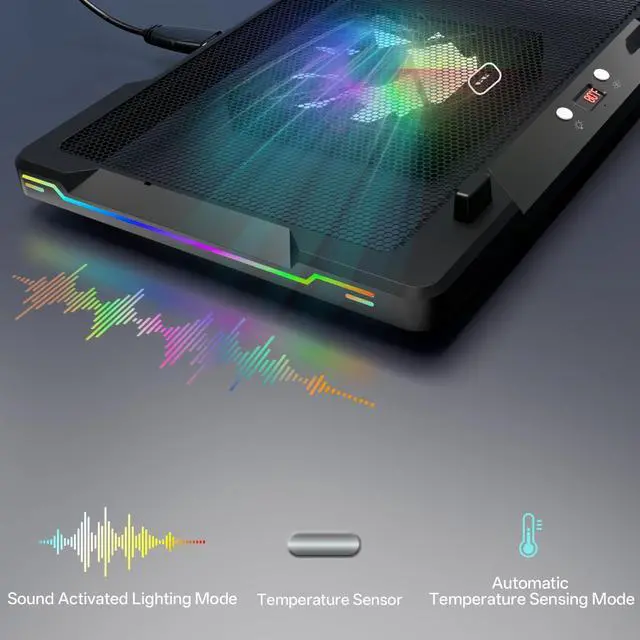
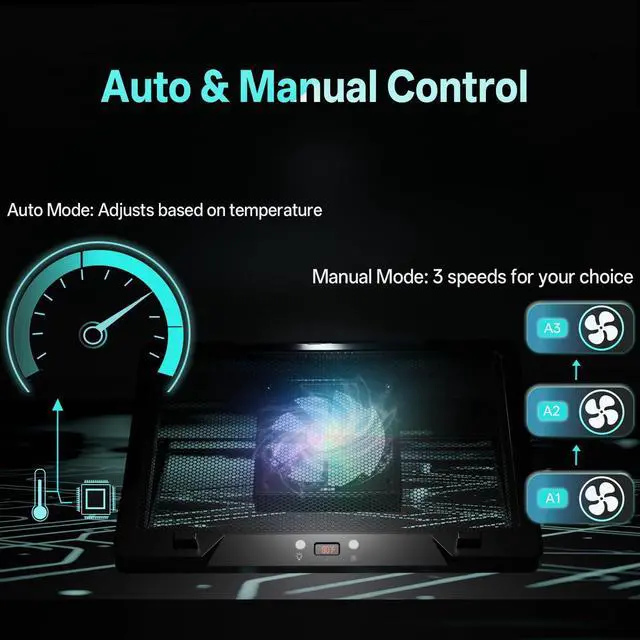
    • SMART & QUIET CONTROLTake command with 3 manual speeds or let the smart sensor auto-adjust. This powerful laptop cooling fan operates at a whisper-quiet 40dB even at max speed, ensuring total, distraction-free focus on your work or game
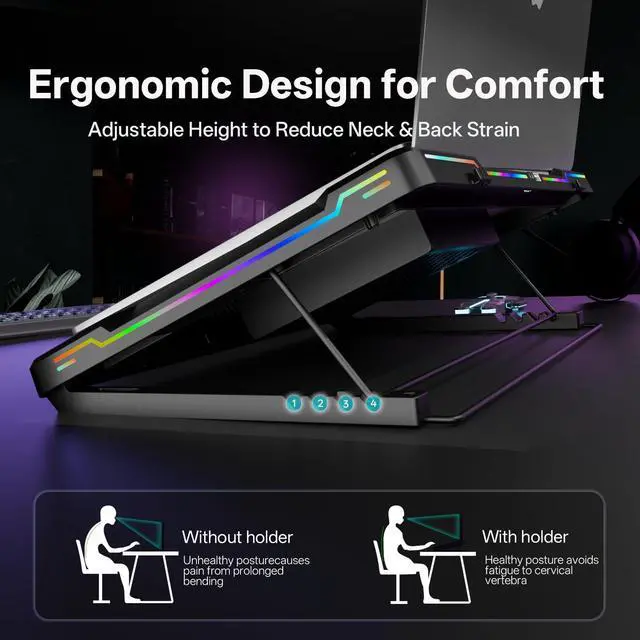
    • UNIVERSAL COMPATIBILITYThe sturdy frame of our laptop cooling stand is built to support all laptops from 14 to 17.3 inches. Its the perfect high-performance MacBook cooling pad or PC laptop cooler for any power user
    +
    +
    Overview
    Specs
    Reviews
    avatar

    Any questions? Our AI beta will help you find out quickly.

    A high-performance laptop cooling pad with fans actively cools a laptop to reduce heat
    A laptop rests on a cooling pad illuminated by LED lights, providing powerful airflow from its fans

    Smart Comfort, Your Way

    A close-up of the cooling pad's right control button, used to adjust fan speed and modes

    Right Button: Smart Fan Control

    Short Press (Manual): ON ? Speeds ? OFF.

    Long Press: Switches Auto (AU) / Manual (AA) modes.

    Auto (AU): Speed by temp (27-29, 30-32, 33°C+).

    Manual (AA): 3 speeds: A1 (low) ? A2 (med) ? A3 (high)

    The cooling pad's control interface, showing the switch between smart (auto) and manual modes

    Smart Cooling: Auto & Manual

    Auto (AU): Hands-free cooling! Speed auto-adjusts by temp.

    Indicator: AU. Temp Tiers: 79–84°F, 86–90°F, 91°F+.

    Manual (AA): Between your control! Set A1-A3 speeds for comfort.

    Your Vibe, Your Rules

    A close-up of the cooling pad's left button, used to control RGB lighting modes and colors

    Left Button: Easy Light Modes

    Short Press: ON ? Cycle Levels ? OFF.

    Long Press: Toggles Sound (R1) / Manual (LEd) modes.

    Sound Mode: L1 (normal), L2 (high sensitivity).

    Manual Mode: 8 settings: C1-4 solid, C5-8 dynamic effects.

    The cooling pad's RGB lights reacting to game sounds, showing its interactive light response

    Sound Mode: Lights Dance

    Sound Mode (R1): Lights change with ambient sound.

    L1 Sensitivity: Responds to louder sounds.

    L2 Sensitivity: Responds to even soft sounds.

    Atmosphere: Vibrant audio-visuals synced to music/environment

    A high-performance laptop cooling pad with fans actively cools a laptop to reduce heat
    A laptop rests on a cooling pad illuminated by LED lights, providing powerful airflow from its fans

    Smart Comfort, Your Way

    A close-up of the cooling pad's right control button, used to adjust fan speed and modes

    Right Button: Smart Fan Control

    Short Press (Manual): ON ? Speeds ? OFF.

    Long Press: Switches Auto (AU) / Manual (AA) modes.

    Auto (AU): Speed by temp (27-29, 30-32, 33°C+).

    Manual (AA): 3 speeds: A1 (low) ? A2 (med) ? A3 (high)

    The cooling pad's control interface, showing the switch between smart (auto) and manual modes

    Smart Cooling: Auto & Manual

    Auto (AU): Hands-free cooling! Speed auto-adjusts by temp.

    Indicator: AU. Temp Tiers: 79–84°F, 86–90°F, 91°F+.

    Manual (AA): Between your control! Set A1-A3 speeds for comfort.

    Your Vibe, Your Rules

    A close-up of the cooling pad's left button, used to control RGB lighting modes and colors

    Left Button: Easy Light Modes

    Short Press: ON ? Cycle Levels ? OFF.

    Long Press: Toggles Sound (R1) / Manual (LEd) modes.

    Sound Mode: L1 (normal), L2 (high sensitivity).

    Manual Mode: 8 settings: C1-4 solid, C5-8 dynamic effects.

    The cooling pad's RGB lights reacting to game sounds, showing its interactive light response

    Sound Mode: Lights Dance

    Sound Mode (R1): Lights change with ambient sound.

    L1 Sensitivity: Responds to louder sounds.

    L2 Sensitivity: Responds to even soft sounds.

    Atmosphere: Vibrant audio-visuals synced to music/environment

    Movable RGB Laptop Cooler with 5.5" Sliding Fan, Ergonomic Cooling Stand with 8 Light Modes for 14- 17.3 Inch Gaming Laptops

    Warranty & Returns

    Warranty, Returns, And Additional Information

    Warranty

    • Please contact the Seller directly for warranty information. Warranty information may also be found on the Manufacturer's website.
    • CONTACT

    Return Policies

    Manufacturer Contact Info

    LOADING...