

Your Browsing History

Meet Your Seller

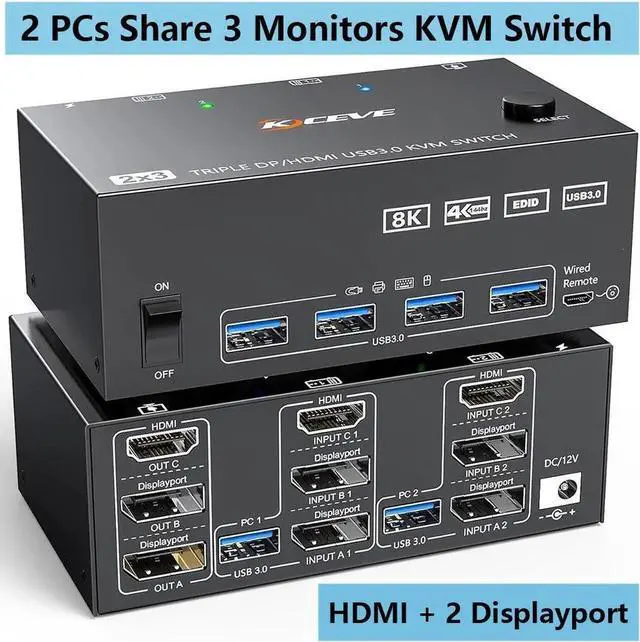


Triple Monitors 2 DisplayPort + HDMI KVM Switch, 8K@60Hz 4K@144Hz, USB 3.0 HDMI + 2 DP KVM Switch 2 PC 3 Monitors, KVM Switch DisplayPort1.4 + HDMI 2.1 for 2 PC Share Mouse, Keyboard and 3 Monitors
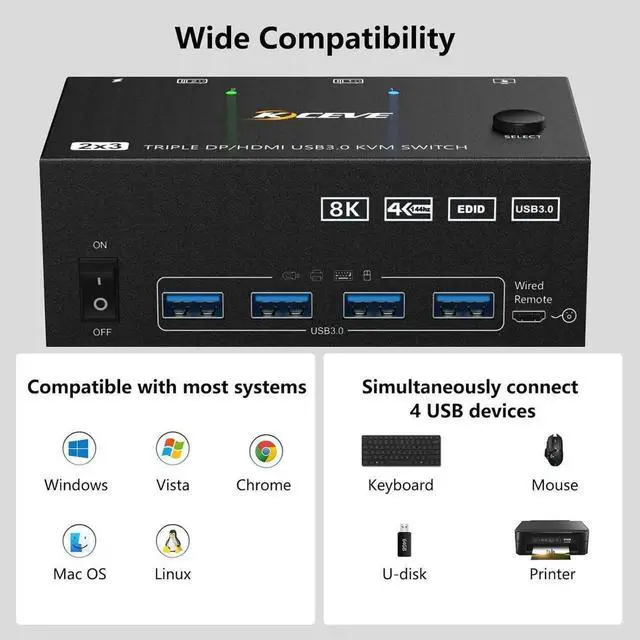
- [HDMI+2 Displayport KVM Switch] This Triple Monitor KVM switch allow you to control 2 computers by only 1 set of wired or wireless keyboard mouse, share 4 USB 3.0 devices and 3 monitors.
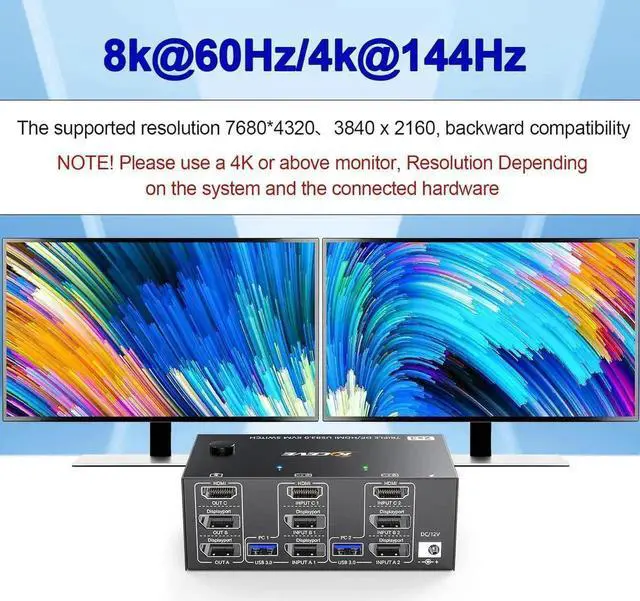
- [Support Ultra HD 8K] Display port: KVM Switch Triple Monitor Supports a maximum of 8K@60Hz (7680×4320), 4K@144Hz (3840×2160) Ultra HD image quality, and also supports other lower.
- [with 4 usb 3.0 port] with 4 integrated USB 3.0 ports,supports ultra-fast 5Gbps data transmission,which can recognize keyboard, mouse, printer, USB flash drive and other USB devices.
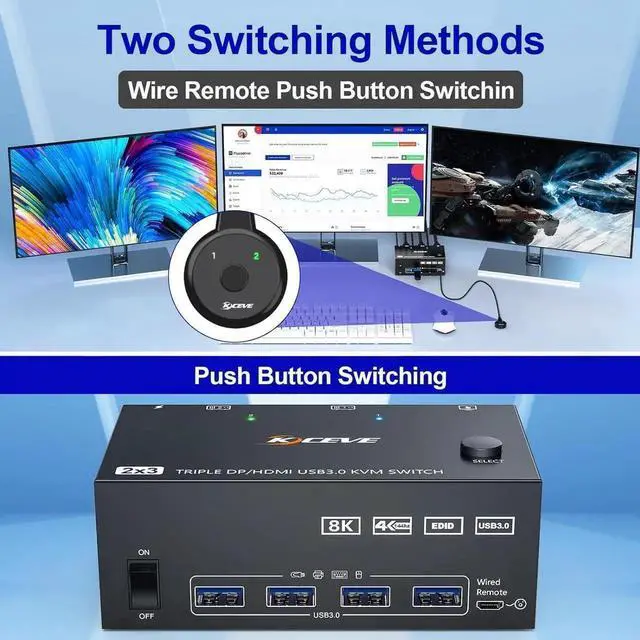
- [Great Compatibility& 2 Switching Mode] Driver-free for Windows, Mac, Linux, Unix, Ubuntu etc..You can press the button on the panel or use the wired remote to switch. Two colors indicates which computer is active clearly.
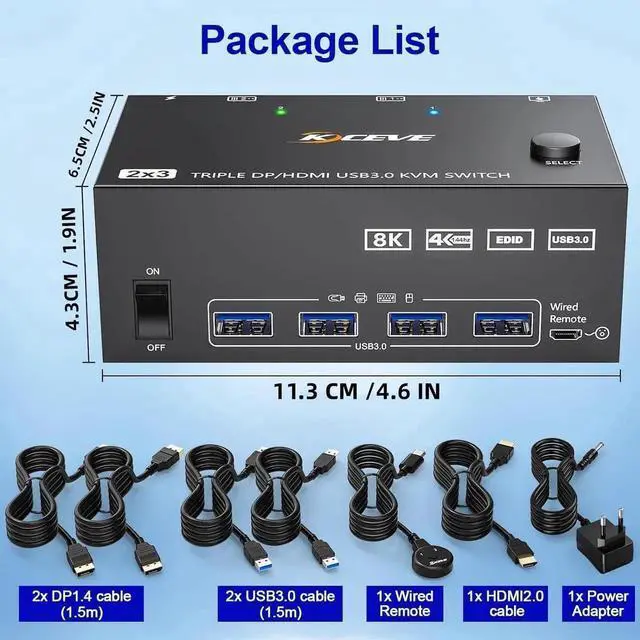
- [What you will get] 1x Triple Monitor KVM Switch, 2x DP1.4 Cable, 1x HD-MI2.1 Cable, 2x USB 3.0 Cable, 1x Power Adapter, 1x Wired remote, 1x User's manual. We provides 1 year warranty and lifetime technical support.
+
+
Overview
Specs
Reviews

Any questions? Our AI mode will help you find out quickly.
Try me now
DP + DP + HDMI Triple Monitors KVM Switch 2 PC 3 Monitors Share 4 USB 3.0 Devices
HDMI + 2 Displayport KVM switch TRIPLE MONITOR is a good helper for office and home
Allow you to control 2 computers by only one set of wired or wireless keyboard mouse, share 4 USB 3.0 devices and 3 monitors
Triple monitor KVM Switch has three independent circuit boards, A, B and C, suitable for 2 computers share 3 monitors, 2 monitors or1 monitor, giving you more choices
This 2 computers 3 monitors KVM switch supports the use of a variety of converters and docking station, such as DP to HDMI, powered HDMI to DP, MINI DP to DP, USB C to DP/HDMI adapter and USB C docking station
Please check your computer configuration before placing an order.
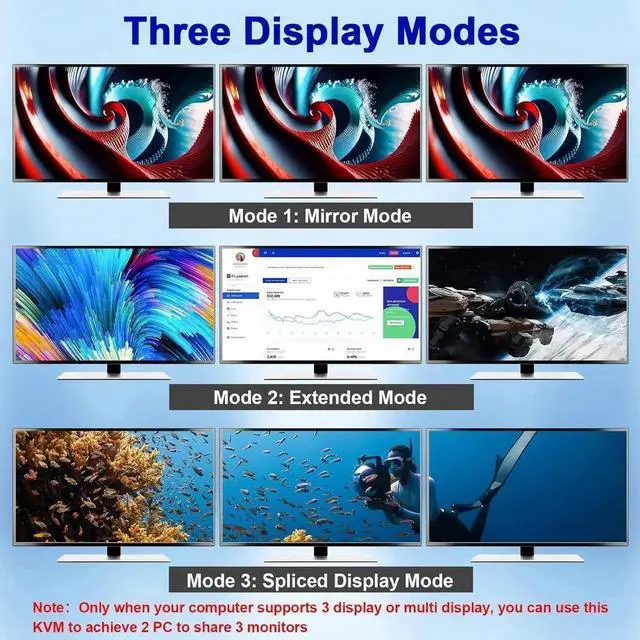
HDMI Displayport KVM Switch Three display modes
Support extended mode, mirror mode and splicing mode
After connecting the computers and the monitors through KVM, you need to set the screen output mode on the computer (press Windows+P) and select the output mode in the pop-up window on the screen. Otherwise, only one of the two connected monitors has an image.
Only when your computer supports 3 display or multi display, you can use this KVM to achieve 2 PC to share 3 monitors.
Please use the 12V power adapter ( include in the package) to power this Displayport and HDMI triple Monitors KVM switch.
USB 3.0 DP + DP + HDMI KVM switch triple monitor Features
Switching modes: Physical button and wired remote
High compatibility, canauto-match source and display device
supports ultra-fast USB 3.0 data transfer, which is 10 times higher than USB 2.0, Data transfer speeds up to 5Gbps
Support most major OS including Windows, Linux, Mac
HD-MI 2.1 Compatible input and out put ports
Three display modes: extended mode, mirror mode and splicing mode
Displayport 1.4 Compatible input and out put ports
Built in automatic adjustment system, make the image smooth, clear and stable
Simple to install, plug and play
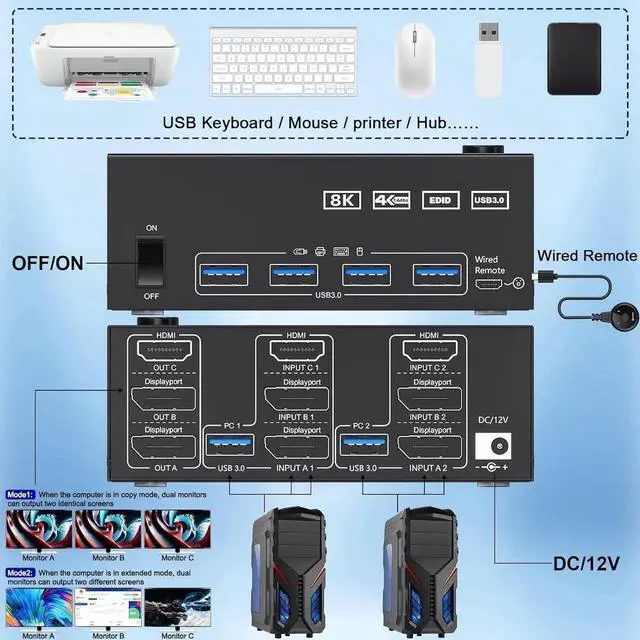
How to Connect the KVM Switch?
Connection steps:
Triple monitor KVM switch each computer requires 1*HDMI+2*Displayport +1* USB cable to connect the 3 monitor KVM switch, OUT A, OUT B, OUT C connect to 3 monitors.
Adapters will be needed if your PC does not have 2*DP+1*HDMI ports.
Step 1. Connect 1*HDMI+1*DP cables+1*DP cables+1*USB cable between INPUTA1 and KVM
Step 2. Connect 1*HDMI+1*DP cables+1*DP cables+1*USB cable between INPUTA2 and KVM
Step 3. Connect 1*HDMI+1*DP cables+1*DP cables+1*USB cable between OUT A monitors and KVM
Step 4. Connect your USB device (keyboard, mouse, printer, USB stick, etc. ) into the USB 3.0 port on the KVM.
Step5. Connect DC/12V Adapter to KVM Switch
Step6. Insert the wired remote into the "SELECT" port to remotely switch between PC1 and PC2.
Suitable for multiple systems
Driver-free for Windows 11/10/8/7/Vista/XP and Mac OS, Linux.
8k@60Hz/4k@144Hz UHD Resolution
Support resolution up to 8K@60Hz/4K@60Hz/2K@60Hz and backward compatible with lower resolution.
4-Port USB 3.0 with Data transfer speeds up to 5Gbps.
USB 3.0 KVM Switches come with 4 USB 3.0 ports for sharing USB devices, such as mouse, keybaord, scanners, printers, U disks and other USB devices
Upgraded USB 3.0 version ensure data transfer more faster and stable, it's a great solution to solve many USB device disconnected issue during use.
This HDMI+2 Displayport Triple Monitor KVM Switch supports 8k@60Hz/4k@144Hz, which our engineers tested many times.
The exact resolution you get depends on your computer, HD-MI cable version and length, DP cable version and length and if your screen supports 8K. you can get 8K resolution only if everyone supports 8K.
Please Check if your hardware devices support 8K. It is recommended to use a 8K HDMI 2.1 cable and a DP 1.4 cable, the length of which should not exceed 1.5 meters, and a 8K monitor.
Plug and play, drive-free, widely used in many occasions, such as office, conference, teaching, performance, live broadcast, home theater, etc.
Note: Only when both your computer Graphics card and monitor support 8k@60Hz/4K@144Hz then you can get 8k@60Hz/4K@144Hz effect, so if you want the max resolution you have to check your devices first.
Warranty & Returns
Warranty, Returns, And Additional Information
Warranty
- Please contact the Seller directly for warranty information. Warranty information may also be found on the Manufacturer's website.
- CONTACT
Return Policies
- Return for refund within: 30 days
- Return for replacement within: 30 days
- This item is covered by Lumitek Return Policy
Manufacturer Contact Info
- For a directory of all our manufacturers, please click below.
- Manufacturers Directory
LOADING...