• $157.99
  • Free 30-day Returns
  • Price alert
    Shop it at NeweggBusiness.

    TD-H3 Plus Ham Radio Handheld, Bluetooth-Headphone-connectable,Wireless Programming, Multi-Band Walkie Talkies Long Range NOAA Emergency Weather Radios for Survival Gear Crystal 2 Pack

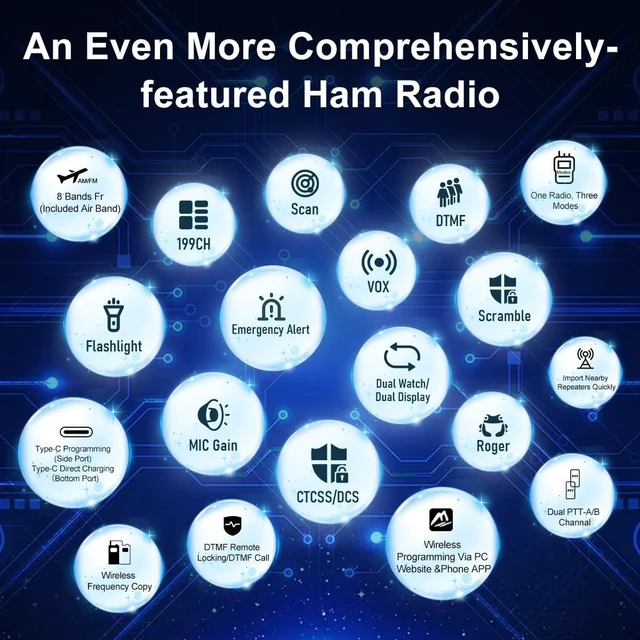
    • Professional Ham RadioThe frequency range: 136-174MHz, 420-470MHz; FCC ID: 2A4FBTD831
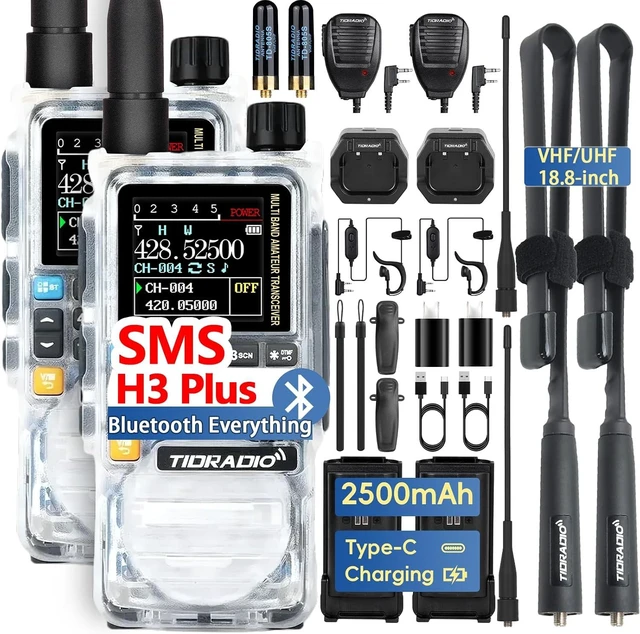
    • Rechargeable 2500 mAh Large Battery Multiple Charging Methods: Each Radio equippend with USB-C Charging Cable, US Base Charger and 2500mAh battery, you can easily charge it from power bankPCcarwalllaptop and any usb slot and long standby time. The durable battery ensure uninterrupted contact for camping, fishing, hiking or train stations etc
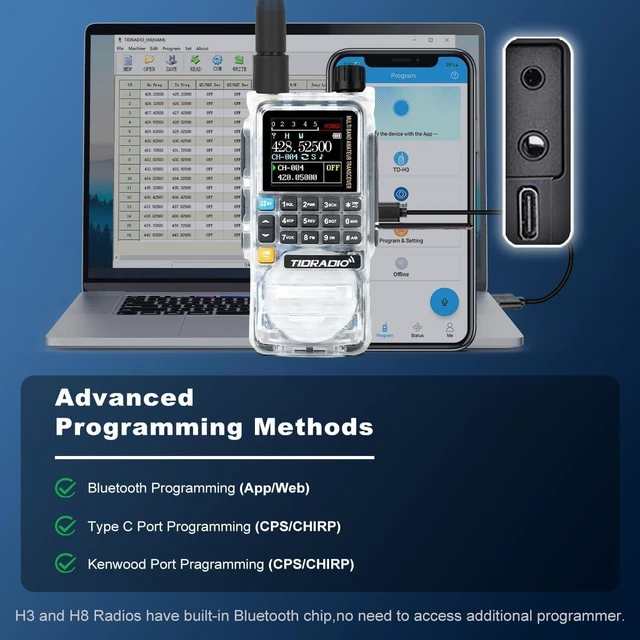
    • Multi-mode Programming1 - H3 Plus supports Type C cable programming(Side port). Get rid of the dependence on the old style programming cable. 2 - It supports bluetooth programming on phone(APP) and PC(Odmaster Website), it can be quickly programmed. It can be programmed offline. Save program data on your phone via network beforehand. All this reduce the burden of traveling. 3 - We keep the traditional 2-pin programming interface. The H3 radio works with CHIRP and CPS programming software.
    +
    +
    Overview
    Specs
    Reviews

    Any questions? Ask CelesteSM will help you find out quickly.

    TD - H3 Plus Radio Privacy ProtectionSet DTMF lock to safeguard your radio. Lock it by sending DTMF commands. The code must be at least 5 digits. For instance, use 12345 as the Kill/Stun code; the unlock code is 12345# (The # is for unlocking, no need to set separately). How to Unlock: Send the unlock code to H3 via DTMF. Or open CPS-Edit-DTMF, uncheck the Kill/Stun code. Click Write to unlock your H3 radio.
    2X TD-H3 plus Radio, 2X 18.8 inch Foldable CS Tactical Antenna, 2X TD-805S, 2X 6.1 inch Antenna, 2X Speaker MIC, 2X 2500mAh Type-C Battery, 2X Headset with Mic, 2X Desktop Charger, 2X USB C Charging(programming) cable, 2X US Charger, 2X Back Clip, 1 X User Manual, 2X Lanyard
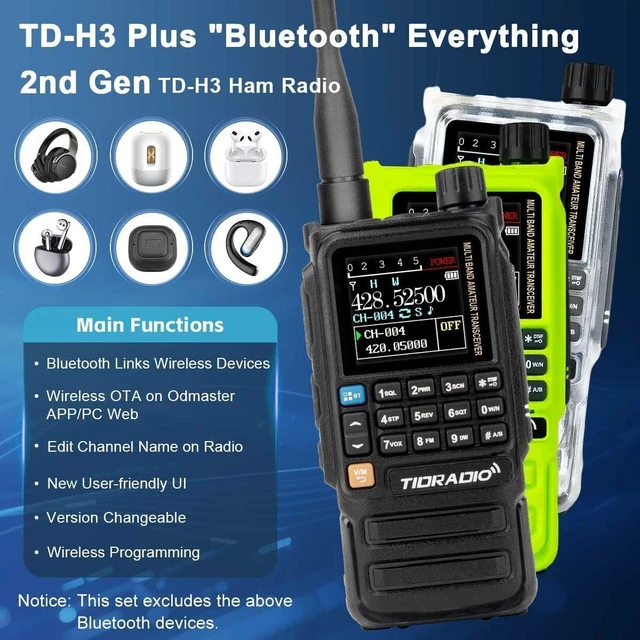
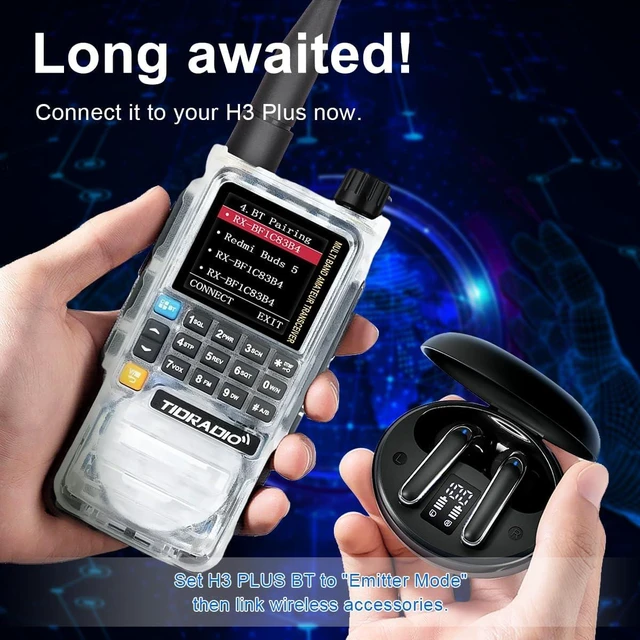
    • 1. Turn on the BT, inter MENU>5-BT
    • 2. Set on BT Mode: Set as Emitter.
    • 3. Go BT Pairing, connect your wireless device. (Only one at a time. If too noisy, lower BT Spk Gain. Headphone button not usable, adapting).
    • Transmit using VOX (voice-activated) or radio PTT

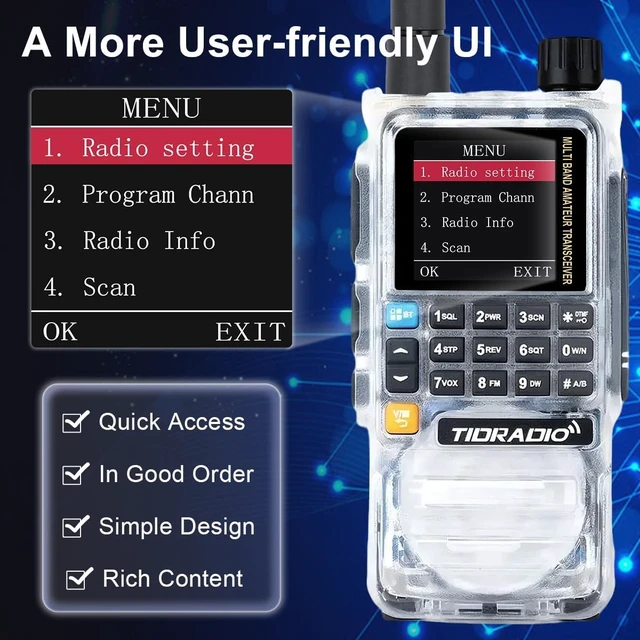
    More Easy to use.


    • Customize your TD-H3 plus without a phone.
    • Customize h3 plus side keys on Radio Setting 27 - 30.
    • Name channels on Channel Mode at Program Chann 15-CH Name.
    • Customize scan mode via Menu 4-Scan.

    Now, go and program your favorite TD-H3 Plus on Odmaster Web on PC via Bluetooth (PC should have bluetooth, it supports CSV file).


    How to download the CPS and firmware


    https}://walkietalkiesoftware com


    Account: BusHound at gmail com PW:123456


    136-174MHz ~4 watt


    200-230MHz ~0.5W


    340-390MHz ~2.5-4.8W


    400-470MHz ~4.5-5W


    Steps: Long-press [PTT]& [*] keys together, power on, ->Normal. Radio Setting: 38 -41 to "On". Value of TX tone(TX Power Setting) - L 55/75, M 125/130, H 252


    Still using a fixed-brightness radio? Say no!


    The screen brightness is adjustable.


    In any environment, you'll be able to see clearly without a hitch


    No more hassle editing channel names.


    Press # to switch input methods.


    NEW!!!


    18 text colors for the menu interface. Could one of them be your lucky hue? Refresh your day, every day!


    Radio Setting-15 Display,42 Menu Color


    If you don't want to speak, you can use H3 Plus message each other on the same frequency. Privacy and freedom


    Press # to switch input methods.


    ->Normal: Long-press [PTT]+ [*] keys together, power on


    ->GMRS: In NORMAL mode, import "GMRS" freqs on RX/TX List via APP or web.


    See videos


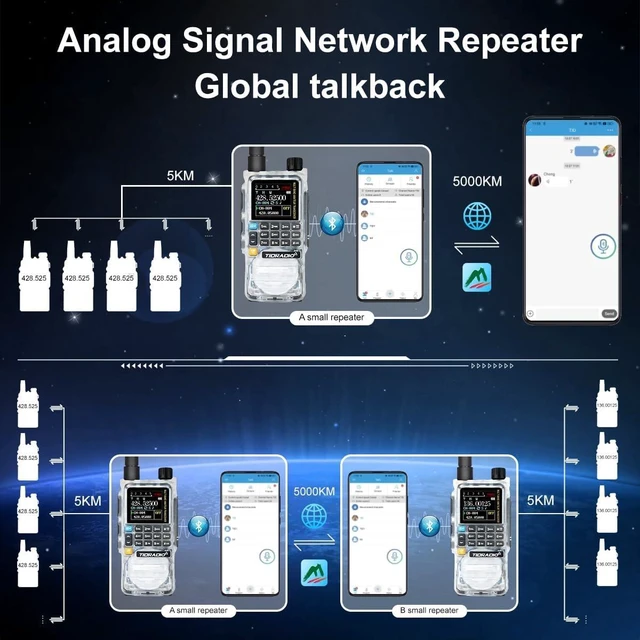
    You can quickly import repeaters with ODmaster APP, and the 5 watt power enables long-distance transmission


    Continuously optimizing.


    Always here to serve you.


    --Ver.1.0.44


    • On standby: long-press 8 to enter web update mode.
    • long-press 0 for NOAA weather.
    • Upgrade on ODmaster Web
    • Upgrade via software, if web update fails. Download link: walkietalkiesoftware dot com
    • If works fine, keep the original firmware
    • 2.Set on BT Mode: For Wireless PTT: Set as Receiver. For wireless headphone: Set as Emitter.
    • 3. Go BT Pairing, connect your wireless device.

    If too noisy, lower BT Spk Gain. Device & h3 plus: keep within 3m. Due to compatibility, other wireless headphones can't use headphone buttons for PTT transmission. But wireless headphones with PTT are coming soon. Please wait patiently.


    Warranty & Returns

    Warranty, Returns, And Additional Information

    Warranty

    • Please contact the Seller directly for warranty information. Warranty information may also be found on the Manufacturer's website.
    • CONTACT

    Return Policies

    Manufacturer Contact Info

    LOADING...