Your Browsing History
Meet Your Seller
MacBook Docking Station Dual Monitor 4K@60Hz for MacBook Pro/Air M5/M4 Vertical Laptop Dock Stand with M.2 NVMe SSD Enclosure, 2 HDMI, 10Gbps USB A/C, Ethernet, PD for Home & Office, Black
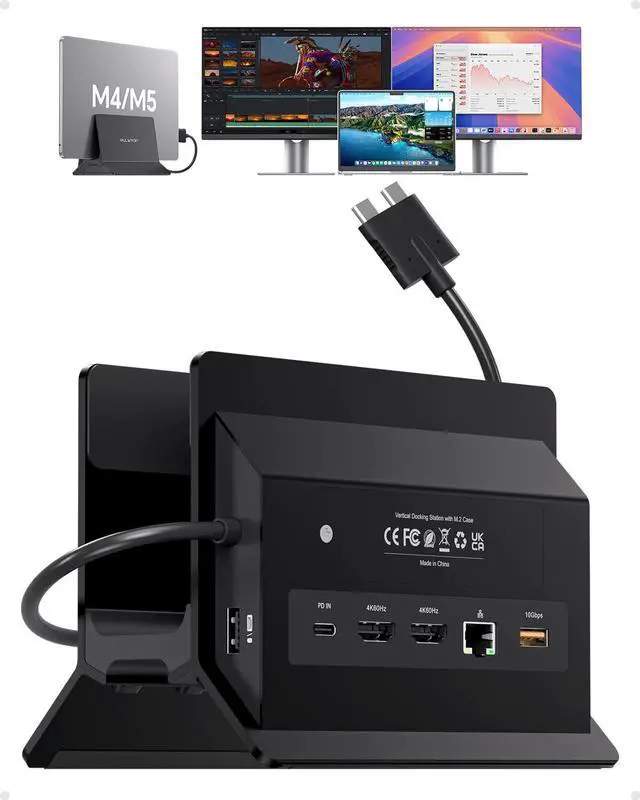
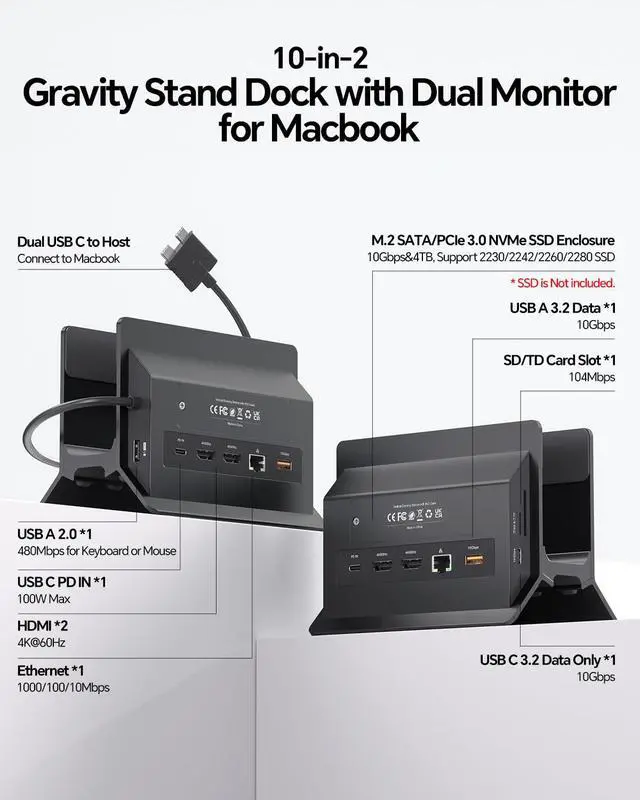
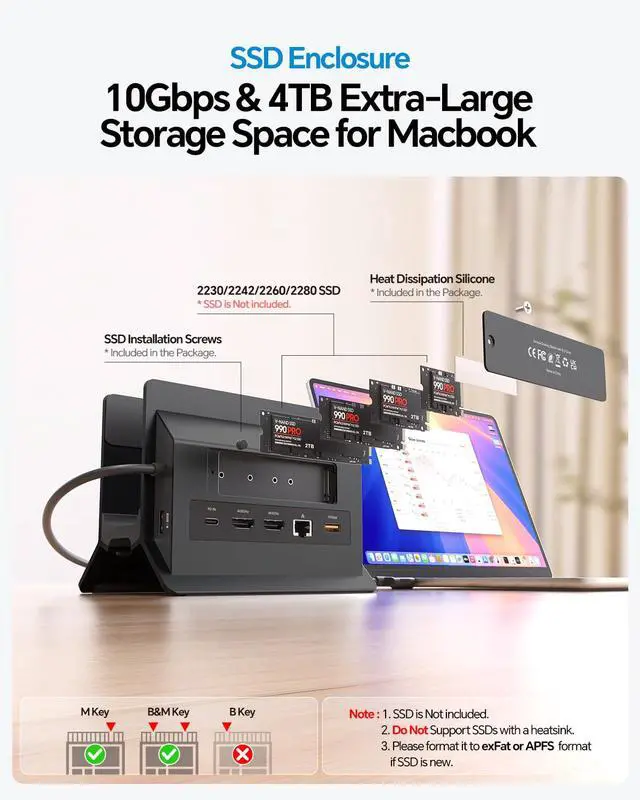
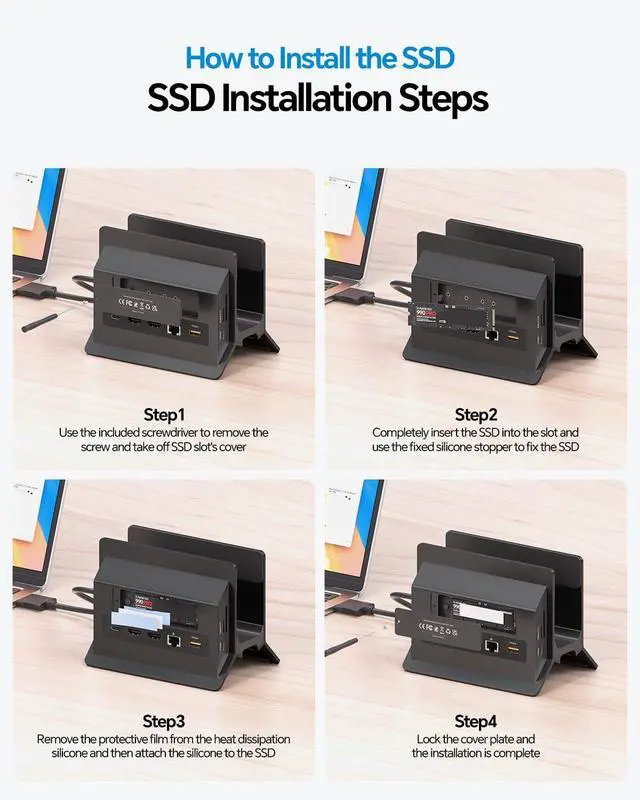
- 11-in-2 Docking Station with Vertical Stand This MacBook Air dual-monitor docking station includes an M.2 NVMe SSD enclosure (up to 4TB), 2*4K@60Hz HDMI, 100W PD (65W+ power supply required, not included), 10Gbps USB-A/C ports (data only), Gigabit Ethernet RJ45, USB 2.0, and an SD/TF card slot. The vertical laptop docking station with stand saves desk space and enhances airflow. One dock replaces multiple adapters for a neat, organized setup. Dual 4K@60Hz Display Extend MacBook Pro/Air to 2*4K monitors through dual HDMI for clear visuals suitable for editing, coding, and presentations. Compatible with M4/M5 base chips, M1M5 Pro/Max, and Intel (2016-2020). Note: M1/M2/M3 base chips support a single monitor only. Incompatible with Windows, MacBook Neo, and iPad. No driver needed; plug and play. Up to 4TB M.2 SSD Expansion The built-in M.2 NVMe enclosure provides up to 4TB of high-speed storage. Transfer large videos, photo libraries, and backups at 10Gbps. NVMe only; not SATA. SSD not included. Gigabit Ethernet & 10Gbps Data Transfer The built-in RJ45 port delivers stable wired internet connectivity for video conferences and large downloads. 10Gbps USB-C/A ports enable fast file transfers for video editing and coding. Steps of Clamshell Mode Go to Applications Utilities and open Terminal. Enter the following command and press Enter: sudo pmset -a disablesleep 1 Enter the administrator password and press Enter again. Once these steps are completed, dual disp
+
+
Overview
Specs
Reviews
Any questions? Our AI mode will help you find out quickly.
Try me now
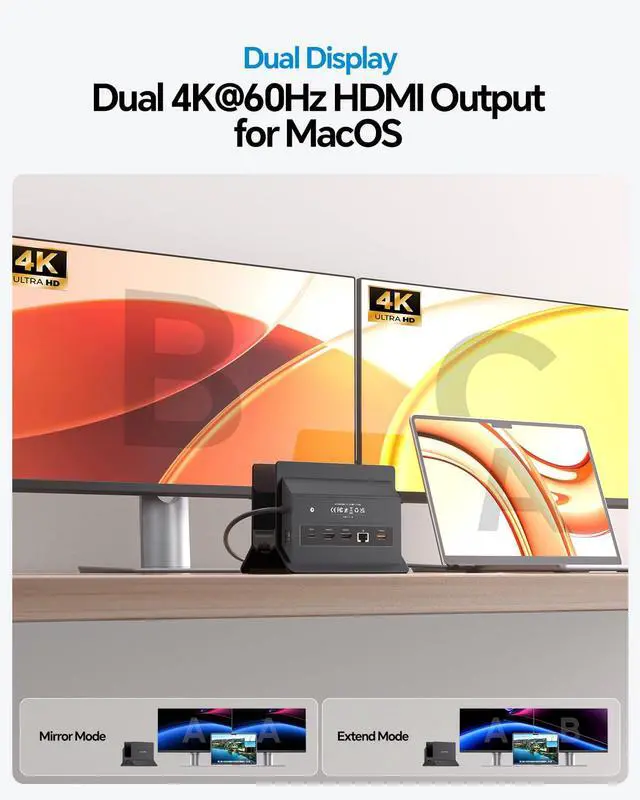
11-in-2 Docking Station with Vertical Stand This MacBook Air dual-monitor docking station includes an M. 2 NVMe SSD enclosure (up to 4TB), 2*4K@60Hz HDMI, 100W PD (65W+ power supply required, not included), 10Gbps USB-A/C ports (data only), Gigabit Ethernet RJ45, USB 2.0, and an SD/TF card slot. The vertical laptop docking station with stand saves desk space and enhances airflow. One dock replaces multiple adapters for a neat, organized setup. Dual 4K@60Hz Display Extend MacBook Pro/Air to 2*4K monitors through dual HDMI for clear visuals suitable for editing, coding, and presentations.
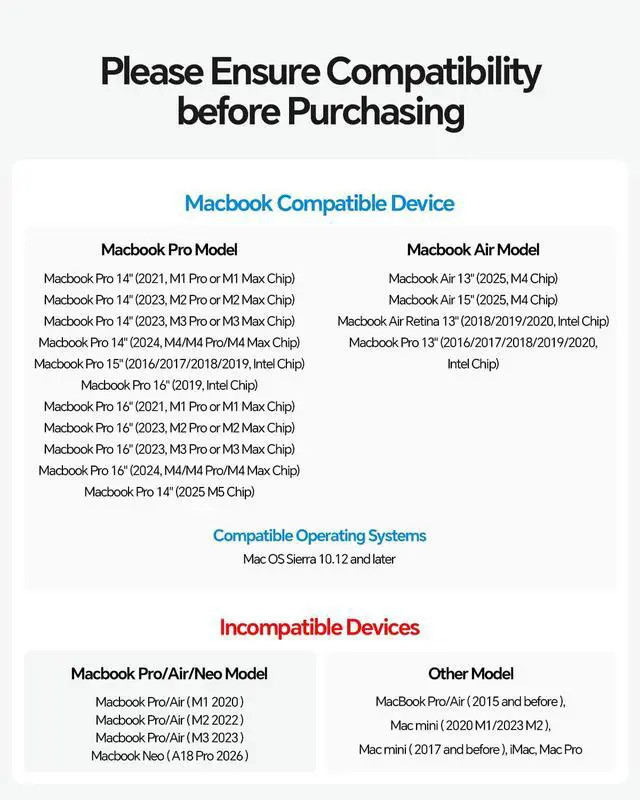
Compatible with M4/M5 base chips, M1M5 Pro/Max, and Intel (2016-2020).
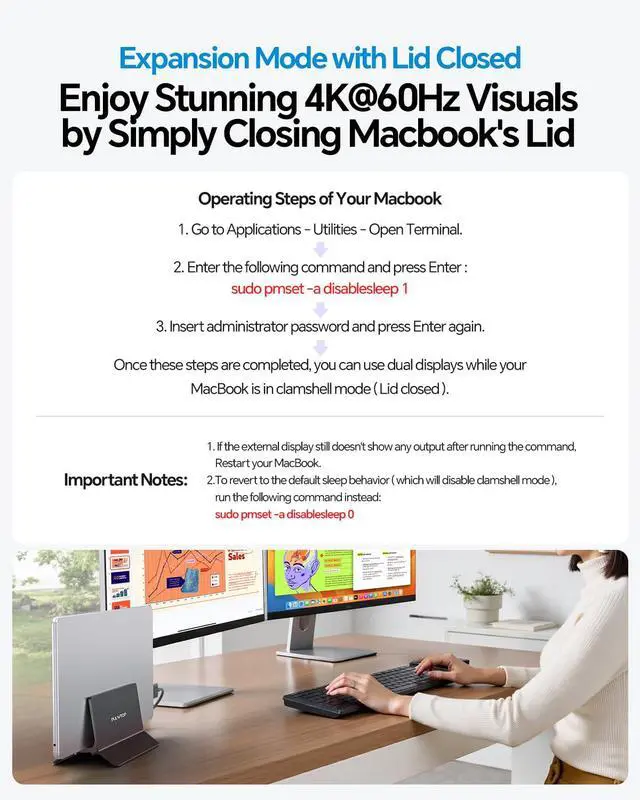
Note: M1/M2/M3 base chips support a single monitor only. Incompatible with Windows, MacBook Neo, and iPad. No driver needed; plug and play. Up to 4TB M. 2 SSD Expansion The built-in M. 2 NVMe enclosure provides up to 4TB of high-speed storage. Transfer large videos, photo libraries, and backups at 10Gbps. NVMe only; not SATA. SSD not included. Gigabit Ethernet & 10Gbps Data Transfer The built-in RJ45 port delivers stable wired internet connectivity for video conferences and large downloads. 10Gbps USB-C/A ports enable fast file transfers for video editing and coding. Steps of Clamshell Mode Go to Applications Utilities and open Terminal. Enter the following command and press
Enter: sudo pmset -a disablesleep 1 Enter the administrator password and press Enter again. Once these steps are completed, dual displays can be used while the MacBook is in clamshell mode with the lid closed. If the external display does not show output after running the command, restart the MacBook. To revert to the default sleep behavior and disable clamshell mode, run: sudo pmset -a disablesleep 0

Compatible with M4/M5 base chips, M1M5 Pro/Max, and Intel (2016-2020).
Note: M1/M2/M3 base chips support a single monitor only. Incompatible with Windows, MacBook Neo, and iPad. No driver needed; plug and play. Up to 4TB M. 2 SSD Expansion The built-in M. 2 NVMe enclosure provides up to 4TB of high-speed storage. Transfer large videos, photo libraries, and backups at 10Gbps. NVMe only; not SATA. SSD not included. Gigabit Ethernet & 10Gbps Data Transfer The built-in RJ45 port delivers stable wired internet connectivity for video conferences and large downloads. 10Gbps USB-C/A ports enable fast file transfers for video editing and coding. Steps of Clamshell Mode Go to Applications Utilities and open Terminal. Enter the following command and press
Enter: sudo pmset -a disablesleep 1 Enter the administrator password and press Enter again. Once these steps are completed, dual displays can be used while the MacBook is in clamshell mode with the lid closed. If the external display does not show output after running the command, restart the MacBook. To revert to the default sleep behavior and disable clamshell mode, run: sudo pmset -a disablesleep 0
Warranty & Returns
Warranty, Returns, And Additional Information
Warranty
- Please contact the Seller directly for warranty information. Warranty information may also be found on the Manufacturer's website.
- CONTACT
Return Policies
- Return for refund within: 30 days
- Return for replacement within: 30 days
- This item is covered by Pingquan Store Return Policy
Manufacturer Contact Info
- For a directory of all our manufacturers, please click below.
- Manufacturers Directory
LOADING...