

Your Browsing History
- Free 30-day Returns
$80.99

Meet Your Seller


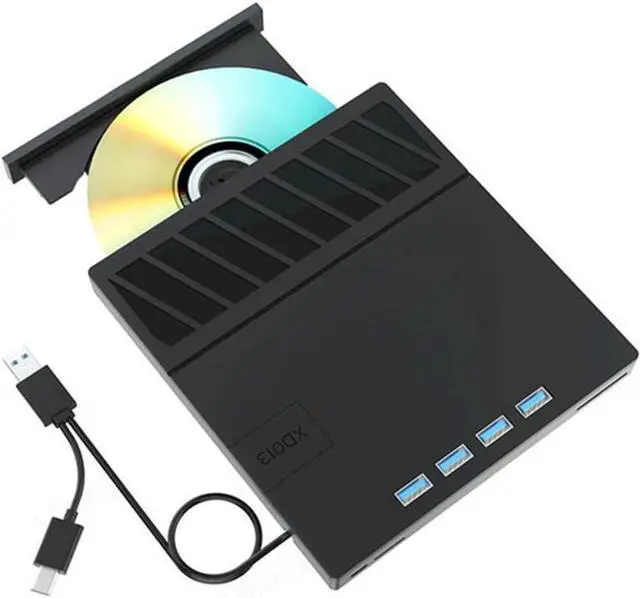
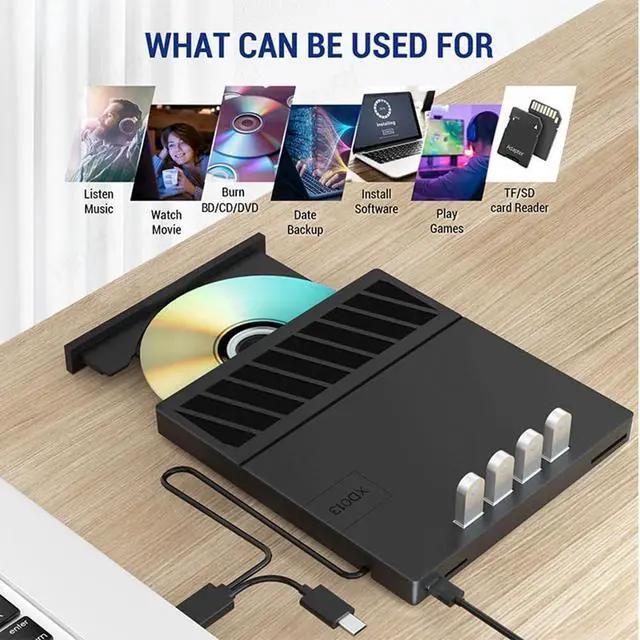
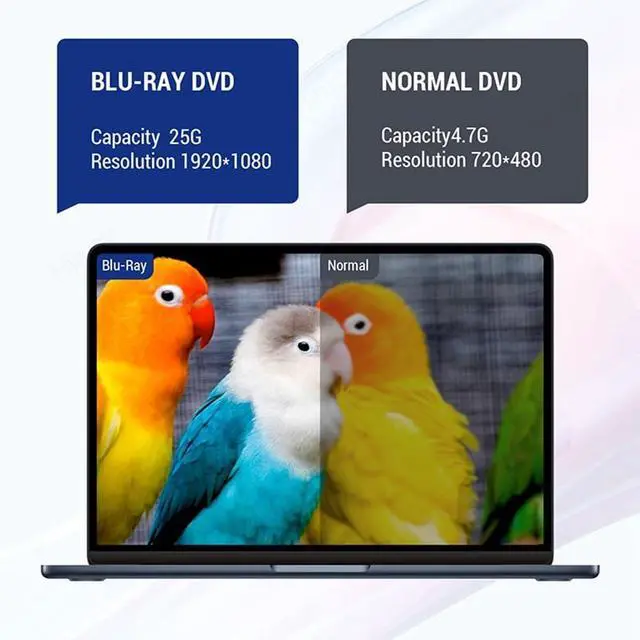
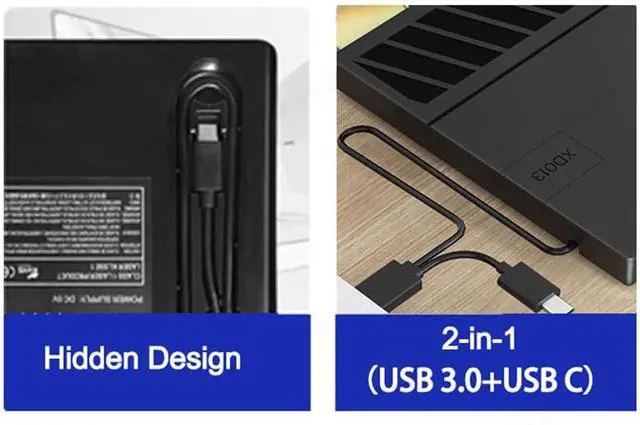
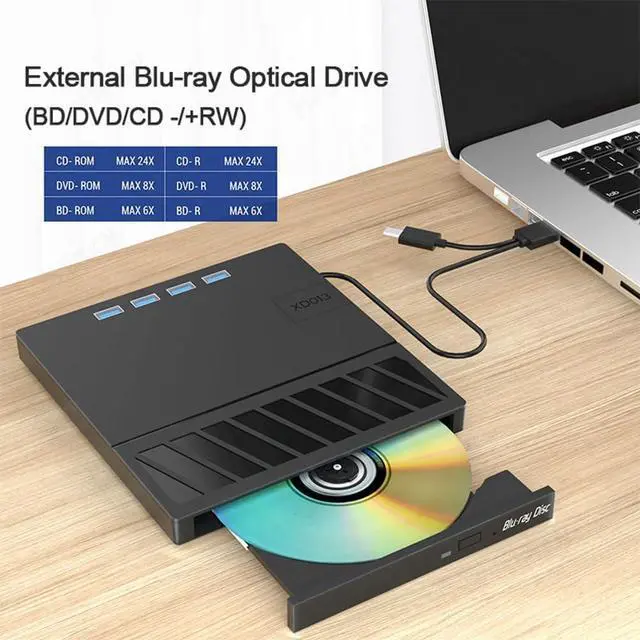
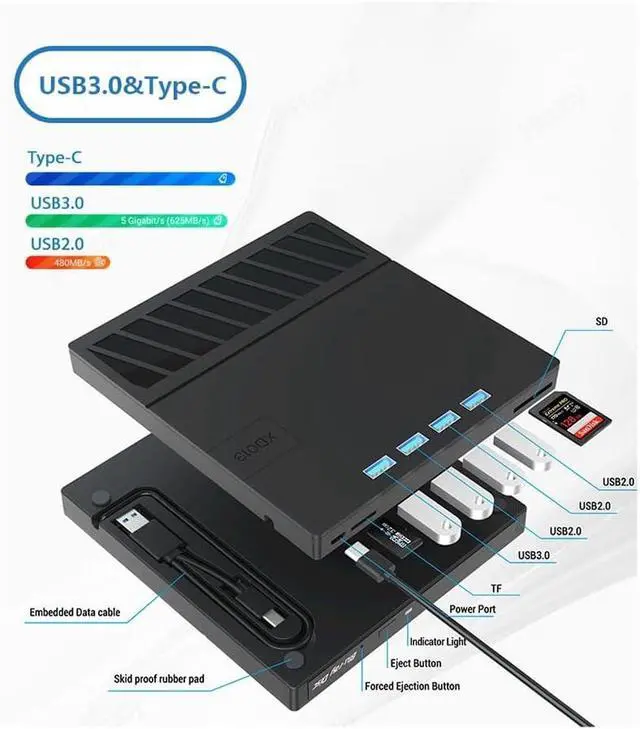


USB 3.0 Type-C Multiplication External Blu-Ray Optical Drive CD/DVD/BD -/+RW Player Burner Writer Reader for Laptop PC
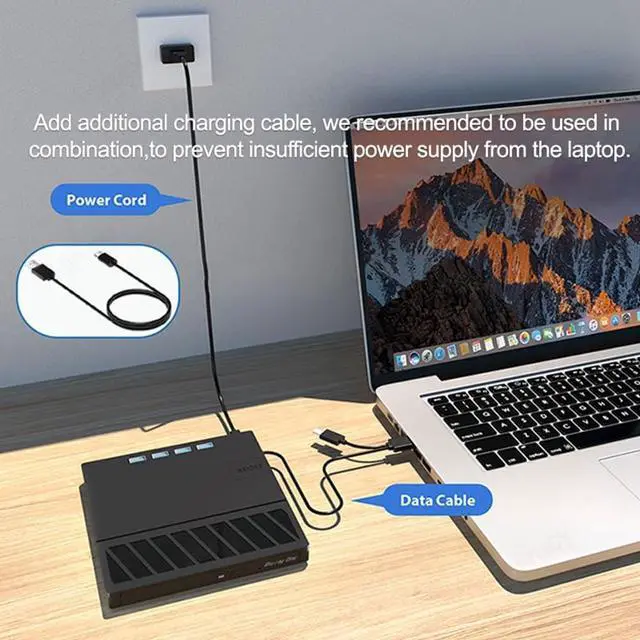
- Do not support smartphone,TV,car,tablet. Please make sure that the laptop power supply is sufficient when you use the dvd driver.
- Computers often do not natively support DVD movie playing, so a media player (such as VLC) must be downloaded and installed to watch using this CD/DVD player. You can download and install a playing/burning software you like. You can also refer to the following software:
- Playing software: Any Media Player, Any DVD; Burning software for OS: InfraRecorder, , Express Disc Burner; Burning software for OS: Burn for ; Burning software for Linux OS/Unix OS: K3b (KDE Burn Baby Burn);
- Note: Please be aware that the playback/burning software for the external Blu-ray drive is not included and must be purchased separately to proper functionality.
+
+
Overview
Reviews

Any questions? Our AI mode will help you find out quickly.
Try me now
TKOWTB (1). When downloading Blu-ray playback software, Some software in for and OS are not compatible, please make sure Blu-ray playback software is compatible with your computer system. Test it by downloading the software ' BD & 3D Advisor'. The software verify whether your computer is equipped for Blu-ray or 3D playback.
(2). It's recommended to play the via the BD player 'Powerdvd10-19'. Burn the via the 'Nero' burning software.
(Please use professional software to play Blu-ray discs,such as for NERO / LEAWO / MakeMKV / Blu-ray Player / PowerDVD / Blu-ray Player / Blu-ray Player / Macgo Blu-ray Player. Some Blu ray playback software requires a fee.)
(3). Block the region code. If the -protected with a region code may not be used, you can encode the region code by downloading the block software 'Any DVD'.
Color: Black
Material: Plastic
Package Contents:
1x USB BD/CD/DVD-RW drive (CD not included)
1x Cable
1x English User Manual
Only the above package content, other products are not included.
Note: Light reflection and different displays may cause the color of the item in the picture a little different from the real thing. The measurement allowed error is +/- 1-3cm.
(2). It's recommended to play the via the BD player 'Powerdvd10-19'. Burn the via the 'Nero' burning software.
(Please use professional software to play Blu-ray discs,such as for NERO / LEAWO / MakeMKV / Blu-ray Player / PowerDVD / Blu-ray Player / Blu-ray Player / Macgo Blu-ray Player. Some Blu ray playback software requires a fee.)
(3). Block the region code. If the -protected with a region code may not be used, you can encode the region code by downloading the block software 'Any DVD'.
Color: Black
Material: Plastic
Package Contents:
1x USB BD/CD/DVD-RW drive (CD not included)
1x Cable
1x English User Manual
Only the above package content, other products are not included.
Note: Light reflection and different displays may cause the color of the item in the picture a little different from the real thing. The measurement allowed error is +/- 1-3cm.
Warranty & Returns
Warranty, Returns, And Additional Information
Warranty
- Please contact the Seller directly for warranty information. Warranty information may also be found on the Manufacturer's website.
- CONTACT
Return Policies
- Return for refund within: 30 days
- Return for replacement within: 30 days
- This item is covered by Zhanfu Technology Co., Limited Return Policy
Manufacturer Contact Info
- For a directory of all our manufacturers, please click below.
- Manufacturers Directory
LOADING...