




 here!
I’m your shopping assistant for PC builds, upgrades, and everything tech.
Got questions? Ask away!
Start a conversation
here!
I’m your shopping assistant for PC builds, upgrades, and everything tech.
Got questions? Ask away!
Start a conversation
Make informed decisions with expert advice. Learn More




Any questions? Ask CelesteSM will help you find out quickly.
FV-AX3000R
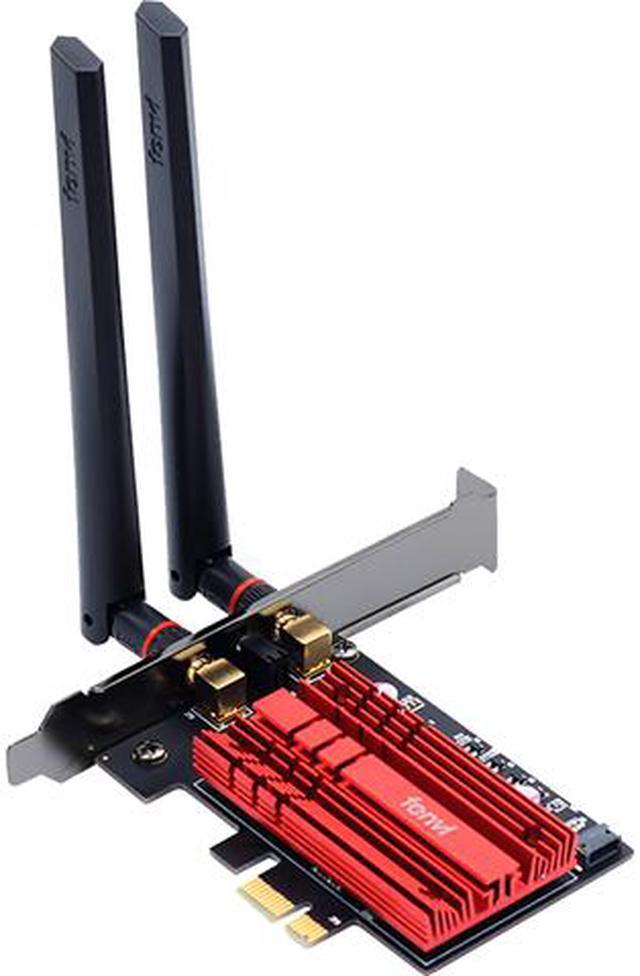
FV-AX3000R is an easy way to arm your PC with fast Wi-Fi 6 and Bluetooth 5.1. Wi-Fi 6 brings higher speeds, lower latency and greater bandwidth than Wi-Fi 5, while Bluetooth 5.1 delivers much faster speeds and broader coverage

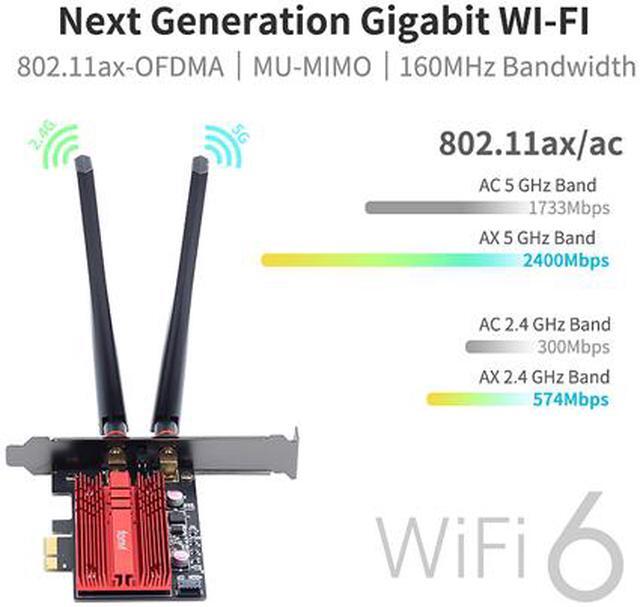
The latest Wi-Fi 6 standard gives you incredible speed, ultra-low latency, and uninterrupted connectivity. Utilizing next-generation Wi-Fi 6, FV-AX3000R is designed to excel for the busiest networks.

Let your PC experience speeds faster than Wi-Fi 5 (AC) with 1024-QAM and a 160 MHz bandwidth that delivers powerful, continuous WiFi to keep your PC running at top speed.


With MU-MIMO, your Wi-Fi network can deliver faster throughput to every MU-MIMO connected device. That means faster downloads and smoother streaming for your devices.

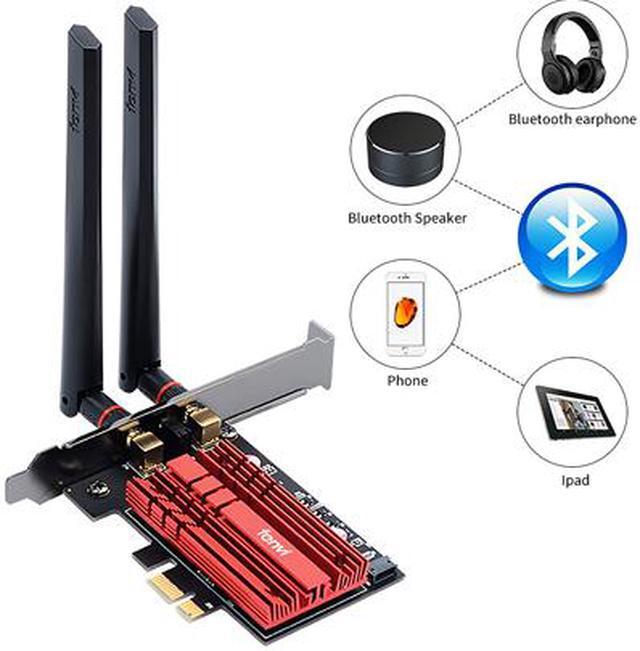
Support bluetooth 5.1,the signal range is improved.Connecting Bluetooth devices is more stable.

Browse safely knowing that your high-speed WiFi is protected from hackers and malware via advanced WPA3 encryption.

Open the chassis side cover and remove the chassis back panel screws

Insert the PCI-E into the corresponding card slot
Works with PCI-E X1, X4, X8, X16 slot. ( Not for PCI slot )

Find the 9-pin USB connector on the motherboard, and plug the Bluetooth power cable into the USB connector on the motherboard.
Then connect to PCI-E Card


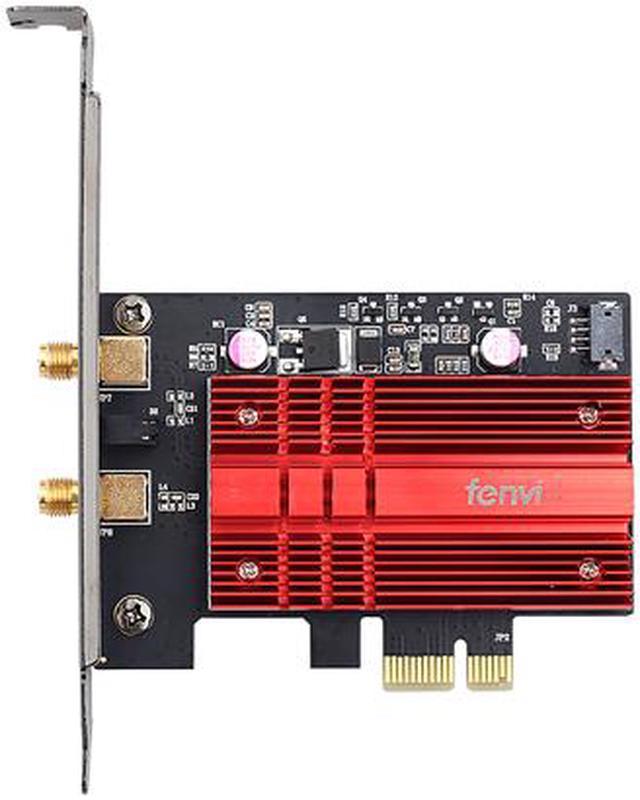
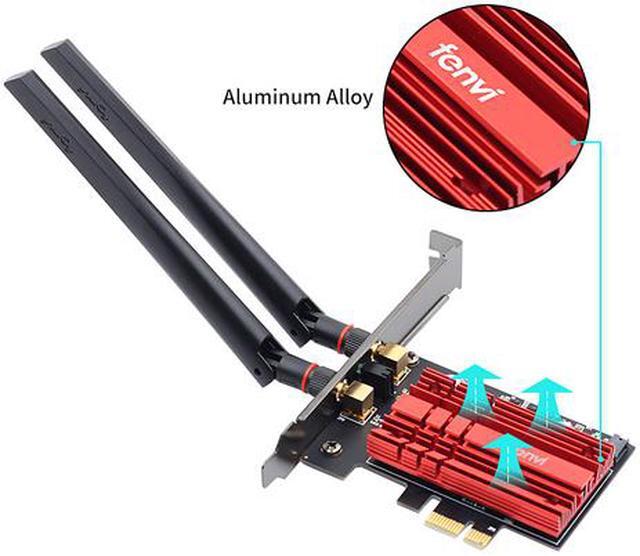
The fenvi FV-AX3000 is a PCIe Wi-Fi 6 adapter for desktop PCs that adds dual-band 2.4GHz/5GHz wireless connectivity, Bluetooth 5.1, and speeds up to 2400Mbps with a compatible 802.11ax router. It suits Windows 10/11 64-bit users upgrading desktop networking for faster connections and improved coverage.
| Attribute | Value |
|---|---|
| Best For | Windows 10/11 64-bit desktop PCs needing a PCI Express upgrade for Wi-Fi 6 wireless networking and Bluetooth 5.1 connectivity |
| Wireless Standards And Bands | Wi-Fi 6 support with IEEE 802.11ax/ac standards across dual 2.4 GHz and 5 GHz bands, including MU-MIMO |
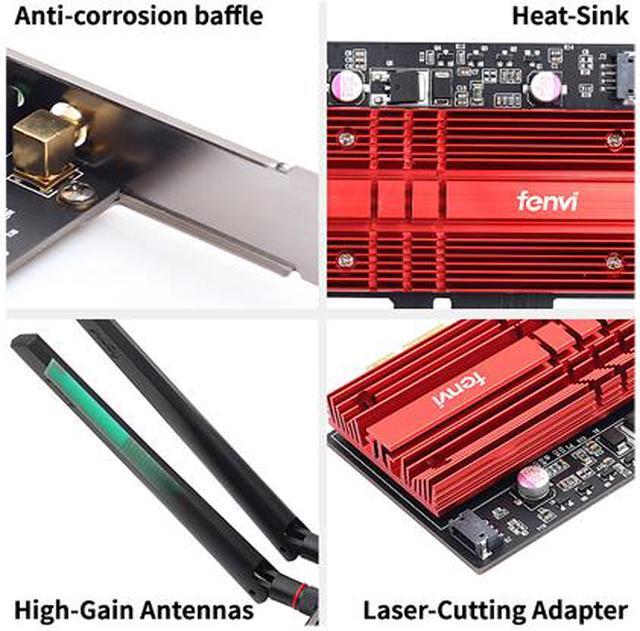
| Interface And Antennas | PCI Express adapter with dual-band external antennas for wireless signal transmission |
| Bluetooth And Security | Bluetooth 5.1 connectivity with WPA3 wireless security |
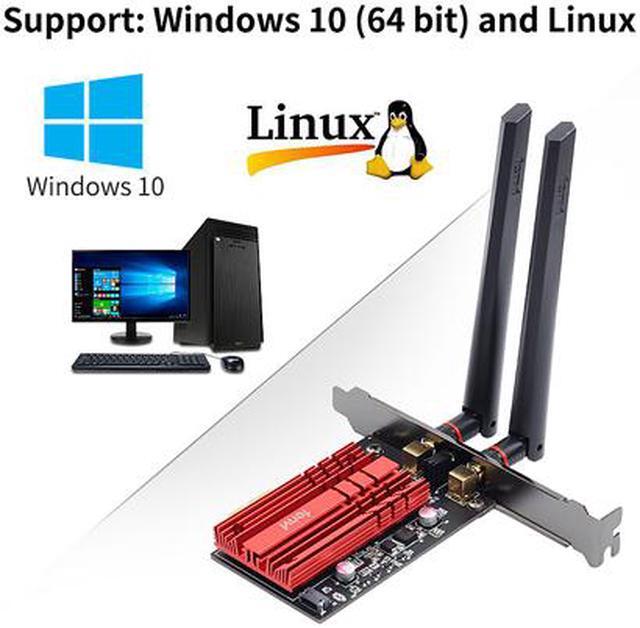
| Compatibility | Supports only 64-bit editions of Windows 10 and Windows 11 |
| Status Indicators | Power and link LED indicators show adapter operating and connection status |
| Model Identifiers | Fenvi FV-AX3000 PCIe Wi-Fi adapter, part number 16638 |
Q: Is the Fenvi FV-AX3000 better than a Wi-Fi 6 AX1800 PCIe adapter such as the TP-Link Archer TX20E?
A: Choose the Fenvi FV-AX3000 when you have a Wi-Fi 6 router with 160 MHz support, a fast broadband connection, or multiple active devices. Its Intel AX200 platform supports up to 2.4 Gbps on 5 GHz, while the Archer TX20E is rated up to 1.2 Gbps on 5 GHz. The TX20E is sufficient for ordinary streaming, browsing, and internet plans below gigabit speeds, but the Fenvi provides more peak link-rate capacity for high-throughput local transfers and compatible Wi-Fi 6 networks.
Q: Should I buy the Fenvi FV-AX3000 or an Intel AX210 PCIe adapter?
A: Buy the Fenvi FV-AX3000 for a dual-band Wi-Fi 6 network when you do not need 6 GHz access. Choose an AX210 adapter if you have, or plan to install, a Wi-Fi 6E router and want the additional 6 GHz band. Both cards offer similar 2.4 GHz and 5 GHz Wi-Fi 6 capability, but AX210 adds Wi-Fi 6E support and newer Bluetooth hardware. The AX210 advantage depends on a compatible 6 GHz router, regional availability, and clear 6 GHz coverage.
Q: Is the Fenvi FV-AX3000 a worthwhile upgrade from a Wi-Fi 5 PCIe adapter?
A: The Fenvi FV-AX3000 is a meaningful upgrade when the router also supports Wi-Fi 6, especially in busy networks with several connected devices. Its AX200 chipset adds Wi-Fi 6 features such as OFDMA, 1024-QAM, and up to 2.4 Gbps theoretical 160 MHz operation. A Wi-Fi 5 adapter such as the Intel Wireless-AC 9260 remains adequate for a Wi-Fi 5 router, basic internet use, and connections that do not approach gigabit speeds, so the upgrade is most useful when both the router and workload can use Wi-Fi 6 capacity.
Q: Is the Fenvi FV-AX3000 better than a USB Wi-Fi adapter for a desktop PC?
A: Choose the Fenvi FV-AX3000 for a permanent desktop installation when you want external antennas, integrated Bluetooth, and Wi-Fi 6 performance from a PCIe slot. Choose a USB adapter when portability, quick installation, or moving the adapter between computers matters more. The Fenvi is the performance-first option, while a USB model is more flexible; actual results still depend on the USB adapter’s Wi-Fi generation, antenna design, USB interface, router, and placement.
Q: Will this Wi-Fi card work in my desktop PC?
A: It is designed for desktop computers with an available PCI Express slot and 64-bit Windows 10 or Windows 11. Check that the slot has physical clearance and that your PC case can accommodate the card and external antennas.
Q: Does this adapter include Bluetooth?
A: Yes. The fenvi FV-AX3000 includes Bluetooth 5.1 in addition to dual-band Wi-Fi. Bluetooth functionality may require installing the appropriate driver and connecting the card’s internal Bluetooth cable as specified by the installation instructions.
Q: What Wi-Fi speeds can I expect from this card?
A: The adapter supports up to 2400 Mbps on the 5 GHz band when used with a compatible Wi-Fi 6 router. Actual throughput depends on the router, internet service, signal strength, distance, interference, and network settings. The 2.4 GHz band generally provides longer range, while 5 GHz is typically better for higher speed.
Q: Is this a good choice for a laptop, travel, or a PC without home Wi-Fi?
A: No. This is an internal PCI Express card for desktop PCs, not a portable laptop adapter or cellular modem. It can connect a compatible desktop to an existing 2.4 GHz or 5 GHz Wi-Fi network, but it does not provide internet service by itself.
Q: Does it work with Linux, macOS, or older versions of Windows?
A: The listed system requirement is 64-bit Windows 10 or Windows 11. Linux, macOS, Windows 7, and other operating systems are not specified as supported, so this card is best suited to users who can install and use it on Windows 10 or Windows 11. Drivers are available from the included CD, fenvi, or Intel for the AX200 chipset.
Q: Is the Fenvi FV-AX3000 a good replacement for Ethernet on a desktop PC?
A: It is suitable when a desktop cannot be wired and the router supports Wi-Fi 6. It provides dual-band Wi-Fi and Bluetooth through PCI Express, but Ethernet is generally the more consistent choice for maximum stability and predictable gigabit performance.
Q: Does the Fenvi FV-AX3000 work with Windows 10 and Windows 11 without extra setup?
A: It is designed for 64-bit Windows 10 and Windows 11, but users may need to install Intel AX200 drivers manually. Community reports mention driver-download, Device Manager, and Windows detection issues, so it is not always completely plug-and-play.
Q: Is the Fenvi FV-AX3000 compatible with different CPUs and motherboards?
A: Compatibility depends mainly on having an available compatible PCI Express slot, correct BIOS configuration, and suitable drivers rather than on the processor generation. Some users report detection problems related to PCIe slot choice, motherboard configuration, or driver installation.
Q: Is the Fenvi FV-AX3000 reliable enough for everyday use?
A: It can provide stable Wi-Fi and Bluetooth when correctly installed, and one video review reports solid speed and stability. However, Reddit discussions include intermittent Wi-Fi detection, driver-related failures, and occasional connection-mode problems, so reliability may depend on the motherboard, drivers, router, and installation.
Q: Is the Fenvi FV-AX3000 worth buying if I only need Bluetooth?
A: It can add Bluetooth 5.1 and Wi-Fi together, but it is a PCI Express Wi-Fi adapter rather than a Bluetooth-only device. If Wi-Fi is unnecessary, a simpler Bluetooth adapter may be more appropriate; the Fenvi is better suited to desktops needing both wireless networking and Bluetooth.


