

Your Browsing History

Meet Your Seller

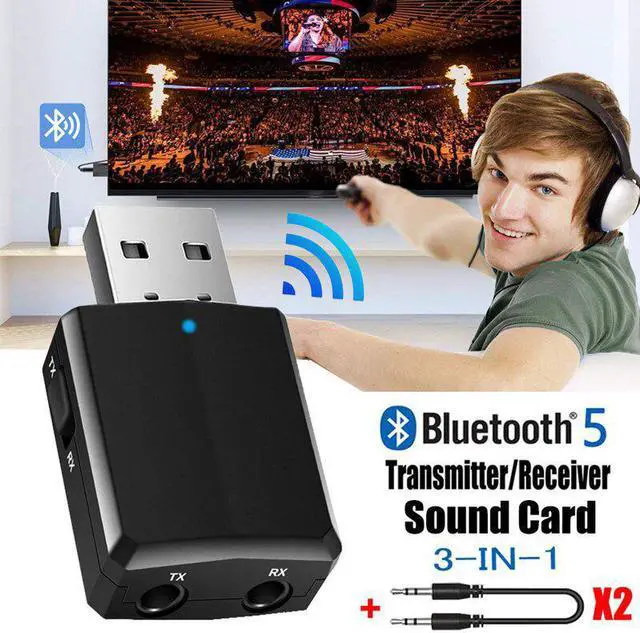


Bluetooth 5.0 Transmitter Receiver 3 In 1 EDR Wireless Adapter Dongle 3.5mm AUX for TV Car PC Computer Stereo Car Hifi Audio
Limited time offer, ends 09/28 By AxisLink
- Enjoy Your Shopping
+
+
Overview
Specs
Reviews

Any questions? Our AI mode will help you find out quickly.
Try me now
Why 3 IN 1 ?
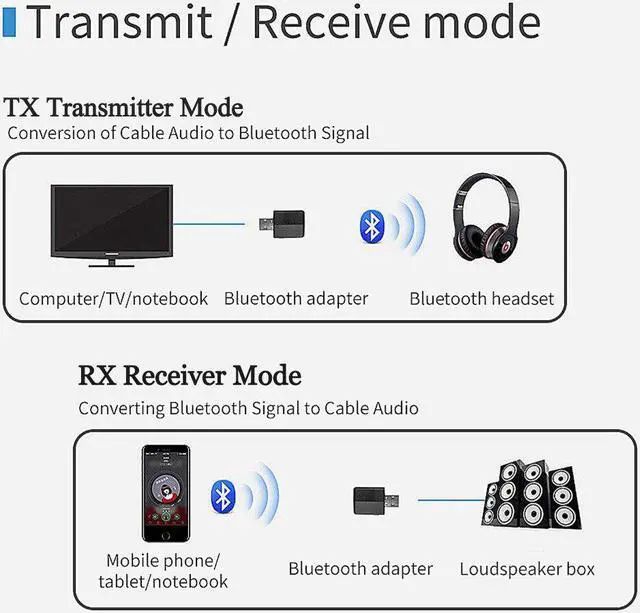
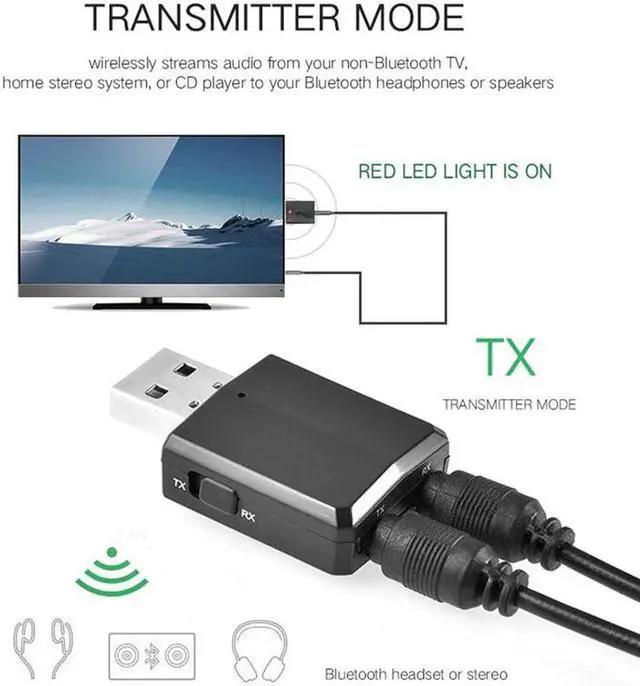
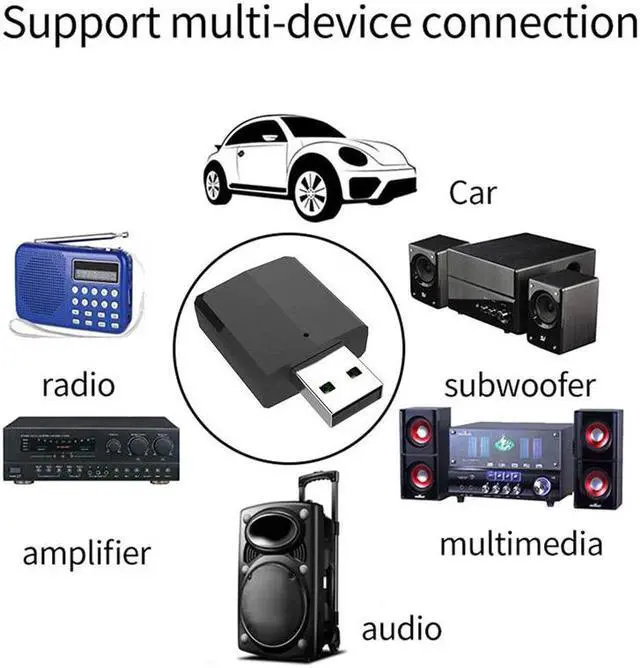
1.Transmitter Mode (TX): Wirelessly transfer audio from your non-Bluetooth TV, home stereo system, or CD player to your Bluetooth headphones or speakers.
2.PC Audio Transmitter Mode: Wirelessly transfer audio from the PC, notebook to Bluetooth headset or speaker through port, no audio cable is required.
3.Receiver Mode (RX): Wirelessly transfer audio from your Bluetooth-enabled phone, tablet, or computer toyour wired stereo, speakers, or headphones.
Please read the follow General Q&A carefully before placing an order or leave us a negative review.
Q1: Why i can not find the ZF-169PLUS in my computer?
A: When you plug the ZF-169PLUS to your computer port, The computer's port just be used as a power supply for the ZF-169PLUS. So the computer don't needs to see it, you just need to connect it with PC by 3.5mm AUX cable so it will work for PC. When using for PC, you must use TX mode(Red light blinking). Then pair with your Bluetooth earphone/speaker.
Q2: Why i can not find the ZF-169PLUS in my smart phone bluetooth ?
A: When you use the ZF-169PLUS to pair with your phone, you need to confirm the ZF-169PLUS was in bluetooth receiver mode (LED light should be BLUE blinking).If the light was red blinking,Its bluetooth transmitter mode ,not receiver mode ,so you can not find it in your phone.
Q3: Why i can not pair with my bluetooth earphone ?
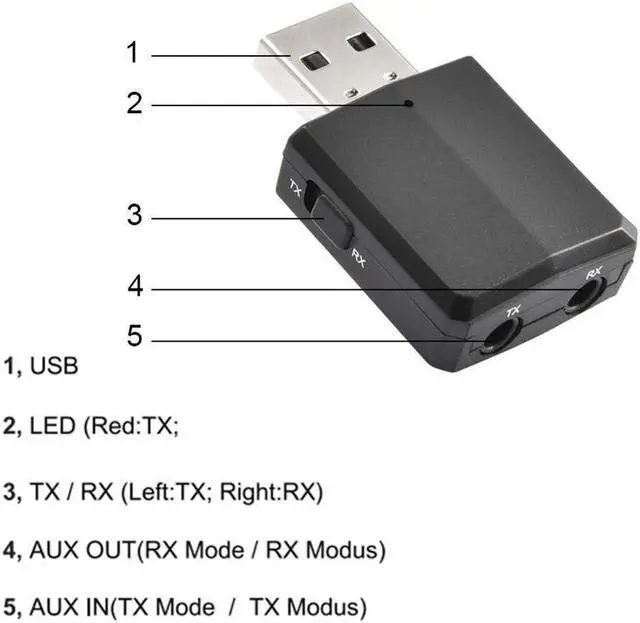
Q4: How to change between bluetooth transmitter(RED light) and receiver mode(BLUE light) .
A: Red light was blueooth transmitter mode; Blue light was bluetooth receiver mode; please switch the button to change mode
Q5: Why i connect successful,but its don't have sound?
Q6: Can i use for my wireless keyboard/mouse ?
1.Transmitter Mode (TX): Wirelessly transfer audio from your non-Bluetooth TV, home stereo system, or CD player to your Bluetooth headphones or speakers.
2.PC Audio Transmitter Mode: Wirelessly transfer audio from the PC, notebook to Bluetooth headset or speaker through port, no audio cable is required.
3.Receiver Mode (RX): Wirelessly transfer audio from your Bluetooth-enabled phone, tablet, or computer toyour wired stereo, speakers, or headphones.
Please read the follow General Q&A carefully before placing an order or leave us a negative review.
Q1: Why i can not find the ZF-169PLUS in my computer?
A: When you plug the ZF-169PLUS to your computer port, The computer's port just be used as a power supply for the ZF-169PLUS. So the computer don't needs to see it, you just need to connect it with PC by 3.5mm AUX cable so it will work for PC. When using for PC, you must use TX mode(Red light blinking). Then pair with your Bluetooth earphone/speaker.
Q2: Why i can not find the ZF-169PLUS in my smart phone bluetooth ?
A: When you use the ZF-169PLUS to pair with your phone, you need to confirm the ZF-169PLUS was in bluetooth receiver mode (LED light should be BLUE blinking).If the light was red blinking,Its bluetooth transmitter mode ,not receiver mode ,so you can not find it in your phone.
Q3: Why i can not pair with my bluetooth earphone ?
Q4: How to change between bluetooth transmitter(RED light) and receiver mode(BLUE light) .
A: Red light was blueooth transmitter mode; Blue light was bluetooth receiver mode; please switch the button to change mode
Q5: Why i connect successful,but its don't have sound?
Q6: Can i use for my wireless keyboard/mouse ?
Warranty & Returns
Warranty, Returns, And Additional Information
Warranty
- Please contact the Seller directly for warranty information. Warranty information may also be found on the Manufacturer's website.
- CONTACT
Return Policies
- Return for refund within: 30 days
- Return for replacement within: 30 days
- This item is covered by AxisLink Return Policy
Manufacturer Contact Info
- For a directory of all our manufacturers, please click below.
- Manufacturers Directory
LOADING...