

Your Browsing History
- Free 30-day Returns
$17.79
Ships from China.

Best Sellers
- $17.78
- + FREE SHIPPING

Meet Your Seller


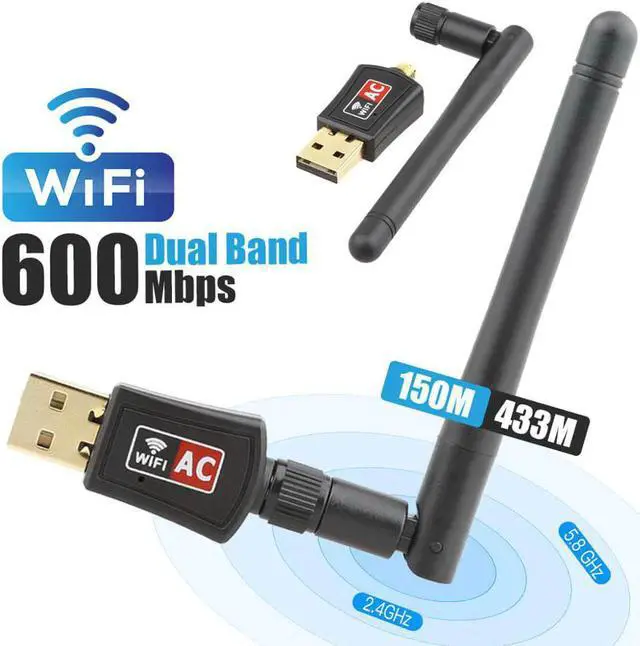


WiFi Adapter AC600M Dual Band 5G/2.4GHz Wireless USB Adapter Network Card Wifi Receiver USB Ethernet LAN Adapter for PC
- Enjoy Your Shopping
+
+
Overview
Specs
Reviews

Any questions? Our AI mode will help you find out quickly.
Try me now
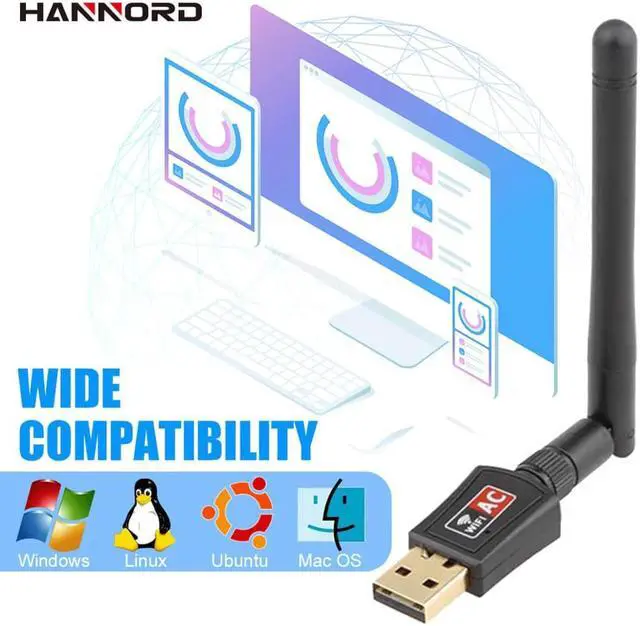
WiFi Adapter for PC AC600M Dual Band 5GHz/2.4GHz Wireless USB Adapter Network Card External Antenna for Laptop/Desktop Compatible with Mac OS, Ubuntu Linux, Windows
Features:
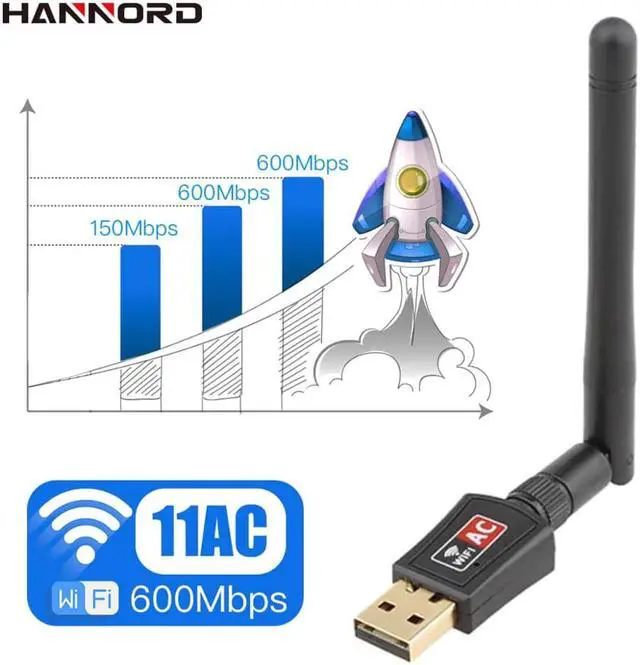
Supports 802.11ac standard
Compatible with 802.11b / g / n wireless devices
Transmission rate, 2.4GHZ/300Mbps, 5GHZ/866Mbps
Operation system: Windows XP/Vista/7/8/8.1/10; Linux; Mac OS
Strong anti-interference ability
Note:
1.If the wifi adapter stops working suddenly, please reinstall the newest driver from //bit.ly/2xfhWhl or update the driver manually.
2.If the connection is unstable, please check your signal strength and signal channel.
3. If you meet problems such as the driver can not be installed on Mac 10.13.3 or Mac 10.13.4 system, please follow the suggestion steps to resolve the problem.
1) Find out "system preferences"
2) Click: Security and privacy
3) Then click "allow".
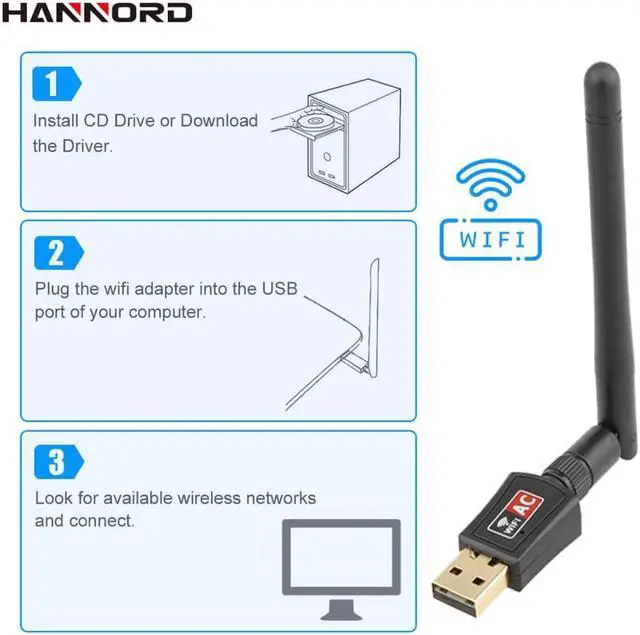
How to install the driver for WiFi Adapter?
1. Insert the CD into your computer's CD drive (or download the driver from the link: //bit.ly/2xfhWhl)
2. Plug the wireless network card into the USB interface.(If you have a USB3.0 port, please plug in the USB3.0 port.)
2. In the folder of the installer, select the operating system "Windows/Mac OS"to install the Built-in driver software
3. Finish the installation and restart the computer. Choose your network and connection.
Tips:
1. Network speed is related to many factors, such as the network environment, whether there is a wall barrier, and whether the USB3.0 interface is used, computer performance, and so on. Only when the various factors are perfect, can the adapter reach its maximum speed.
Features:
Supports 802.11ac standard
Compatible with 802.11b / g / n wireless devices
Transmission rate, 2.4GHZ/300Mbps, 5GHZ/866Mbps
Operation system: Windows XP/Vista/7/8/8.1/10; Linux; Mac OS
Strong anti-interference ability
Note:
1.If the wifi adapter stops working suddenly, please reinstall the newest driver from //bit.ly/2xfhWhl or update the driver manually.
2.If the connection is unstable, please check your signal strength and signal channel.
3. If you meet problems such as the driver can not be installed on Mac 10.13.3 or Mac 10.13.4 system, please follow the suggestion steps to resolve the problem.
1) Find out "system preferences"
2) Click: Security and privacy
3) Then click "allow".
How to install the driver for WiFi Adapter?
1. Insert the CD into your computer's CD drive (or download the driver from the link: //bit.ly/2xfhWhl)
2. Plug the wireless network card into the USB interface.(If you have a USB3.0 port, please plug in the USB3.0 port.)
2. In the folder of the installer, select the operating system "Windows/Mac OS"to install the Built-in driver software
3. Finish the installation and restart the computer. Choose your network and connection.
Tips:
1. Network speed is related to many factors, such as the network environment, whether there is a wall barrier, and whether the USB3.0 interface is used, computer performance, and so on. Only when the various factors are perfect, can the adapter reach its maximum speed.
Warranty & Returns
Warranty, Returns, And Additional Information
Warranty
- Please contact the Seller directly for warranty information. Warranty information may also be found on the Manufacturer's website.
- CONTACT
Return Policies
- Return for refund within: 30 days
- Return for replacement within: 30 days
- This item is covered by Fashion Technology Return Policy
Manufacturer Contact Info
- For a directory of all our manufacturers, please click below.
- Manufacturers Directory
LOADING...
LOADING...