Your Browsing History
- Free 30-day Returns
$25.27
Ships from China.
Meet Your Seller
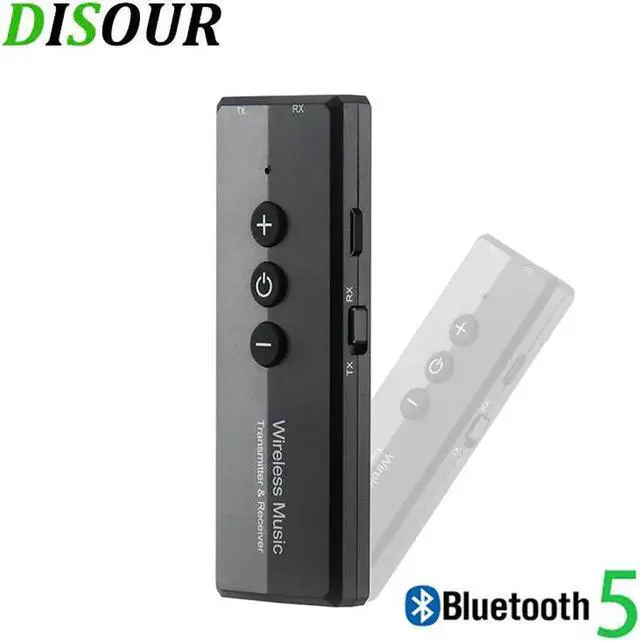
5.0 Transmitter Receiver 3 in 1 EDR Audio Wireless Adapter Dongle Mini 3.5mm AUX For TV PC Car Stereo HIFI
Limited time offer, ends 07/29 By XYFEE
- Enjoy Your Shopping
+
+
Overview
Specs
Reviews
Any questions? Our AI beta will help you find out quickly.
Try me now
Attention to our store and collect our products, you will get 2% off. If order 2 pcs or more, you can get 3% off discount!!
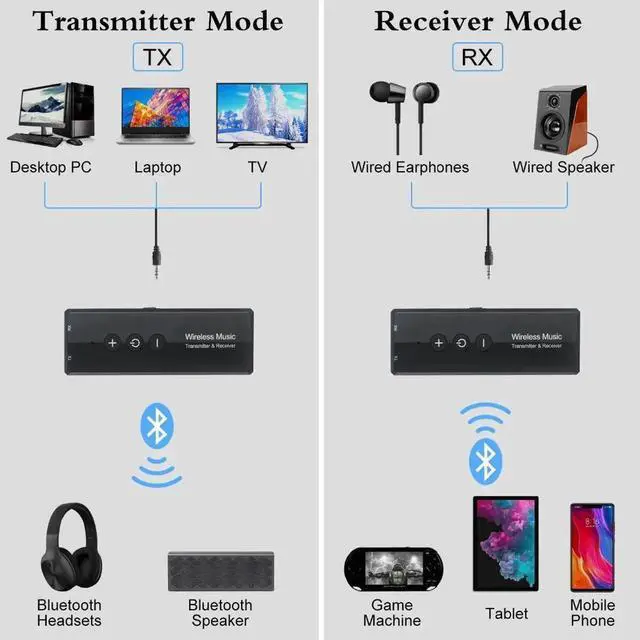
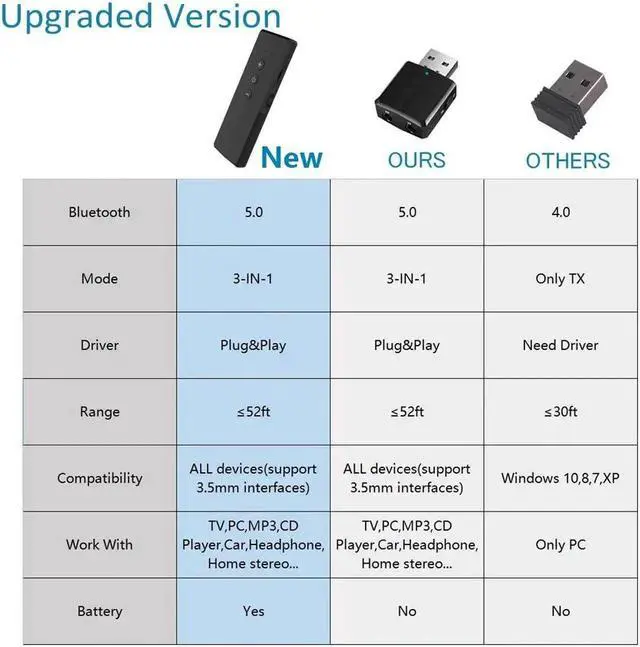
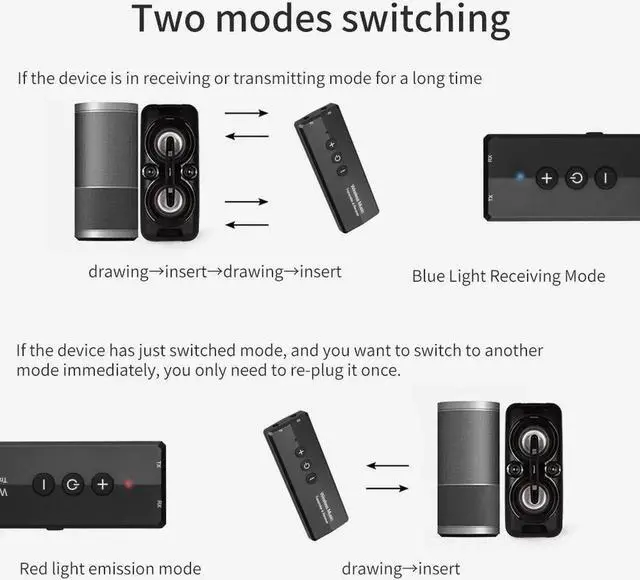
Dear friends, thanks for choosing our products. In order to better use the functions of this product, please read this user manual before use. ZF-360 is a transceiver developed with the latest version 5.0. This product can be used as a audio transmitter to wirelessly transmit the sound of TV and other audio sources to headsets or speakers (on computers and Android systems). Under, support the direct transmission of audio with data lines, without the need to plug 3.5 mm audio cable). It can also be used as a audio receiver to instantly turn a wired speaker into a speaker, freeing you from the shackles of cable and enjoying wireless music.
User Manual: 1) Transmitter mode
a) Connect the audio interface marked by 'TX' to the audiosource devices (TV, computer, radio, MP3, etc. ) with 3.5 mm audio cable.
b) Turn the toggle switch to 'TX' side, long press the 'Power' button 2 seconds to start up, and the red indicator light will flashes slowly.
c) Turn on the receiving device you want to pair and enter the pairing mode. The adapter will automatically pair with it, and the red indicator light will stay on after the connection.
Note: The '+, '-' and 'Power' buttons are invalid in this mode.
2) PC transmitter mode
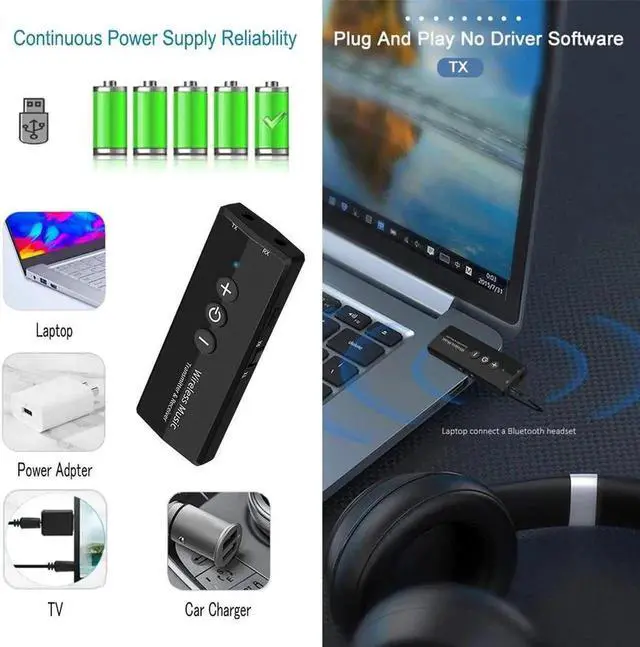
a) Connect the USB charging port and the computer USB port with USB data cable.
b) Turn the toggle switch to the 'TX' side, long press the 'Power' button 2 seconds to start up, and the red indicator light will flashes slowly.
3) Receiver mode
Connect Issue:
Note:

Dear friends, thanks for choosing our products. In order to better use the functions of this product, please read this user manual before use. ZF-360 is a transceiver developed with the latest version 5.0. This product can be used as a audio transmitter to wirelessly transmit the sound of TV and other audio sources to headsets or speakers (on computers and Android systems). Under, support the direct transmission of audio with data lines, without the need to plug 3.5 mm audio cable). It can also be used as a audio receiver to instantly turn a wired speaker into a speaker, freeing you from the shackles of cable and enjoying wireless music.
User Manual: 1) Transmitter mode
a) Connect the audio interface marked by 'TX' to the audiosource devices (TV, computer, radio, MP3, etc. ) with 3.5 mm audio cable.
b) Turn the toggle switch to 'TX' side, long press the 'Power' button 2 seconds to start up, and the red indicator light will flashes slowly.
c) Turn on the receiving device you want to pair and enter the pairing mode. The adapter will automatically pair with it, and the red indicator light will stay on after the connection.
Note: The '+, '-' and 'Power' buttons are invalid in this mode.
2) PC transmitter mode
a) Connect the USB charging port and the computer USB port with USB data cable.
b) Turn the toggle switch to the 'TX' side, long press the 'Power' button 2 seconds to start up, and the red indicator light will flashes slowly.
3) Receiver mode
Connect Issue:
Note:
Warranty & Returns
Warranty, Returns, And Additional Information
Warranty
- Please contact the Seller directly for warranty information. Warranty information may also be found on the Manufacturer's website.
- CONTACT
Return Policies
- Return for refund within: 30 days
- Return for replacement within: 30 days
- This item is covered by XYFEE Return Policy
Manufacturer Contact Info
- For a directory of all our manufacturers, please click below.
- Manufacturers Directory
LOADING...