Your Browsing History
- Free 30-day Returns
$29.19
Ships from China.
Meet Your Seller
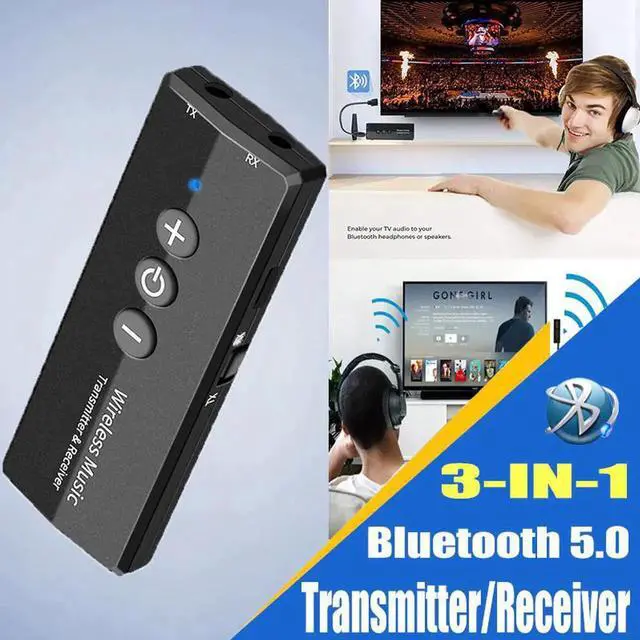
JAENFONG 3 IN 1 Bluetooth Receiver Transmitter Stereo Bluetooth 5.0 4.2 Audio AUX 3.5mm Jack For TV PC Car Kit Wireless Adapter
Limited time offer, ends 07/29 By XYFEE
- JAENFONG 3 IN 1 Bluetooth Receiver Transmitter Stereo Bluetooth 5.0 4.2 Audio AUX 3.5mm Jack For TV PC Car Kit Wireless Adapter
+
+
Overview
Specs
Reviews
Any questions? Our AI beta will help you find out quickly.
Try me now
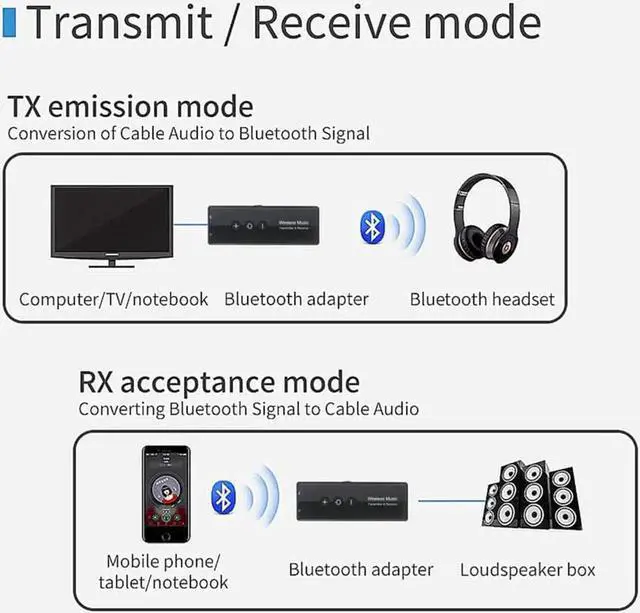
1) Transmitter mode
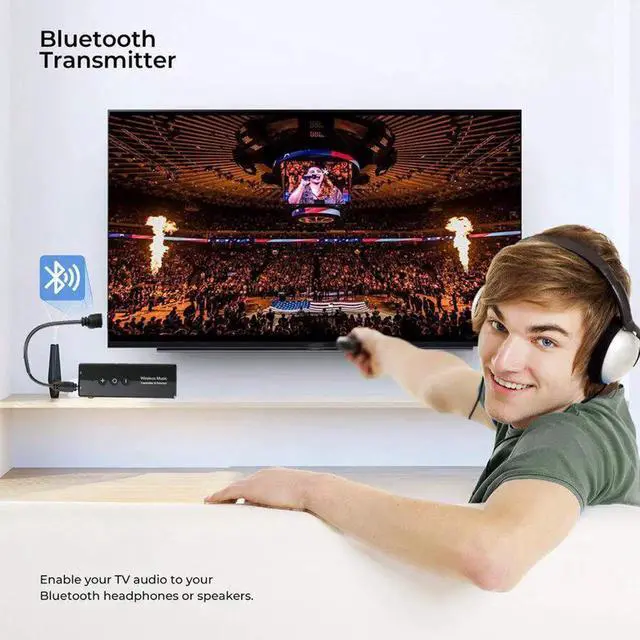
a) Connect the audio interface marked by 'TX' to the audiosource devices (TV, computer, radio, MP3, etc. ) with 3.5 mm audio cable.
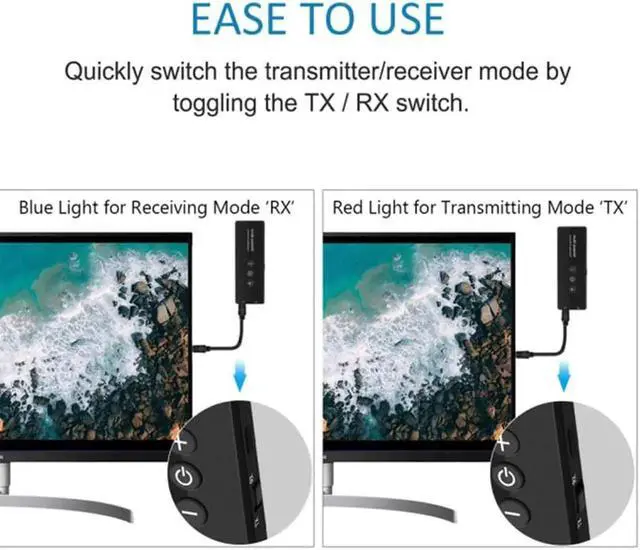
b) Turn the toggle switch to 'TX' side, long press the 'Power' button 2 seconds to start up, and the red indicator light will flashes slowly.
c) Turn on the Bluetooth receiving device you want to pair and enter the Bluetooth pairing mode. The adapter will automatically pair with it, and the red indicator light will stay on after the connection.
Note: The '+, '-' and 'Power' buttons are invalid in this mode.
2) PC transmitter mode
a) Connect the USB charging port and the computer USB port with USB data cable.
b) Turn the toggle switch to the 'TX' side, long press the 'Power' button 2 seconds to start up, and the red indicator light will flashes slowly.
c) Turn on the Bluetooth receiving device you want to pair and enter Bluetooth pairing mode. The adapter will automatically pair with it, and the red indicator light will stay on after the connection.
Note: '+'
button: next track (press), just can control music player; '-' button: previous song (press), just can control music player; 'Power' button: pause/resume music (press), just can control music player.
in this mode, the '+' '-' button cannot control the volume ofthe computer system. )
3) Receiver mode
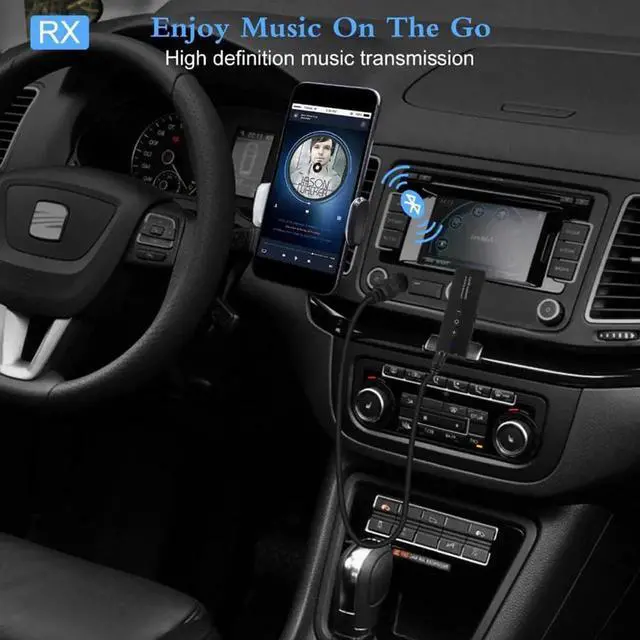
a) Connect the audio interface marked by 'RX' to unbluetooth-enabled speaker or headset with 3.5 mm audio cable.
b) Turn the toggle switch to the 'RX' side, long press the 'Power' button 2 seconds to start up, and you will hear the prompt 'Bluetooth receiver mode', and the blue indicator light will flashes slowly.
Charging
3. Connect Issue
Disconnection

a) Connect the audio interface marked by 'TX' to the audiosource devices (TV, computer, radio, MP3, etc. ) with 3.5 mm audio cable.
b) Turn the toggle switch to 'TX' side, long press the 'Power' button 2 seconds to start up, and the red indicator light will flashes slowly.
c) Turn on the Bluetooth receiving device you want to pair and enter the Bluetooth pairing mode. The adapter will automatically pair with it, and the red indicator light will stay on after the connection.
Note: The '+, '-' and 'Power' buttons are invalid in this mode.
2) PC transmitter mode
a) Connect the USB charging port and the computer USB port with USB data cable.
b) Turn the toggle switch to the 'TX' side, long press the 'Power' button 2 seconds to start up, and the red indicator light will flashes slowly.
c) Turn on the Bluetooth receiving device you want to pair and enter Bluetooth pairing mode. The adapter will automatically pair with it, and the red indicator light will stay on after the connection.
Note: '+'
button: next track (press), just can control music player; '-' button: previous song (press), just can control music player; 'Power' button: pause/resume music (press), just can control music player.
in this mode, the '+' '-' button cannot control the volume ofthe computer system. )
3) Receiver mode
a) Connect the audio interface marked by 'RX' to unbluetooth-enabled speaker or headset with 3.5 mm audio cable.
b) Turn the toggle switch to the 'RX' side, long press the 'Power' button 2 seconds to start up, and you will hear the prompt 'Bluetooth receiver mode', and the blue indicator light will flashes slowly.
Charging
3. Connect Issue
Disconnection
Warranty & Returns
Warranty, Returns, And Additional Information
Warranty
- Please contact the Seller directly for warranty information. Warranty information may also be found on the Manufacturer's website.
- CONTACT
Return Policies
- Return for refund within: 30 days
- Return for replacement within: 30 days
- This item is covered by XYFEE Return Policy
Manufacturer Contact Info
- For a directory of all our manufacturers, please click below.
- Manufacturers Directory
LOADING...