• $259.98
  • Free 30-day Returns
  • Ships from China.
    Price alert
    Shop it at NeweggBusiness.

    Meet Your Seller

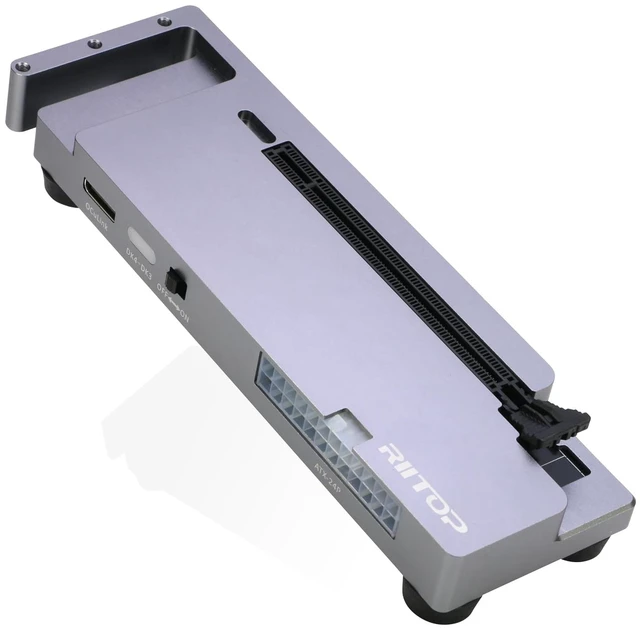
    OCuLink eGPU Dock 64Gpbs Oculink SFF-8612 External GPU Enclosure for PCIe 4.0 x16 Graphics Cards

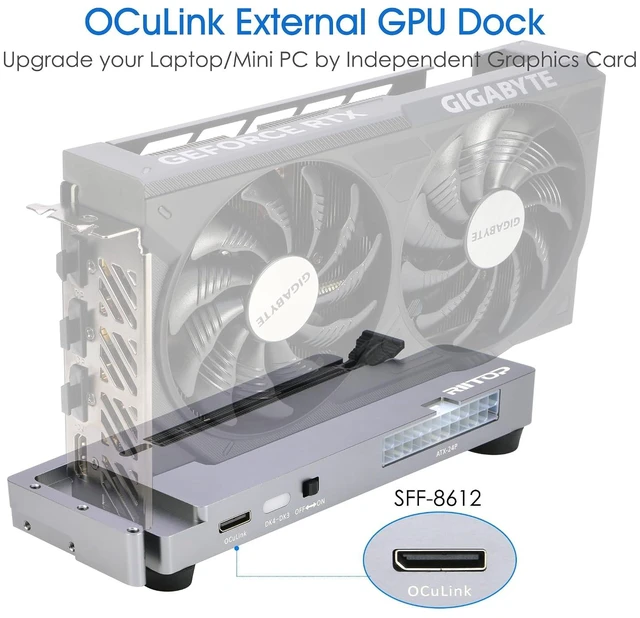
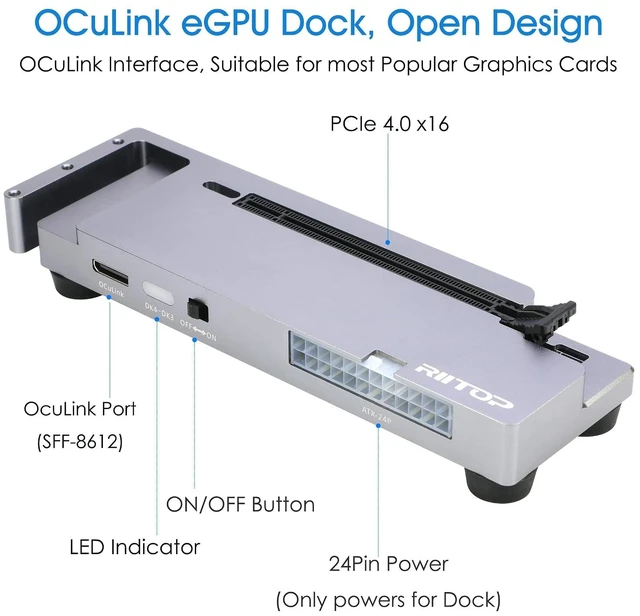
    • OCuLink eGPU Dock: RIITOP OCuLink eGPU Docking Station Compensates for the performance limitations of graphics card on thin/ light or older laptops, gaming rigs MINI PC and NUCs, which comes with Oculink SFF-8612 Port . Supports the latest NVIDIA (RTX 50 Series: 5090 D/5080/5070 Ti/5070), AMD (RX 7000 Series) GPUs. Delivering high-performance graphics for AI Computing, cinematic experiences, large-scale rendering, video editing, gaming and creative workloads; Hardware Requirement: 1x Available Oculink SFF-8612 Port on your laptop, MINI PC or any other device you want to connect, otherwise it can not be used; 1x PCIe 4.0 x16 Graphics card; 1x ATX/SFX Power Supply (It should match the graphics card requirement); Wide Compatibility: Open design, No restrictions on graphics card size, Supports the most latest graphics card, such as NVIDIA (RTX 50 Series: 5090 D/5080/5070 Ti/5070) and AMD (RX 7000 Series) GPU; Compatible with Windows 10/11 64-bit, Linux, and Mac OS; Simple Installation Guide: Step 1: Fit the graphics card, securing it with the dedicated graphics card support pillar. Step 2: Mount the power supply using the black retention bracket. Step 3: Connect all necessary cables: 8-pin and 24-pin ATX power cable; Oculink cable; Monitor video cable; Step 4: Switch on the power button; Step 5: Install the graphics card drivers; Please Note: (1) The OCULINK interface does not support hot-plugging. Ensure the power is switched off before unplugging or connecting the cable (2) Th

    +
    +
    Overview
    Specs
    Reviews

    Any questions? Ask CelesteSM will help you find out quickly.

    OCuLink eGPU
    Dock: RIITOP OCuLink eGPU Docking Station Compensates for the performance limitations of graphics card on thin/ light or older laptops, gaming rigs MINI PC and NUCs, which comes with Oculink SFF-8612 Port. Supports the latest NVIDIA (RTX 50
    Series: 5090 D/5080/5070 Ti/5070), AMD (RX 7000 Series) GPUs. Delivering high-performance graphics for AI Computing, cinematic experiences, large-scale rendering, video editing, gaming and creative workloads;
    Hardware Requirement: 1x Available Oculink SFF-8612 Port on your laptop, MINI PC or any other device you want to connect, otherwise it can not be used; 1x PCIe 4.0 x16 Graphics card; 1x ATX/SFX Power Supply (It should match the graphics card requirement);
    Wide Compatibility: Open design, No restrictions on graphics card size, Supports the most latest graphics card, such as NVIDIA (RTX 50
    Series: 5090 D/5080/5070 Ti/5070) and AMD (RX 7000 Series) GPU; Compatible with Windows 10/11 64-bit, Linux, and Mac OS;
    Simple Installation Guide: Step
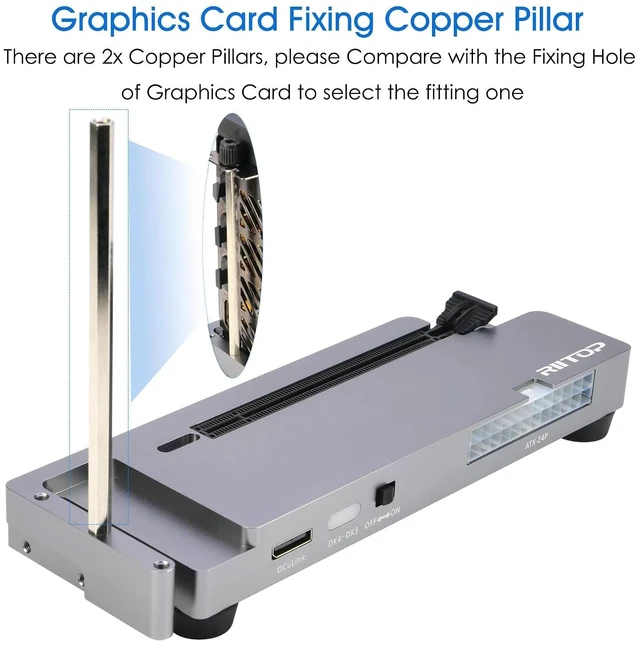
    1: Fit the graphics card, securing it with the dedicated graphics card support pillar.
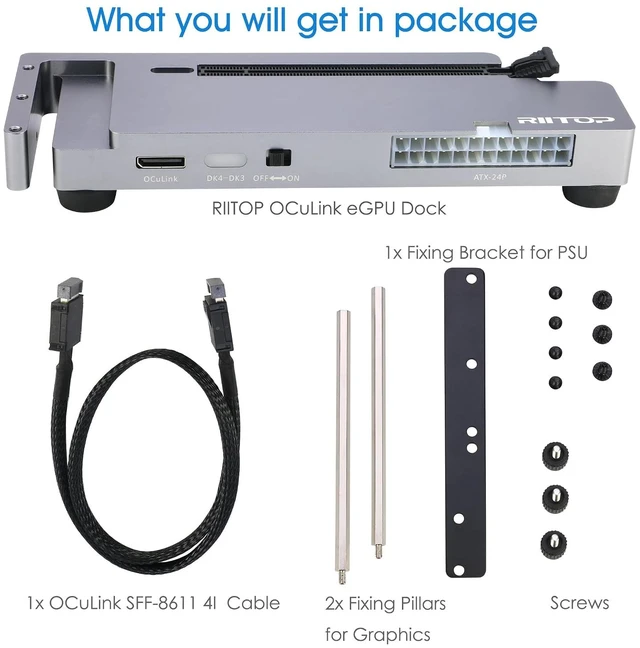
    Step 2: Mount the power supply using the black retention bracket.
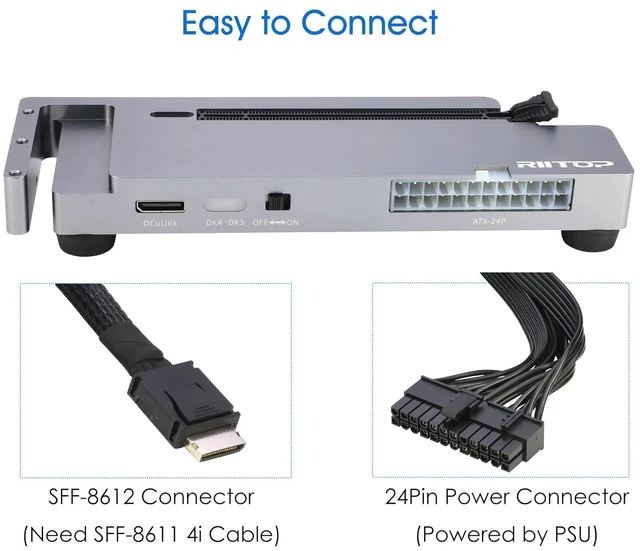
    Step 3: Connect
    all necessary cables: 8-pin and 24-pin ATX power cable; Oculink cable; Monitor video cable;
    Step 4: Switch on the power button;
    Step 5: Install the graphics card drivers;
    Please Note: (1) The OCULINK interface does not support hot-plugging. Ensure the power is switched off before unplugging or connecting the cable (2) Th

    Warranty & Returns

    Warranty, Returns, And Additional Information

    Warranty

    • Please contact the Seller directly for warranty information. Warranty information may also be found on the Manufacturer's website.
    • CONTACT

    Return Policies

    • Return for refund within: 30 days
    • Return for replacement within: 30 days
    • This item is covered by VoltSync Return Policy

    Manufacturer Contact Info

    LOADING...