

Your Browsing History
- Free 30-day Returns
$126.99

Meet Your Seller

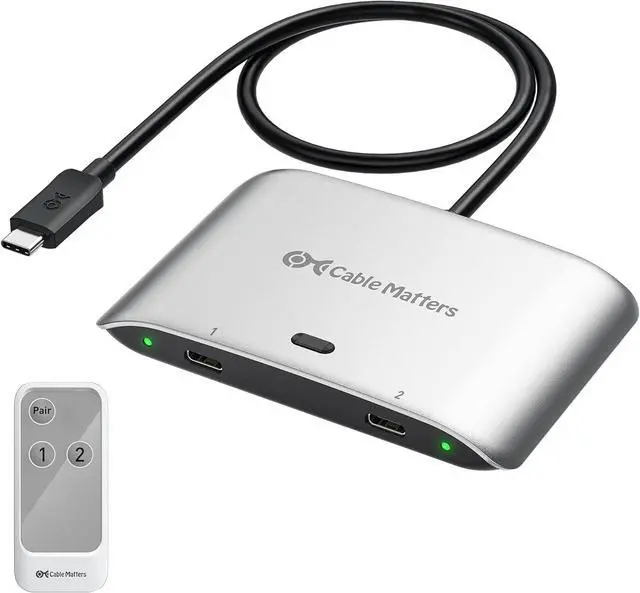
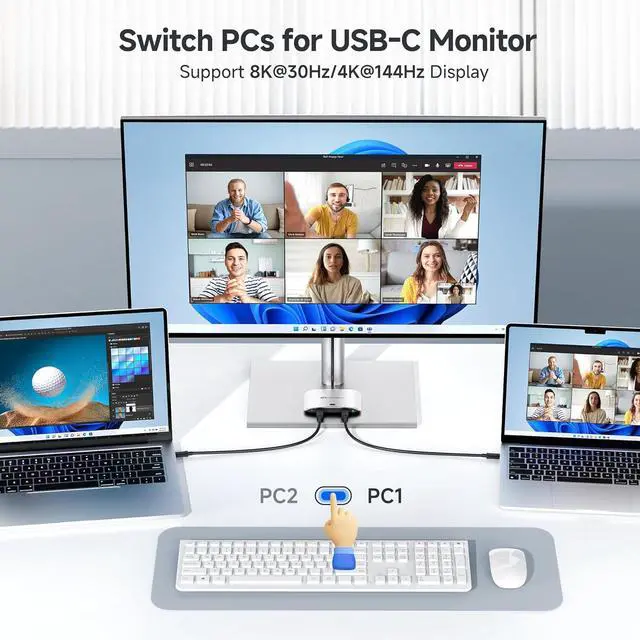
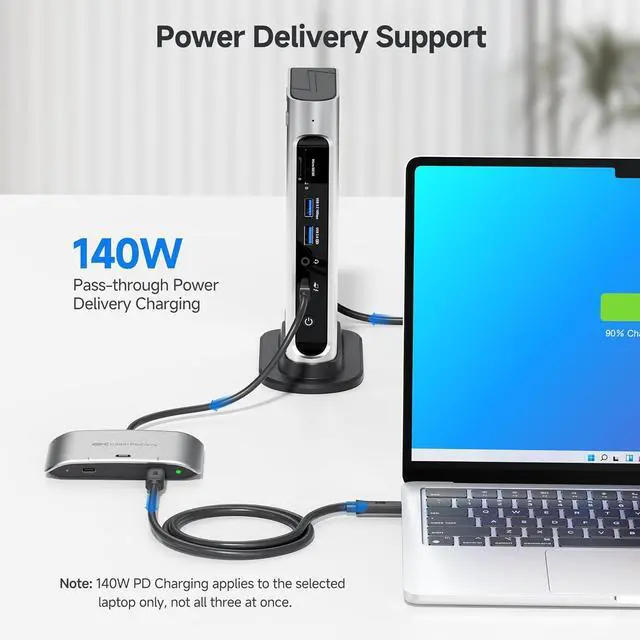


Cable Matters 20Gbps USB C Switch for 2 Computers, 140W PD, Up to 8K@30Hz on Windows, 4K@60Hz on macOS, Sharing One USB-C/Thunderbolt 4 Monitor or Dock (Not for Dock with an Attached Cable)
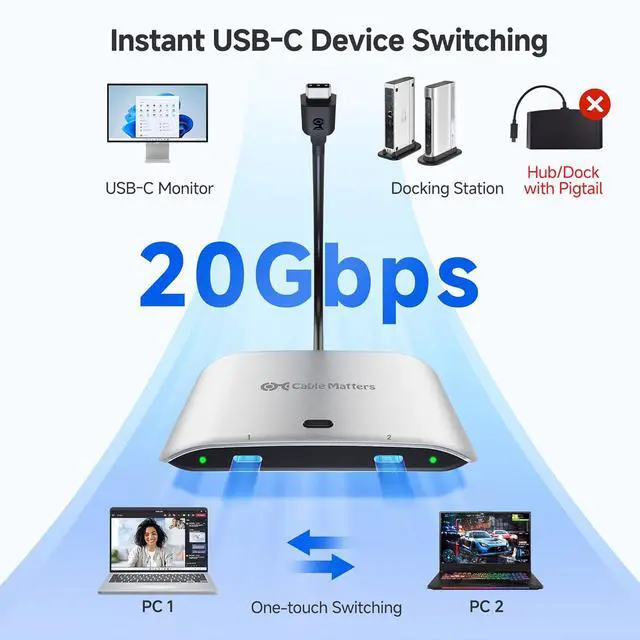
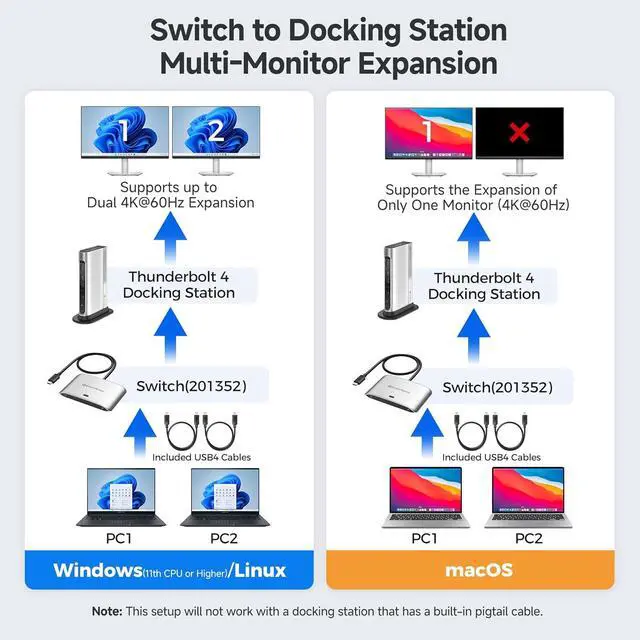
- Compatibility Warning: Use only the included USB4 20Gbps cables. Do not substitute with Thunderbolt 3/4/5 cables. The switch works with USB4 and Thunderbolt 4 docks, but its 20 Gbps bandwidth (vs. 40 Gbps for most docks) may limit the number of displays or the maximum resolution/refresh rate compared to your original setup. Avoid USB-C docks with built-in pigtail cables to prevent compatibility issues.
- Ultra-Fast 20 Gbps USB-C Switcher for 2 Computers: Instantly share a USB-C monitor or Thunderbolt 4 Monitor or a Thunderbolt docking station between two laptops with this versatile USB C KVM switch. Connect the pigtail cable to your monitor or docking station and the included 3.3ft USB-C/USB4 cables to two computers for seamless device sharing. Achieve lightning-fast data transfer speeds up to 20 Gbps, perfect for large file transfers, high-resolution video streaming, and demanding applications.
- 8K Video Resolution Support: Experience stunning 8K video output at 30Hz, delivering excep
+
+
Overview
Reviews

Any questions? Our AI mode will help you find out quickly.
Try me now
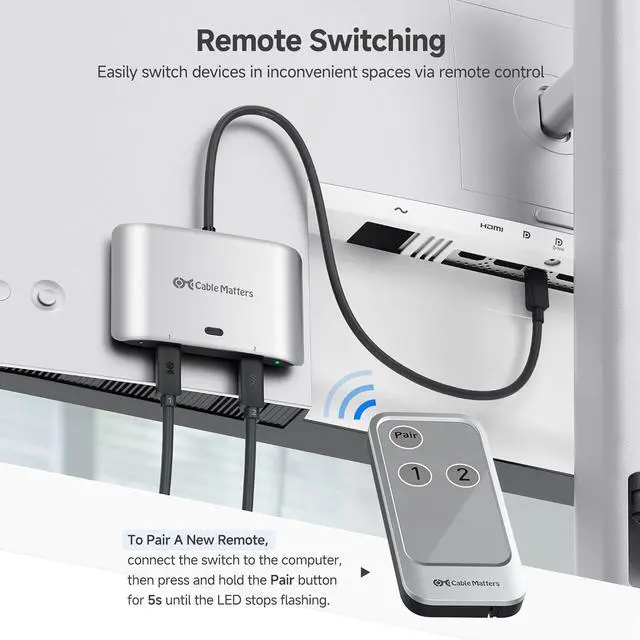
1Direct Connection2Dock Setup3Limits with MacOS4Limits with Thunderbolt 3 AcerNitro XV275K P3biipruzx, Nitro XV282K KVbmiipruzx, SH272U EbmiphuxASUSProArt PA278CV, ProArt PA279CRV, ProArt PA34VCBenQPD3220U, PD3225U, PD3420Q, SW271C PhotoVueDellS2722QC, UltraSharp U2720Q, UltraSharp U2723QE, UltraSharp U3224KB, UltraSharp U3425WE, UltraSharp U4025QWHPE27m G4 QHD USB-C Conferencing Monitor, Z32k G3 4K USB-C Monitor, Z43 42.5-inch 4K UHD DisplayLenovoThinkVision P27h-20, ThinkVision P34w-20, ThinkVision T32p-20LG27UN850-W, 32UN880-BSamsungCJ791, S60UA, S80UA, ViewFinity S80PB*ImportantWhen connecting the USB-C switch to a Thunderbolt 3 dock, it will support only ONE display with a max resolution of [email protected]#1Do not use a USB-C coupler to connect the Switch to a USB-C hub or dock with a built-in pigtail cable.Note#2Do not use Thunderbolt 3/4/5 cables for connection. Only use the included USB4 cables to avoid compatibility issues.Note#3The switch is designed to connect to a single monitor with a USB-C input. For multi-monitor setups or monitors with DisplayPort / HDMI inputs, a USB-C docking station is required.Note#4The remote control is pre-paired with the switch. To pair a new remote, connect the switch to the computer, then press and hold the Pair button for 5s until the LED stops flashing. 1Two Switching Methods2Packing List Can I use my own Thunderbolt 3/4/5 cables instead of the included USB4 cables?
No. Use only the included USB4 20Gbps cables. Thunderbolt or higher-speed USB4 cables are not supported. For longer cables, search ASIN B0CCF99VZ9 or B0C9P3RVTH.
Can this switch support dual monitors?
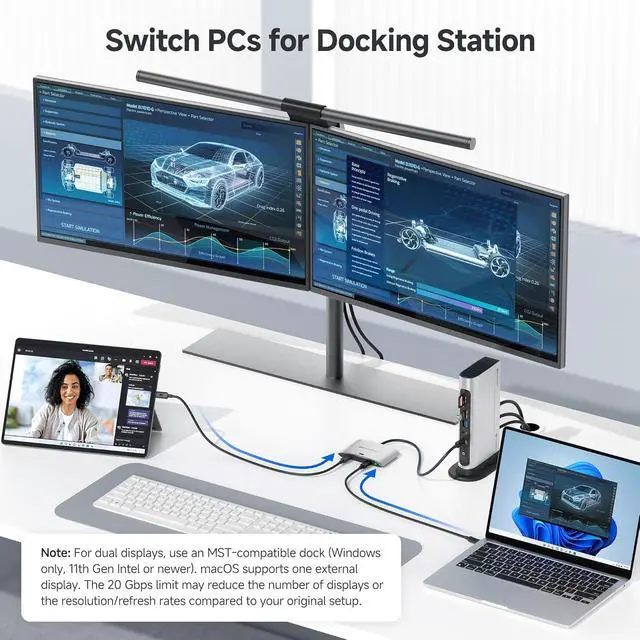
The switch itself supports one USB-C monitor. Dual displays require a USB-C or Thunderbolt 4/5 dock (Windows only). macOS and TB3 docks support one display only.
Can I use a USB-C coupler to connect this switch to a dock with a built-in cable?
No. Please connect the switch directly to the docks USB-C port. USB-C Couplers and docks with integrated cables can cause compatibility issues.
My wireless keyboard/mouse lags or disconnectshow can I fix this?
USB 3.0 can interfere with 2.4GHz signals. Use a USB extension to move the receiver away, or use a USB 2.0 port if available.
What is the maximum number of extended displays supported on macOS
One. macOS does not support MST, so only one extended display is supported, even with a docking station.
Cable Matters 20Gbps USB4 Switch for 2 Computers Supported Monitor Models: (This is not a complete list)* Can I use my own Thunderbolt 3/4/5 cables instead of the included USB4 cables?
Can this switch support dual monitors?
Can I use a USB-C coupler to connect this switch to a dock with a built-in cable?
My wireless keyboard/mouse lags or disconnectshow can I fix this?
What is the maximum number of extended displays supported on macOS
No. Use only the included USB4 20Gbps cables. Thunderbolt or higher-speed USB4 cables are not supported. For longer cables, search ASIN B0CCF99VZ9 or B0C9P3RVTH.
Can this switch support dual monitors?
The switch itself supports one USB-C monitor. Dual displays require a USB-C or Thunderbolt 4/5 dock (Windows only). macOS and TB3 docks support one display only.
Can I use a USB-C coupler to connect this switch to a dock with a built-in cable?
No. Please connect the switch directly to the docks USB-C port. USB-C Couplers and docks with integrated cables can cause compatibility issues.
My wireless keyboard/mouse lags or disconnectshow can I fix this?
USB 3.0 can interfere with 2.4GHz signals. Use a USB extension to move the receiver away, or use a USB 2.0 port if available.
What is the maximum number of extended displays supported on macOS
One. macOS does not support MST, so only one extended display is supported, even with a docking station.
Cable Matters 20Gbps USB4 Switch for 2 Computers Supported Monitor Models: (This is not a complete list)* Can I use my own Thunderbolt 3/4/5 cables instead of the included USB4 cables?
Can this switch support dual monitors?
Can I use a USB-C coupler to connect this switch to a dock with a built-in cable?
My wireless keyboard/mouse lags or disconnectshow can I fix this?
What is the maximum number of extended displays supported on macOS
Warranty & Returns
Warranty, Returns, And Additional Information
Warranty
- Please contact the Seller directly for warranty information. Warranty information may also be found on the Manufacturer's website.
- CONTACT
Return Policies
- Return for refund within: 30 days
- Return for replacement within: 30 days
- This item is covered by Chinathru Trading Co., Limited Return Policy
Manufacturer Contact Info
- For a directory of all our manufacturers, please click below.
- Manufacturers Directory
LOADING...