

Your Browsing History
- Free 30-day Returns
$81.99

Meet Your Seller

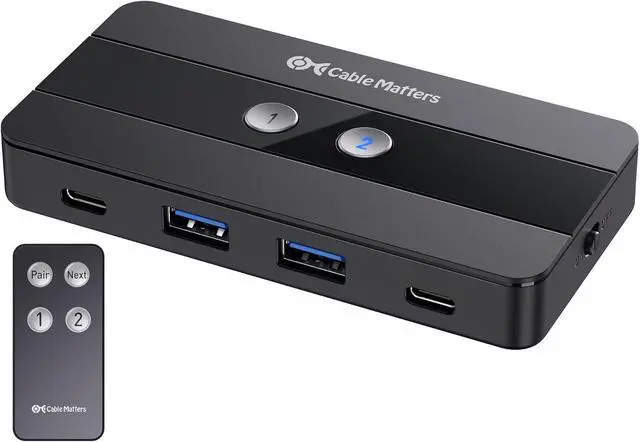


Cable Matters USB C Switch for 2 Computers with Remote Control, 10Gbps Data Transfer, Shares 2X USB-A and 2X USBC Peripherals (Keyboard, Mouse, Printer, SSD), Data Only - No Video, No Host Charging
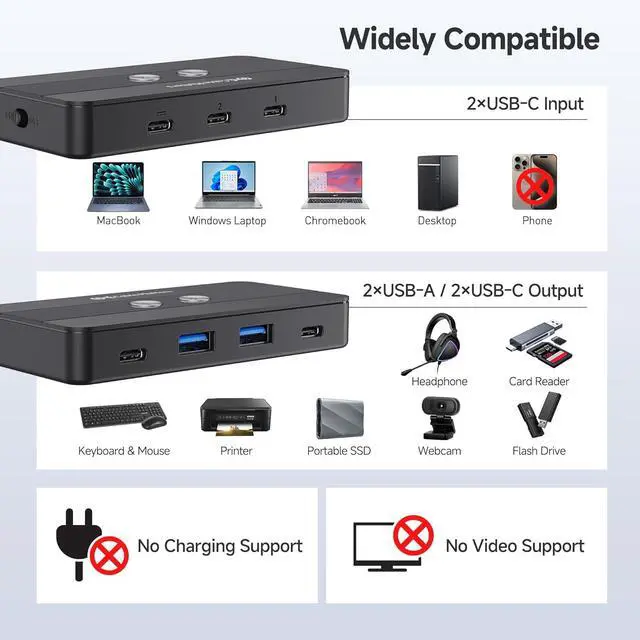
- Data-Only USB-C Switch 2 Computers - No Video Support: This USB switch is built exclusively for data sharing, allowing seamless connectivity for peripherals like keyboards, mice, and storage devices. It does not support video output or host device charging, ensuring a dedicated and reliable data transfer experience. (Do not use it with USB C monitors or video adapters)
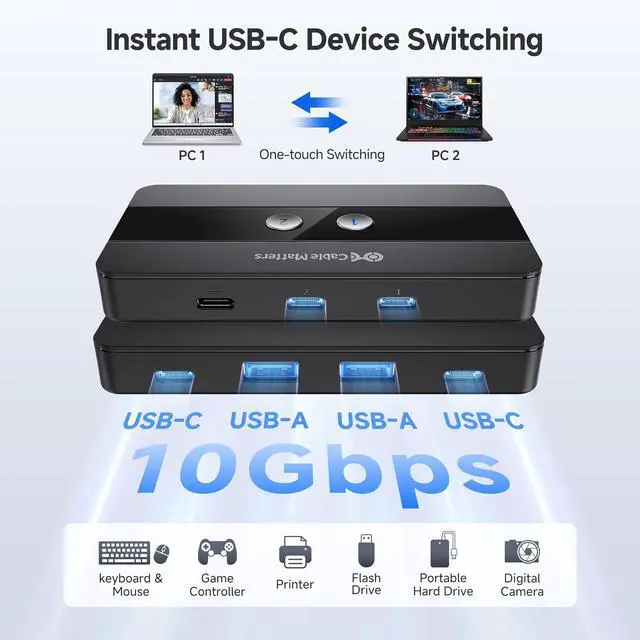
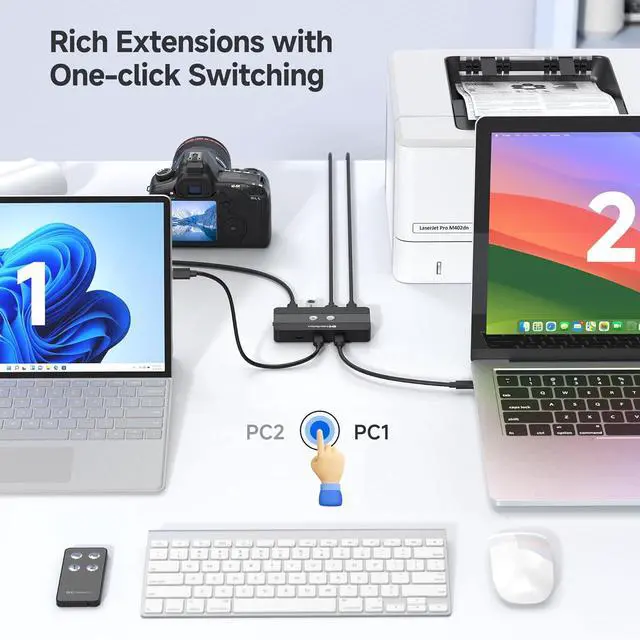
- 4-Port USB A/USB C Switch for Dual Computers: This versatile USB switch 2 computers allows seamless sharing of 2 USB-A and 2 USB-C peripherals between two computers. Ideal for efficient workspaces, this USBC switcher 2 computers enables quick access to devices without cable swapping.
- High-Speed 10Gbps Data Transfer: Equipped with 10Gbps USB-A and USB-C ports, this USB 3.0 switch ensures ultra-fast data transfer, making it perfect for high-bandwidth peripherals. Effortlessly share external storage, printers, and other devices across two hosts.
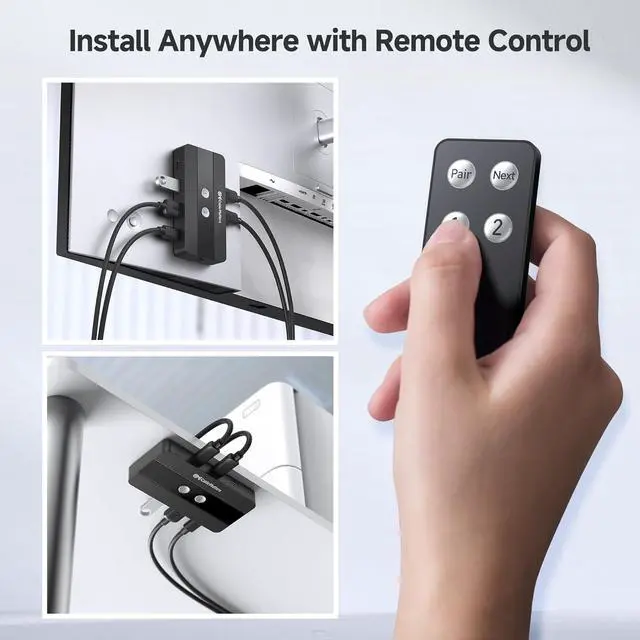
- Convenient Remote Control Switching: Switch between computers using the but
+
+
Overview
Reviews

Any questions? Our AI mode will help you find out quickly.
Try me now
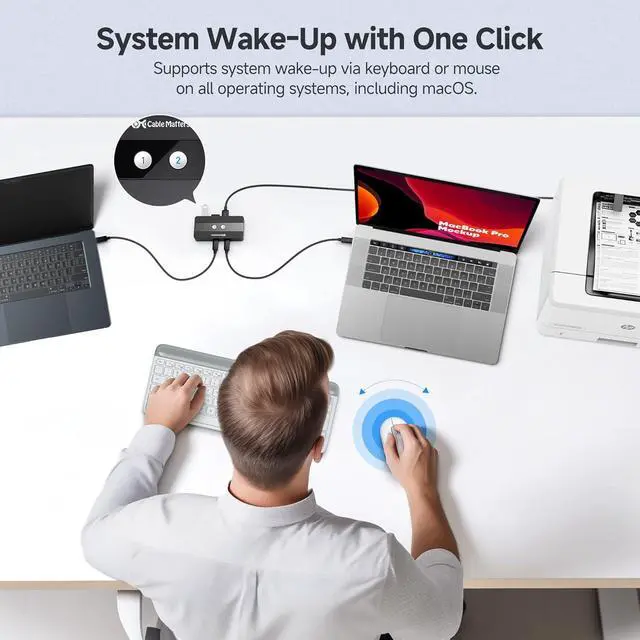
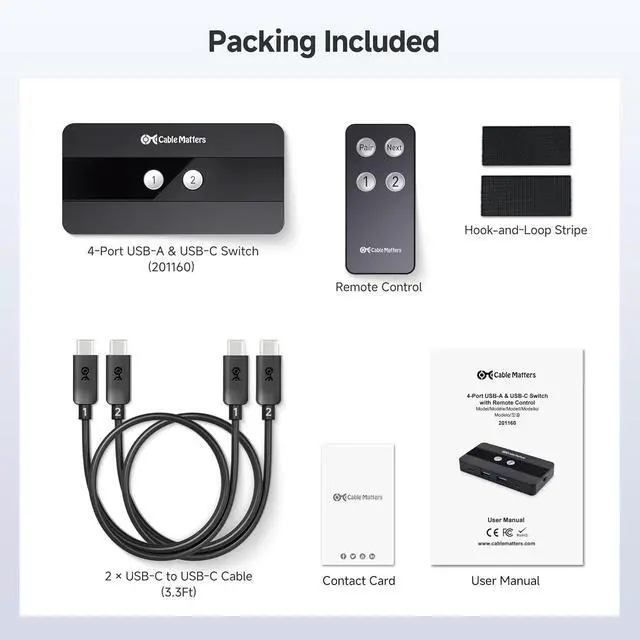
1One-click Wake-up2For Laptop and Desktop3For 2 Desktops1Widely Compatible2Included in Package Does the USB-C port on this switch support video output?
No, the USB-C ports on this switch are for data transfer only. It does not support video output.
What is the purpose of the optional power port? Can I connect it to my laptops power supply to charge my computer?
The optional power port enhances performance when using power-hungry peripherals like external hard drives. However, it cannot charge laptops or other devices, as this switch does not support host device charging.
My device is not working or unresponsive. What should I do?
Ensure the power switch is ON and all cables are securely connected. The host computers must be connected to the USB-C ports labeled "1" and "2". If the issue persists, try reconnecting the cables or using different USB ports on your computer.
What is the data transfer bandwidth of the USB-C and USB-A ports on this switch?
Both the USB-C and USB-A ports on this switch support high-speed data transfer of up to 10Gbps.
How do I pair the remote if it isnt working?
To pair a new remote, connect the switch to the computer, then press and hold the Pair button for 5 seconds until the LED stops flashing.
10Gbps 4-Port USB and USB C Switch Does the USB-C port on this switch support video output?
What is the purpose of the optional power port? Can I connect it to my laptops power supply to charge my computer?
My device is not working or unresponsive. What should I do?
What is the data transfer bandwidth of the USB-C and USB-A ports on this switch?
How do I pair the remote if it isnt working?
No, the USB-C ports on this switch are for data transfer only. It does not support video output.
What is the purpose of the optional power port? Can I connect it to my laptops power supply to charge my computer?
The optional power port enhances performance when using power-hungry peripherals like external hard drives. However, it cannot charge laptops or other devices, as this switch does not support host device charging.
My device is not working or unresponsive. What should I do?
Ensure the power switch is ON and all cables are securely connected. The host computers must be connected to the USB-C ports labeled "1" and "2". If the issue persists, try reconnecting the cables or using different USB ports on your computer.
What is the data transfer bandwidth of the USB-C and USB-A ports on this switch?
Both the USB-C and USB-A ports on this switch support high-speed data transfer of up to 10Gbps.
How do I pair the remote if it isnt working?
To pair a new remote, connect the switch to the computer, then press and hold the Pair button for 5 seconds until the LED stops flashing.
10Gbps 4-Port USB and USB C Switch Does the USB-C port on this switch support video output?
What is the purpose of the optional power port? Can I connect it to my laptops power supply to charge my computer?
My device is not working or unresponsive. What should I do?
What is the data transfer bandwidth of the USB-C and USB-A ports on this switch?
How do I pair the remote if it isnt working?
Warranty & Returns
Warranty, Returns, And Additional Information
Warranty
- Please contact the Seller directly for warranty information. Warranty information may also be found on the Manufacturer's website.
- CONTACT
Return Policies
- Return for refund within: 30 days
- Return for replacement within: 30 days
- This item is covered by Chinathru Trading Co., Limited Return Policy
Manufacturer Contact Info
- For a directory of all our manufacturers, please click below.
- Manufacturers Directory
LOADING...