Your Browsing History
- Free 30-day Returns
$171.99
Meet Your Seller
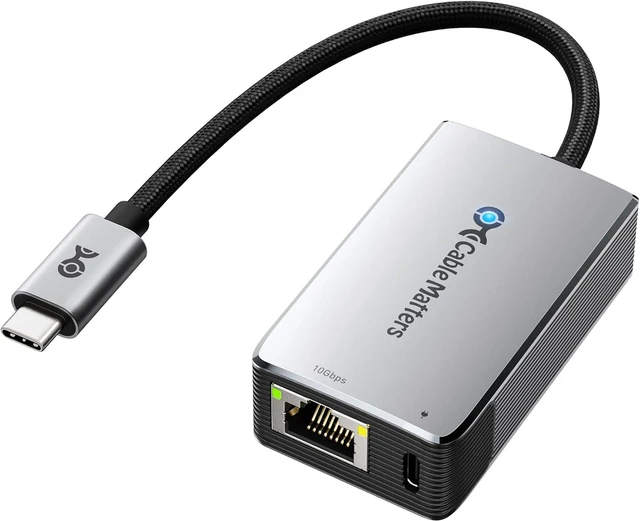
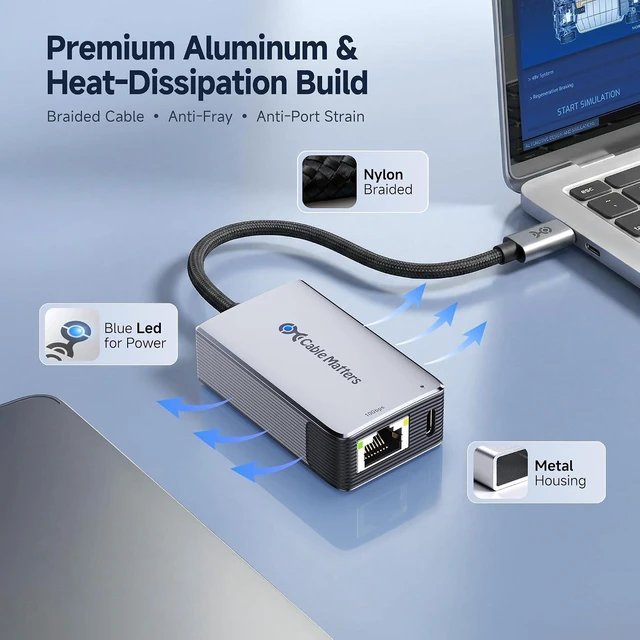
Cable Matters USB C to 10Gb Ethernet Adapter with 140W PD Charging
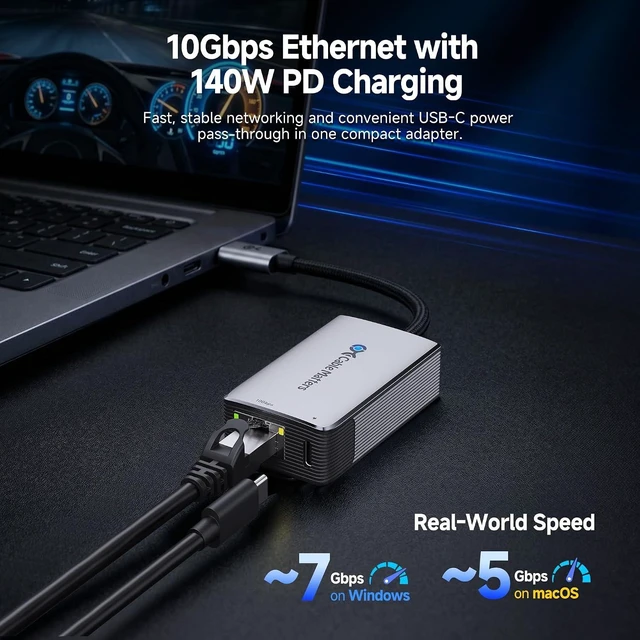
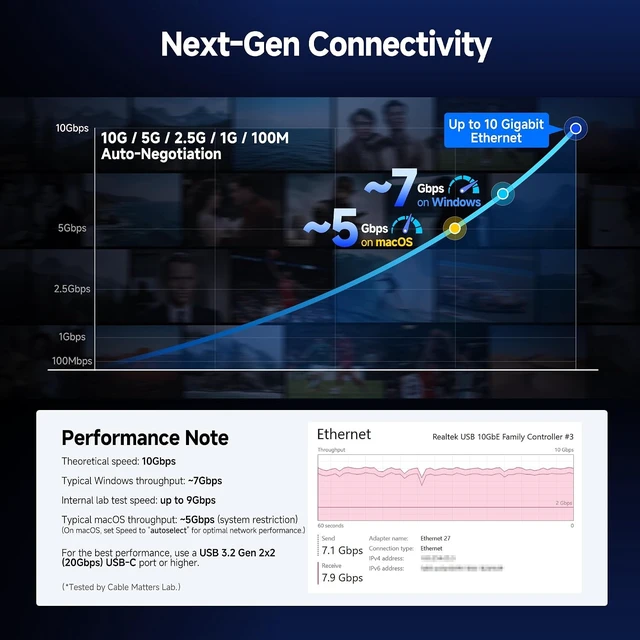
- Real-World Speed: ~7Gbps on Windows / ~5Gbps on macOS, Low-Heat and Silent, Compatible with USB4 and Thunderbolt 5/4/3
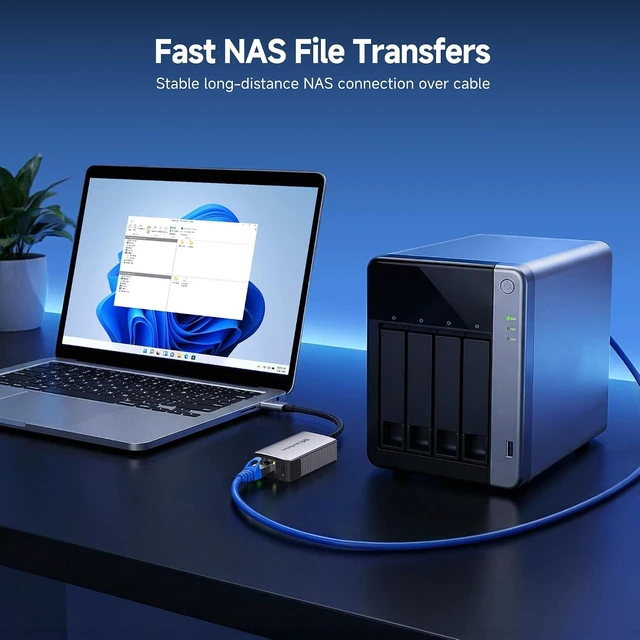
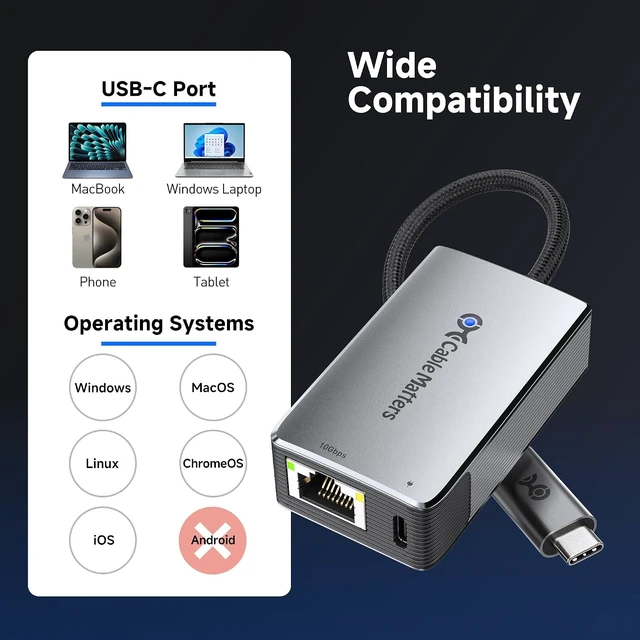
- 10GbE Performance & USB-C Requirements: Upgrade to fast wired networking with this USB C to 10Gb Ethernet adapter, which supports 10G/5G/2.5G/1G/100M auto-negotiation. Ideal for NAS transfers, large backups, content workflows, home labs, workstations, and low-latency gaming. Note: 10GbE is the theoretical link rate; real-world Windows throughput is typically ~7Gbps. For best results, use a USB 3.2 Gen 2x2 20Gbps, USB4, or Thunderbolt 3/4/5 port.
- Up to 140W PD Laptop Charging: Connect a compatible USB-C PD charger to the dedicated USB-C power port to charge the host laptop while using 10Gb Ethernet. Up to 140W input requires a compatible USB PD 3.1 EPR charger and 5A EPR cable. The charging port is for power input only and does not support data transfer or video output. Actual power delivered to the laptop is lower due to adapter power consumption.
- Real-World macOS
+
+
Overview
Specs
Reviews
Any questions? Ask CelesteSM will help you find out quickly.
Try me now
1Ideal for NAS Networking2Perfect for Work1Solid Construction2Compact Size Is this adapter compatible with Thunderbolt 4 or USB4 ports?
Yes, the adapter is fully compatible with Thunderbolt 3, Thunderbolt 4, USB4, and standard USB-C ports that support data transfer.
Im not getting the expected network speed with this adapter. What should I do?
Install the latest Realtek PCIe FE/GbE/2.5GbE/5G/10G driver. Although the adapter is plug-and-play, the default system driver may limit performance. Updating the driver may improve speed and stability.
What settings on my router or switch can affect 10Gbps performance?
Check the Flow Control setting on your router or network switch. If it is enabled, try disabling it and test the connection again, as Flow Control may reduce 10Gbps throughput on some networks.
Is this adapter backward compatible with 1Gb or 100Mbps networks?
Yes, the adapter is backward compatible and will function at 1Gbps or 100Mbps speeds when connected to slower networks or routers.
What real-world speed should I expect on Windows and macOS?
Real-world throughput varies by host and network. Typical results are ~7Gbps on Windows and ~5Gbps on macOS when using a 20Gbps+ USB-C port, 10GbE equipment, and Cat6/Cat6a cabling. On macOS, use Autoselect instead of 5000Base-T for higher speed.
USB C to 10Gbps Ethernet

Yes, the adapter is fully compatible with Thunderbolt 3, Thunderbolt 4, USB4, and standard USB-C ports that support data transfer.
Im not getting the expected network speed with this adapter. What should I do?
Install the latest Realtek PCIe FE/GbE/2.5GbE/5G/10G driver. Although the adapter is plug-and-play, the default system driver may limit performance. Updating the driver may improve speed and stability.
What settings on my router or switch can affect 10Gbps performance?
Check the Flow Control setting on your router or network switch. If it is enabled, try disabling it and test the connection again, as Flow Control may reduce 10Gbps throughput on some networks.
Is this adapter backward compatible with 1Gb or 100Mbps networks?
Yes, the adapter is backward compatible and will function at 1Gbps or 100Mbps speeds when connected to slower networks or routers.
What real-world speed should I expect on Windows and macOS?
Real-world throughput varies by host and network. Typical results are ~7Gbps on Windows and ~5Gbps on macOS when using a 20Gbps+ USB-C port, 10GbE equipment, and Cat6/Cat6a cabling. On macOS, use Autoselect instead of 5000Base-T for higher speed.
USB C to 10Gbps Ethernet
Warranty & Returns
Warranty, Returns, And Additional Information
Warranty
- Please contact the Seller directly for warranty information. Warranty information may also be found on the Manufacturer's website.
- CONTACT
Return Policies
- Return for refund within: 30 days
- Return for replacement within: 30 days
- This item is covered by XinjintongLimited Return Policy
Manufacturer Contact Info
- For a directory of all our manufacturers, please click below.
- Manufacturers Directory
LOADING...