UPPAbaby Carry-All Parent Organizer / Fits on Vista, Cruz, Minu, Minu Duo, G-Series Strollers / Secure Zippered Pocket + Beverage Compartments
  •  
  • $39.59 
  • $142.99
  • Price alert
    Shop it at NeweggBusiness.

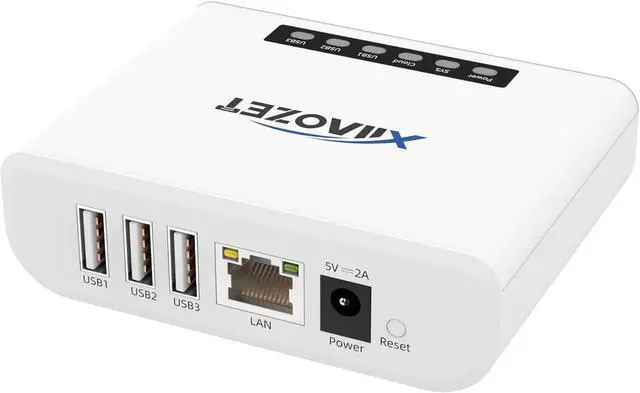
    Wireless USB Server and Print Server Share USB Devices (Printer, Scanner or More) Over LAN via Ethernet or WiFi Network Easy Setup Compatible with Windows Mac and Linux Virtual USB (LK300EW)

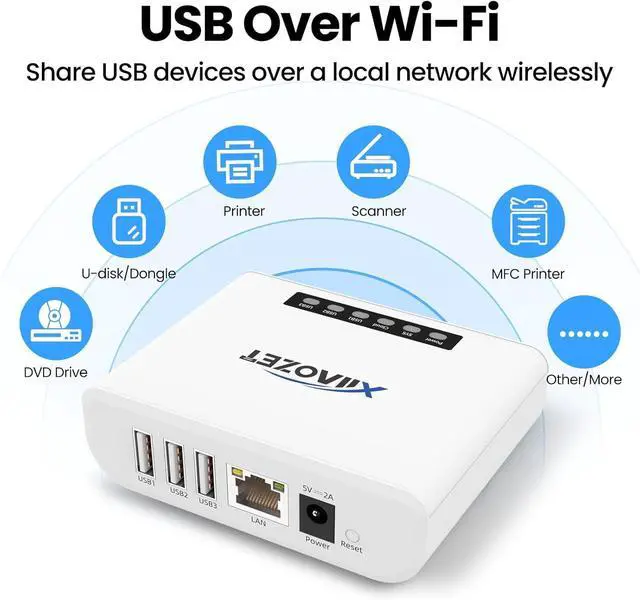
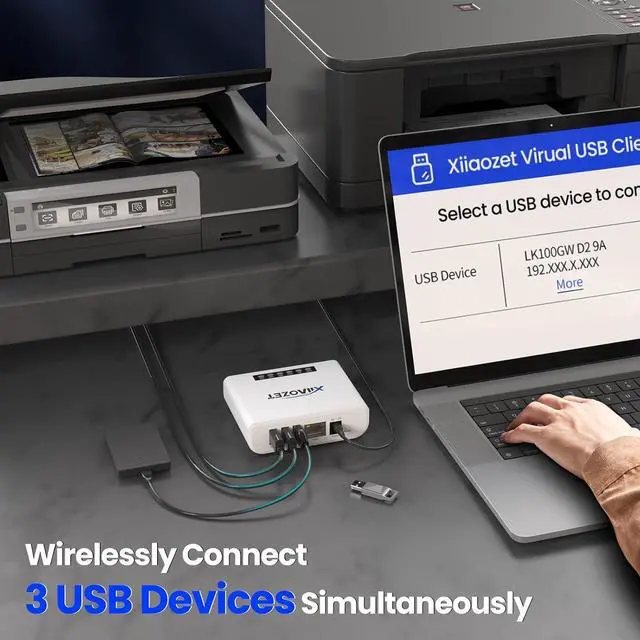
    • Multi-Function Device: Serves as both a USB server and print server, enabling multiple computers on the same network to share USB devices, such as printers, scanners, or storage devices, eliminates direct computer-to-device cabling
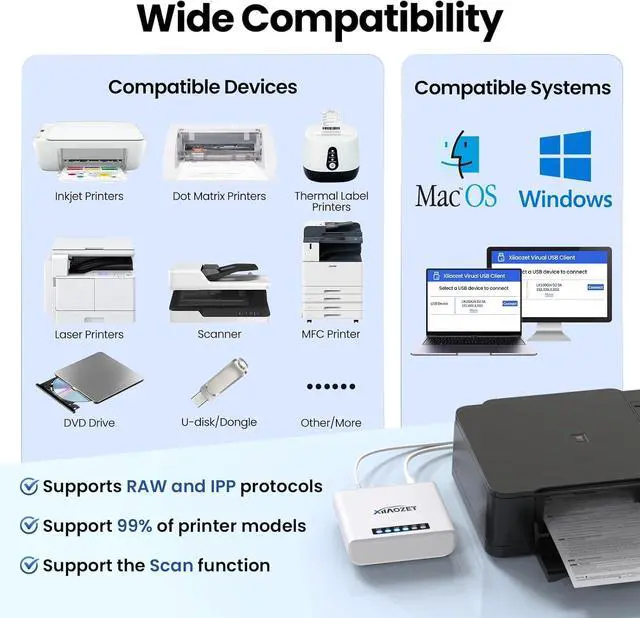
    • Compatible with Printers: Converts USB printers into wireless printers. Added printers via using an IP address or hostname, supports RAW and IPP printing protocols. Compatible with printers from HP, Canon, Epson, and others. Can also connect printers using virtual USB connect software. Note: Mobile printing and AirPrint are not supported.
    • Compatible with USB Devices: Integrates software and hardware to wirelessly connect USB devices like printers, scanners, and dongles; our virtual USB software simulates a direct USB connection, just like physically plugging the device into the computer.
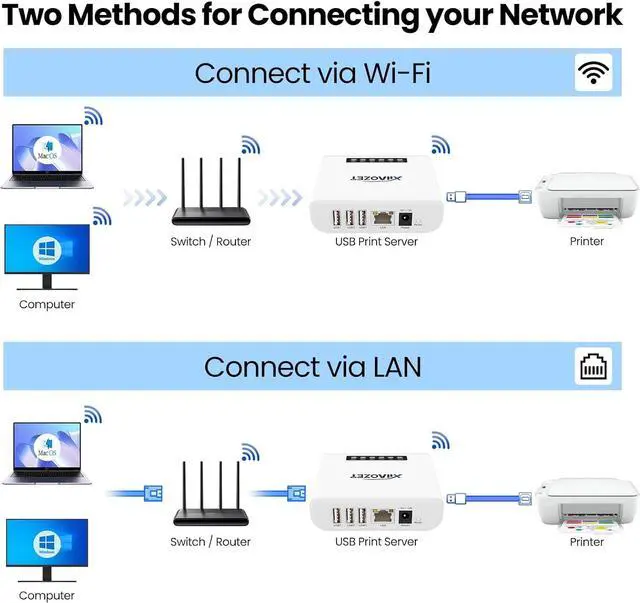
    • Network Connection Options: Flexible deployment via 2.4GHz Wi-Fi or Ethernet port; maintains stable connectivity for devices located anywhere within Local network covera
    +
    +
    Overview
    Specs
    Reviews
    avatar

    Any questions? Our AI beta will help you find out quickly.

    Efficiency & Cost Savings: Share one usb devices such as printer, scanner and so on among multiple computers over your local network to enhance office productivity.Flexible Connectivity: Support Wireless or Ethernet network connection, enabling convenient placement anywhere in your office or home.Easy to use: equipped with detailed step-by-step wizard of network configuration and USB devices connection to the computer for WindowsOS and MacOS, allowing users to easily get started.
    1USB Server2Printer Server Does the USB server need to download a software?
    Yes! you need to ensure that your computer system has the appropriate drivers for your printer model or usb devices installed. Additionally, use Xiiaozet Virtual USB Connect Tool to manage the connection and disconnection of Printer/ USB device.
    How to other computers on the same local network also connect to the USB device?
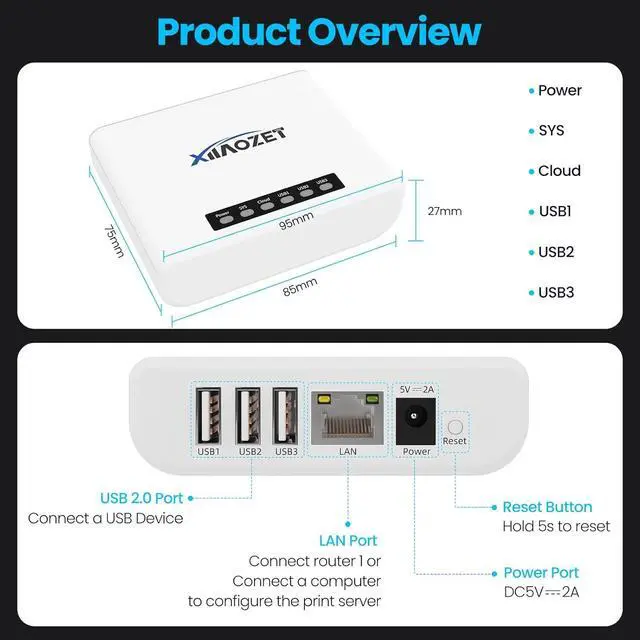
    Install our Virtual USB Connect Tool on the new computers and select the port. USB ports are exclusive: if USB1 is in use by PC A, PC B cant use it simultaneously,but can use USB2 or another free port. To use USB1 on PC B, disconnect PC A first.
    Important! How to get product support? ( Including Installation support, Troubleshooting support)
    Our website has a more detailed guideVia website, or email.
    Multiple Computers in the LAN Share a USB2.0 Device Installation Video for Windows USB Server- How to connect USB devices wirelessly How to connect USB devices wirelessly Smart Indicator Lights Data Security High-Performance Processor Self-developed Tools Is the usb server installation process complicated?
    Does the USB server need to download a software?
    How to other computers on the same local network also connect to the USB device?
    Important! How to get product support? ( Including Installation support, Troubleshooting support)

    Warranty & Returns

    Warranty, Returns, And Additional Information

    Warranty

    • Please contact the Seller directly for warranty information. Warranty information may also be found on the Manufacturer's website.
    • CONTACT

    Return Policies

    Manufacturer Contact Info

    LOADING...