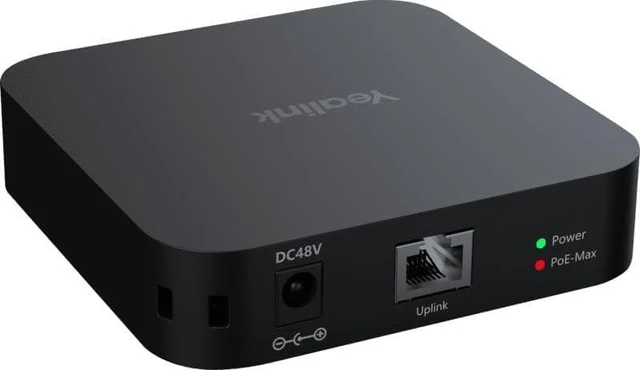
The YealinkRCH40 E2 is a compact four-port Gigabit PoE room cable hub designed to centralize Ethernet connectivity and power for compatible meeting-room devices. It provides four 10/100/1000 Mbps Ethernet ports with PoE support, allowing multiple endpoints to connect through a single compact networking device. With a total PoE budget of up to 90W and up to 30W available per port, the hub is designed for room installations that require centralized power and network connectivity.
The E2 configuration is differentiated by its network-management design. It supports Quality of Service (QoS) and disables Energy Efficient Ethernet (EEE). This configuration is specifically intended for compatible room devices such as YealinkCM20 and YealinkCS10, which require the E2 version because of the EEE-disabled requirement.
The hub supports multiple deployment methods. In compatible installations, EasyConnect allows the RCH40 E2 to connect through a VCH port without using a separate power adapter. Alternatively, the included 48V power adapter can be used for installations where standalone power is preferred. The supported power configuration gives room designers flexibility when planning equipment placement and cable routing.
PoE priority control helps manage the available power budget when multiple connected devices are operating simultaneously. The system can prioritize connected endpoints when available PoE capacity is limited, helping room designers organize power allocation according to the requirements of the installed equipment.
The YealinkRCH40 E2 has a compact 100 × 100 × 23 mm physical design, making it suitable for installations where space and cable organization are important considerations. Its four Gigabit Ethernet ports, PoE capability, compact enclosure, and multiple deployment methods make it suitable for centralized connectivity in compatible meeting-room configurations.
For installations using YealinkCM20 or YealinkCS10, confirm that the RCH40 E2 configuration is being specified rather than the standard RCH40. Also verify the combined power requirements of all connected endpoints so the installation remains within the 90W total PoE budget and 30W maximum per port.
The RCH40 E2 is supplied as a single room cable hub solution with the required power and installation accessories. The compact form factor and Gigabit Ethernet connectivity help simplify the physical network layout for compatible professional room systems.




 here!