Your Browsing History
- Free 30-day Returns
$81.99
Meet Your Seller
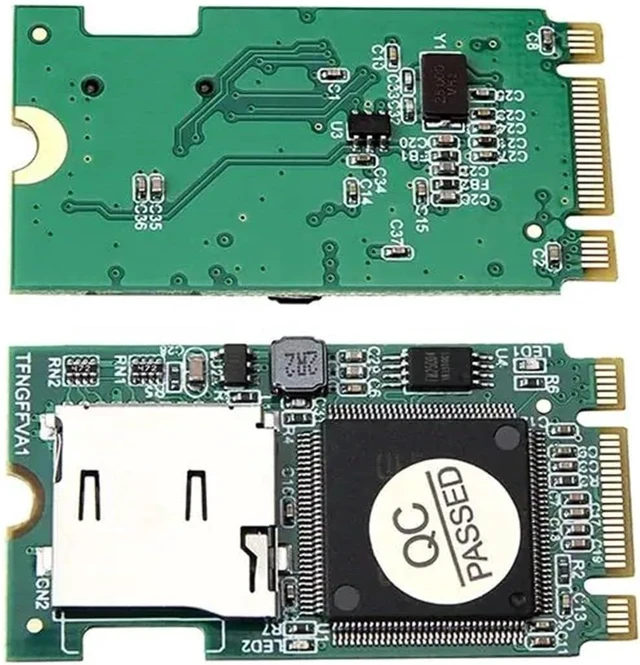
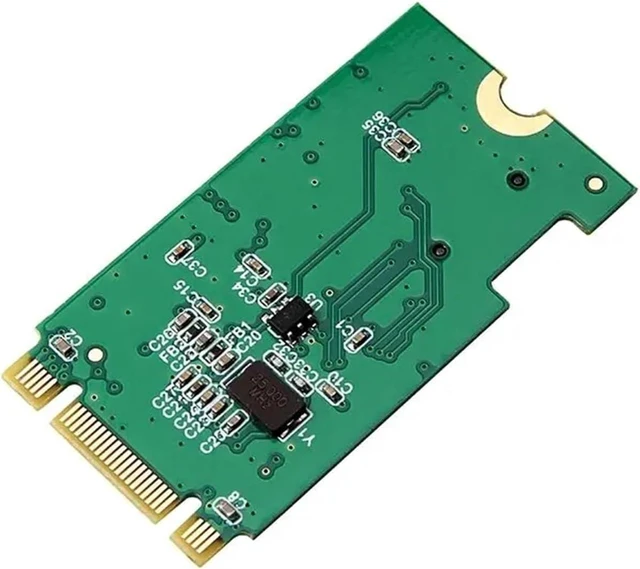
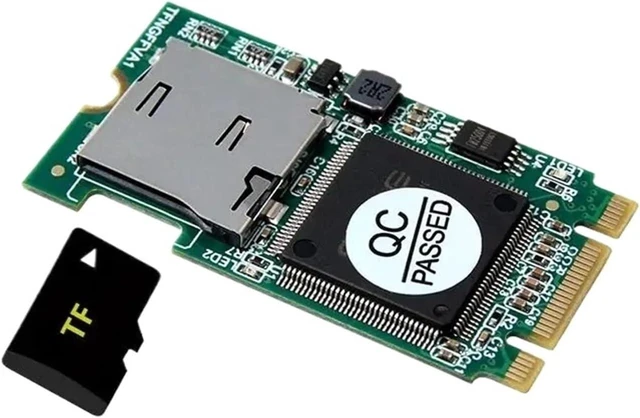
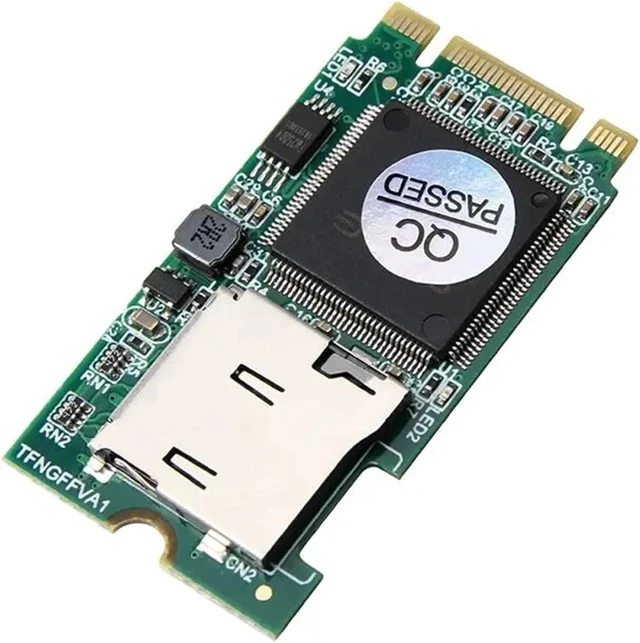
M.2 Card Reader SDHC SDXC TF to M2 B Key T-Flash Adapter for Desktop Laptop M.2 NGFF SSD Support 512GB
- Laptop Network Adapters
- M.2 Card Reader SDHC SDXC TF to M2 B Key T-Flash Adapter for Desktop Laptop M.2 NGFF SSD Support 512GB
+
+
Overview
Reviews
Any questions? Ask CelesteSM will help you find out quickly.
Try me now
Laptop Network Adapters
Item Description
M.2 Card Reader SDHC SDXC TF to M2 B Key T-Flash Adapter for Desktop Laptop M.2 NGFF SSD Support 512GB
Main performance
(1) S682 program.
(2) DOS, WINCE, WIN98/XP/VISTA/NT, WIN7/8/10 and LINUX operating systems.
(3) Equivalent industrial use flexible plug-in and unplug SSD, TF as a mobile hard disk to achieve flexible movement of data storage.
(4) After the hard disk is transferred, it can be used as a system boot disk or a data disk.
(5) TF supports high-speed cards.
(6) TF has measured a maximum support of 128GB so far, and there is theoretically no upper limit.
(7) GEN1 and GEN2, the transmission rate is 1.5Gbps and 3.0Gbps, respectively. The data transmission rate reaches 150MB/s and 300MB/s, respectively.
(8) Together with the BIOS and operating system, it supports plug and play, and can be used without any driver. It is recommended to cold plug and remove to achieve data removable storage after shutdown, do not hot plug TF and NGFF (M.2).
(9) Size: NGFF (M.2) SSD size. Can be used on desktops and notebooks.
Please notes
(1) Before using this product, please insert the TF card into the corresponding TF socket, and then insert the NGFF (M.2) slot in the shutdown state. After powering on, the LED light flashes, indicating that the TF card data reading is normal.
(2) After the initial use or change of TF card configuration, the TF card needs to be initialized and formatted. Once the formatting is complete, you will be able to perform any data manipulation on your TF card.
What's Include
M2 B key to Adapter x1
Model Number : XTQ0037
Type : Data Converters

Item Description
M.2 Card Reader SDHC SDXC TF to M2 B Key T-Flash Adapter for Desktop Laptop M.2 NGFF SSD Support 512GB
Main performance
(1) S682 program.
(2) DOS, WINCE, WIN98/XP/VISTA/NT, WIN7/8/10 and LINUX operating systems.
(3) Equivalent industrial use flexible plug-in and unplug SSD, TF as a mobile hard disk to achieve flexible movement of data storage.
(4) After the hard disk is transferred, it can be used as a system boot disk or a data disk.
(5) TF supports high-speed cards.
(6) TF has measured a maximum support of 128GB so far, and there is theoretically no upper limit.
(7) GEN1 and GEN2, the transmission rate is 1.5Gbps and 3.0Gbps, respectively. The data transmission rate reaches 150MB/s and 300MB/s, respectively.
(8) Together with the BIOS and operating system, it supports plug and play, and can be used without any driver. It is recommended to cold plug and remove to achieve data removable storage after shutdown, do not hot plug TF and NGFF (M.2).
(9) Size: NGFF (M.2) SSD size. Can be used on desktops and notebooks.
Please notes
(1) Before using this product, please insert the TF card into the corresponding TF socket, and then insert the NGFF (M.2) slot in the shutdown state. After powering on, the LED light flashes, indicating that the TF card data reading is normal.
(2) After the initial use or change of TF card configuration, the TF card needs to be initialized and formatted. Once the formatting is complete, you will be able to perform any data manipulation on your TF card.
What's Include
M2 B key to Adapter x1
Model Number : XTQ0037
Type : Data Converters
Warranty & Returns
Warranty, Returns, And Additional Information
Warranty
- Please contact the Seller directly for warranty information. Warranty information may also be found on the Manufacturer's website.
- CONTACT
Return Policies
- Return for refund within: 30 days
- Return for replacement within: 30 days
- This item is covered by XinjintongLimited Return Policy
Manufacturer Contact Info
- For a directory of all our manufacturers, please click below.
- Manufacturers Directory
LOADING...