Laptop Network Adapters
Item Description
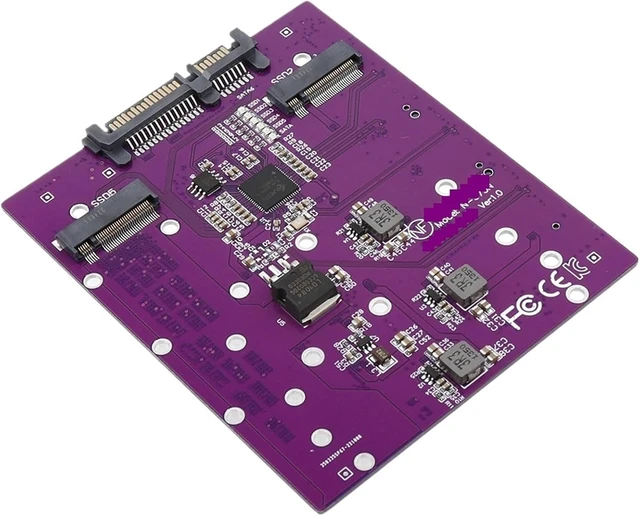
1. This riser card only supports the use of the HOST interface, not the motherboard interface! It is recommended to use it with the PCIe to expansion port of ASM1064 and ASM1166 and other chips. If you cooperate with the interface of the adapter card of JMS582 or ASM1061 chip, you need to install the driver under the Windows system, if you are another operating system, to be verified, the probability is that you need the relevant chip driver!
2. Support protocol M.2 NGFF SSD, PCIe NVMe protocol M.2 SSD does not support.
3. Whether it can be used as a system disk is related to your motherboard and has nothing to do with the adapter card.
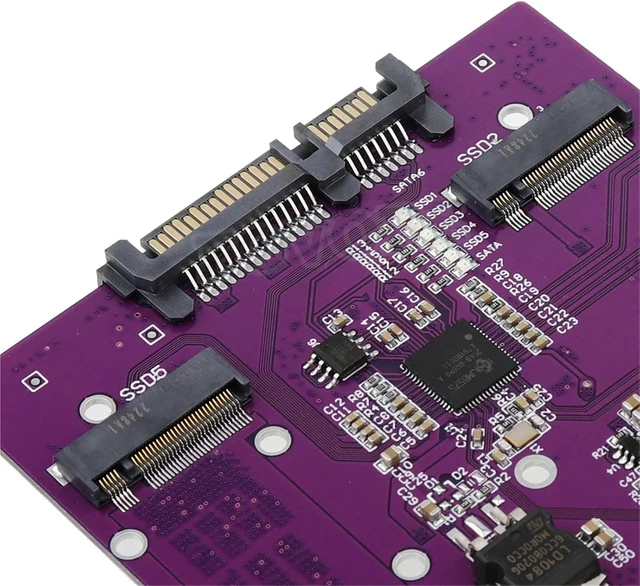
4. This adapter card adopts JMB575 chip, whether it is other operating systems, please refer to other adapter cards of the same model chip!
5. Product size: PCB size: length * width = 103 mm * 87 mm.
6. The store test is only tested under WIN8 WIN10 WIN11 system, other operating systems have not been tested.
A note on the M.2 NGFF interface:
M.2 NGFF interface is a more confusing interface, hard disk, wireless network card, 3G/4G network card and some intelligent protection cards all use this interface; Here I only make a description of the standard M.2 NGFF interface hard disk part, we usually say that M.2 NGFF refers to the interface shape of the hard disk, AHCI protocol protocol NVMe protocol refers to the hard disk and computer data exchange data transmission protocol, special attention AHCI protocol is not equal to protocol! 2230 2242 2260 2280 22110 refers to the physical size of the hard disk, 22 refers to the width of the hard disk 22 mm, and the back 30 42 60 etc. refers to the length of the hard disk, and the unit is also millimeters. B key, M key, etc. refer to what kind of key bit the hard disk uses, which is matched with the hard disk interface of the motherboard, so the solid state drive of the M.2 NGFF interface can be divided into A.B.C. according to the key bit.... Until M key; According to the size, it can be divided into 2230, 2242, 2260, 2280, 22110 specifications; According to the data transmission protocol, it can be divided into B+M key data transmission protocol, B+M key PCIe x2 AHCI data transmission protocol, B+M key PCIe x2 NVMe data transmission protocol, M key PCIe x4 AHCI data transmission protocol, M key PCIe x4 NVMe data transmission protocol.
About the riser card fixing method:
1 First install the 4 copper pillars on the riser card, as shown below:
2 Then fix the adapter card and the 3.5-inch bracket, be sure to note that the bracket needs to be purchased separately, this product does not include the bracket!
3 The figure below shows how the installation is fixed
About the hard disk installation order:
1 Install the three hard drives on the back first, and then install the two hard drives on the chip surface.
2 Three hard drives on the back
3 Front two hard disks, pay attention to the front two hard disks before installing the 4 fixed copper pillars of the bracket, of course, if you do not plan to install the bracket can be ignored
What's Include
to 5-port M.2 NGFF SSD expansion card 5-port M.2 riser card
(SSD not included)
Type : Cable Adapter





 here!
here!