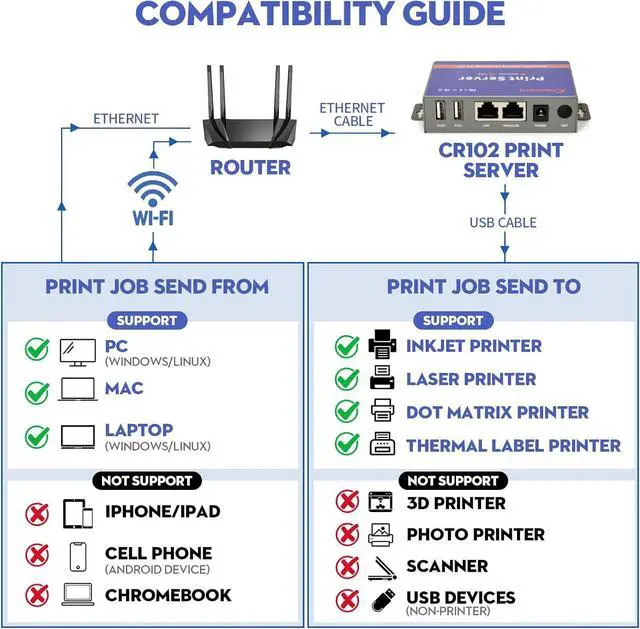
COMPATIBILITY GUIDE - MUST READ: CHEECENT CR102 print server supports Ethernet networking with Windows/Linux COMPUTERS and Mac, NOT PLUG and PLAY, Non-WiFi. *NOT SUPPORT iPhone/iPad/Cell Phone/Chromebook/Android (System) Devices*. This printer server can print with Inkjet Printer, Laser Printer, Dot Matrix Printer and Thermal Label Printer. *NOT SUPPORT 3D Printer, Photo Printer, Scanner and other USB devices*. Please refer user manual and video to set up.
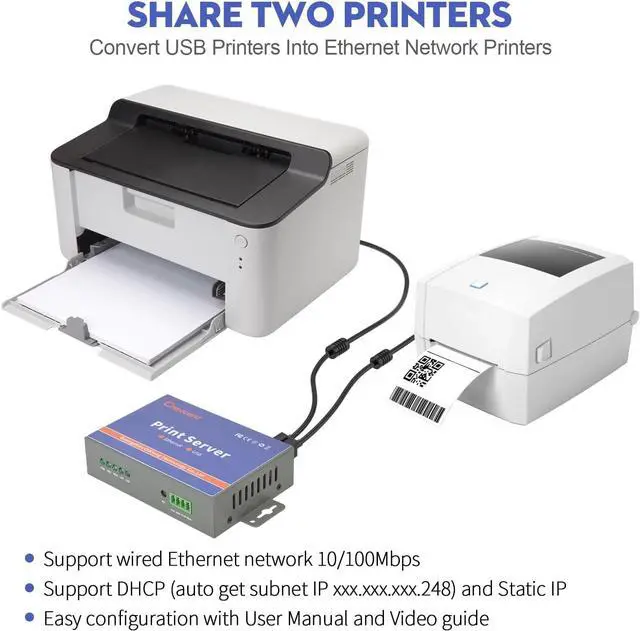
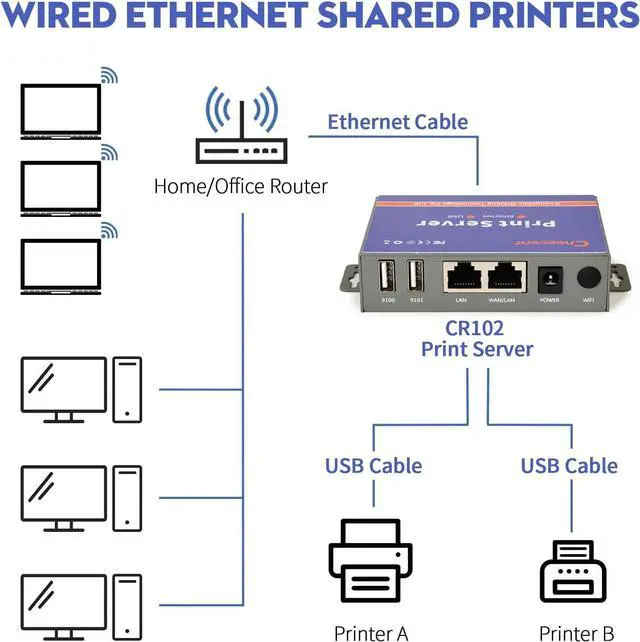
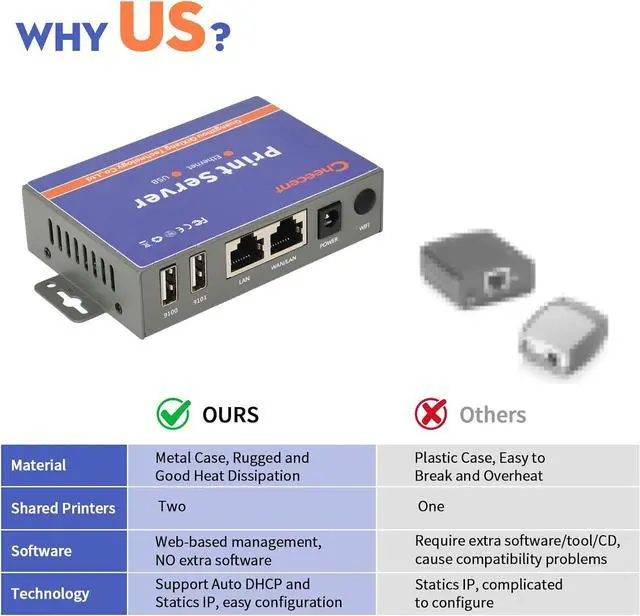
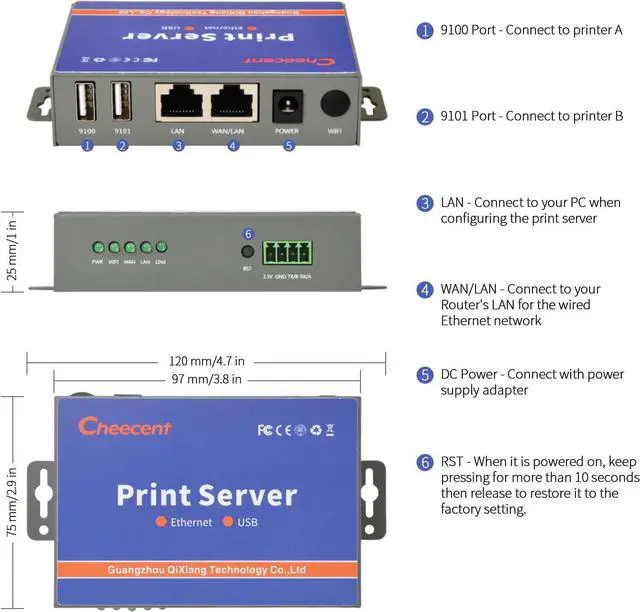
SHARE TWO PRINTERS: This Ethernet USB Printer Server has 2 USB ports, it allows multiple computers to share TWO USB printers over an Ethernet local network. When you are tired of maintaining a printer's host PC, this will convert an old USB printer to a network printer: Print server uses USB cables to connect with printers, ethernet cable connects with the network router's LAN, then configure" Add Printer" in any computers connected with the same network, then they can use network printers.
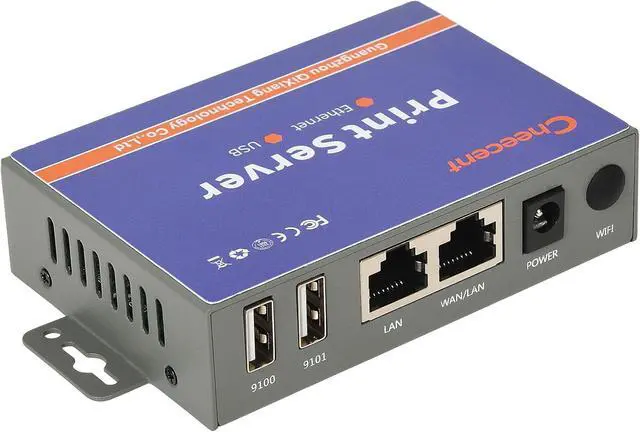
SUPER CONVENIENT: This print server usb to ethernet device is a compact design with metal shell and mounting hole, convenient to install on a desktop/wall. The print servers don't require a cable connection to a computer after set up, there's no need to put your printer next to PC, just make a wired Ethernet connection between the print server and your router. It's ideal for home or business applications, and government or educational institutions that require shared printing capabilities.
HIGH COMPATIBILITY: This network print server converts USB printer to networked printer. It is USB 2.0 and works with Mac & Windows, including Windows 10. BE SURE the printer's driver is installed on each networked computer to use the usb printer hub. Compatible with most printers in the market, but not 100% guaranteed. Please refer User Manual and video. Contact support email for any assistant request.
PERFECT SOLUTION & SERVICE: This computer networking print servers saved you from the temptation to buy a newer, cheap printer just for the network feature. It saved you from a dedicated computer powered on to support the printer. With user manual, video, and complete accessories, it helps most customers easily configure by themselves. Please must contact us for any support request.