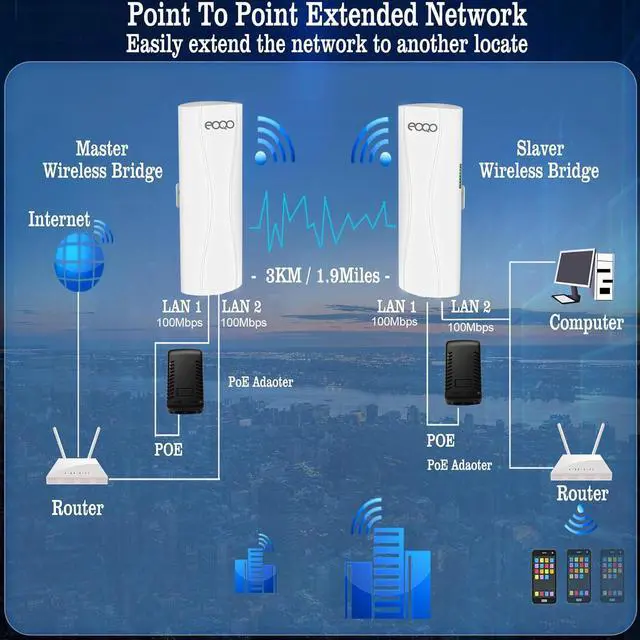
Extend your Starlink internet access seamlessly from one location to another without the need for cables, allowing you to share your home internet with your garage, barn, stable, warehouse, or workshop. Monitor multiple remote home security cameras simultaneously from the control room.
Extend your home internet coverage to multiple locations, allowing you to share the same network seamlessly with your garage, barn, stable, warehouse, workshop, and other outbuildings.
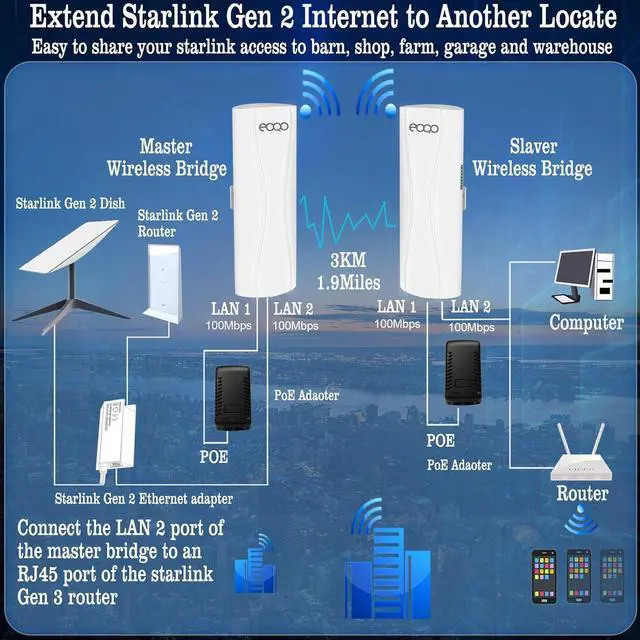
To extend your Starlink Gen 2 internet to another location, connect the master bridge to the Starlink Gen 2 Ethernet adapter and the dish. Then, connect the slave bridge to your router or computer. This setup allows you to easily share your Starlink Gen 2 satellite internet access to other location.
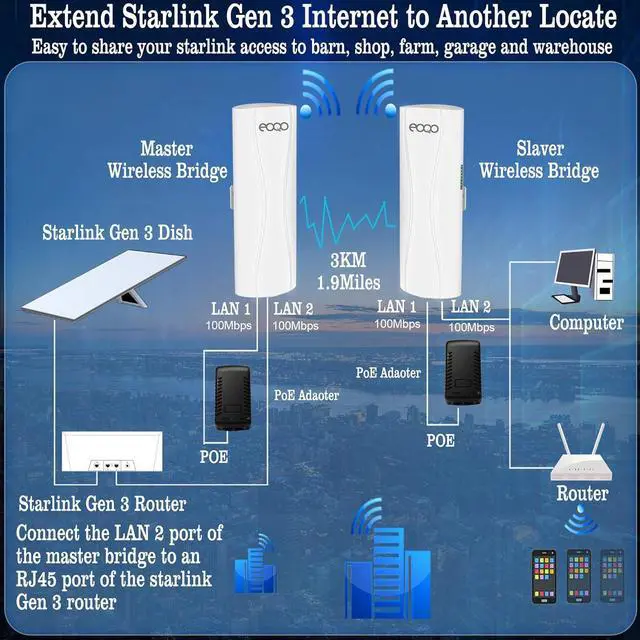
To extend your Starlink Gen 3 internet to another location, connect the master bridge to the Starlink Gen 3 router and the dish. Then, connect the slave bridge to your router or computer. This setup allows you to easily share your Starlink Gen 3 satellite internet access to other location.
Easily monitor multiple remote home security cameras simultaneously from the control room using a wireless bridgeeliminating the need for extensive cabling and simplifying installation.
Extend your Starlink internet to multiple locationsgarage, barn, stable, warehouse, shopand share the same network across all sites to save on costs.Long Range Point to Point Wireless Bridge for Starlink Internet Extension Application A: Point to Point Internet Extension Application B: Expand Starlink Gen 2 internet to another location Application C: Expand Starlink Gen 3 internet to another location Application E: Point to point video surveillance Application F: Point to multiple share Starlink internet to multiple location Set up the A- B Mode Master Bridge Setup Slave Bridge Setup Two power method Installation Method Installation Guide Point to point WiFi Bridge Why choose eoqo brand What does a wireless bridge do How does the bridge work Wireless Bridge Wireless Bridges & Accessories WiFi Network Solution