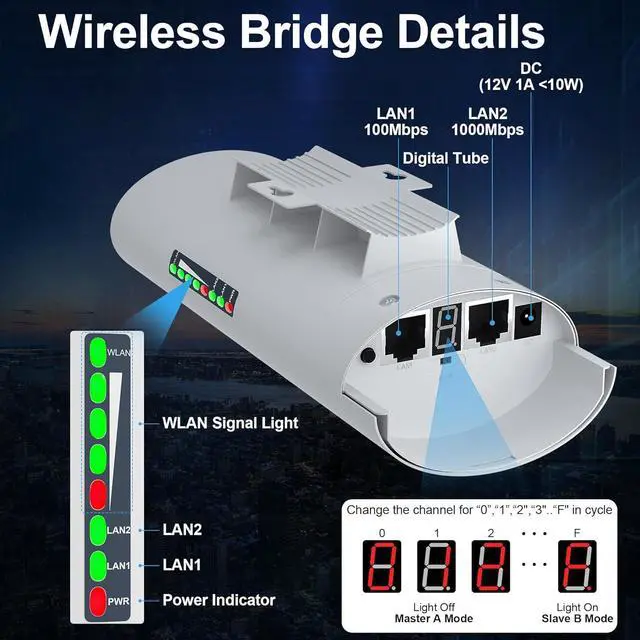
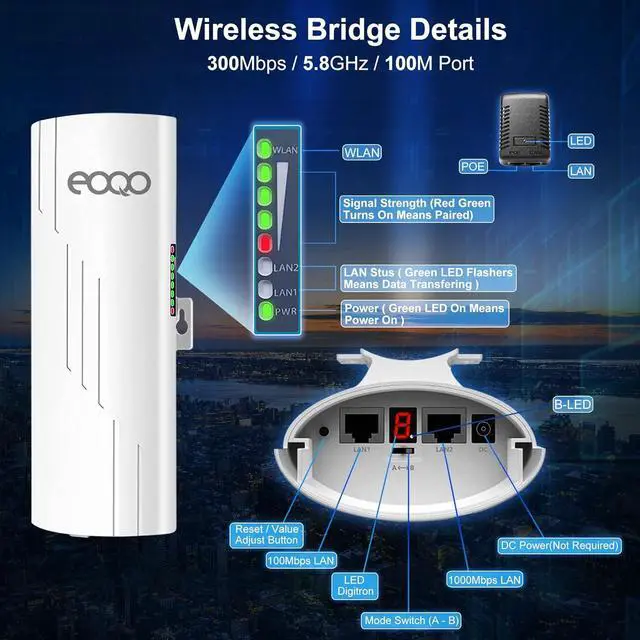
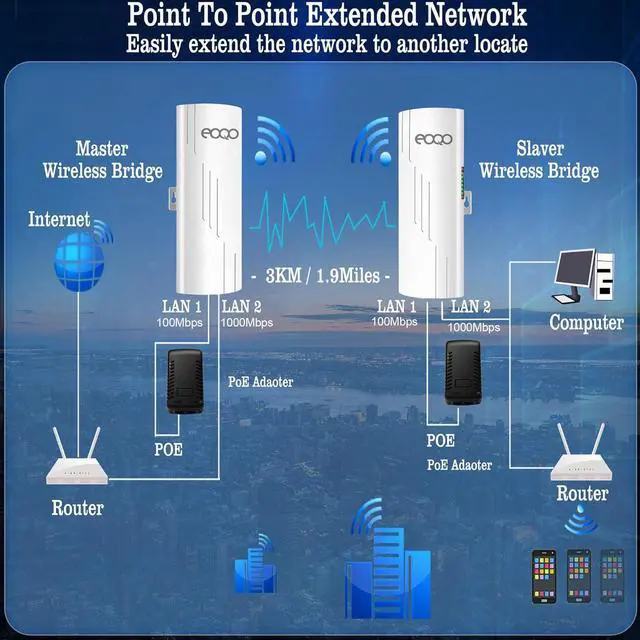
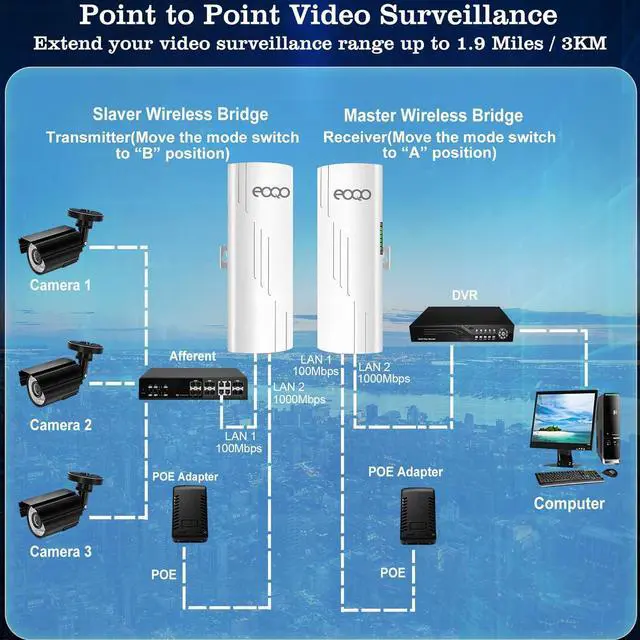
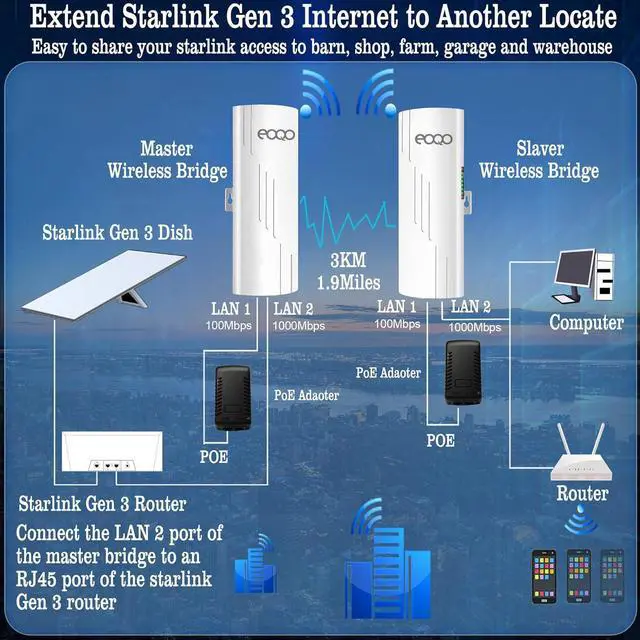
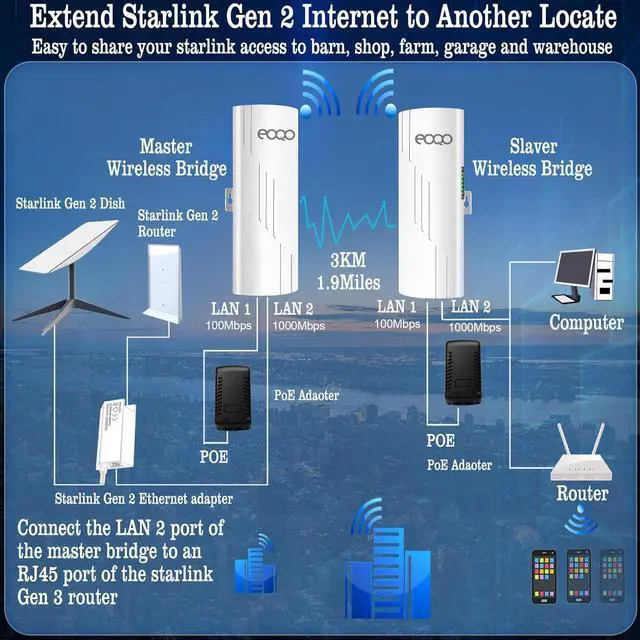
Just imagin these as an invisible ethernet cable.
Previous page
Next page Extend your Starlink internet access seamlessly from one location to another without the need for cables, allowing you to share your home internet with your garage, barn, stable, warehouse, or workshop. Monitor multiple remote home security cameras simultaneously from the control room.
Extend your home internet coverage to multiple locations, allowing you to share the same network seamlessly with your garage, barn, stable, warehouse, workshop, and other outbuildings.
To extend your Starlink Gen 2 internet to another location, connect the master bridge to the Starlink Gen 2 Ethernet adapter and the dish. Then, connect the slave bridge to your router or computer. This setup allows you to easily share your Starlink Gen 2 satellite internet access to other location.
To extend your Starlink Gen 3 internet to another location, connect the master bridge to the Starlink Gen 3 router and the dish. Then, connect the slave bridge to your router or computer. This setup allows you to easily share your Starlink Gen 3 satellite internet access to other location.
Easily monitor multiple remote home security cameras simultaneously from the control room using a wireless bridgeeliminating the need for extensive cabling and simplifying installation.
Extend your Starlink internet to multiple locationsgarage, barn, stable, warehouse, shopand share the same network across all sites to save on costs.Gigabit Wireless Bridge,5.8G 1000Mbps 1Gbps Point to Point WiFi Indoor/Outdoor AP CPE Kit with 16dBi High-Gain Antenna, Long Range Up to 3KM for PTP/PTMP, Plug and Play 2-Pack
Share:
Found a lower price? Let us know. Although we can't match every price reported, we'll use your feedback to ensure that our prices remain competitive.
Fields with an asterisk * are required
**