• $93.99
  • Free 30-day Returns
  • Price alert
    Shop it at NeweggBusiness.

    Meet Your Seller

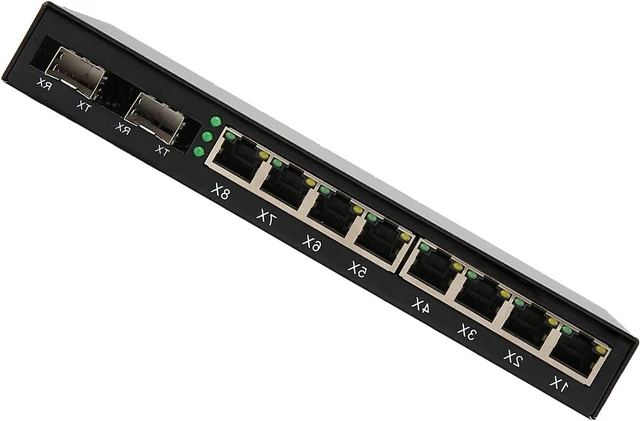
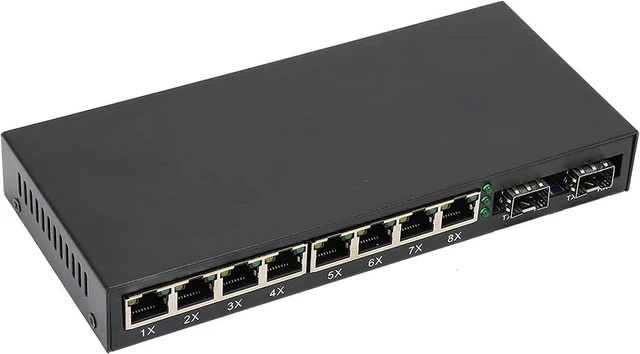
    Keenso Gigabit Switch 8 Port with FullDuplex Mode

    • Adaptive 10/100/1000M, IEEE802.3Z/AB protocol, Aluminum alloy body
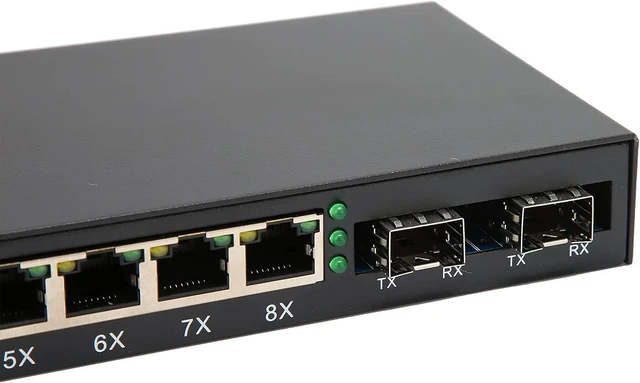
    • [HIGH SPEED PERFORMANCE] Experience -fast data transfer with our 8 Port Gigabit Switch, designed for optimal performance with IEEE802.3Z/AB 1000Base- protocol. This switch efficiently handles electrical speeds of up to 10/100/1000Mbps and optical fiber speeds of 1.25Gbps, providing seamless connectivity for all your networking needs.
    • [VERSATILE CONNECTION OPTIONS] With both RJ-45 and SC optical fiber interfaces, this gigabit switch offers flexible connectivity solutions. It supports twisted pair connections using quality CAT5 and CAT6 cables, ensuring you can connect various network devices while optimizing performance and reliability.
    • [DUAL OPERATING MODES] Tailor your network setup with full-duplex and half-duplex modes, allowing for versatile configurations based on your specific demands. This adaptability makes it an excellent choice whether you're expanding your home network, creating a small office setup, or u
    +
    +
    Overview
    Specs
    Reviews

    Any questions? Ask CelesteSM will help you find out quickly.

    Spec:
    Item Type: Gigabit Switch
    Material: Aluminum Alloy
    Standard Protocol: IEEE802.3Z/AB 1000Base-T/SX/LX
    Transmission Rate: Electrical Interface: 10/100/1000Mbps; Optical Fiber Interface: 1.25Gbps
    Operating Mode: Full-Duplex Mode or Half-Duplex Mode
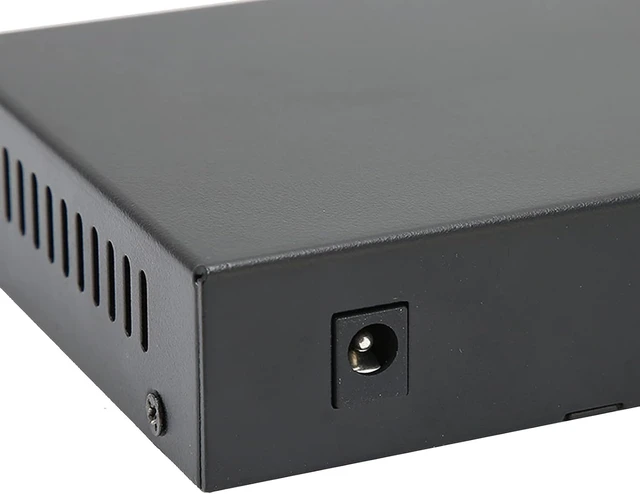
    Power Parameters: 5VDC
    Ambient Temperature: 0-60
    Relative Humidity: 5%-90%
    TP Line: 5E, CAT6
    Transmission Fiber: Multi-Mode: 50/125, 62.5/125um; Single-Mode:: 8.3/125, 8.7/125, 9/125 or 10/125m

    How to Use:
    1.Interface
    R.J45 interface: The transmission medium adopts CAT5 and CAT 6 twisted pair cables. It is recommended to use highquality RJ45 and wellmade jumpers, which have the function of automatically identifying straight and crossover cables.
    Optical fiber interface: SC optical fiber interface is duplex type, including TX and RX two interfaces. When two sets of optical converters are connected or connected to a switch through optical fiber interfaces, the optical fibers are in a crossedconnected state, that is, "TXRX" and "RXTX".
    2. Connection
    Connect network equipment (workstation, hub or switch)
    Connect to the RJ45 socket of the optical converter through twisted pair CAT5. Connect the multimode/singlemode fiber to the SC/ST/LC fiber interface of the optical module. Turn on the power. The corresponding LED light is on to indicate that the connection is correct. (The LED indicators are shown in the table below)

    PackageList:
    1 xGigabit Switch
    1 x User Manual

    Warranty & Returns

    Warranty, Returns, And Additional Information

    Warranty

    • Please contact the Seller directly for warranty information. Warranty information may also be found on the Manufacturer's website.
    • CONTACT

    Return Policies

    Manufacturer Contact Info

    LOADING...