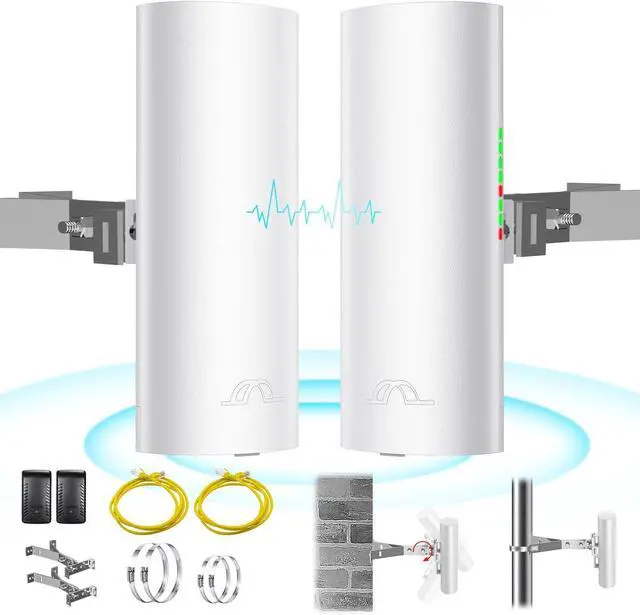
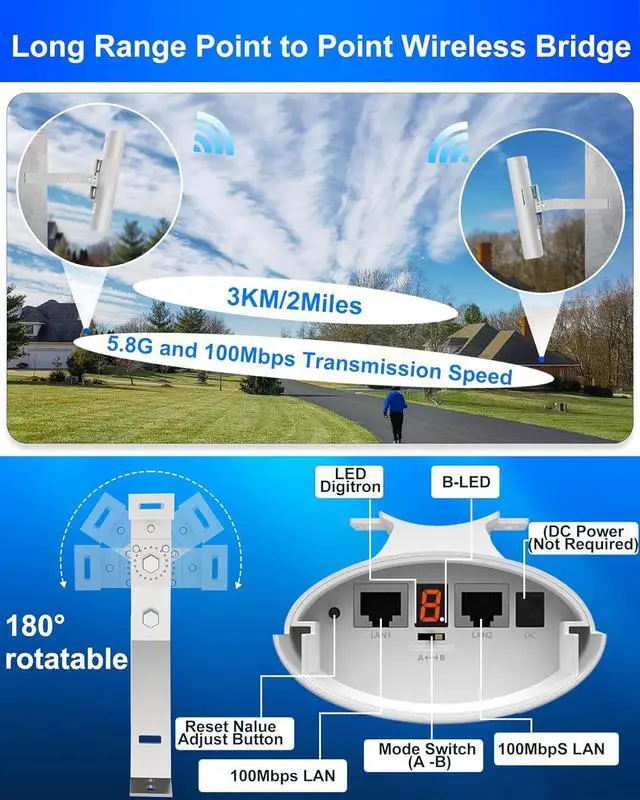
The Bluedery CPE520 with Mount Kits is a long-distance 5.8G wireless transmission device that leverages wireless communication technology for transmitting network data over long distances in point-to-point or point-to-multipoint interconnections. Its operational data link layer facilitates the interconnection of local area networks, enabling transmission distances of up to 2 miles.
The CPE520 Wireless Bridge Transmission typically involves two devices operating in AP and Client modes respectively. On the Client side (receiving end), the CPE connects with IP cameras, while on the AP side (transmitting end), it connects with a video recorder. The AP can receive wireless data transmitted from multiple Clients, allowing for centralized management of remote equipment.
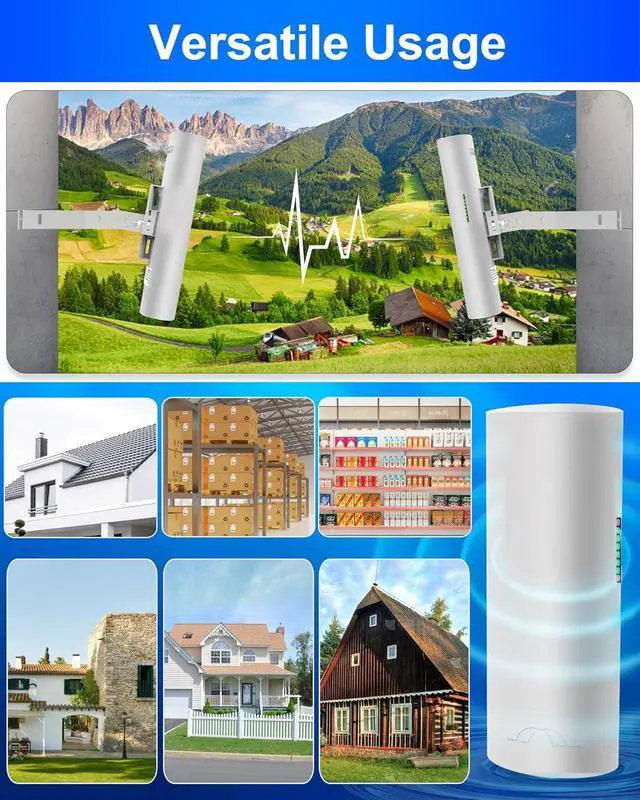
Widely utilized in applications such as highway monitoring, reservoir and river monitoring, elevator monitoring systems, site crane monitoring systems, port terminal monitoring systems, and marine aquaculture monitoring systems, the CPE is designed to extend network Wi-Fi range in a point-to-point manner. This solution enables network extension to locations such as barns, garages, churches, and warehouses through wireless bridge signal transmission, without the need for installing a new modem and incurring monthly costs, thus saving money.
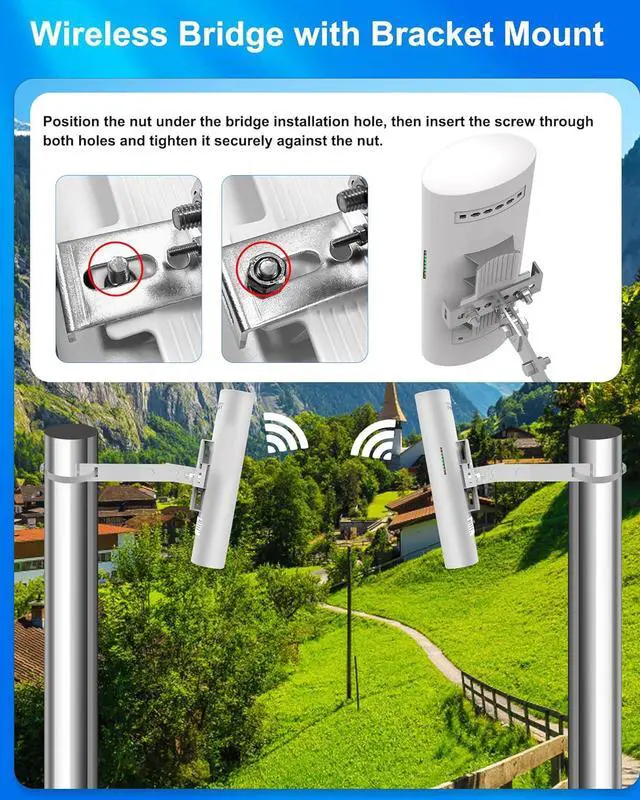
The wireless bridges are equipped with pole and wall bracket mounts made of galvanized iron with a 2mm thickness, ensuring strength and stability. This complete set allows for easy installation on a wall or pole without the need to purchase any additional accessories.
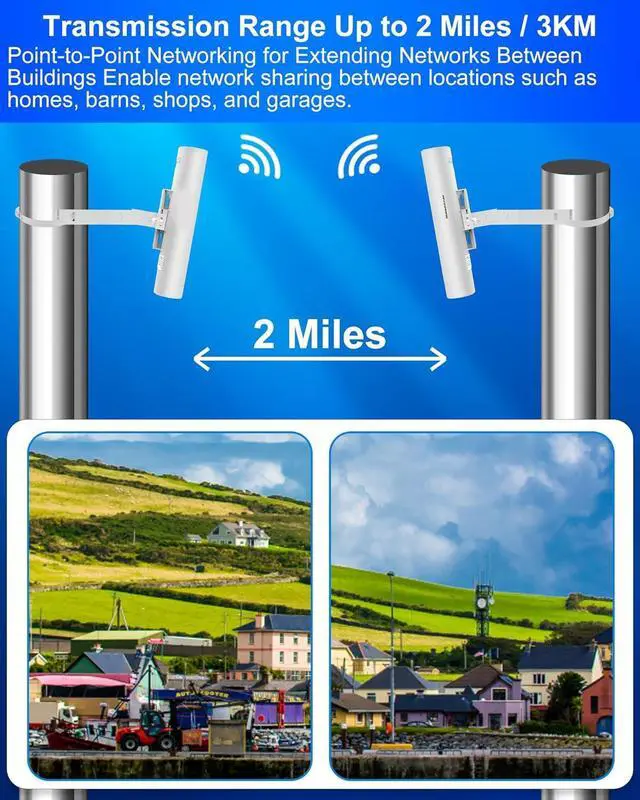
The wireless bridge offers a transmission range of up to 2 miles (3km), enabling point-to-point networking for extending networks between buildings. This capability allows for network sharing between locations such as homes, barns, shops, and garages.
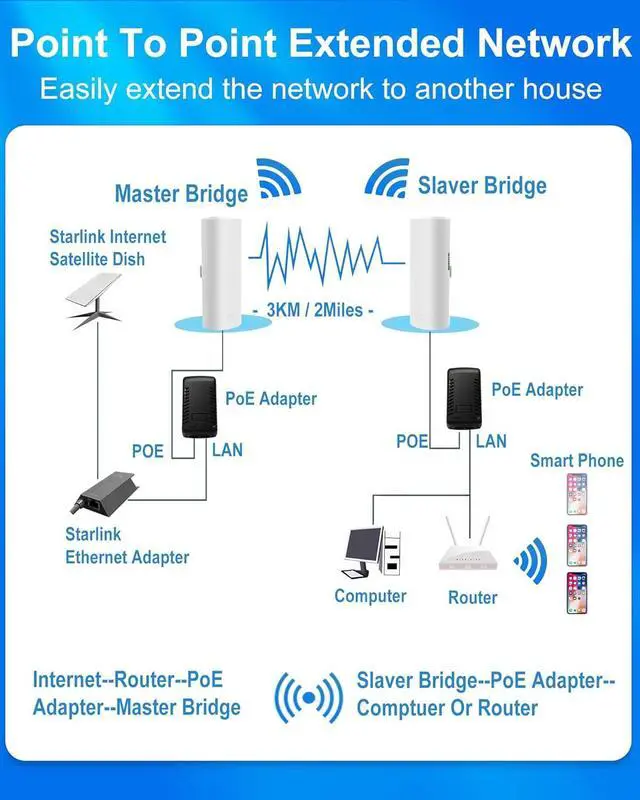
Connect the LAN port of your bridge to the LAN port of your STARLINK router (or use an external 1-to-2 Gigabit network splitter for local connection to a computer or router). This setup allows you to share your STARLINK signal to another location up to 2 miles away. The master side of the bridge can emit a WiFi hotspot, while the slave side can connect to a WiFi router or directly to a computer. This enables multiple locations to simultaneously share the same STARLINK internet service, resulting in cost savings.
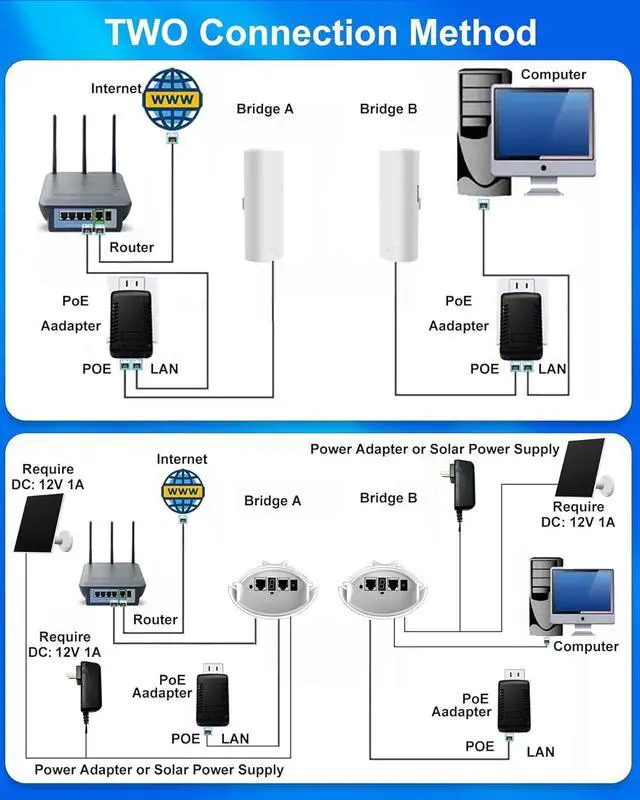
Multiple Connection Methods:
Use a PoE power supply with network transmission and power supply functions. Connect the internet signal source to the PoE port of the power supply, and connect the PoE power supply LAN port to the bridge LAN port.
Use a PoE power supply to power the bridge, and connect the internet signal source directly to the bridge LAN port. This method provides better connectivity and faster network speeds.
The device also supports direct DC power supply. Connect the internet signal source directly to the bridge LAN port, and connect the DC port to a 12V 1A DC power adapter or solar panel. Please ensure that the voltage and current meet the requirements.
Press the "RST" button to change the channel. Short presses will cycle through numeric values from "0" to "F", each representing a different frequency. Refer to the user manual for specific details.
Wireless Bridge Point-to-Point Setup Guide
The Wireless Bridge offers two modes: auto-pairing and custom modes, catering to both beginner and advanced users.
Auto-Pairing Mode:
Connect the bridges to the PoE power adapter. The Power LED will turn green to indicate that the system is powered on.
Once both bridges are powered on, they will automatically pair within a few minutes. During this process, all LAN status LEDs will turn green, and the digital LED indicator will display numeric values in red.
To find a frequency without interference, press the "RST" button to change the channel. Short presses will cycle through numeric values from "0" to "F", each representing a dif