

Your Browsing History
- Free 30-day Returns
$216.99

Meet Your Seller

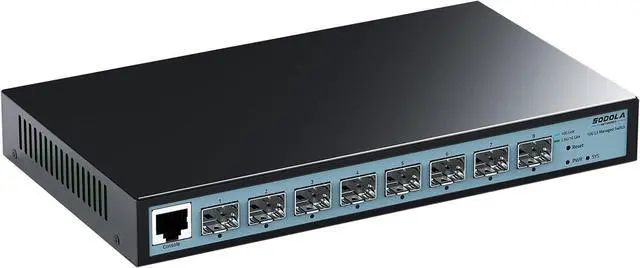
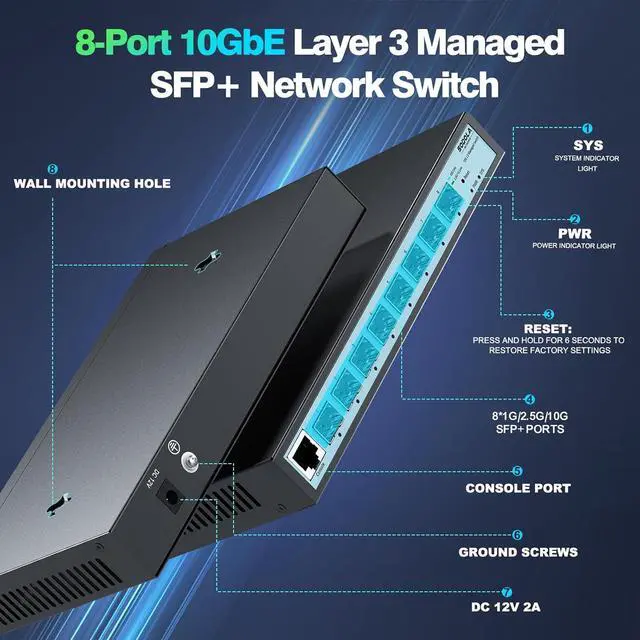
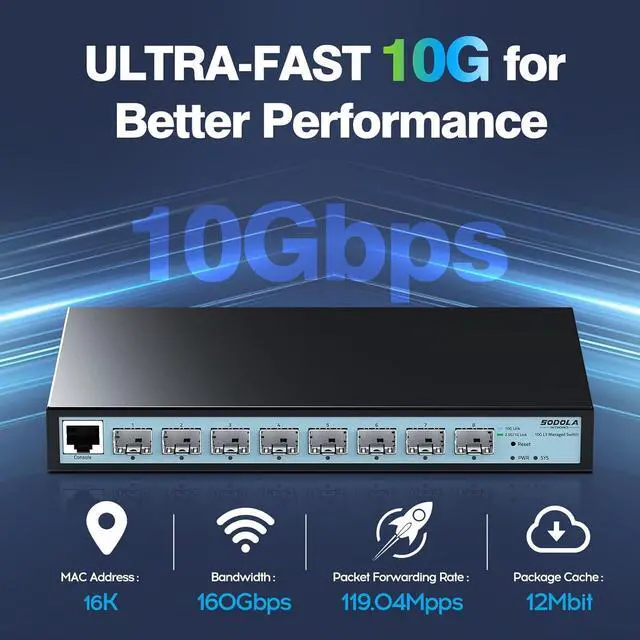
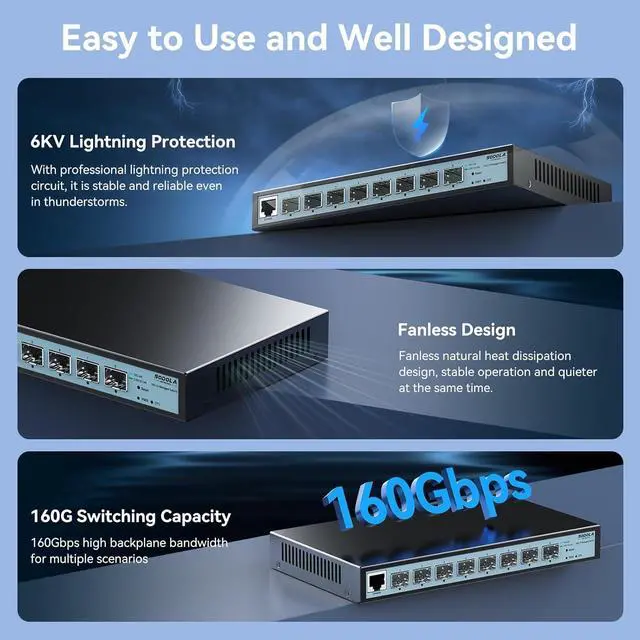


SODOLA 8 Port 10G L3 Managed Switch, 8X10G SFP+ Interface, Link Aggregation/QoS/VLAN/IGMP, Wall Mounted Fanless 10Gb SFP Network SwitchSFPPorts Only,Transceiver is NOT Included
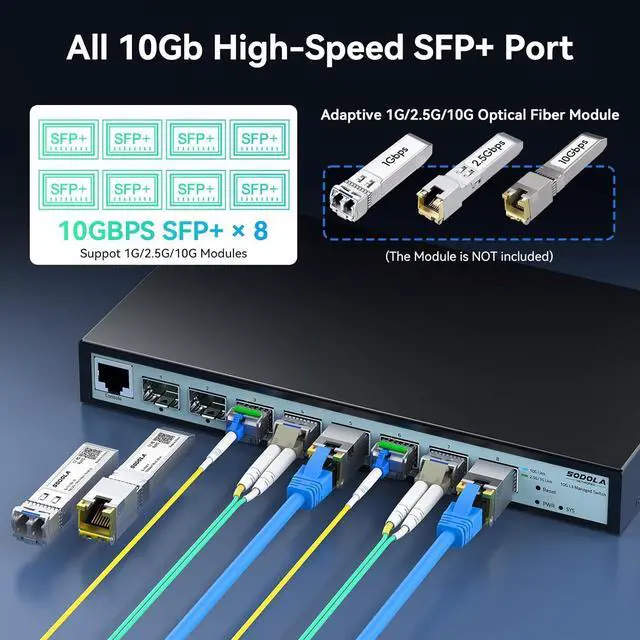
- Ultra-Fast 10GbE SFP+ SwitchTransceiver is NOT Included in the package! This 10gb switch features 8X10Gb SFP+ ports for exceptional scalability in high-density networks. IMPORTANT: Ports require SFP+ modules (sold separately). For RJ45 (copper) connections, you MUST use compatible 10G SFP+ to RJ45 modules. Default port rate: 10G/2.5G adaptive. To connect 1G devices, manual setting to 10G/1G is required via the management interface.
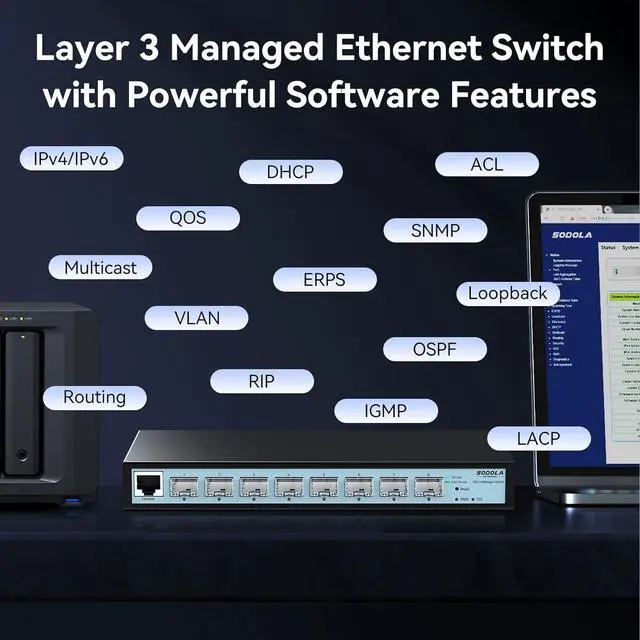
- Layer 3 ManagementGo beyond basic switching. This 10GbE switch offers Layer 3 capabilities to manage device status and configurations (DoS,iPv4,iPv6 Routing,DHCP, LACP, VLAN, QoS, IGMP, STP, SNMP, etc.) via the intuitive web interface.
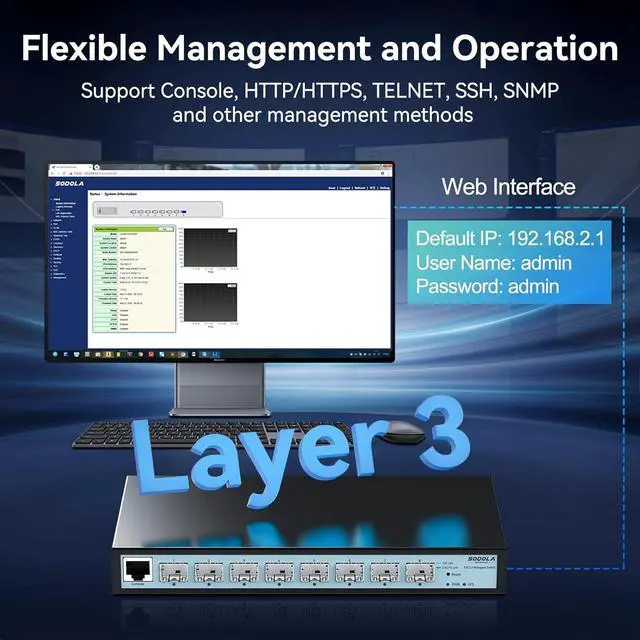
- Console or Web ManagementManage this SFP+ switch via direct Console port connection or intuitive Web UI for flexible administration. NOTE 1: Set IP address via IPv4 before login. NOTE 2: For initial management access, ensure the connecting PC and switch ports are set to the SAME speed (e.g., both 1G or bot
+
+
Overview
Specs
Reviews

Any questions? Our AI beta will help you find out quickly.
Try me now
1Layer 32Web Managed Interface3Gigabit Port Rate Setting4Save Configuration1Installation2Safety Protection3Product Parameters Why can't I connect to the web admin interface?
1. Browser standards: superior to IE 9.0, Chrome 23.0 and Firefox 20.0.Please clear browser cache multiple times.
2. Please keep the IP network segment of PC consistent with that of switch but differentiate the IP a-d-d-ress as you log in
After doing Q1,why cant I connect to my 10G switchs management interface or access the network?
It's due to a speed mismatch. Switch ports default to auto-negotiation (e.g., 2.5G/10G or 1G/10G). If your device (like a PC/NAS) has a 1G NIC but the port is set to 2.5G/10G, the link fails. All devices, cables, and ports must use the same speed
Whats the solution?
Option 1: Match Speeds via Hardware
Use 10G-compatible devices (e.g., 10G NICs, NAS) and 10G cables (DAC/optical modules) for full-speed links.
Option 2: Adjust Switch Port Settings according to your network speed.(1G/10G or 2.5G/10G Adaptive)
I still cant connect. Whats next?
1.Factory reset the switch (via the reset button).
2.Contact support for remote diagnosis. Provide:
a:Device(NIC,module) speeds.
b:Cable types.
c:Screenshots of your switchs port settings.
How do I prevent this in the future?
Speed consistency is critical. Always ensure devices, cables, and switch ports operate at the same speed according to the port speed setting (e.g., 1G/10G to 1G/10G to 1G/10G or 2.5G/10G to 2.5G/10G to 2.5G/10G).
SODOLA 8-Port 10Gb Layer 3 Managed SPF+ Switch(SL-SWTGW3C8F) Why can't I connect to the web admin interface?
After doing Q1,why cant I connect to my 10G switchs management interface or access the network?
Whats the solution?
I still cant connect. Whats next?
How do I prevent this in the future?
1. Browser standards: superior to IE 9.0, Chrome 23.0 and Firefox 20.0.Please clear browser cache multiple times.
2. Please keep the IP network segment of PC consistent with that of switch but differentiate the IP a-d-d-ress as you log in
After doing Q1,why cant I connect to my 10G switchs management interface or access the network?
It's due to a speed mismatch. Switch ports default to auto-negotiation (e.g., 2.5G/10G or 1G/10G). If your device (like a PC/NAS) has a 1G NIC but the port is set to 2.5G/10G, the link fails. All devices, cables, and ports must use the same speed
Whats the solution?
Option 1: Match Speeds via Hardware
Use 10G-compatible devices (e.g., 10G NICs, NAS) and 10G cables (DAC/optical modules) for full-speed links.
Option 2: Adjust Switch Port Settings according to your network speed.(1G/10G or 2.5G/10G Adaptive)
I still cant connect. Whats next?
1.Factory reset the switch (via the reset button).
2.Contact support for remote diagnosis. Provide:
a:Device(NIC,module) speeds.
b:Cable types.
c:Screenshots of your switchs port settings.
How do I prevent this in the future?
Speed consistency is critical. Always ensure devices, cables, and switch ports operate at the same speed according to the port speed setting (e.g., 1G/10G to 1G/10G to 1G/10G or 2.5G/10G to 2.5G/10G to 2.5G/10G).
SODOLA 8-Port 10Gb Layer 3 Managed SPF+ Switch(SL-SWTGW3C8F) Why can't I connect to the web admin interface?
After doing Q1,why cant I connect to my 10G switchs management interface or access the network?
Whats the solution?
I still cant connect. Whats next?
How do I prevent this in the future?
Warranty & Returns
Warranty, Returns, And Additional Information
Warranty
- Please contact the Seller directly for warranty information. Warranty information may also be found on the Manufacturer's website.
- CONTACT
Return Policies
- Return for refund within: 30 days
- Return for replacement within: 30 days
- This item is covered by Zhanfu Technology Co., Limited Return Policy
Manufacturer Contact Info
- For a directory of all our manufacturers, please click below.
- Manufacturers Directory
LOADING...