

Your Browsing History
- Free 30-day Returns
$72.99

Meet Your Seller

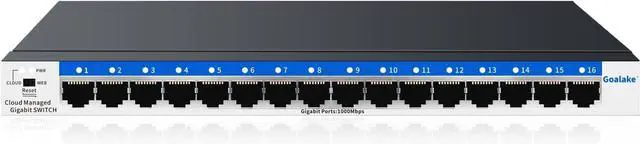
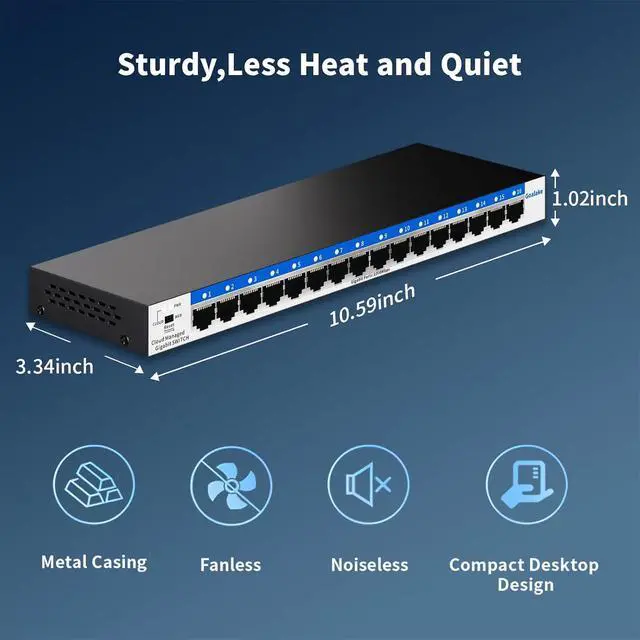


16 Port Gigabit Switch, Easy Smart Managed Ethernet Switch, Network Hub, Ethernet Splitter, Plug & Play, Fanless Metal Design, VLAN, Qos, Desktop or Wall Mount
- 16 Gigabit Ethernet Ports for Unlimited Connectivity: Expand your network with our 16 Gigabit Ethernet ports, providing unmatched bandwidth and connectivity for all your devices.
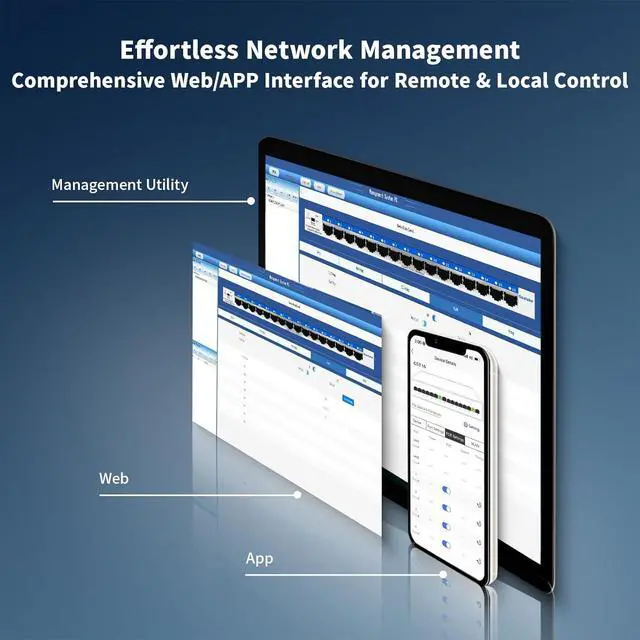
- Effortless Management via APP or Web Interface: Easy Smart Management allows you to manage and configure your network effortlessly via a app or a comprehensive web interface and free software. The Goalake 16-Port Managed Gigabit Switch is an exceptional choice for any business seeking robust network management capabilities.
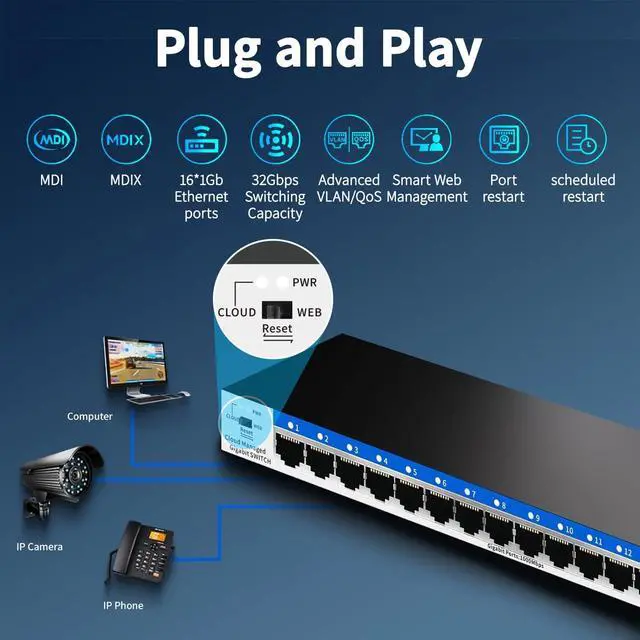
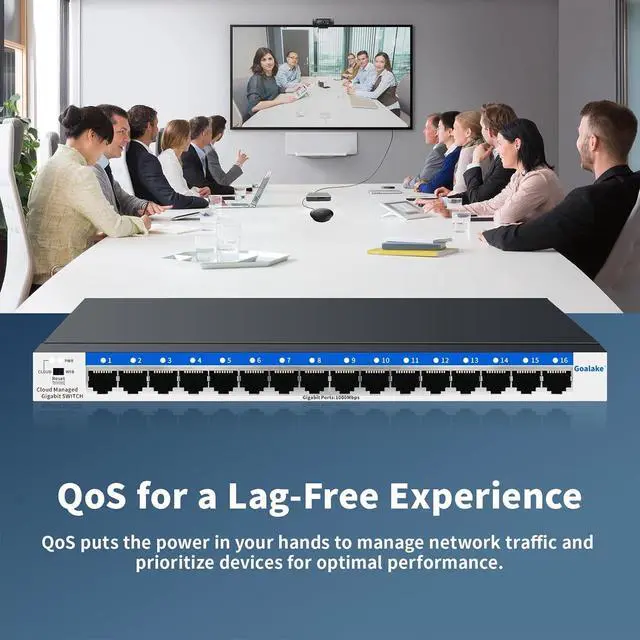
- Advanced Features for Ultimate Control: Automatic detection of network cable quality, Enjoy precision bandwidth Control, QoS optimization, 802.1Q VLAN support, static MAC addressing, storm control, port mirroring, auto MDI/MDI-X, IEEE802.3X full-duplex flow control and Backpressure half-duplex flow control, and more. Our 16 port gigabit smart managed switch gives you the power to customize your network.
- High Cost-effectiveness: Reduce setup time and ongoing maintenance costs with
+
+
Overview
Specs
Reviews

Any questions? Our AI mode will help you find out quickly.
Try me now
Reduce setup time and ongoing maintenance costs with our plug-and-play Cloud Managed Switch. You only need to spend the price of ordinary switches to purchase our switches with cloud management function.
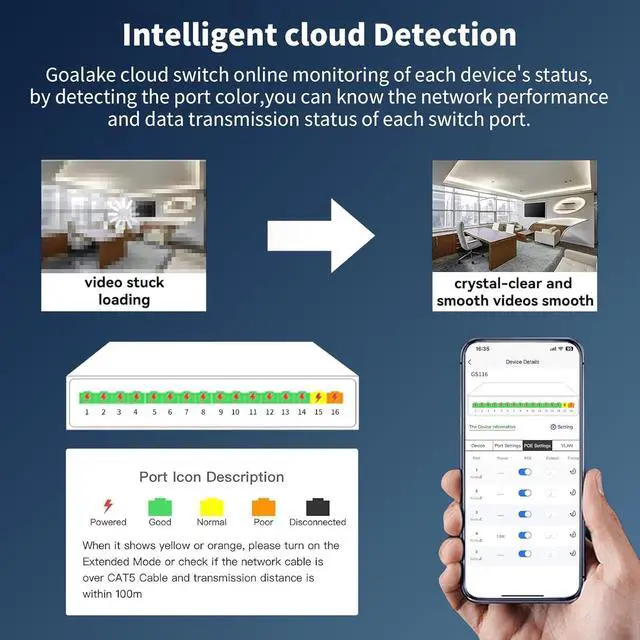
Goalake 16 ports managed switch through its web-based user interface or mobile App and free management utility, offers a variety of useful features, including network monitoring, traffic prioritization, and enhanced QoS.
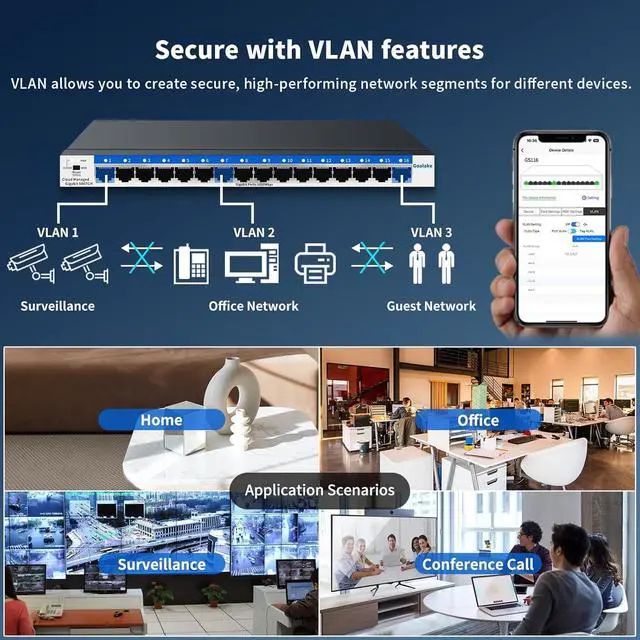
VLAN helps to build a network with better management and higher security.
Provide an intuitive visual interface. When remotely managing the switches, you can have a clearer understanding of the network status and device configuration, and quickly locate and solve problems that occur on site without having to visit the site in person.
Why need managed switch?
1.Can have a clearer understanding of the network status and device configuration, and quickly locate and solve problems that occur on site without having to visit the site in person.
2.Support WEB local management, many management methods to choose.
How to manage the switch ?
Open PC browser and enter the device's IP address to manage the switch. the default management IP is : 10.0.0.10, and the computer must be in the same network segment as the IP address. for more details, please check the instruction manual.
Whats the maximum throughput per port?
Gigabit Ethernet (1000Mbps) on all ports
Non-blocking switching No bottleneck when all ports are active
Making Management Easy VALN For Higher Security Why need managed switch?
How to manage the switch ?
Whats the maximum throughput per port?
Goalake 16 ports managed switch through its web-based user interface or mobile App and free management utility, offers a variety of useful features, including network monitoring, traffic prioritization, and enhanced QoS.
VLAN helps to build a network with better management and higher security.
Provide an intuitive visual interface. When remotely managing the switches, you can have a clearer understanding of the network status and device configuration, and quickly locate and solve problems that occur on site without having to visit the site in person.
Why need managed switch?
1.Can have a clearer understanding of the network status and device configuration, and quickly locate and solve problems that occur on site without having to visit the site in person.
2.Support WEB local management, many management methods to choose.
How to manage the switch ?
Open PC browser and enter the device's IP address to manage the switch. the default management IP is : 10.0.0.10, and the computer must be in the same network segment as the IP address. for more details, please check the instruction manual.
Whats the maximum throughput per port?
Gigabit Ethernet (1000Mbps) on all ports
Non-blocking switching No bottleneck when all ports are active
Making Management Easy VALN For Higher Security Why need managed switch?
How to manage the switch ?
Whats the maximum throughput per port?
Warranty & Returns
Warranty, Returns, And Additional Information
Warranty
- Please contact the Seller directly for warranty information. Warranty information may also be found on the Manufacturer's website.
- CONTACT
Return Policies
- Return for refund within: 30 days
- Return for replacement within: 30 days
- This item is covered by Zhanfu Technology Co., Limited Return Policy
Manufacturer Contact Info
- For a directory of all our manufacturers, please click below.
- Manufacturers Directory
LOADING...