

Your Browsing History
- Free 30-day Returns
$117.99

Meet Your Seller

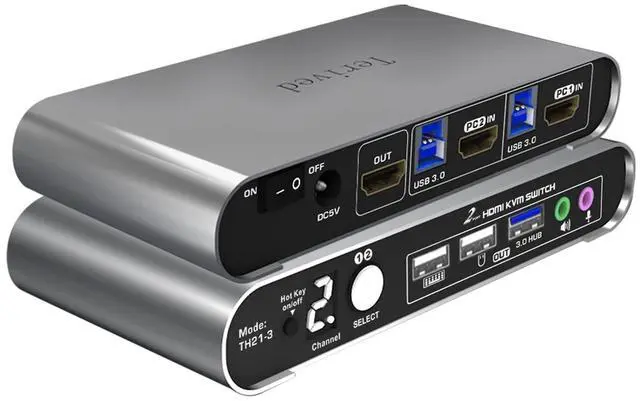
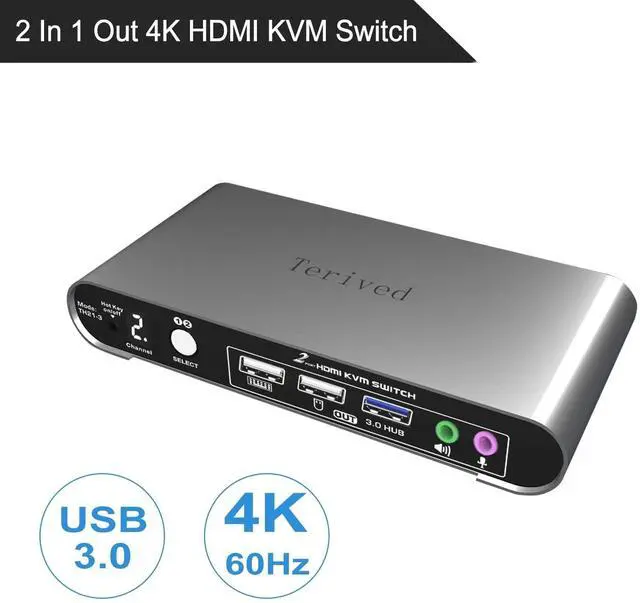
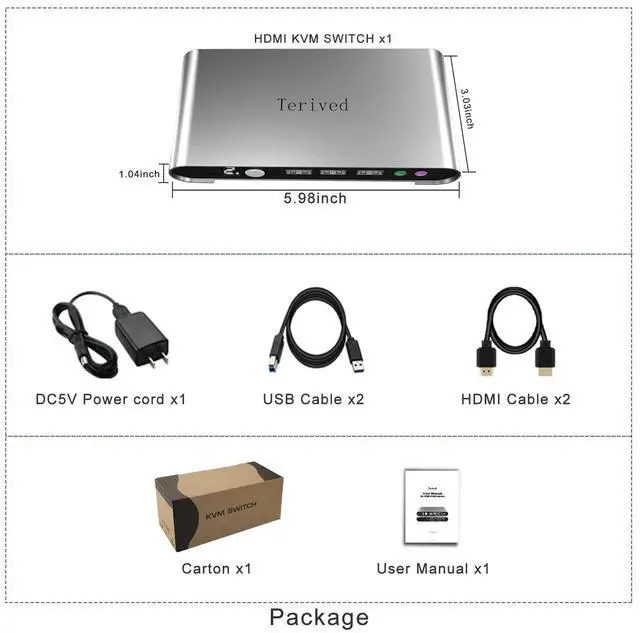


2 Port HDMI USB 3.0 KVM Switch with Aluminum Alloy Shell and Digital Display,Audio/Microphone, 4K@60Hz,hotkey,Auto EDID, HDR10 with Cables
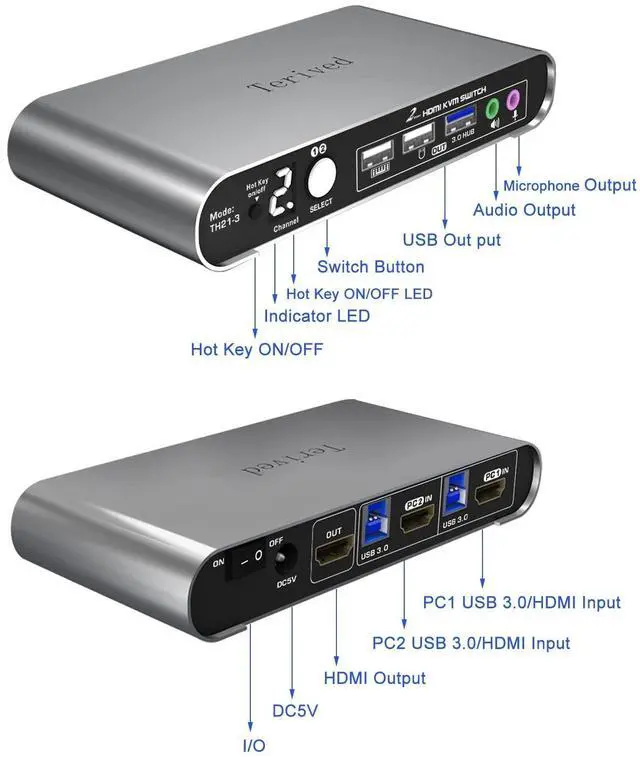
- Attention: Please connect the two USB cables between the computers and the KVM switch. If you do not plug them into your computers, the front USB ports will not function. To set up the audio, please select 'Speaker (USB Audio Device)' as the sound output option after connecting your audio device to the front 3.5mm jack.
- Aluminum Alloy shell - We want to give customers the best quality; we use aluminum alloy for the body, which provides you with an excellent premium look, great drop resistance, light-weight, strong, and robust corrosion resistance
- Digital Display- KVM Switch 2 port with a digital display which lets you easy to see the current channel even in the dark investment
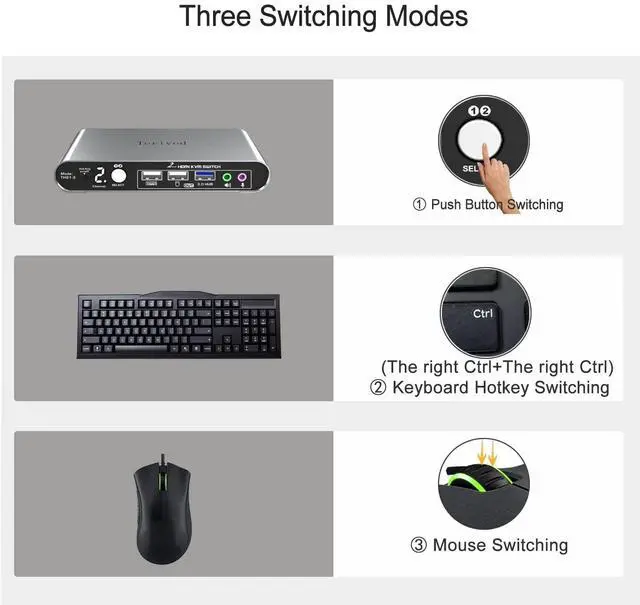
- Hotkey - Tired of a manual button switch? This product gives you a convenient way to switch with keyboard hotkeys
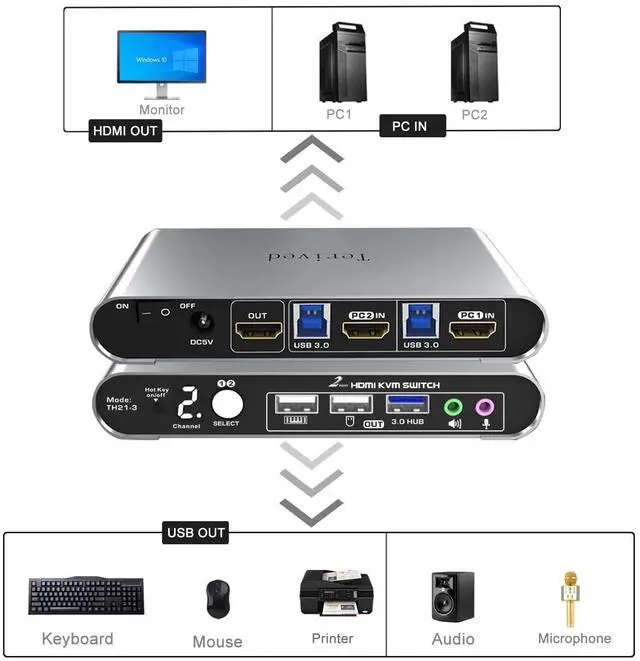
- Two Computers, One HDMI Monitor: Control two HDMI-interface computers or other applicable devices using a single keyboard, mouse, HDMI monitor with audio & microphone support, and a USB 3
+
+
Overview
Specs
Reviews

Any questions? Our AI beta will help you find out quickly.
Try me now
Attention: Please connect the two USB cables between the computers and the KVM switch. If you do not plug them into your computers, the front USB ports will not function. To set up the audio, please select 'Speaker (USB Audio Device)' as the sound output option after connecting your audio device to the front 3.5mm jack.
Aluminum Alloy shell - We want to give customers the best quality; we use aluminum alloy for the body, which provides you with an excellent premium look, great drop resistance, light-weight, strong, and robust corrosion resistance
Digital Display- KVM Switch 2 port with a digital display which lets you easy to see the current channel even in the dark investment
Hotkey - Tired of a manual button switch? This product gives you a convenient way to switch with keyboard hotkeys
Two Computers, One HDMI Monitor: Control two HDMI-interface computers or other applicable devices using a single keyboard, mouse, HDMI monitor with audio & microphone support, and a USB 3.0 HUB.
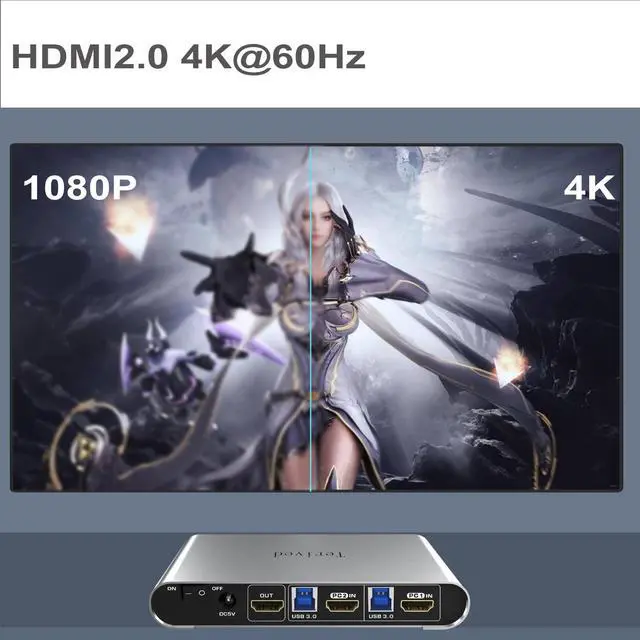
HDMI Switch 4K - Supported resolutions: 480i, 480p, 720p, 1080i, 1080p, 2K@144Hz, 4K@60Hz RGB 4:4:4 HDR10, HDMI 2.0 compatible.Auto-Scan, auto-detection, auto EDID. Hot plug & play and HDCP. Multi-platform: support Windows 11/10/7/2000/XP/Vista, Linux, and Mac
KVM switch with Automatic Switching: To enable the automatic switching feature of the KVM switch, press Right [CTRL] twice, then [S], and [Enter]. The default auto-switching time is 10 seconds. (To turn it off, simply press this shortcut combination again). You can adjust the auto-switching time by pressing Right [CTRL] twice, followed by [S], then [N], and [Enter], where 'N' represents the number of seconds for the switching time (ranging from 1 to 999 seconds).
Aluminum Alloy shell - We want to give customers the best quality; we use aluminum alloy for the body, which provides you with an excellent premium look, great drop resistance, light-weight, strong, and robust corrosion resistance
Digital Display- KVM Switch 2 port with a digital display which lets you easy to see the current channel even in the dark investment
Hotkey - Tired of a manual button switch? This product gives you a convenient way to switch with keyboard hotkeys
Two Computers, One HDMI Monitor: Control two HDMI-interface computers or other applicable devices using a single keyboard, mouse, HDMI monitor with audio & microphone support, and a USB 3.0 HUB.
HDMI Switch 4K - Supported resolutions: 480i, 480p, 720p, 1080i, 1080p, 2K@144Hz, 4K@60Hz RGB 4:4:4 HDR10, HDMI 2.0 compatible.Auto-Scan, auto-detection, auto EDID. Hot plug & play and HDCP. Multi-platform: support Windows 11/10/7/2000/XP/Vista, Linux, and Mac
KVM switch with Automatic Switching: To enable the automatic switching feature of the KVM switch, press Right [CTRL] twice, then [S], and [Enter]. The default auto-switching time is 10 seconds. (To turn it off, simply press this shortcut combination again). You can adjust the auto-switching time by pressing Right [CTRL] twice, followed by [S], then [N], and [Enter], where 'N' represents the number of seconds for the switching time (ranging from 1 to 999 seconds).
Warranty & Returns
Warranty, Returns, And Additional Information
Warranty
- Please contact the Seller directly for warranty information. Warranty information may also be found on the Manufacturer's website.
- CONTACT
Return Policies
- Return for refund within: 30 days
- Return for replacement within: 30 days
- This item is covered by Zhanfu Technology Co., Limited Return Policy
Manufacturer Contact Info
- For a directory of all our manufacturers, please click below.
- Manufacturers Directory
LOADING...