

Your Browsing History
- Free 30-day Returns
$108.99

Meet Your Seller

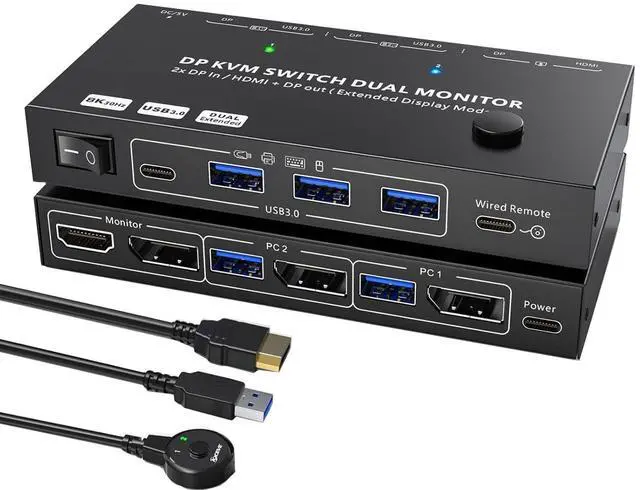


MST Displayport Splitter Dual Monitor KVM Switch 2 Monitors 2 Computers 1 DP in 2 Screens Out (DP&HDMI) Support Max Single 8K@30Hz/Dual 4K@100Hz USB 3.0 KVM Switches with Wired Remote Controller
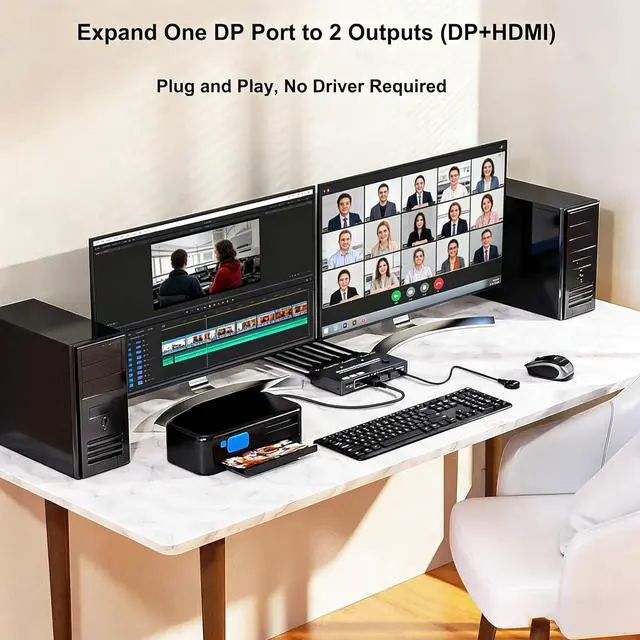
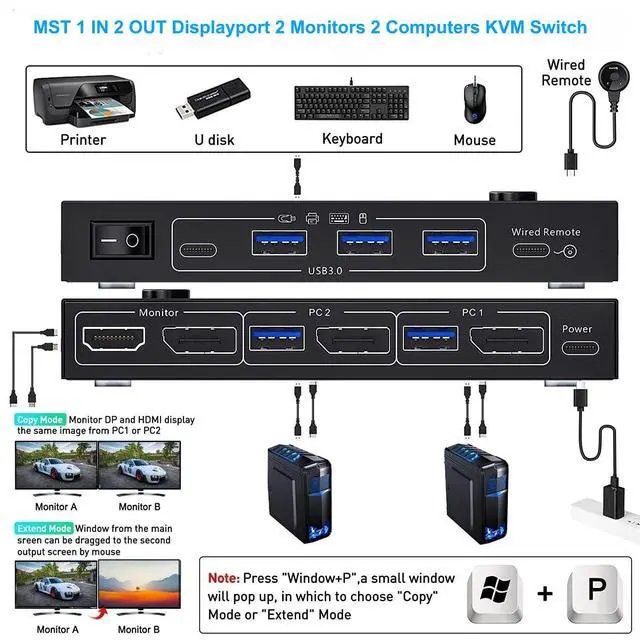
- Ultimate Cable Management & Dual Monitor ControlSay goodbye to cable clutter. The MST 1 IN 2 Out Displayport splitter dual monitor KVM switch allows you to control two computers using two shared monitors and 4 USB 3.0 devices. By utilizing a single DP1.4 input cable from each PC, it effortlessly splits the signal to both a DisplayPort and an HDMI output. Perfect for multitaskers in home offices, conference rooms, or classrooms. : The generation of each graphics card should be 11th or above
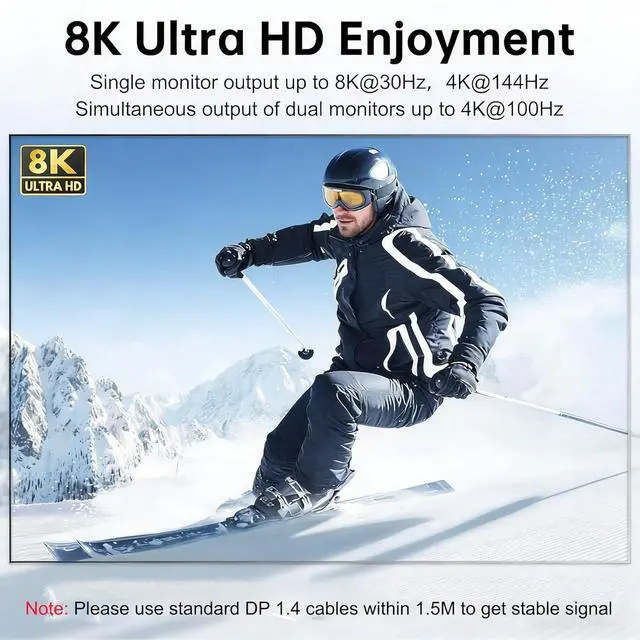
- Stunning 8K & High Refresh Rate VisualsWith the 2 monitors 2 computers Displayport splitter KVM switch, you can experience crystal-clear imagery. In 2-in 1-out mode, enjoy blazing-fast 8K@30Hz or 4K@144Hz for gaming or design work. When using both monitors (2-in 2-out mode), it supports dual 4K@100Hz output. : To achieve these resolutions, ensure you use high quality DP1.4 cables and HDMI 2.1 cables within 1.5M, too long cable will cause flickering or black screen
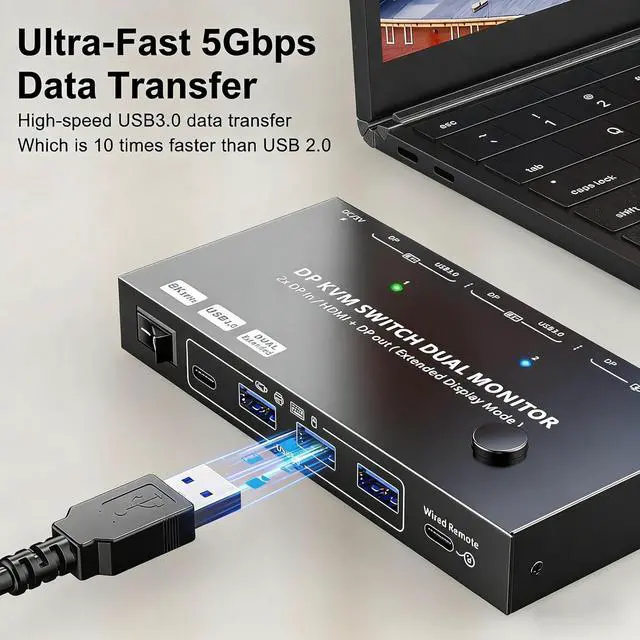
- High-Speed USB 3
+
+
Overview
Specs
Reviews

Any questions? Our AI beta will help you find out quickly.
Try me now
Ultimate Cable Management & Dual Monitor ControlSay goodbye to cable clutter. The MST 1 IN 2 Out Displayport splitter dual monitor KVM switch allows you to control two computers using two shared monitors and 4 USB 3.0 devices. By utilizing a single DP1.4 input cable from each PC, it effortlessly splits the signal to both a DisplayPort and an HDMI output. Perfect for multitaskers in home offices, conference rooms, or classrooms. : The generation of each graphics card should be 11th or above
Stunning 8K & High Refresh Rate VisualsWith the 2 monitors 2 computers Displayport splitter KVM switch, you can experience crystal-clear imagery. In 2-in 1-out mode, enjoy blazing-fast 8K@30Hz or 4K@144Hz for gaming or design work. When using both monitors (2-in 2-out mode), it supports dual 4K@100Hz output. : To achieve these resolutions, ensure you use high quality DP1.4 cables and HDMI 2.1 cables within 1.5M, too long cable will cause flickering or black screen
High-Speed USB 3.0 Hub & Reliable ConnectivityThe MST Displayport splitter for 2 monitors can expand your setup with the built-in 4-port USB 3.0 hub (3x USB-A + 1x USB-C). Transfer data at speeds up to 5Gbps to connect SSDs, USB cameras, keyboards, and mice seamlessly. Backward compatible with USB 2.0/1.1 ensures instant recognition. : If USB disconnections occur, connect a 5-12V/1A power adapter(Not Included) to the Power port for stable, consistent power
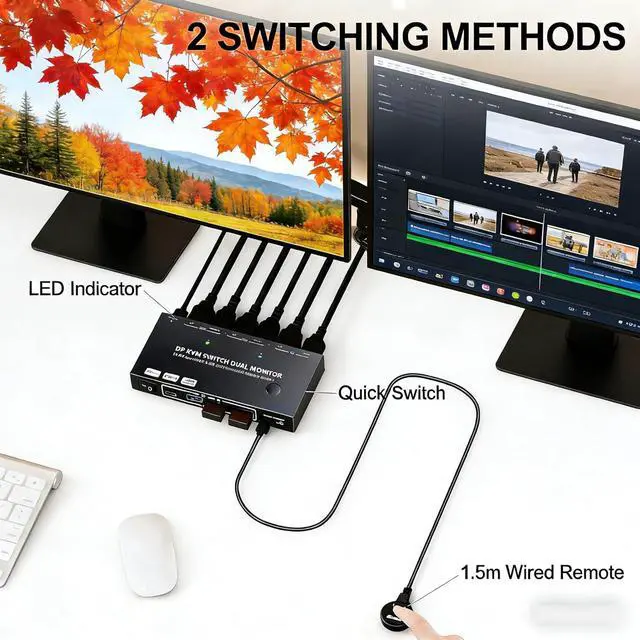
Plug & Play with Dual Switching ModesEffortlessly toggle between computers within a few seconds. Choose between the convenient physical button on the unit or the included remote switch for desktop control. The intuitive LED indicator clearly shows which computer is active, keeping your workflow smooth and uninterrupted
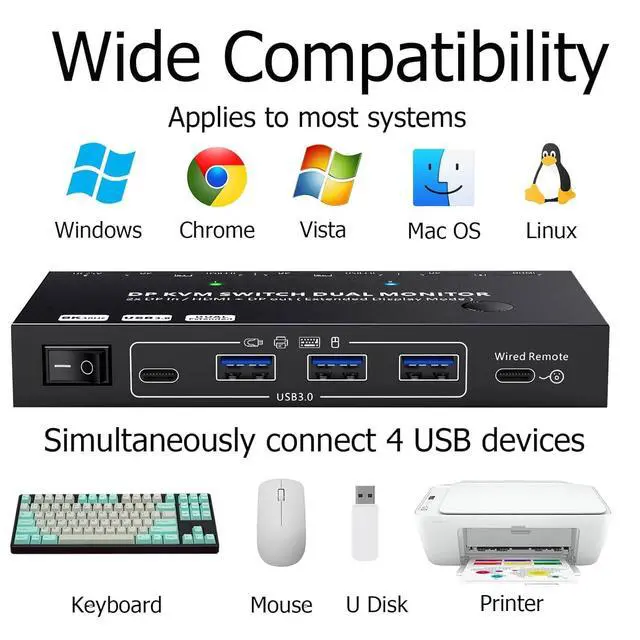
Universal Compatibility & Versatile Display ModesThe dual monitor Displayport KVM switch is designed to fit any workflow. It is compatible with Windows, Chrome OS, and Linux. Supports both Duplicate (mirroring) and Extend display modes, making it the ideal tool for designers, video editors, live streaming blogger and educators who need flexible screen management
Warm Tips During Using(1) In order to output dual screen, the graphics card of each PC is preferably 11th generation or above; (2) To reach 8K@30Hz/Dual 4K@100Hz resolution, the graphics card and DP input cable must support at least 8K@30Hz; (3) The 2 in 2 out KVM switch supports USB-C to DP cable/docking/adapter for USB-C laptops. However, due to the USB-C interface protocol, the resolution may be limited to 4K@60Hz for a single screen and 1080P@60Hz for dual screens. DVI/VGA/HDMI to DP cable or converter is cause they don't support MST function. Please check the interface of your PC and monitors before purchasing
Stunning 8K & High Refresh Rate VisualsWith the 2 monitors 2 computers Displayport splitter KVM switch, you can experience crystal-clear imagery. In 2-in 1-out mode, enjoy blazing-fast 8K@30Hz or 4K@144Hz for gaming or design work. When using both monitors (2-in 2-out mode), it supports dual 4K@100Hz output. : To achieve these resolutions, ensure you use high quality DP1.4 cables and HDMI 2.1 cables within 1.5M, too long cable will cause flickering or black screen
High-Speed USB 3.0 Hub & Reliable ConnectivityThe MST Displayport splitter for 2 monitors can expand your setup with the built-in 4-port USB 3.0 hub (3x USB-A + 1x USB-C). Transfer data at speeds up to 5Gbps to connect SSDs, USB cameras, keyboards, and mice seamlessly. Backward compatible with USB 2.0/1.1 ensures instant recognition. : If USB disconnections occur, connect a 5-12V/1A power adapter(Not Included) to the Power port for stable, consistent power
Plug & Play with Dual Switching ModesEffortlessly toggle between computers within a few seconds. Choose between the convenient physical button on the unit or the included remote switch for desktop control. The intuitive LED indicator clearly shows which computer is active, keeping your workflow smooth and uninterrupted
Universal Compatibility & Versatile Display ModesThe dual monitor Displayport KVM switch is designed to fit any workflow. It is compatible with Windows, Chrome OS, and Linux. Supports both Duplicate (mirroring) and Extend display modes, making it the ideal tool for designers, video editors, live streaming blogger and educators who need flexible screen management
Warm Tips During Using(1) In order to output dual screen, the graphics card of each PC is preferably 11th generation or above; (2) To reach 8K@30Hz/Dual 4K@100Hz resolution, the graphics card and DP input cable must support at least 8K@30Hz; (3) The 2 in 2 out KVM switch supports USB-C to DP cable/docking/adapter for USB-C laptops. However, due to the USB-C interface protocol, the resolution may be limited to 4K@60Hz for a single screen and 1080P@60Hz for dual screens. DVI/VGA/HDMI to DP cable or converter is cause they don't support MST function. Please check the interface of your PC and monitors before purchasing
Warranty & Returns
Warranty, Returns, And Additional Information
Warranty
- Please contact the Seller directly for warranty information. Warranty information may also be found on the Manufacturer's website.
- CONTACT
Return Policies
- Return for refund within: 30 days
- Return for replacement within: 30 days
- This item is covered by Zhanfu Technology Co., Limited Return Policy
Manufacturer Contact Info
- For a directory of all our manufacturers, please click below.
- Manufacturers Directory
LOADING...