

Your Browsing History
- Free 30-day Returns
$72.99

Meet Your Seller

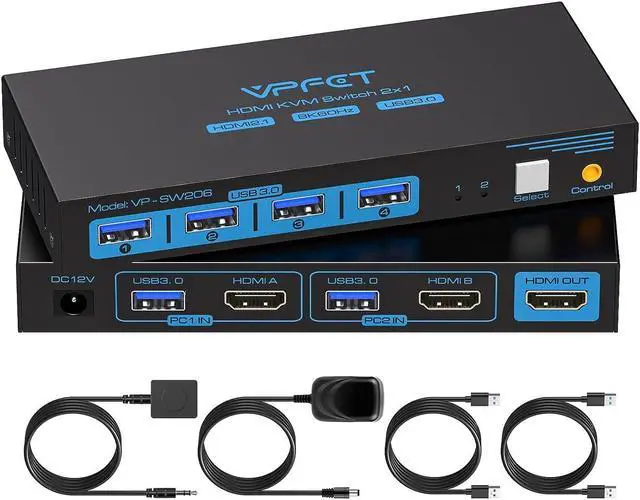
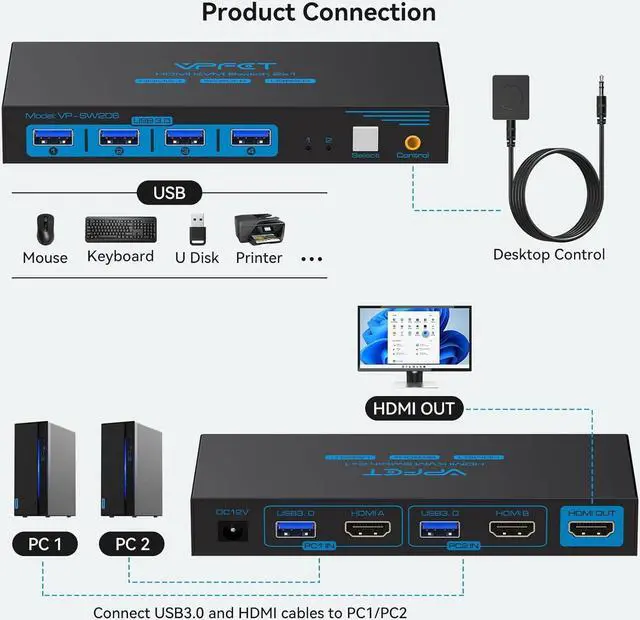
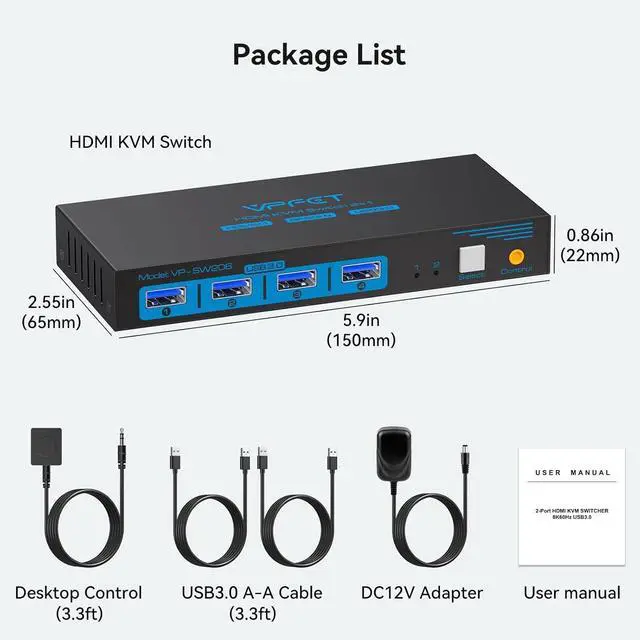


HDMI KVM Switch 1 Monitors 2 Computers 8K60Hz KVM Switches for 2 PC Share Single Monitor and 4 USB 3.0 Devices Such as Keyboard Mouse Printer with Desktop Controller and 2 USB Cables
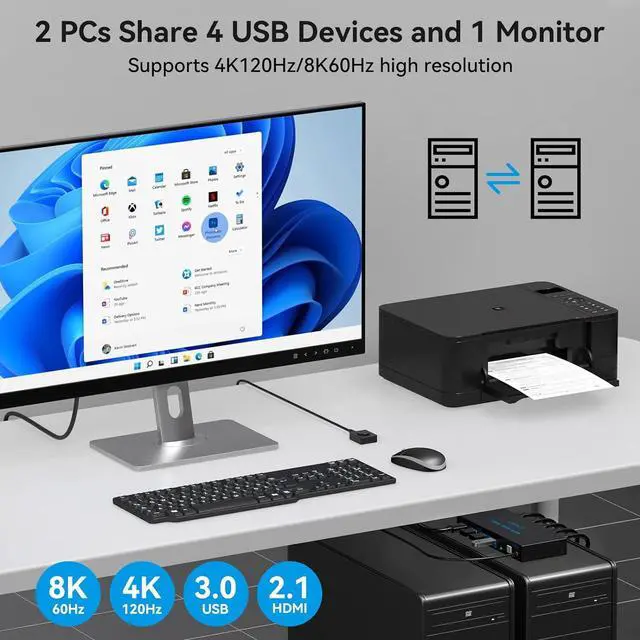
- KVM Switch 1 monitors 2 computers: This KVM Switch supports sharing a set of mouse keyboard printers and quickly switch between them with the push of a button, improving office efficiency and gaming experience
- 8K HDMI KVM Switches: The HDMI KVM switch supports resolutions up to 8K@60Hz 4k@120Hz, allowing images to be displayed more beautifully and realistically, and colours will be more vivid and dynamic. If you want to achieve the highest effect, please ensure that both your input device, HDMI cable and output device support 8K@60Hz
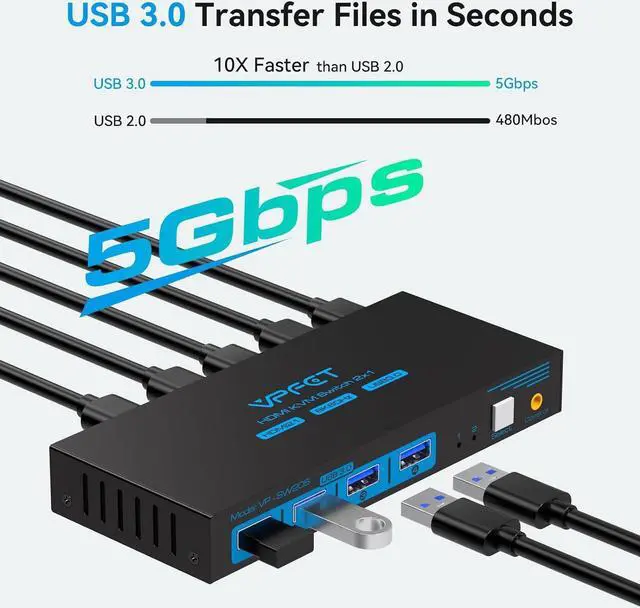
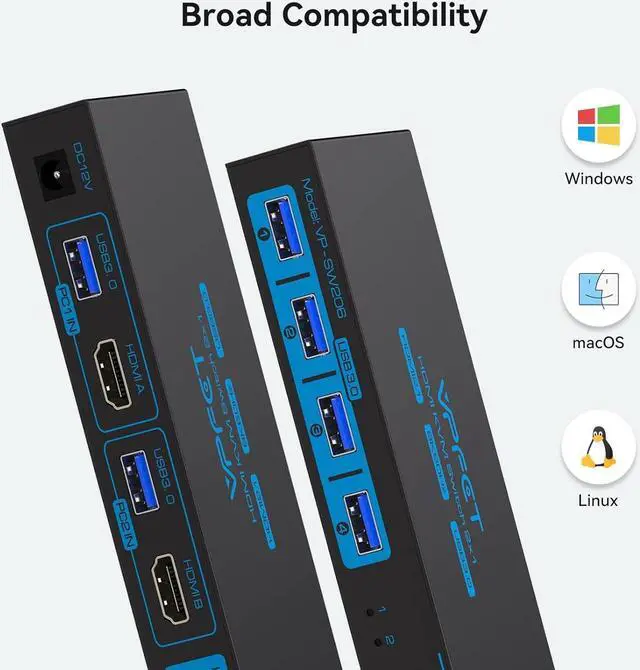
- USB 3.0 KVM Switch: This KVM Switches comes with 4 USB 3.0 ports with transfer rates up to 5Gbps for connecting peripherals such as mice, keyboards, printers, webcams, and USB sticks with backward compatibility with USB 2.0, 1.1, and 1.0
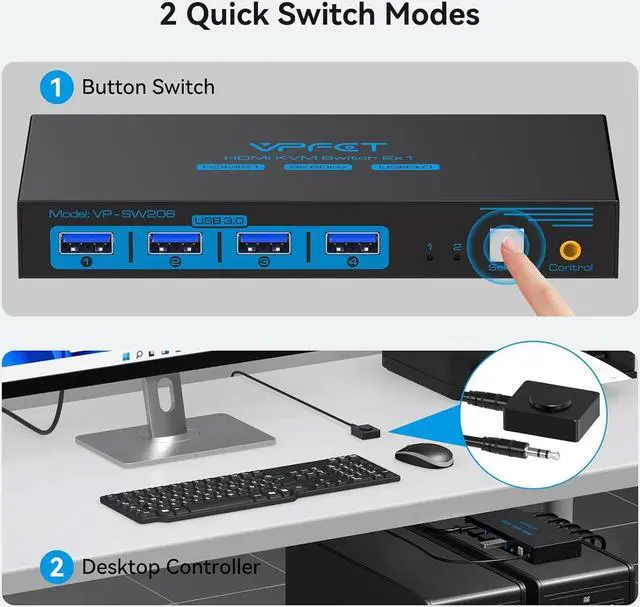
- Two Switch Modes: Two types of push-button switching for easy switching between signal sources, and a desktop wired controller can make the KVM switches hidden for a neater desktop and more efficient working expe
+
+
Overview
Specs
Reviews

Any questions? Our AI beta will help you find out quickly.
Try me now
1Usage Scenarios2USB 3.0 Higher Speed3Simpler desktop1Two switching methods2Supports multiple systems3High Performance Solution Can KVM switches support up to 4K@120Hz?
Our KVM can support up to 4K@120Hz, but the prerequisite is that the cable and Hub you use must support 4K@120Hz.
Can the two functions of USB Switch and HDMI Switch be used independently?
Yes, you can think of the KVM switch as a USB+HDMI Switch. These two functions not only support simultaneous use, but can also be used separately.
What is the maximum power of peripherals it can drive?
To drive peripherals with a maximum power of 10W, we use a 12V/1A power adapter, which can provide a more powerful and stable drive. Other KVM switches only support 5V/1A adapters. When using high-power
Is it really possible to replace a new product within two years?
Yes, if there are any problems with the product within two years, we will solve it for you, including replacing it with a new KVM.
Do I have to connect the 12V/1A power adapter to use it?
Make sure your computer supports multi-screen display, you can connect two screens directly to the computer and check if there are images display.
8K HDMI KVM 1 Monitor Can KVM switches support up to 4K@120Hz?
Can the two functions of USB Switch and HDMI Switch be used independently?
What is the maximum power of peripherals it can drive?
Is it really possible to replace a new product within two years?
Do I have to connect the 12V/1A power adapter to use it?
Our KVM can support up to 4K@120Hz, but the prerequisite is that the cable and Hub you use must support 4K@120Hz.
Can the two functions of USB Switch and HDMI Switch be used independently?
Yes, you can think of the KVM switch as a USB+HDMI Switch. These two functions not only support simultaneous use, but can also be used separately.
What is the maximum power of peripherals it can drive?
To drive peripherals with a maximum power of 10W, we use a 12V/1A power adapter, which can provide a more powerful and stable drive. Other KVM switches only support 5V/1A adapters. When using high-power
Is it really possible to replace a new product within two years?
Yes, if there are any problems with the product within two years, we will solve it for you, including replacing it with a new KVM.
Do I have to connect the 12V/1A power adapter to use it?
Make sure your computer supports multi-screen display, you can connect two screens directly to the computer and check if there are images display.
8K HDMI KVM 1 Monitor Can KVM switches support up to 4K@120Hz?
Can the two functions of USB Switch and HDMI Switch be used independently?
What is the maximum power of peripherals it can drive?
Is it really possible to replace a new product within two years?
Do I have to connect the 12V/1A power adapter to use it?
Warranty & Returns
Warranty, Returns, And Additional Information
Warranty
- Please contact the Seller directly for warranty information. Warranty information may also be found on the Manufacturer's website.
- CONTACT
Return Policies
- Return for refund within: 30 days
- Return for replacement within: 30 days
- This item is covered by Zhanfu Technology Co., Limited Return Policy
Manufacturer Contact Info
- For a directory of all our manufacturers, please click below.
- Manufacturers Directory
LOADING...