

Your Browsing History
- Free 30-day Returns
$338.99

Meet Your Seller

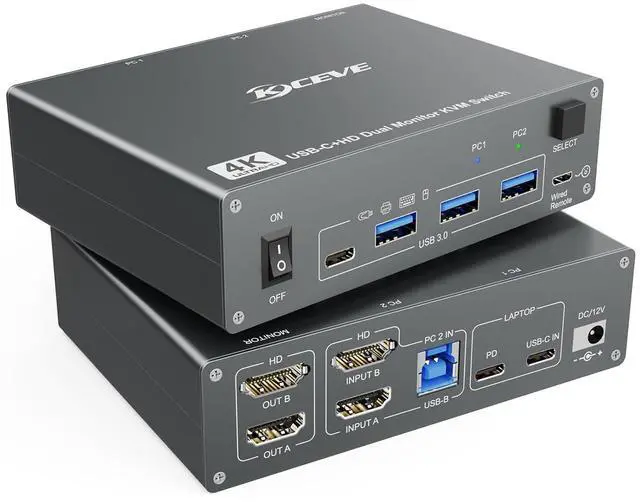


Dual Monitor USB-C Synchronous, HDMI KVM Switch for 1 Desktop+1 Laptop, 4K@60Hz Support PD with USB C Cable, Power Adapter
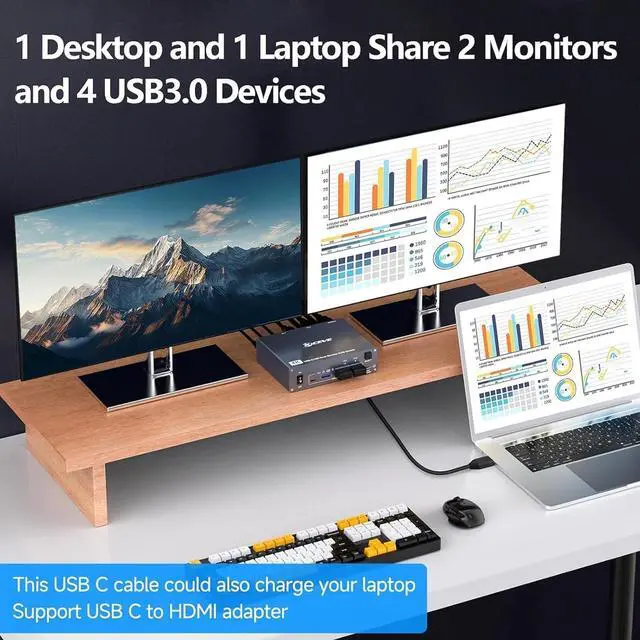
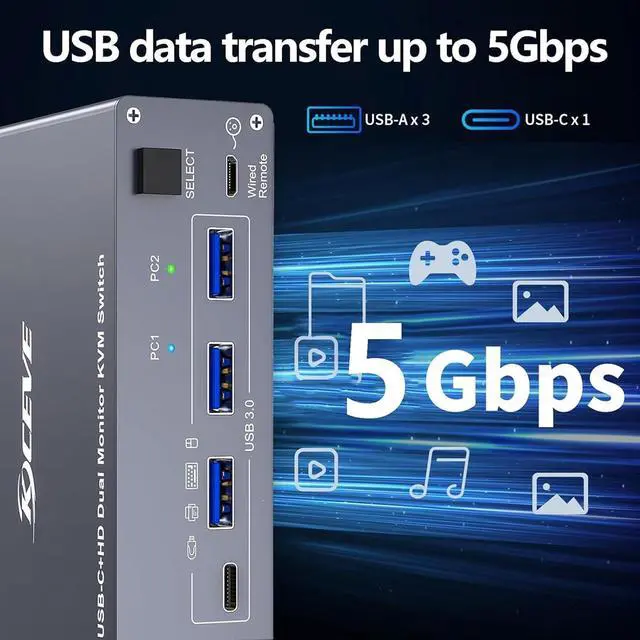
- 3 USB A + 1 USB-C Dual monitor USB C KVM switch is suitable for 1 laptop and 1 PC to share 2 HDMI monitors and 4 USB 3.0 devices without unplugging, such as wireless keyboard, mouse, printer, scanner and other USB devices safely. USB C switch supports ultra-fast data transfer at up to 5 Gbps, compatible with USB 2.0/1.1.
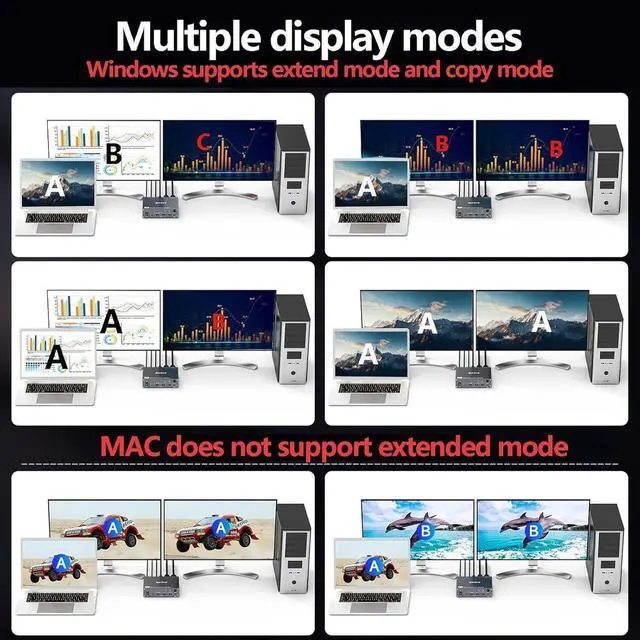
- HDMI KVM SwitchUSB C KVM Switch Dual Monitor allows you to use 1 set of mouse, keyboard to control 1 laptop and 1 computer, compatible printer, scanner, webcam, each computer is displayed on 2 HDMI monitors. KVM Switch USB C 2 computer is the first choice for office and home
- Support 4K@60Hz2 PC 2 monitor USB C KVM switch supports 4K@60Hz and backwards compatible. Make sure your laptop, monitor and cable support 4K. Problems with flickering and black screen can be solved with short 8K cables
- Two switching methodsPlug and play, no drivers are required. Switch freely between laptop and PC via the button switch or the 1.5m long wired remote (included
+
+
Overview
Reviews

Any questions? Our AI beta will help you find out quickly.
Try me now
3 USB A + 1 USB-C Dual monitor USB C KVM switch is suitable for 1 laptop and 1 PC to share 2 HDMI monitors and 4 USB 3.0 devices without unplugging, such as wireless keyboard, mouse, printer, scanner and other USB devices safely. USB C switch supports ultra-fast data transfer at up to 5 Gbps, compatible with USB 2.0/1.1.
HDMI KVM SwitchUSB C KVM Switch Dual Monitor allows you to use 1 set of mouse, keyboard to control 1 laptop and 1 computer, compatible printer, scanner, webcam, each computer is displayed on 2 HDMI monitors. KVM Switch USB C 2 computer is the first choice for office and home
Support 4K@60Hz2 PC 2 monitor USB C KVM switch supports 4K@60Hz and backwards compatible. Make sure your laptop, monitor and cable support 4K. Problems with flickering and black screen can be solved with short 8K cables
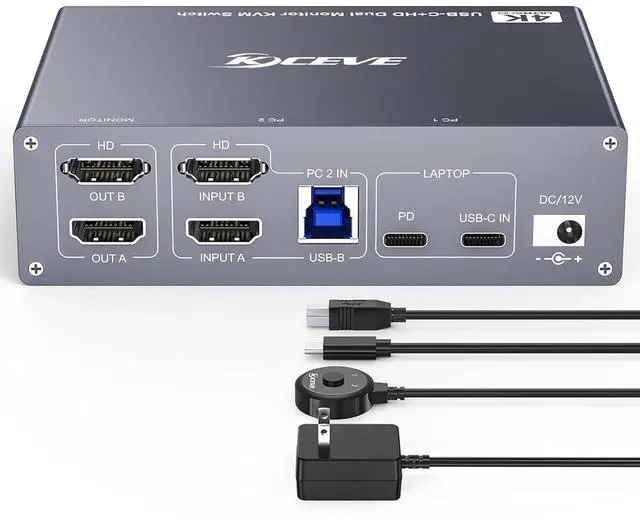
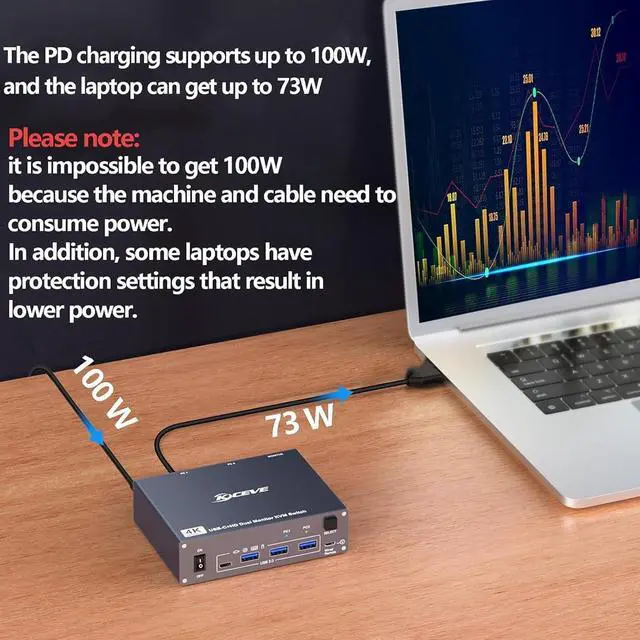
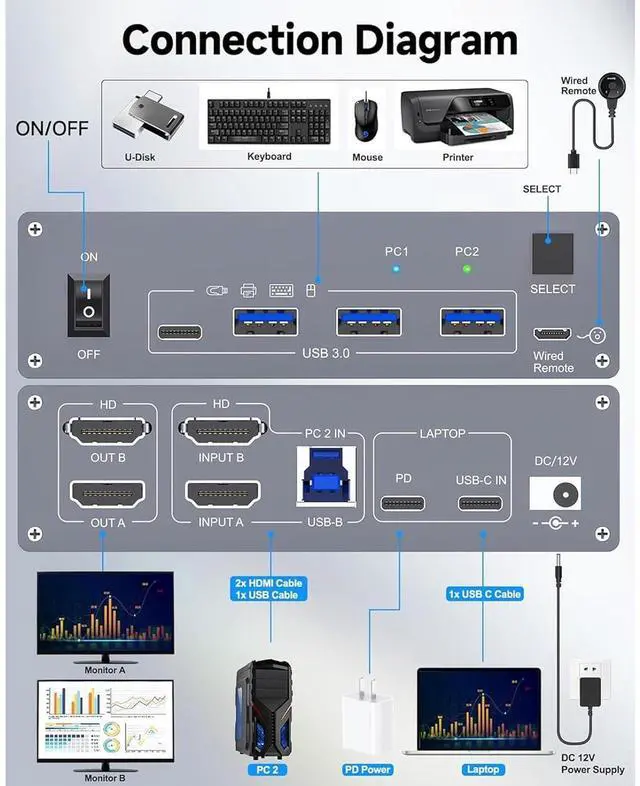
Two switching methodsPlug and play, no drivers are required. Switch freely between laptop and PC via the button switch or the 1.5m long wired remote (included). 2 color light indicates which computer is active. Please connect the included DC 12V power and PD power.
USB C MST KVMSimply connect 1 Type-C cable between laptop and USB-C KVM switch, and you can display 2 different screens on 2 HDMI monitors. The USB-C port of the USB-C switch 1 in 2 out is fully functional. Make sure your laptop has display expansion features.
HDMI KVM SwitchUSB C KVM Switch Dual Monitor allows you to use 1 set of mouse, keyboard to control 1 laptop and 1 computer, compatible printer, scanner, webcam, each computer is displayed on 2 HDMI monitors. KVM Switch USB C 2 computer is the first choice for office and home
Support 4K@60Hz2 PC 2 monitor USB C KVM switch supports 4K@60Hz and backwards compatible. Make sure your laptop, monitor and cable support 4K. Problems with flickering and black screen can be solved with short 8K cables
Two switching methodsPlug and play, no drivers are required. Switch freely between laptop and PC via the button switch or the 1.5m long wired remote (included). 2 color light indicates which computer is active. Please connect the included DC 12V power and PD power.
USB C MST KVMSimply connect 1 Type-C cable between laptop and USB-C KVM switch, and you can display 2 different screens on 2 HDMI monitors. The USB-C port of the USB-C switch 1 in 2 out is fully functional. Make sure your laptop has display expansion features.
Warranty & Returns
Warranty, Returns, And Additional Information
Warranty
- Please contact the Seller directly for warranty information. Warranty information may also be found on the Manufacturer's website.
- CONTACT
Return Policies
- Return for refund within: 30 days
- Return for replacement within: 30 days
- This item is covered by Zhanfu Technology Co., Limited Return Policy
Manufacturer Contact Info
- For a directory of all our manufacturers, please click below.
- Manufacturers Directory
LOADING...