

Your Browsing History
- Free 30-day Returns
$118.99

Meet Your Seller

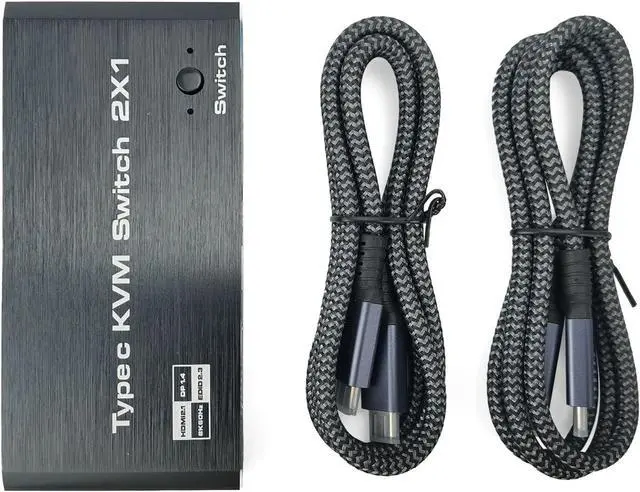


INF 2 in 1 USB-C KVM Switch with 8K@60Hz 4K@120Hz Output for Windows 11/10/8/7/Vista/XP, Mac OS X 10.9, Thunderbolt 3 Thunderbolt 4 Compatible
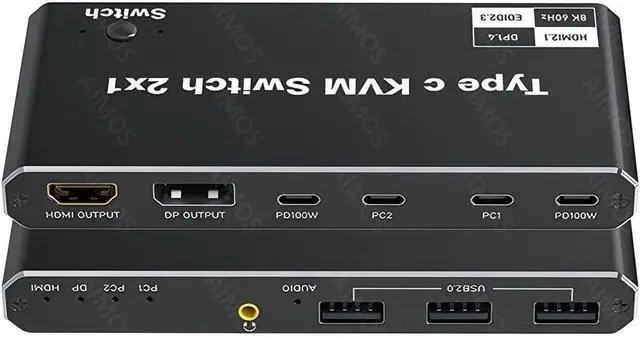
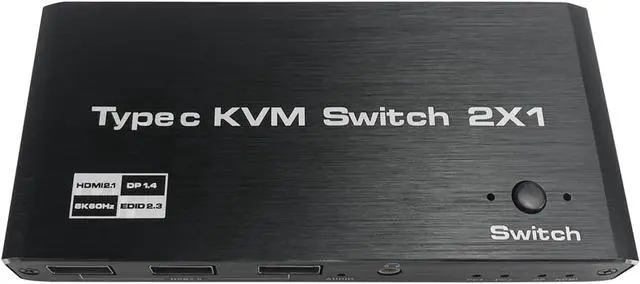
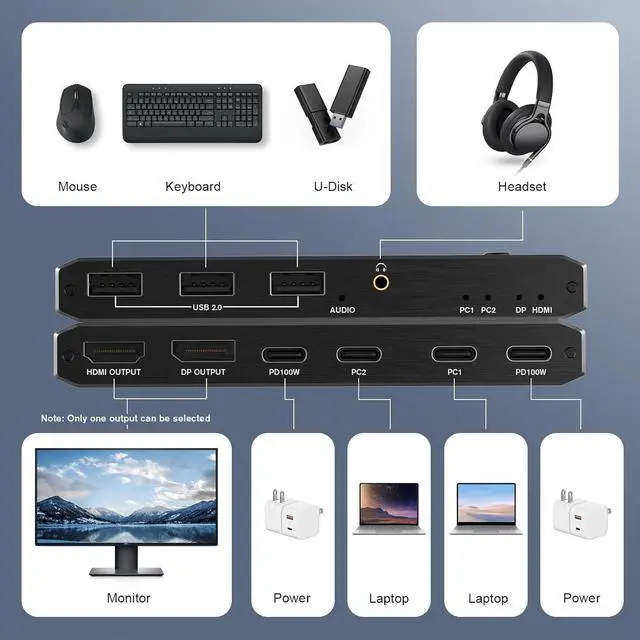
- 2-Port USB-C KVM Switch: The USB-C KVM switch allows two USB-C computers to share one monitor and three USB 2.0 devices, all controlled via mouse and keyboard. This KVM switch has 2 USB-C inputs and 1 HDMI/DP output (Note: only 1 output can be selected). It is compatible with Thunderbolt 3/4 enabled laptops and supports one-touch switching for a seamless transition between two connected computers.
- 8K@60Hz USB-C KVM: This USB-C KVM supports resolutions up to 8K@60Hz (DSC), 4K@60Hz/120Hz/144Hz (DSC) and 1080P at 60Hz/120Hz/165Hz. Maximum output resolution and refresh rate depend on computer, monitor and cables.
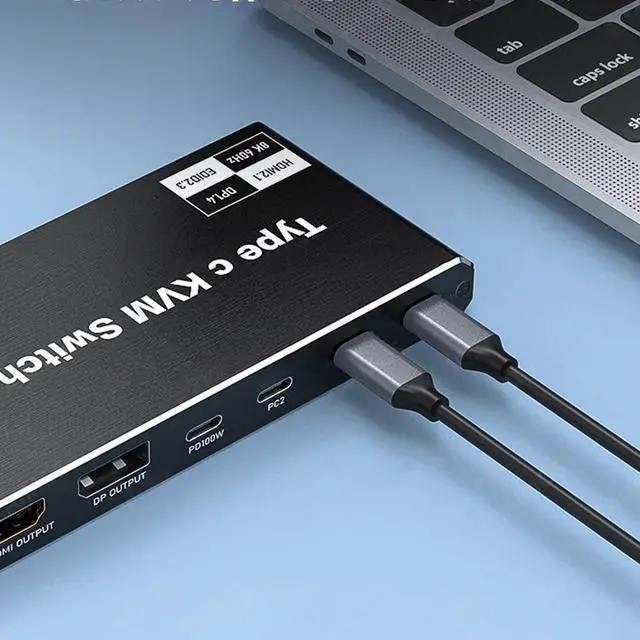
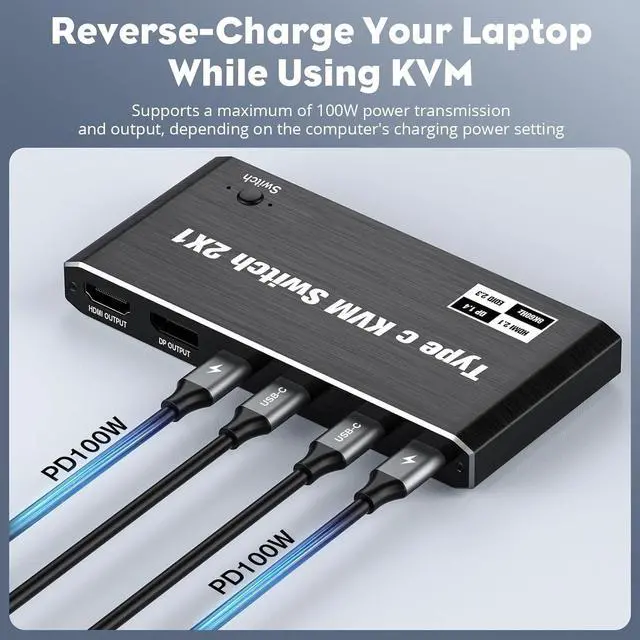
- Type C PD Charging: Compatible with Power Delivery (PD 3.0) and provides up to 100W at 5V, 9V, 15V and 20V Because KVM switches require power, your PC loses power during operation. The USB-C KVM switch has 4 USB-C ports connected to 2 ports. NOTE: Each power port can only power the corresponding "PC" port. You don't have to worry about your laptop running out of power when
+
+
Overview
Reviews

Any questions? Our AI beta will help you find out quickly.
Try me now
2-Port USB-C KVM Switch: The USB-C KVM switch allows two USB-C computers to share one monitor and three USB 2.0 devices, all controlled via mouse and keyboard. This KVM switch has 2 USB-C inputs and 1 HDMI/DP output (Note: only 1 output can be selected). It is compatible with Thunderbolt 3/4 enabled laptops and supports one-touch switching for a seamless transition between two connected computers.
8K@60Hz USB-C KVM: This USB-C KVM supports resolutions up to 8K@60Hz (DSC), 4K@60Hz/120Hz/144Hz (DSC) and 1080P at 60Hz/120Hz/165Hz. Maximum output resolution and refresh rate depend on computer, monitor and cables.
Type C PD Charging: Compatible with Power Delivery (PD 3.0) and provides up to 100W at 5V, 9V, 15V and 20V Because KVM switches require power, your PC loses power during operation. The USB-C KVM switch has 4 USB-C ports connected to 2 ports. NOTE: Each power port can only power the corresponding "PC" port. You don't have to worry about your laptop running out of power when using a KVM switch.
Versatile Type C KVM Switch: The USB-C KVM switch features 3 USB 2.0 ports and supports a variety of USB devices including wireless keyboards, mice, printers, scanners and more. Typically, USB-C KVM switches are powered by a USB-C cable connected to your computer. However, powerful USB devices such as hard drives, digital cameras, and SSDs require an external power supply that plugs into the designated PD100W port.
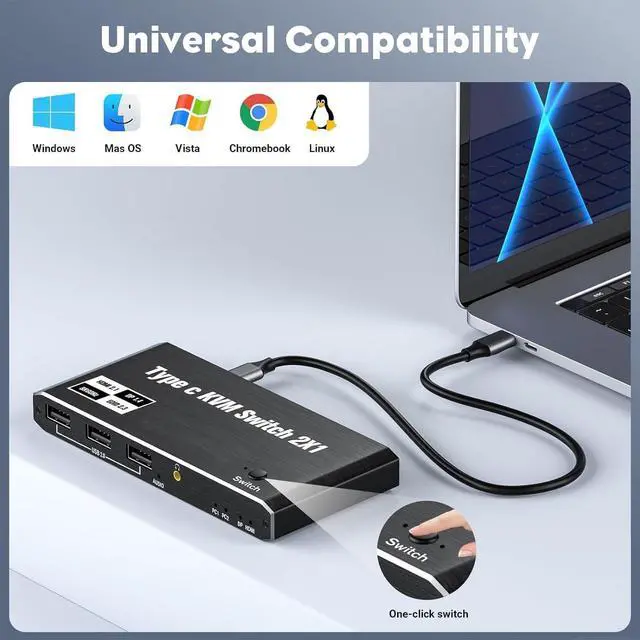
Wide compatibility: Plug and Play. No driver required for Windows 11/10/8/7/Vista/XP and Mac OS X 10.9 or later. Fully compatible with Thunderbolt 3 and Thunderbolt 4.
8K@60Hz USB-C KVM: This USB-C KVM supports resolutions up to 8K@60Hz (DSC), 4K@60Hz/120Hz/144Hz (DSC) and 1080P at 60Hz/120Hz/165Hz. Maximum output resolution and refresh rate depend on computer, monitor and cables.
Type C PD Charging: Compatible with Power Delivery (PD 3.0) and provides up to 100W at 5V, 9V, 15V and 20V Because KVM switches require power, your PC loses power during operation. The USB-C KVM switch has 4 USB-C ports connected to 2 ports. NOTE: Each power port can only power the corresponding "PC" port. You don't have to worry about your laptop running out of power when using a KVM switch.
Versatile Type C KVM Switch: The USB-C KVM switch features 3 USB 2.0 ports and supports a variety of USB devices including wireless keyboards, mice, printers, scanners and more. Typically, USB-C KVM switches are powered by a USB-C cable connected to your computer. However, powerful USB devices such as hard drives, digital cameras, and SSDs require an external power supply that plugs into the designated PD100W port.
Wide compatibility: Plug and Play. No driver required for Windows 11/10/8/7/Vista/XP and Mac OS X 10.9 or later. Fully compatible with Thunderbolt 3 and Thunderbolt 4.
Warranty & Returns
Warranty, Returns, And Additional Information
Warranty
- Please contact the Seller directly for warranty information. Warranty information may also be found on the Manufacturer's website.
- CONTACT
Return Policies
- Return for refund within: 30 days
- Return for replacement within: 30 days
- This item is covered by Zhanfu Technology Co., Limited Return Policy
Manufacturer Contact Info
- For a directory of all our manufacturers, please click below.
- Manufacturers Directory
LOADING...