Your Browsing History
Meet Your Seller
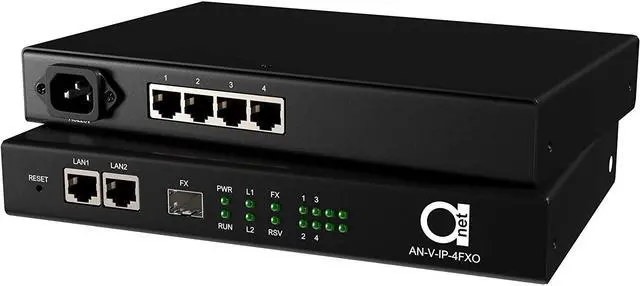
4-Port POTS Telephone Extender over Ethernet LAN or IP, FXS + FXO Pair
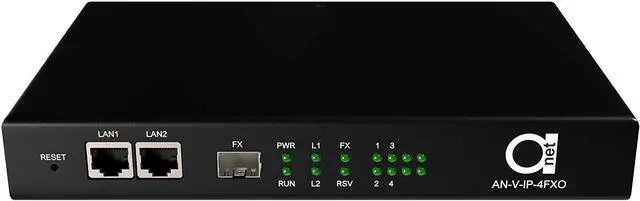
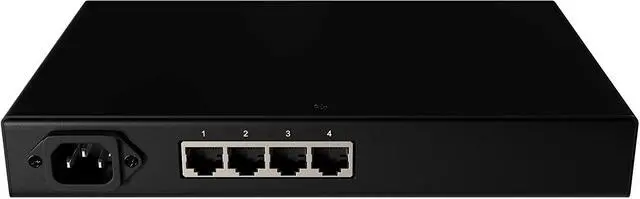
- Web-managed analog phone + fax to IP converter - 4x RJ11 ports, preconfigured, plug in and dial, 10/100 RJ45 uplink
- FOUR ANALOG PHONE LINES OVER YOUR EXISTING NETWORK - Carries 4 real POTS lines (RJ11) across an ordinary Ethernet LAN, so handsets, fax machines, alarm diallers and elevator phones keep working after the copper is gone. Dial tone, ring voltage and caller ID pass through exactly as on a physical pair. Fax transmission supported as well.
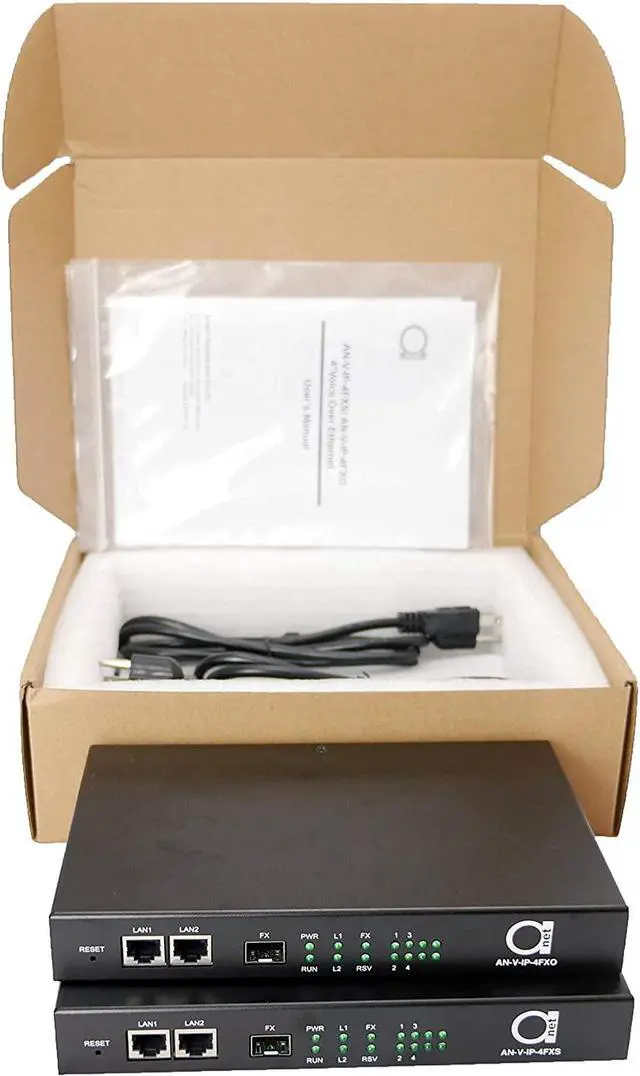
- SUPPLIED AS A MATCHED FXO/FXS PAIR - TWO UNITS - The FXO unit terminates the CO or PABX side; the FXS unit terminates the CPE side (phone sets, fax). Both units are included and are required - the system does not function single-ended.
- TDM OVER IP ON A PRIVATE LAN - NOT VoIP, NOT SIP - No SIP registration, provider account or subscription. Both units must reside on the same IP subnet. Do NOT use an internet/WAN connection as the uplink; the transport is not designed to traverse a routed public link.
- FX PORT ACCEPTS A 155M (100FX) SFP -
+
+
Overview
Specs
Reviews
Any questions? Ask CelesteSM will help you find out quickly.
Try me now
4 different applications with the same device!
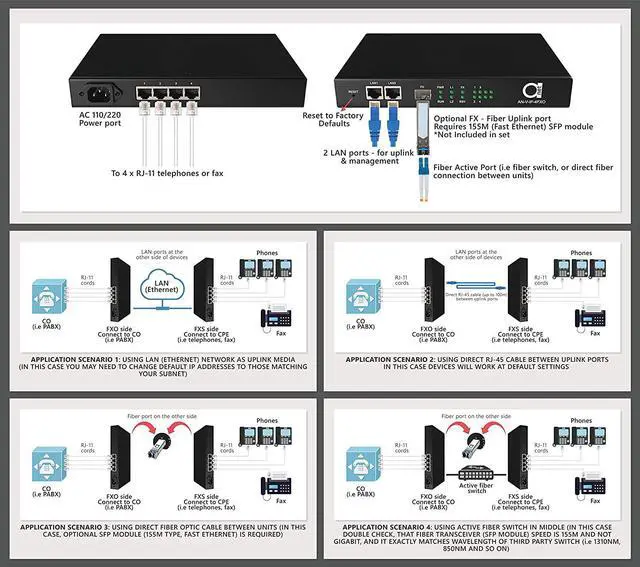
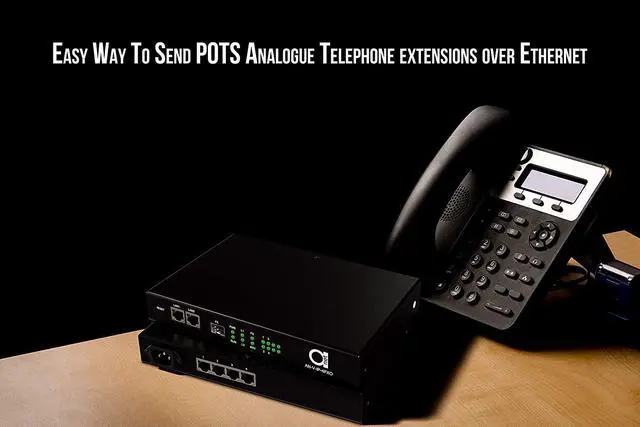
4 port (FXS & FXO) POTS Telephone line over LAN (Ethernet & IP) converter can work in 4 different network applications.
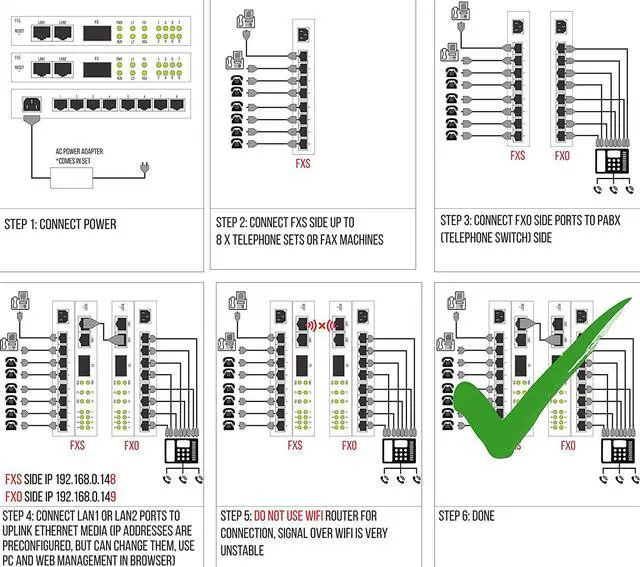
First, you can use it as 4 FXS/FXO over Ethernet device it will work over a simple network hub or router within the same network subnet. Units will come with pre-configured IP addresses so that you can just simply plug in your phones (and even fax) on one side, and connect to the CO side PABX, on another side, and it will work right out of the box.
Need to change IP addresses? You can do so via the web manager. Or another application is simply connecting uplink ports LAN1 or LAN2 via Ethernet cable directly - in this case, the device will work as voice ports over the same RJ-45 cable, just keep in mind a maximum distance of 100m.
Then another application you can think of is to use FX uplink port. In this case, just use a 155M (Fast Ethernet) SFP module transceiver (does not come in this set) and you can connect the uplink port now to any fiber optic Ethernet switch. In this case, check that fiber transceiver parameters match exactly.
Even if you have a simple fiber optic cable run, and want to send the FXS/FXO POTS voice traffic over it then as well just install 2 matching SFP 155M (100FX) transceivers into the FX ports, and simply connect to fiber at both sides.
Specifications
FXS & FXO Phone Interface Ring voltage: 75V
Ring frequency: 25HZ
Two-line Impedance: 600 Ohm (pick up)
Return loss:40 dB
Ring detect voltage: 35V
Ring detection frequency:17HZ-60HZ
Ethernet Interface (10/100M) Datarate: 10/100Mbps, half/full dpx
Compatible with IEEE 802.3 Connector: RJ45
(SFP) Interface datarate:155Mbps
Power supply: AC90V ~ 265V
Power consumption: 7W
Working temperature:-10°C ~ 60°C
Humidity:5%~95 %
Dimensions: (216 L) X 140 (W) X 31 (H) mm

4 port (FXS & FXO) POTS Telephone line over LAN (Ethernet & IP) converter can work in 4 different network applications.
First, you can use it as 4 FXS/FXO over Ethernet device it will work over a simple network hub or router within the same network subnet. Units will come with pre-configured IP addresses so that you can just simply plug in your phones (and even fax) on one side, and connect to the CO side PABX, on another side, and it will work right out of the box.
Need to change IP addresses? You can do so via the web manager. Or another application is simply connecting uplink ports LAN1 or LAN2 via Ethernet cable directly - in this case, the device will work as voice ports over the same RJ-45 cable, just keep in mind a maximum distance of 100m.
Then another application you can think of is to use FX uplink port. In this case, just use a 155M (Fast Ethernet) SFP module transceiver (does not come in this set) and you can connect the uplink port now to any fiber optic Ethernet switch. In this case, check that fiber transceiver parameters match exactly.
Even if you have a simple fiber optic cable run, and want to send the FXS/FXO POTS voice traffic over it then as well just install 2 matching SFP 155M (100FX) transceivers into the FX ports, and simply connect to fiber at both sides.
Specifications
FXS & FXO Phone Interface Ring voltage: 75V
Ring frequency: 25HZ
Two-line Impedance: 600 Ohm (pick up)
Return loss:40 dB
Ring detect voltage: 35V
Ring detection frequency:17HZ-60HZ
Ethernet Interface (10/100M) Datarate: 10/100Mbps, half/full dpx
Compatible with IEEE 802.3 Connector: RJ45
(SFP) Interface datarate:155Mbps
Power supply: AC90V ~ 265V
Power consumption: 7W
Working temperature:-10°C ~ 60°C
Humidity:5%~95 %
Dimensions: (216 L) X 140 (W) X 31 (H) mm
Warranty & Returns
Warranty, Returns, And Additional Information
Warranty
- Please contact the Seller directly for warranty information. Warranty information may also be found on the Manufacturer's website.
- CONTACT
Return Policies
- Return for refund within: 30 days
- Return for replacement within: 30 days
- This item is covered by PartsPro Store Return Policy
Manufacturer Contact Info
- For a directory of all our manufacturers, please click below.
- Manufacturers Directory
LOADING...