Your Browsing History
Meet Your Seller
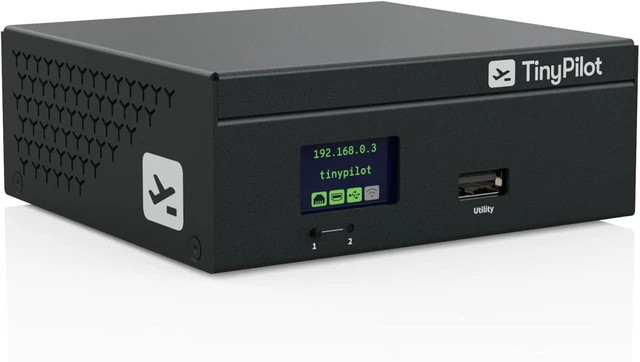
Secure KVM Over IP + Console Server for Remote Server Access
- TinyPilot Voyager 3
- Zero-Hassle Setup No software installs; Tailscale ready in just a few clicks
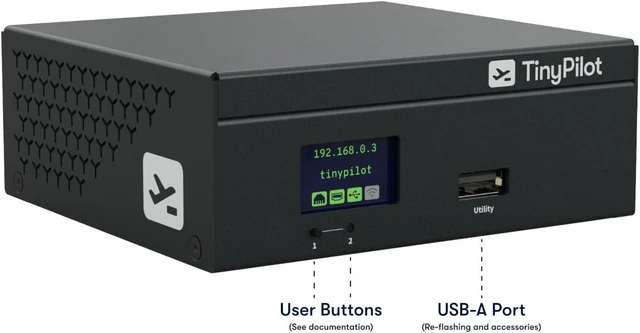
- Bright LCD Screen - Deployment and management are a breeze
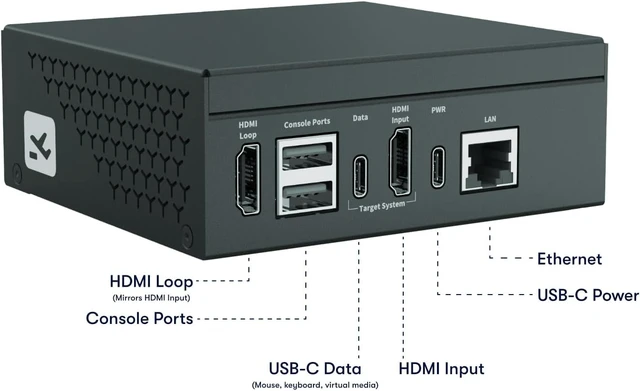
- HDMI Passthrough - Completely transparent, non-blocking operation
- Multi-User Collaboration Up to 8 simultaneous remote users with non-blocking local access
- Tiered Account Control Create unlimited accounts with Admin or Operator roles with 2FA
- Full BIOS-Level Access Manage the server even before the OS loads
- Virtual Media Support Mount ISO images or file collections remotely for updates, installs, and recovery
- Built-in Console Server Manage switches, firewalls, and PDUs remotely
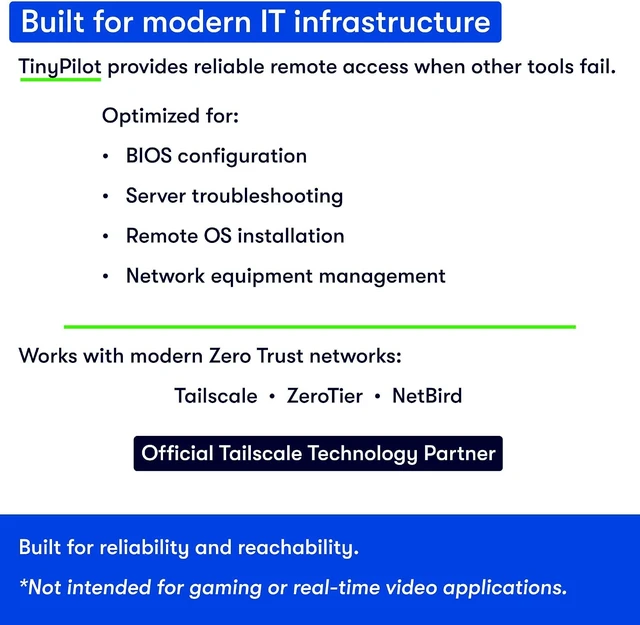
- Zero Trust Ready Works with most modern Zero Trust overlays for secure remote access
+
+
Overview
Specs
Reviews
Any questions? Ask CelesteSM will help you find out quickly.
Try me now
Voyager 3 is a modern, lean KVM over IP device that includes a built-in Console Server, giving you complete out-of-band access to your infrastructure in a single box. It works with modern Zero Trust overlays for secure, remote management without the need for a perimeter VPN.
TinyPilot's quiet, compact design has been battle-tested in Fortune 100 companies and small businesses around the world.
TinyPilot plugs directly into your bare-metal server, giving you a virtual console during BIOS and boot - all without ever connecting a keyboard, monitor, or mouse.
TinyPilot is optimized for reliable, consistent control of target systems. Latency is less than 140ms on a well-provisioned, wired network.
Please see our video content if you'd like to see the latency in action.
No software installs
Up to 8 simultaneous users, non-blocking access
Boot from virtual media, mount ISO images, or transfer files
Manage serial devices from the Serial Console
End-to-end encryption (TLS & HTTPS)
NDAA-compliant design
Role-based access control with unlimited accounts
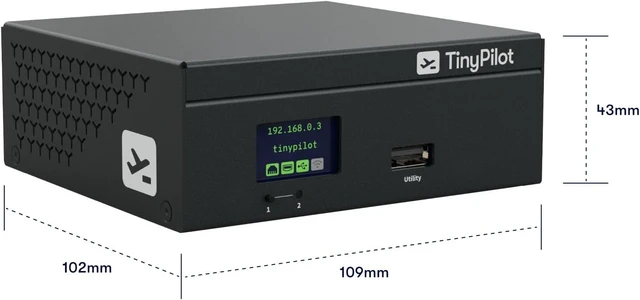
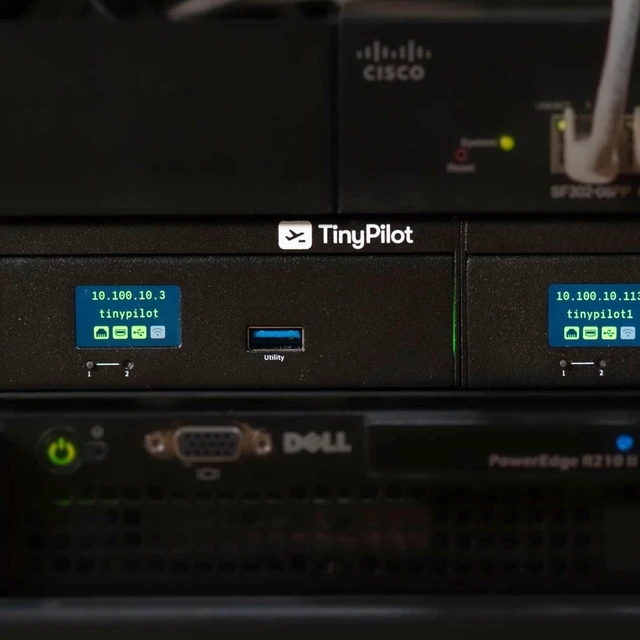
Bright LCD screen makes deployment easy
Browser-based KVM over IP no Java, plugins, or client installs. Works on Windows, macOS, Linux, smartphones, and tablets.
Receive 1200p high definition, low-latency video during BIOS access, OS installs, or troubleshooting; even on out-of-band connections. HDMI passthrough allows transparent operation.
Mount ISO images or file collections to install operating systems, update firmware, or transfer files without on-site access.
TLS/HTTPS encryption for all KVM over IP sessions
NDAA-compliant design for security-conscious environments
Two-tier access control unlimited accounts (admin or operator)
No Java or insecure plugins works in all major browsers
BIOS-level access during boot for remote BIOS control
Virtual Media ISO and file mounting from anywhere
Up to 8 simultaneous remote users
Non-blocking local/remote control for team collaboration
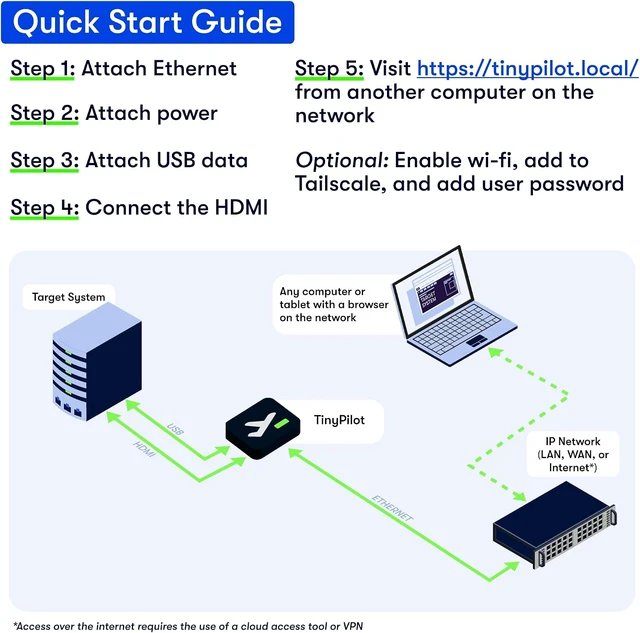
Plug-and-play KVM over IP device no server or client software needed
Tailscale installation in a few clicks for secure VPN-free access
Connect via LAN, WAN, or Internet*
1920x1200 at up to 60 fps
100140 ms latency on a well-provisioned network
Audio streaming from the target device
HDMI passthrough for transparent operation
Device TinyPilot Voyager 3 device Power USB-C power plug (North American socket) USB Cable 6' USB-C to USB-A cable HDMI Cable 6' HDMI cable Documentation Quick start instructions and a link to thorough online documentation
TLS/HTTPS encryption; built with components that meet NDAA requirements
Unlimited user accounts (admin/operator roles)
No Java or plugins; browser-based KVM over IP
BIOS-level remote access during boot
Virtual Media for ISO/file mounting
Up to 8 simultaneous remote users; non-blocking local/remote control
Plug-and-play setup; Tailscale ready in minutes
Gigabit Ethernet, Wi-Fi, or PoE* (Plus model only)
1920x1200 @ 60 fps; 100140 ms latency with audio
Works with Windows, Linux, macOS, most BIOS/UEFI
Complete Out-of-Band Management TinyPilot Voyager 3 KVM over IP Proven, enterprise-grade KVM over IP device Access your server before it even boots Is there any latency when using TinyPilot? Features Top Features Pure Web Interface No Software Required High-Quality Video for Remote Server Access Virtual Media for Remote OS Installation Why TinyPilot? Security & Reliability Powerful Remote Management Zero-Hassle Setup Dependable Performance What's Included Complete Features

TinyPilot's quiet, compact design has been battle-tested in Fortune 100 companies and small businesses around the world.
TinyPilot plugs directly into your bare-metal server, giving you a virtual console during BIOS and boot - all without ever connecting a keyboard, monitor, or mouse.
TinyPilot is optimized for reliable, consistent control of target systems. Latency is less than 140ms on a well-provisioned, wired network.
Please see our video content if you'd like to see the latency in action.
No software installs
Up to 8 simultaneous users, non-blocking access
Boot from virtual media, mount ISO images, or transfer files
Manage serial devices from the Serial Console
End-to-end encryption (TLS & HTTPS)
NDAA-compliant design
Role-based access control with unlimited accounts
Bright LCD screen makes deployment easy
Browser-based KVM over IP no Java, plugins, or client installs. Works on Windows, macOS, Linux, smartphones, and tablets.
Receive 1200p high definition, low-latency video during BIOS access, OS installs, or troubleshooting; even on out-of-band connections. HDMI passthrough allows transparent operation.
Mount ISO images or file collections to install operating systems, update firmware, or transfer files without on-site access.
TLS/HTTPS encryption for all KVM over IP sessions
NDAA-compliant design for security-conscious environments
Two-tier access control unlimited accounts (admin or operator)
No Java or insecure plugins works in all major browsers
BIOS-level access during boot for remote BIOS control
Virtual Media ISO and file mounting from anywhere
Up to 8 simultaneous remote users
Non-blocking local/remote control for team collaboration
Plug-and-play KVM over IP device no server or client software needed
Tailscale installation in a few clicks for secure VPN-free access
Connect via LAN, WAN, or Internet*
1920x1200 at up to 60 fps
100140 ms latency on a well-provisioned network
Audio streaming from the target device
HDMI passthrough for transparent operation
Device TinyPilot Voyager 3 device Power USB-C power plug (North American socket) USB Cable 6' USB-C to USB-A cable HDMI Cable 6' HDMI cable Documentation Quick start instructions and a link to thorough online documentation
TLS/HTTPS encryption; built with components that meet NDAA requirements
Unlimited user accounts (admin/operator roles)
No Java or plugins; browser-based KVM over IP
BIOS-level remote access during boot
Virtual Media for ISO/file mounting
Up to 8 simultaneous remote users; non-blocking local/remote control
Plug-and-play setup; Tailscale ready in minutes
Gigabit Ethernet, Wi-Fi, or PoE* (Plus model only)
1920x1200 @ 60 fps; 100140 ms latency with audio
Works with Windows, Linux, macOS, most BIOS/UEFI
Complete Out-of-Band Management TinyPilot Voyager 3 KVM over IP Proven, enterprise-grade KVM over IP device Access your server before it even boots Is there any latency when using TinyPilot? Features Top Features Pure Web Interface No Software Required High-Quality Video for Remote Server Access Virtual Media for Remote OS Installation Why TinyPilot? Security & Reliability Powerful Remote Management Zero-Hassle Setup Dependable Performance What's Included Complete Features
Warranty & Returns
Warranty, Returns, And Additional Information
Warranty
- Please contact the Seller directly for warranty information. Warranty information may also be found on the Manufacturer's website.
- CONTACT
Return Policies
- Return for refund within: 30 days
- Return for replacement within: 30 days
- This item is covered by PartsPro Store Return Policy
Manufacturer Contact Info
- For a directory of all our manufacturers, please click below.
- Manufacturers Directory
LOADING...