

Your Browsing History
- Free 30-day Returns
$245.99

Meet Your Seller

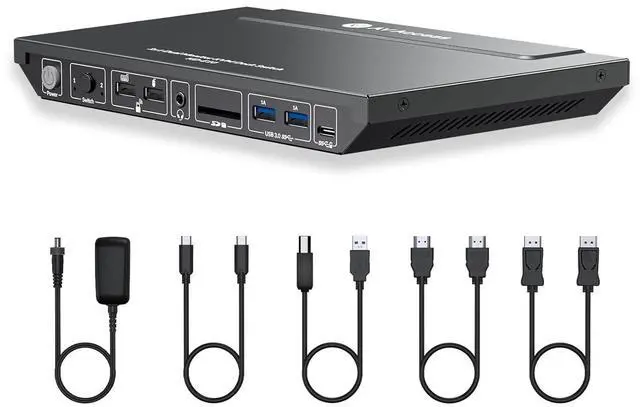
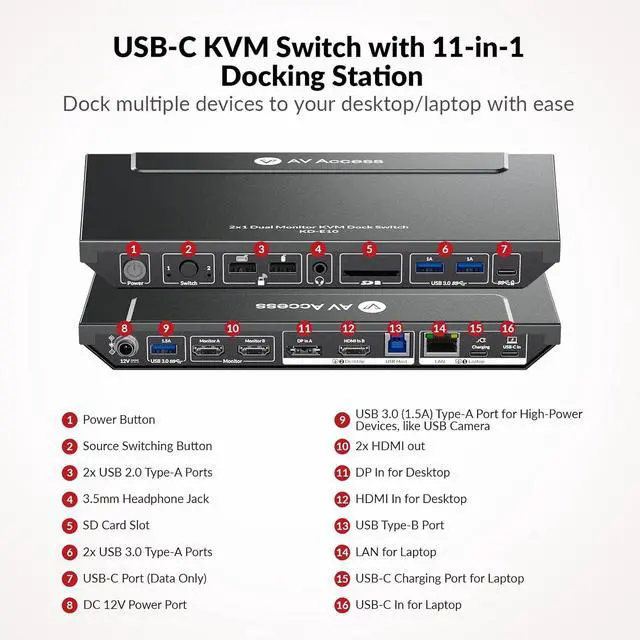


AV Access KVM Switch Docking Station for 2 Monitors 2 Computers, 4K KVM Switch Dual Monitor for Laptop & Desktop, EDID, 1G Ethernet, 100W USB-C Charging, 3X USB 3.0, Ideal for Home Office & Gaming
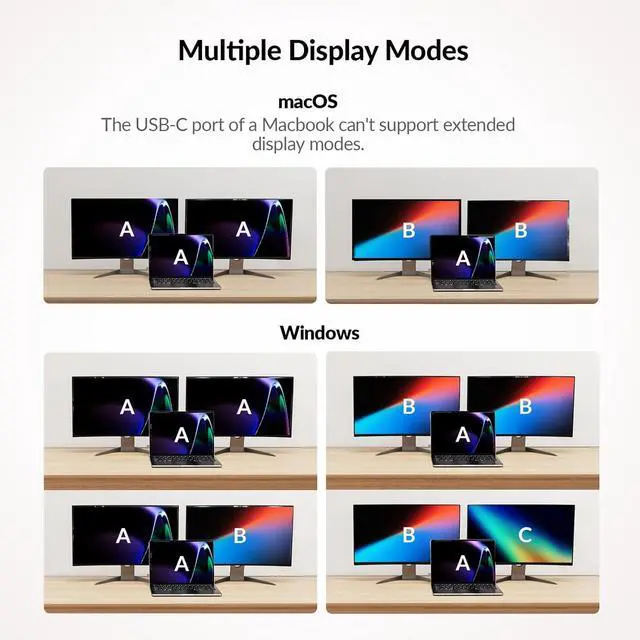
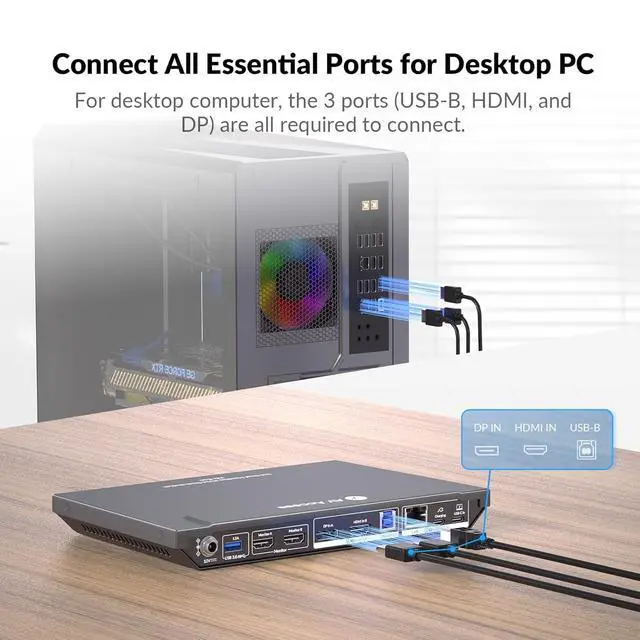
- Important Notes: 1. Only support mirrored mode on macOS. 2. Make sure 3 cables (USB-B, HDMI, and DP) are connected to your destop. Package Include1x KVM Switch Docking Station, 1x Power Adapter (DC 12V 3A),1x USB 3.2 Gen 2 Type-C to Type-C Cable (L = 1m), 1x USB 3.0 Type-B to Type-A Cable (L = 1.5m),1x HDMI 2.0 Cable,1x DP 1.2a Cable, 1x User Manual.
- Dual Screens, Double Productivity Effortlessly connect 2 computers(1 laptop+1 desktop) to 2 monitors with this all-in-one KVM switch docking station. Seamlessly switch between work and personal devices with a single button, eliminating cable clutter and maximizing efficiency.
- 11-in-1 Powerful Docking Solution This KVM switch for laptop and desktop transform your setup with multiple ports: 3x USB 3.0, 2x USB 2.0, 1x USB-C, 1G Ethernet, SD card slot, 3.5mm AUX audio, and 2x HDMI outputs. Easily create a professional-grade workstation at home or in the office.
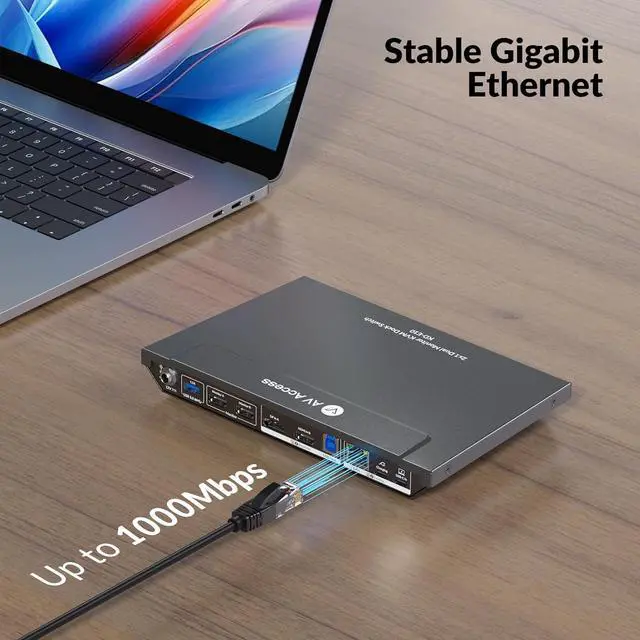
- Stable & High-Speed Wired Network Say goodbye to lag and unstable W
+
+
Overview
Reviews

Any questions? Our AI mode will help you find out quickly.
Try me now
Q: My MacBook only outputs mirrored dual screens but can't output extended dual screens. Why is that? A: MacBook's USB-C port itself only supports single stream transport (SST), not multi stream transport (MST). Thus, the dual screens can only display in mirror copy mode. If you need extended dual screen output with your MacBook, please let us know.
Q: My USB device doesnt work when switching to desktop input, but it works fine with the laptop. What should I do?
A: Ensure that the included USB-A to USB-B cable is securely connected to both your desktop and the device. For stable transmission, we recommend using the USB ports on the back of your computer.
Q: Why doesnt my laptop charge when connected to the USB-C In port?
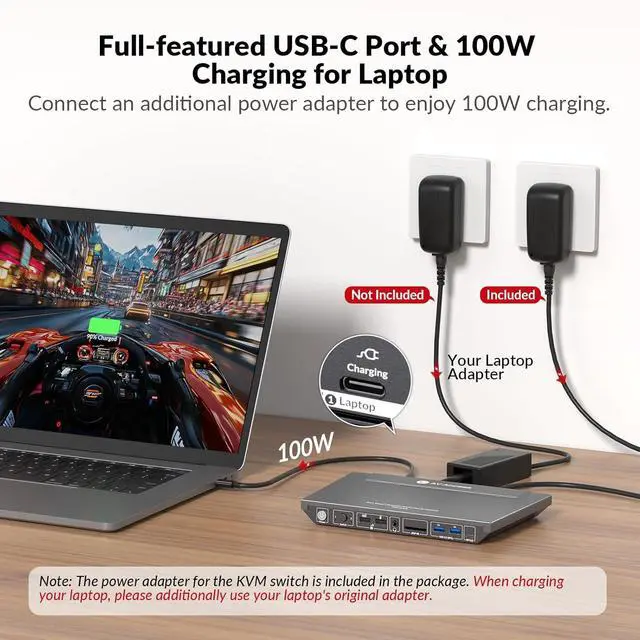
A: Please connect another USB-C power adapter to the USB-C charging port next to the USB-C IN port. Please prioritize using the USB-C adapter that comes with the laptop. If purchasing separately, select a suitable power adapter according to the laptop specifications, please let me know if you have any question.
Q: What is audio format of HDMI/DP or 3.5mm unembed audio?
A: HDMI&DP: PCM 2.0/5.1/7.1, D0lby TrueHD/Atmos, DTS-HD Master Audio/X; Headphone: Stereo
Provide Stable & High-Speed Wired Network for Laptop FAQ:
Q: My USB device doesnt work when switching to desktop input, but it works fine with the laptop. What should I do?
A: Ensure that the included USB-A to USB-B cable is securely connected to both your desktop and the device. For stable transmission, we recommend using the USB ports on the back of your computer.
Q: Why doesnt my laptop charge when connected to the USB-C In port?
A: Please connect another USB-C power adapter to the USB-C charging port next to the USB-C IN port. Please prioritize using the USB-C adapter that comes with the laptop. If purchasing separately, select a suitable power adapter according to the laptop specifications, please let me know if you have any question.
Q: What is audio format of HDMI/DP or 3.5mm unembed audio?
A: HDMI&DP: PCM 2.0/5.1/7.1, D0lby TrueHD/Atmos, DTS-HD Master Audio/X; Headphone: Stereo
Provide Stable & High-Speed Wired Network for Laptop FAQ:
Warranty & Returns
Warranty, Returns, And Additional Information
Warranty
- Please contact the Seller directly for warranty information. Warranty information may also be found on the Manufacturer's website.
- CONTACT
Return Policies
- Return for refund within: 30 days
- Return for replacement within: 30 days
- This item is covered by Chinathru Trading Co., Limited Return Policy
Manufacturer Contact Info
- For a directory of all our manufacturers, please click below.
- Manufacturers Directory
LOADING...