

Your Browsing History
- Free 30-day Returns
$450.99

Meet Your Seller




AV Access KVM Switch 2 Monitors 2 Computers with Ethernet, EDID, 4K@60Hz/2K@144Hz/1080P@240Hz, KVM Docking Station Dual Monitor for Laptop & Desktop, USB-C Charge, Aluminum, 3xUSB 3.0, Power Supply
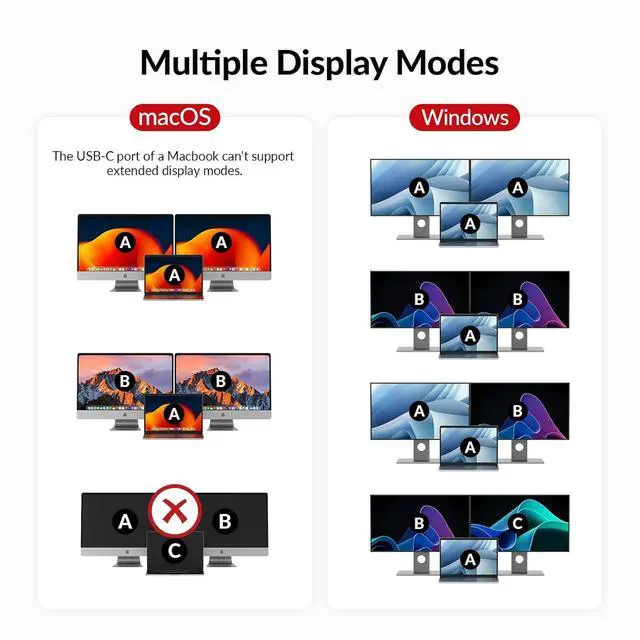
- [Note]: Only support mirrored output on macOS. Please connect the HDMI IN, DP IN and USB-B cable to your desktop. iDock C10, computers, and monitors should be directly connected, without any other adapters, docking stations, or converters between them.
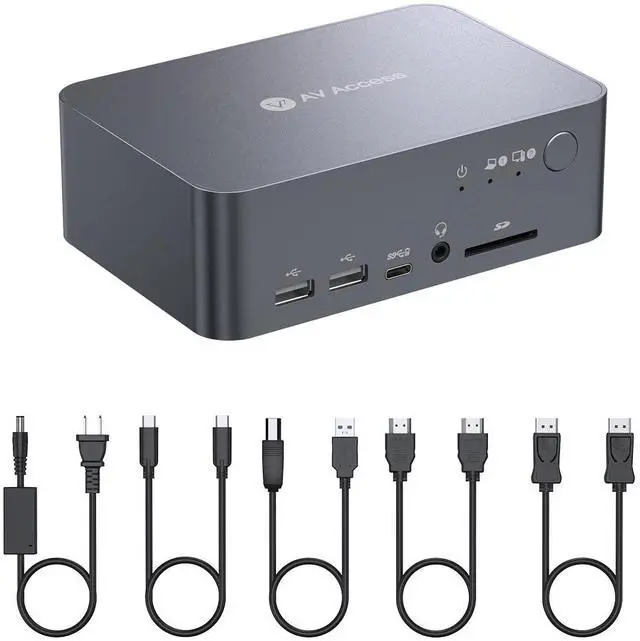
- Machined from aircraft-grade aluminum, the chassis provides a sleek, high-end appearance while being tougher and more wear-resistant than plastic.
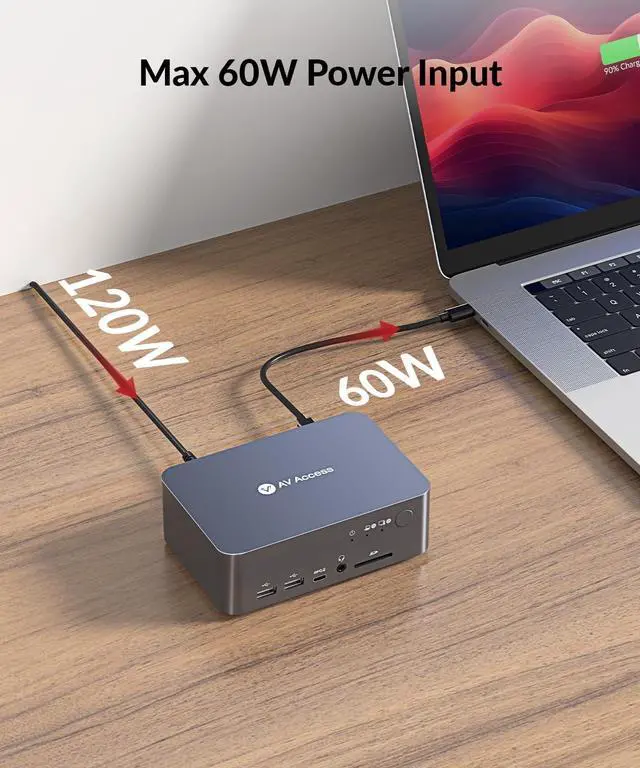
- Package contents: 1x KVM Switch with Docking Station, 1x Power Adapter (20V/6A), 1x USB-C to USB-C cable (USB 3.2 Gen 2, 3ft), 1x USB-A to USB-B cable (USB 3.0, 5ft), 1x HDMI 2.0 cable (5ft), 1x DisplayPort 1.2a cable (5ft), 1x User Manual.
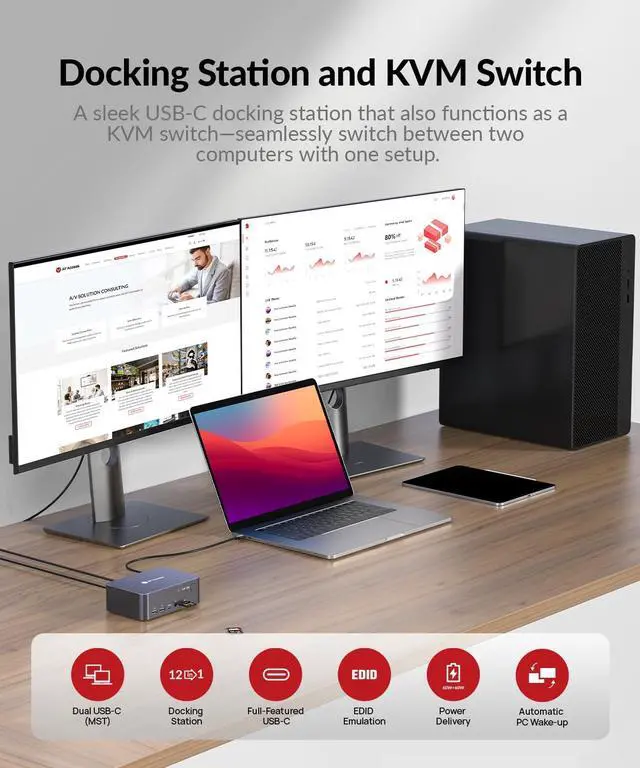
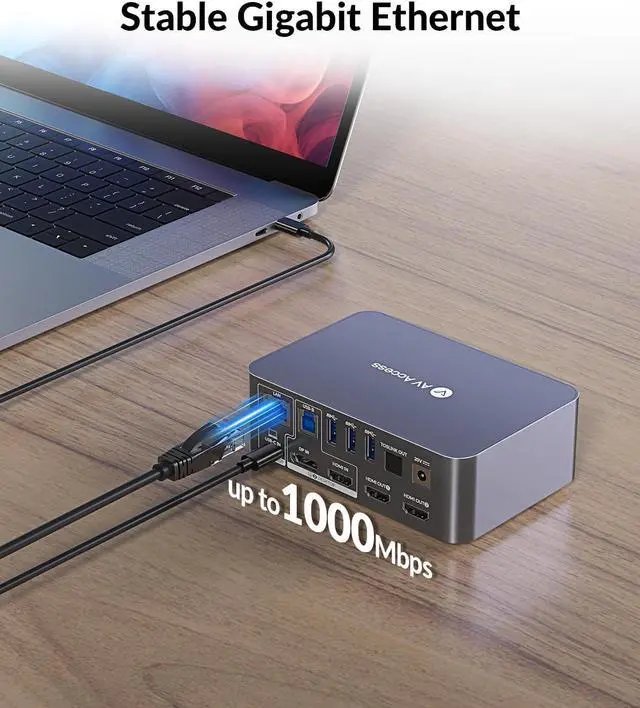
- [Versatile 12-in-1 Docking Station]: Connect a variety of peripherals to your two PCs with ease, including 3x USB 3.0, 2x USB 2.0, 1x USB-C, 1x SD card, 1x LAN, 1x Toslink out, 1x 3.5mm headset, and two HDMI outputs. Create a powerful workstation at home.
- [KVM Switch Dual Monitor Design]: Fast switching between your gaming PC and workstation with the 1
+
+
Overview
Reviews

Any questions? Our AI mode will help you find out quickly.
Try me now
My laptop source can not display 4k on both monitors. What should I do?
A: 1. Use the USB-C cable included in the package (do not use thunderbolt cable), and try connecting it to different USB-C ports on your laptop. 2. Try lowering the resolution and refresh rate.
Can the device work with single monitor?
Yes, the DP IN port of the KVM switch only corresponds to HDMI Output 1 while the HDMI IN port corresponds to HDMI Output 2, so correct input port needs to be connected accordingly for single-monitor display.
My USB device doesnt work when switching to desktop input, but it works fine with the laptop. What should I do?
Ensure that the included USB-A to USB-B cable is securely connected to both your desktop and the device. For stable transmission, we recommend using the USB ports on the back of your computer.
Sometimes no video output or no USB signal after I switch to another pc. What should I do?
This situation doesnt happen very often, but if you are having this problem, try disconnecting and reconnecting the cables or restarting the dock.
Docking Station Dual Monitor for Laptop & Desktop My MacBook only outputs mirrored dual screens but can't output extended dual screens. Why is that?
My laptop source can not display 4k on both monitors. What should I do?
Can the device work with single monitor?
My USB device doesnt work when switching to desktop input, but it works fine with the laptop. What should I do?
Sometimes no video output or no USB signal after I switch to another pc. What should I do?
A: 1. Use the USB-C cable included in the package (do not use thunderbolt cable), and try connecting it to different USB-C ports on your laptop. 2. Try lowering the resolution and refresh rate.
Can the device work with single monitor?
Yes, the DP IN port of the KVM switch only corresponds to HDMI Output 1 while the HDMI IN port corresponds to HDMI Output 2, so correct input port needs to be connected accordingly for single-monitor display.
My USB device doesnt work when switching to desktop input, but it works fine with the laptop. What should I do?
Ensure that the included USB-A to USB-B cable is securely connected to both your desktop and the device. For stable transmission, we recommend using the USB ports on the back of your computer.
Sometimes no video output or no USB signal after I switch to another pc. What should I do?
This situation doesnt happen very often, but if you are having this problem, try disconnecting and reconnecting the cables or restarting the dock.
Docking Station Dual Monitor for Laptop & Desktop My MacBook only outputs mirrored dual screens but can't output extended dual screens. Why is that?
My laptop source can not display 4k on both monitors. What should I do?
Can the device work with single monitor?
My USB device doesnt work when switching to desktop input, but it works fine with the laptop. What should I do?
Sometimes no video output or no USB signal after I switch to another pc. What should I do?
Warranty & Returns
Warranty, Returns, And Additional Information
Warranty
- Please contact the Seller directly for warranty information. Warranty information may also be found on the Manufacturer's website.
- CONTACT
Return Policies
- Return for refund within: 30 days
- Return for replacement within: 30 days
- This item is covered by Chinathru Trading Co., Limited Return Policy
Manufacturer Contact Info
- For a directory of all our manufacturers, please click below.
- Manufacturers Directory
LOADING...