

Your Browsing History
- Free 30-day Returns
$288.99

Meet Your Seller

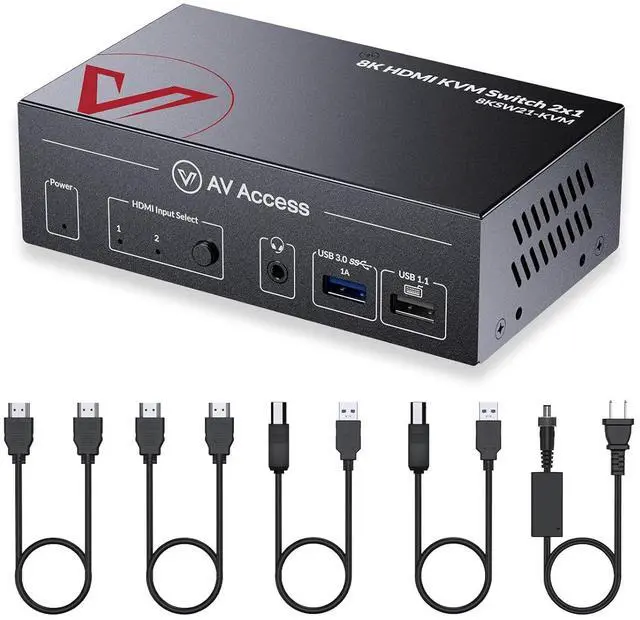
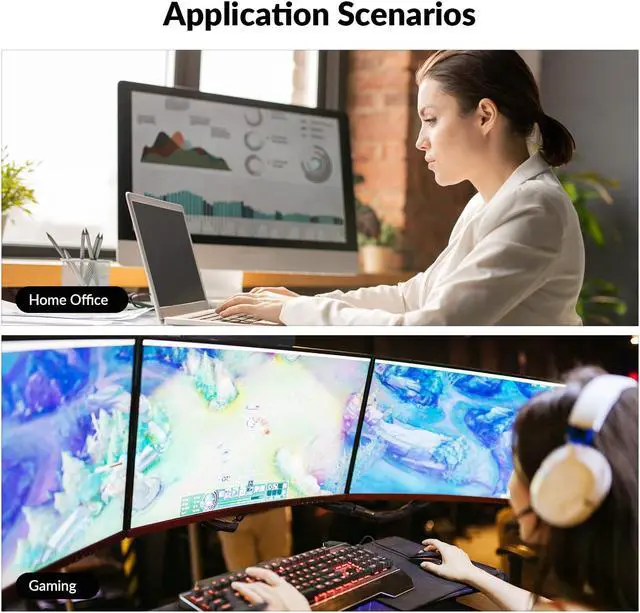
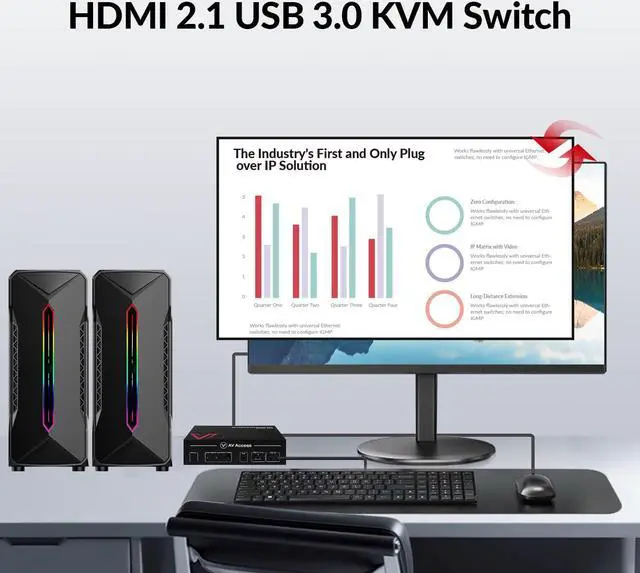


AV Access 8K KVM Switch 2 Computers 1 Monitor with HDMI 2.1, USB 3.0 & Hotkey Switching, Supports 10K@120Hz, 8K@120Hz, 1080P@240Hz & 2K@165Hz for All Operating Systems, Ideal for Gaming, Workstation
- Package contents: 1x 8K KVM Switch, 2x HDMI 2.1 Cable (1.5m/5ft each), 2x USB 3.0 Type-B to Type-A Cable, 1x DC12V Power Adapter with US/EU/UK Plugs, 2x Mounting Bracket (with Screws), 1x User Manual.
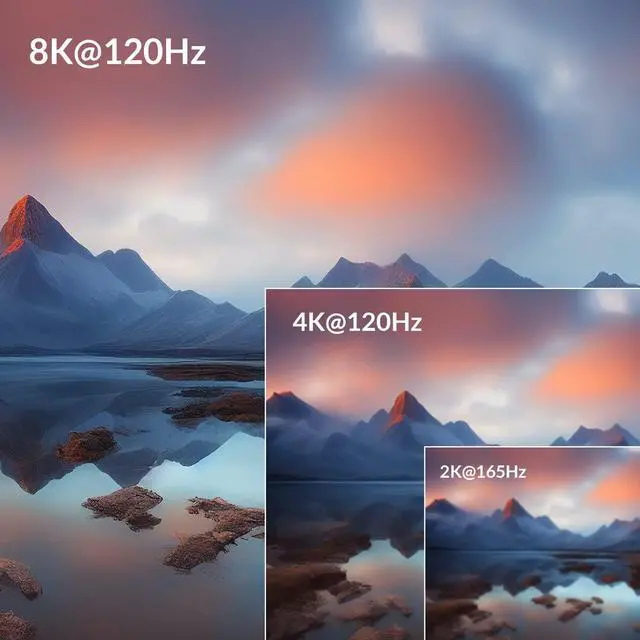
- Immersed in 10K UHD: HDMI switch 2 computers 1 monitor supports video resolution up to 10K@120Hz 4:2:0, offering you an immersive viewing experience. It also supports the full range of uncompressed HDMI 2.1 specification features, like HDR 10, Dolby Vision, VRR, FVA, ALLM, etc. HDMI 2.1 and HDCP 2.3 compliant.
- Ultra-High Refresh Rate: Enjoy wonderful gaming experiences as it supports 10K@120Hz, 8K@120Hz, 5K@120Hz, 4K@120Hz, 2560×1440@165Hz/144Hz/120Hz, and 1080P@240Hz/165Hz/144Hz/120Hz.(High resolution above 4K@60Hz, requires HDMI 2.1 cables)
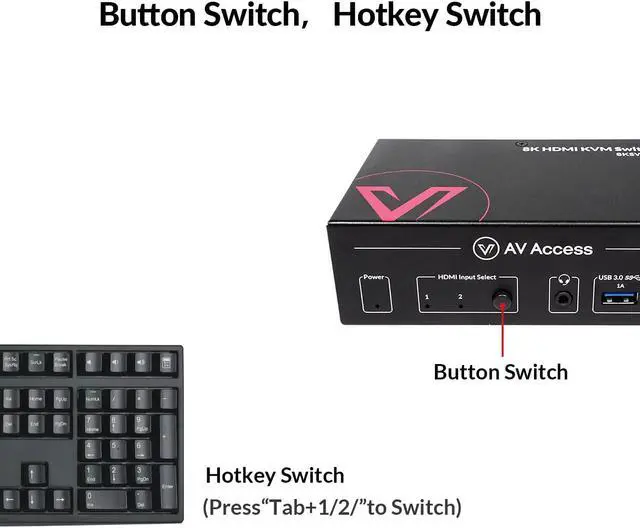
- Flexible and Effortless Switching: 8K HDMI 2.1 KVM supports switching via the front button or keyboard hotkey. Switch faster with the automatic PC wake-up function.
- EDID Emulator: After switching, all desktop icons stay the same, the screens don
+
+
Overview
Reviews

Any questions? Our AI mode will help you find out quickly.
Try me now
1Gaming2Movie3Office Meeting4Home Working What can I do if there is no video output?
Check if you have connected the host PC to the right zone of switcher and it is selected.
Check if you have chosen the right HDMI input channel on your display device.
Try connect source and monitor directly and see if it could output successfully.
HDMI video can work, but USB connection is not working. What can I do?
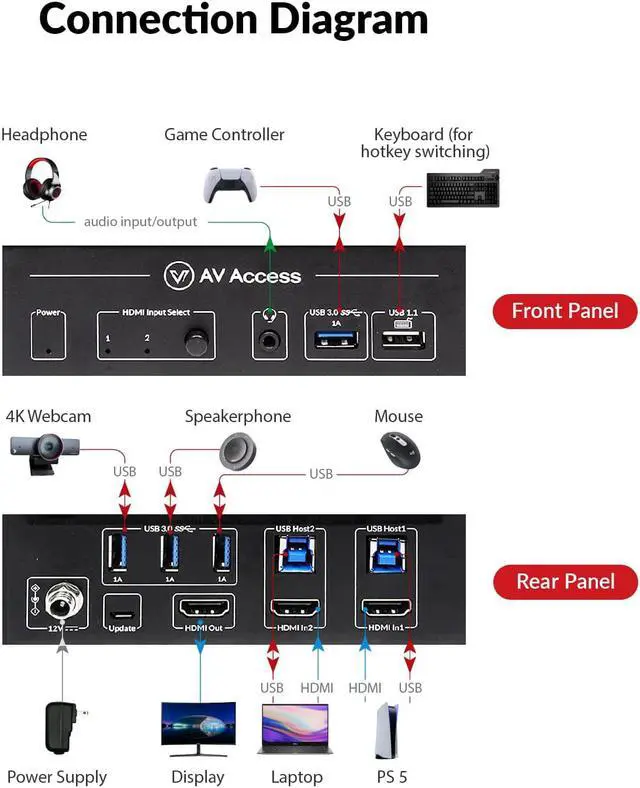
Connect the PC to the HDMI In Port and USB Host Port in the same group.
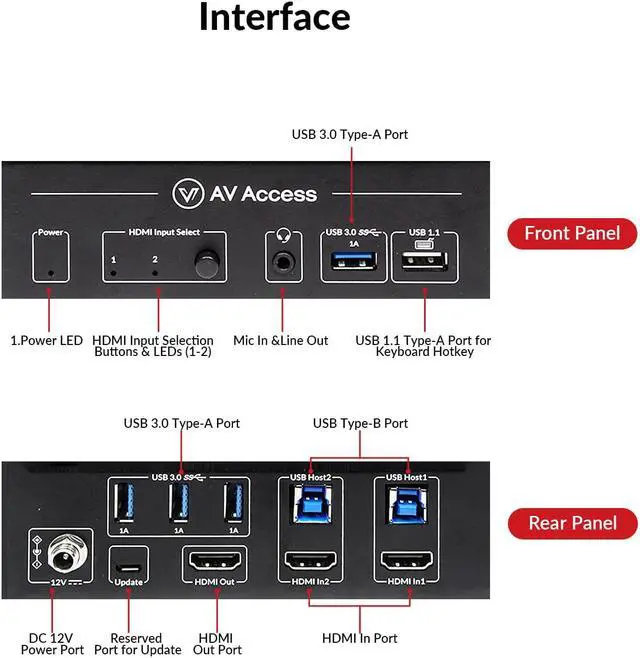
Connect your USB devices to the right two USB 2.0 ports on the front panel of the KVM switch.
Try connecting the USB host cable to another USB port on your PC.
What can I do if the hotkey is not working?
Please ensure your keyboard is connected to the left white USB 1.1 port (with a keyboard icon below).
Quickly press one of the four hotkeys twice (Tab/Caps Lock/Left Ctrl/Right Ctrl) on your keyboard to activate it or switch
to it.
What can I do if the USB connection is intermittent and not stable?
Check your USB cable connection, or try using shorter USB cables with better quality.
Try connecting the USB devices to the PC directly without using the KVM switch. Then check if the USB connection works.
What can I do if there is no audio output from the 3.5mm audio port?
Check your headsets 3.5mm audio jack. It should have 3 pins instead of 4 pins to match the KVM switchs audio port.
Check if you have selected the headset as an audio output device on your PC.
AV Access 8K HDMI KVM Switch 2 Computers 1 Monitor Universal Compatibility High Refresh Rates Immersed in 8K UHD Simple, Fast and Convenient Switching Connect Your Workstation PC and Macbook Supports video resolution up to 8K@120hz 4:2:0, immersive viewing experience. What can I do if there is no video output?
HDMI video can work, but USB connection is not working. What can I do?
What can I do if the hotkey is not working?
What can I do if the USB connection is intermittent and not stable?
What can I do if there is no audio output from the 3.5mm audio port?
Check if you have connected the host PC to the right zone of switcher and it is selected.
Check if you have chosen the right HDMI input channel on your display device.
Try connect source and monitor directly and see if it could output successfully.
HDMI video can work, but USB connection is not working. What can I do?
Connect the PC to the HDMI In Port and USB Host Port in the same group.
Connect your USB devices to the right two USB 2.0 ports on the front panel of the KVM switch.
Try connecting the USB host cable to another USB port on your PC.
What can I do if the hotkey is not working?
Please ensure your keyboard is connected to the left white USB 1.1 port (with a keyboard icon below).
Quickly press one of the four hotkeys twice (Tab/Caps Lock/Left Ctrl/Right Ctrl) on your keyboard to activate it or switch
to it.
What can I do if the USB connection is intermittent and not stable?
Check your USB cable connection, or try using shorter USB cables with better quality.
Try connecting the USB devices to the PC directly without using the KVM switch. Then check if the USB connection works.
What can I do if there is no audio output from the 3.5mm audio port?
Check your headsets 3.5mm audio jack. It should have 3 pins instead of 4 pins to match the KVM switchs audio port.
Check if you have selected the headset as an audio output device on your PC.
AV Access 8K HDMI KVM Switch 2 Computers 1 Monitor Universal Compatibility High Refresh Rates Immersed in 8K UHD Simple, Fast and Convenient Switching Connect Your Workstation PC and Macbook Supports video resolution up to 8K@120hz 4:2:0, immersive viewing experience. What can I do if there is no video output?
HDMI video can work, but USB connection is not working. What can I do?
What can I do if the hotkey is not working?
What can I do if the USB connection is intermittent and not stable?
What can I do if there is no audio output from the 3.5mm audio port?
Warranty & Returns
Warranty, Returns, And Additional Information
Warranty
- Please contact the Seller directly for warranty information. Warranty information may also be found on the Manufacturer's website.
- CONTACT
Return Policies
- Return for refund within: 30 days
- Return for replacement within: 30 days
- This item is covered by Chinathru Trading Co., Limited Return Policy
Manufacturer Contact Info
- For a directory of all our manufacturers, please click below.
- Manufacturers Directory
LOADING...