

Your Browsing History
- Free 30-day Returns
$378.99

Meet Your Seller


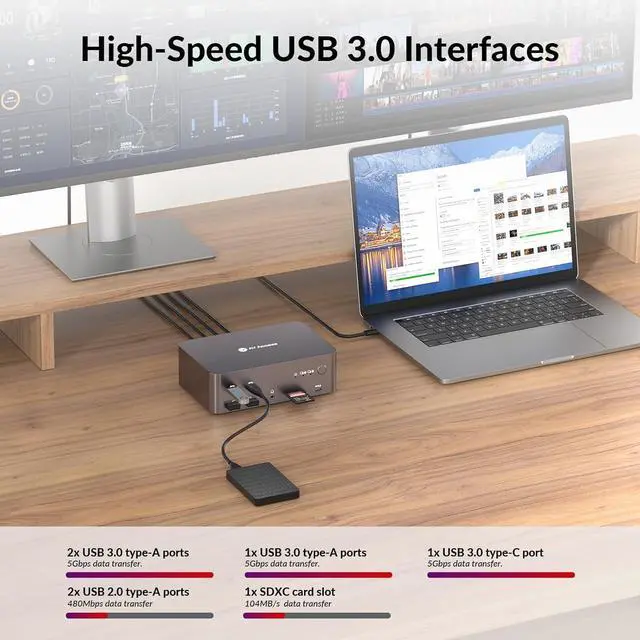


(Desktop only) AV Access KVM Switch 3 Monitors 2 Computers 8K@60Hz, 1G Ethernet for 2 PCs, with Remote Controller, 3xUSB 3.0, Docking Station Triple Monitor, 4K@165/144Hz, 2K@144Hz for Dell HP
- NoteThis model only support desktops with 2 DisplayPort and 1 HDMI output, do not support laptop. We don't recommend using DisplayPort to HDMI or any adapters to connect the display/laptop.
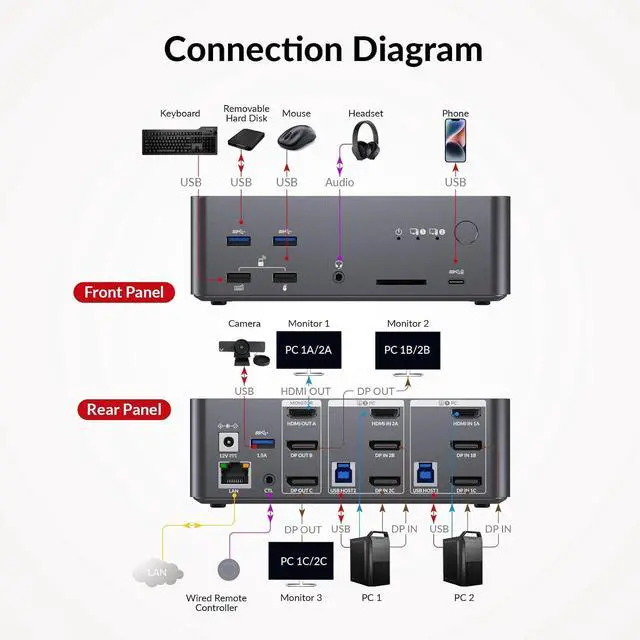
- Designed for Multi-Display WorkstationsBuilt for creators, engineers, IT users, traders, and multi-monitor power users. Switch two computers(2 DP + 1 HDMI) into three monitors with fully independent resolutions ideal for editing timelines, CAD layouts, dashboards, or mixed-resolution productivity setups. (For desktops with 3 DP outputs, please check iDock D23: B0CRDQW4GT)
- 8K Performance for Next-Gen PCs & GPUsFully compatible with HDMI 2.1, DP 2.0 (UHBR 13.5), and DP 1.4 HBR3. Enjoy breathtaking clarity with 8K@60Hz, 5K@120Hz, 4K165Hz/120Hz, and 1080p@240Hz. Supports HDR, VRR, and advanced color formats for smooth, accurate visuals.
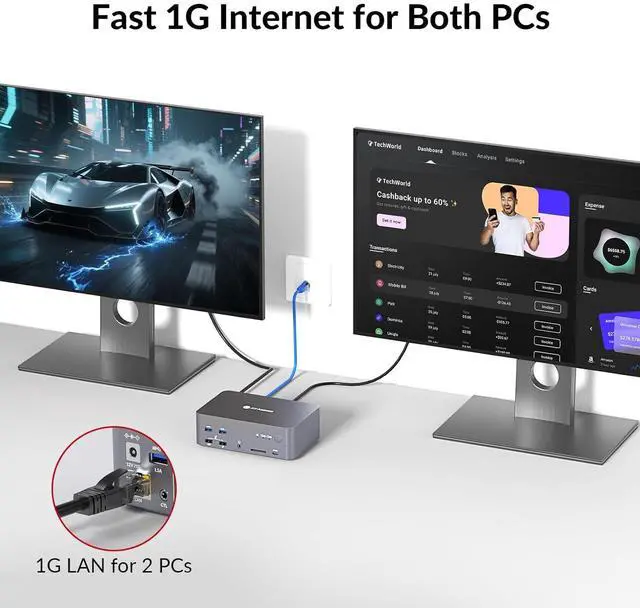
- Always-On Gigabit EthernetBoth PCs remain online simultaneously. Even while switching control, the inactive computer continues downloading, syncing, or upd
+
+
Overview
Reviews

Any questions? Our AI mode will help you find out quickly.
Try me now
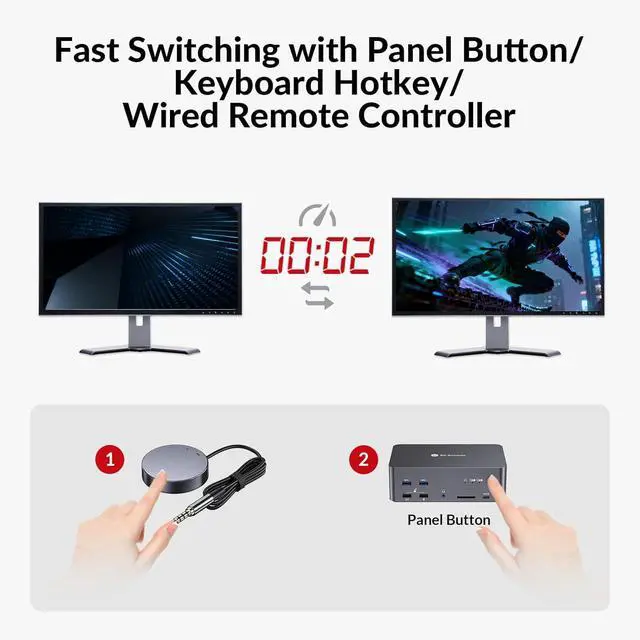
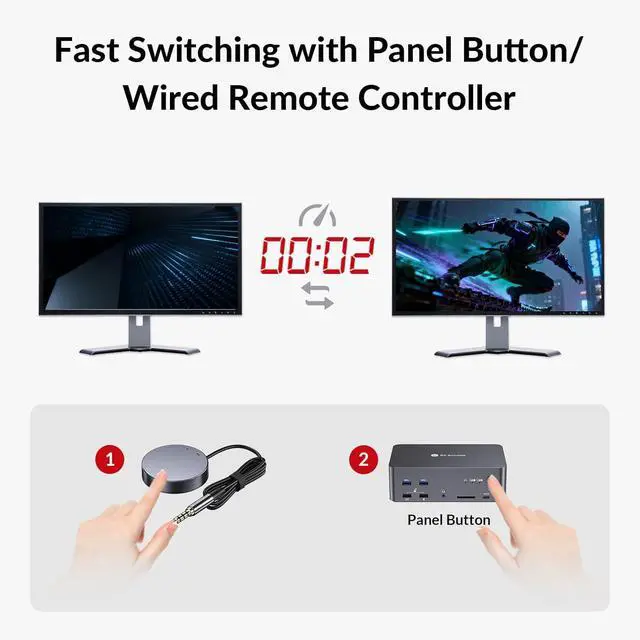
1Wired Remote Control2Switch Button 1. What to do if the video on screen is flickering or unstable?
For stable video input/output, it is required to use the included 6x DP 1.4a cables. If you encounter screen flickering while outputting certain video resolutions, like 8K@60Hz and 4K@165/144Hz, it is recommended to replace the cables with certified DP 2.0-compliant ones.
2. What to do if wireless mouse and keyboard are not responsive?
USB-IF has confirmed that USB 3.0 will interfere with the 2.4G dongle receivers used by wireless mouse and keyboards. You can check whether a USB 3.0 device is connected next to the wireless dongle accessory. Please connect the USB 3.0 to an interface far away from the wireless dongle, for example, connect wireless dongle and USB 3.0 devices to both sides of the device.
3. Can it support MacBook or laptop?
Since the device is equipped with 2x DP IN ports while most of the MacBook or laptops do not support DP, extra docking station or conversion adapter is necessary for connection between them. Thus, compatibility cannot be guaranteed in this state of use.
4. Either of my desktops has Internet access after connecting ethernet cable to LAN port of the device. What should I do?
Please ensure that the included USB-A to USB-B cable is securely connected to both your desktop and the device. For stable transmission, we recommend using the USB ports on the back of your computer.
5. Does iDock D23i support G-sync, freesync or VRR? Is there any compression on the video output?
The iDock D23i supports G-Sync, FreeSync and VRR for smooth gaming and graphics performance. It provides uncompressed video output, ensuring maximum image quality.
AUTO WAKE UP Immersive 8K Visuals Trouble Shooting:
For stable video input/output, it is required to use the included 6x DP 1.4a cables. If you encounter screen flickering while outputting certain video resolutions, like 8K@60Hz and 4K@165/144Hz, it is recommended to replace the cables with certified DP 2.0-compliant ones.
2. What to do if wireless mouse and keyboard are not responsive?
USB-IF has confirmed that USB 3.0 will interfere with the 2.4G dongle receivers used by wireless mouse and keyboards. You can check whether a USB 3.0 device is connected next to the wireless dongle accessory. Please connect the USB 3.0 to an interface far away from the wireless dongle, for example, connect wireless dongle and USB 3.0 devices to both sides of the device.
3. Can it support MacBook or laptop?
Since the device is equipped with 2x DP IN ports while most of the MacBook or laptops do not support DP, extra docking station or conversion adapter is necessary for connection between them. Thus, compatibility cannot be guaranteed in this state of use.
4. Either of my desktops has Internet access after connecting ethernet cable to LAN port of the device. What should I do?
Please ensure that the included USB-A to USB-B cable is securely connected to both your desktop and the device. For stable transmission, we recommend using the USB ports on the back of your computer.
5. Does iDock D23i support G-sync, freesync or VRR? Is there any compression on the video output?
The iDock D23i supports G-Sync, FreeSync and VRR for smooth gaming and graphics performance. It provides uncompressed video output, ensuring maximum image quality.
AUTO WAKE UP Immersive 8K Visuals Trouble Shooting:
Warranty & Returns
Warranty, Returns, And Additional Information
Warranty
- Please contact the Seller directly for warranty information. Warranty information may also be found on the Manufacturer's website.
- CONTACT
Return Policies
- Return for refund within: 30 days
- Return for replacement within: 30 days
- This item is covered by Chinathru Trading Co., Limited Return Policy
Manufacturer Contact Info
- For a directory of all our manufacturers, please click below.
- Manufacturers Directory
LOADING...