

Your Browsing History
- Free 30-day Returns
$428.99

Meet Your Seller


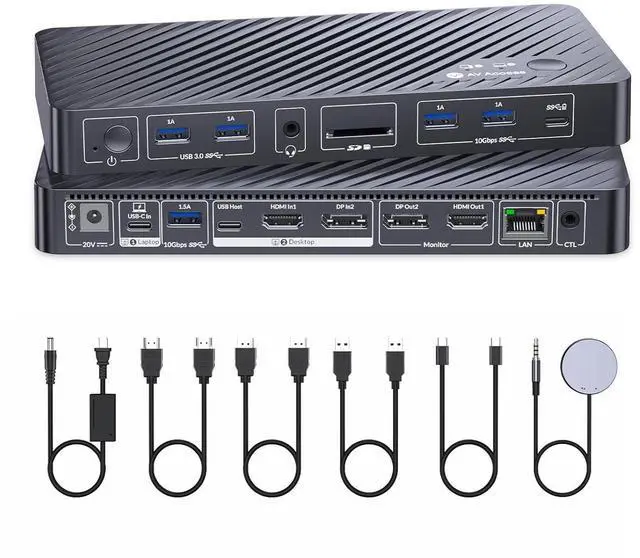


AV Access 8K KVM Switch 2 Monitors 2 Computers for Laptop & Desktop, 100W USB-C Charge for Laptop, Ethernet, Docking Station Dual Monitor 8K@60Hz/4K@165Hz, 4xUSB 3.2, Audio, SD, Wired Remote Control
- Important Notes: 1. macOS does not support extended dual screens (mirror only). 2. Model: iDock M10 supports dual-screen extended mode for MacBook.
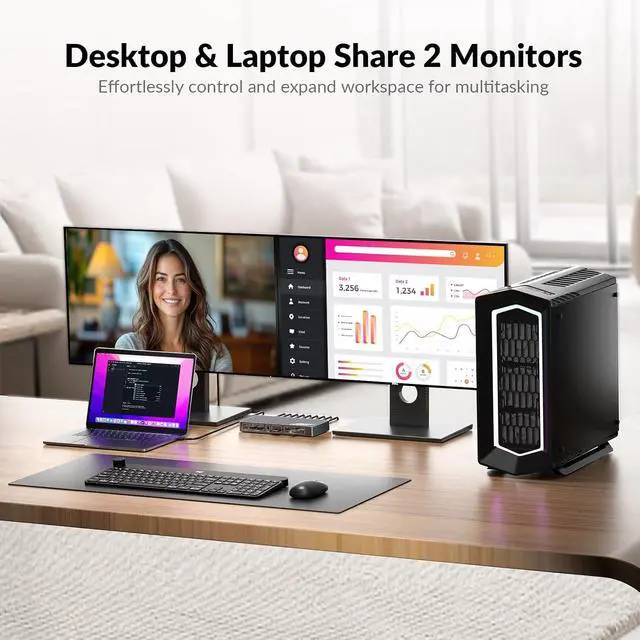
- Dual Screens, Double ProductivityConnect one laptop and one desktop to two monitors. Switch between devices easily with the top button or included wired remote controller. Designed for multitasking in home office, creative work, or gaming.
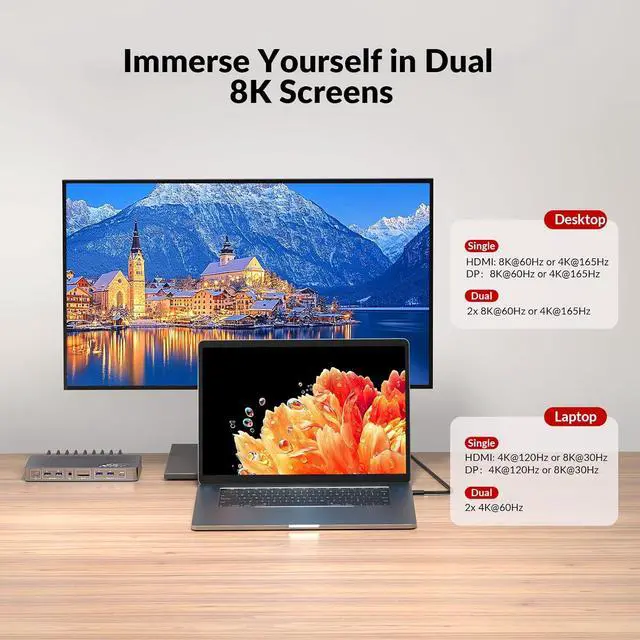
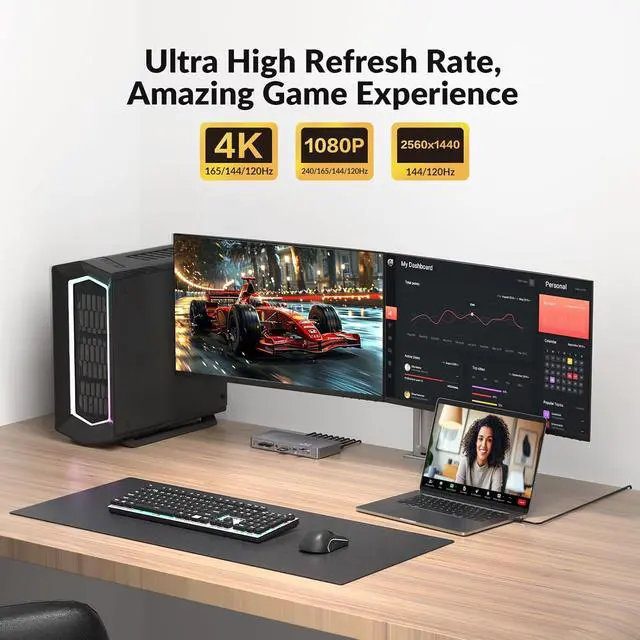
- Ultra 8K HD & High Refresh Rate Support Supports up to dual 8K@60Hz or 4K@165Hz on desktops, and up to dual 4K@60Hz or single 4K@120Hz on laptops via USB-C. Also supports 1440p@144Hz and 1080p@240Hz. Enjoy crisp detail and ultra-smooth performance for work, design, and gaming.
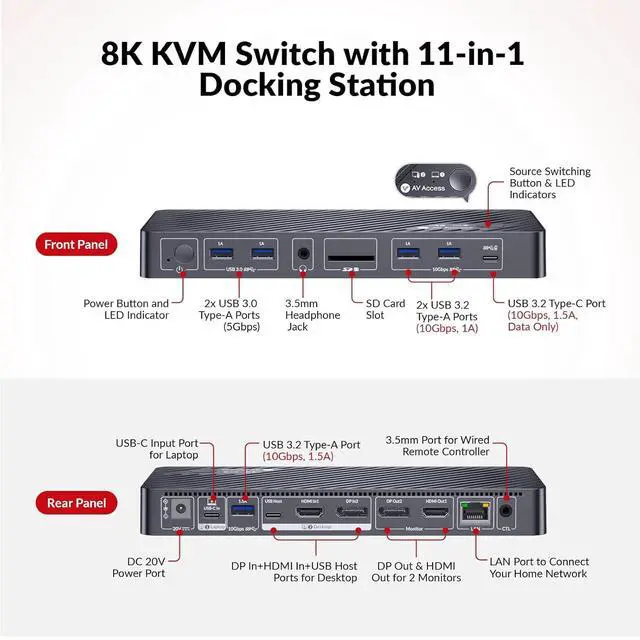
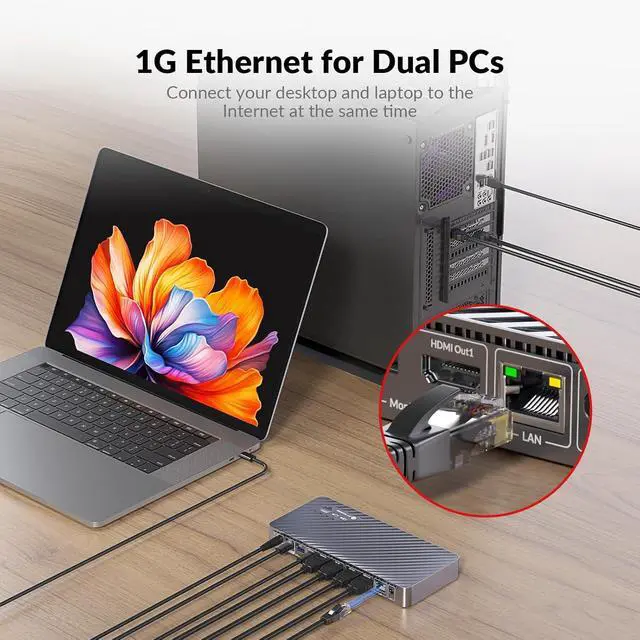
- 11-in-1 Versatile Docking SolutionExpand your workspace with 1 x HDMI, 1 x DP, 3 x USB 3.2, 2 x USB 3.0, 1 x USB-C, SDXC card slot, 3.5mm audio out, and 1G Ethernet. Ideal for modern home offices, streamers, and pro-level content creators.
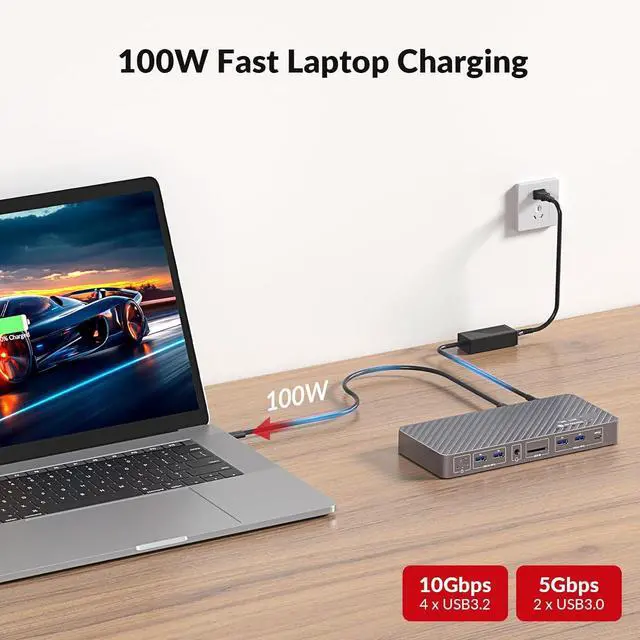
- Full Speed 100W USB-C ChargingCharge your laptop while using dual monitors, d
+
+
Overview
Reviews

Any questions? Our AI mode will help you find out quickly.
Try me now
1Better Productivity2Smooth Gaming Experience 3One Tap to Wake Your PC4Compact Design5Widely Used Connect your desktop PC to enjoy dual 8K@60Hz or high refresh rate 4K @165Hz output, ideal for gaming and graphics-heavy workloads. Laptops also deliver impressive clarity, with support for 4K@120Hz or 8K@30Hz on a single screen, and 4K@60Hz when using dual displays. Every detail stays sharp and crystal clear.
This docking station withKVM switch features 4 high-speed 10Gbps USB ports --- perfect for transferring large files, backing up data, or connecting fast peripherals. Keep your workflow smooth and uninterrupted with every switch.
Q: Why my PC cannot detect monitor while my laptop can when using only 1 monitor for video output?
A: When you select Desktop 2 as input source, HDMI Out 1 and DP Out 2 output the signals from HDMI In and DP In respectively.
Q: Can iDock B10 display dual monitors for both a laptop and a desktop?
A: The iDock B10 supports dual monitor output for one source at a time. You can connect both a laptop and a desktop to the device, but only one system will be active at any given moment. With a simple switch, you can
toggle between the two sources, each supporting up to dual 8K@60Hz or 4K@165Hz display output.
Q: How does the 100W charging feature work on the iDock B10?
A: The iDock B10 provides up to 100W charging for your laptop through a USB-C port. This feature ensures your device stays powered while in use, even during intensive tasks, and is compatible with most USB-C
laptops, ensuring fast and efficient charging.
Q: Why is there no video output when my laptop is connected via USB-C?
A: Please check whether the USB-C port on your laptop supports video output. If the port only supports charging and data transfer but not video transmission, it will not be able to output any display signal.
8K Support for Smooth Game and Work Fast File Transfers with 10Gbps USB FAQ
This docking station withKVM switch features 4 high-speed 10Gbps USB ports --- perfect for transferring large files, backing up data, or connecting fast peripherals. Keep your workflow smooth and uninterrupted with every switch.
Q: Why my PC cannot detect monitor while my laptop can when using only 1 monitor for video output?
A: When you select Desktop 2 as input source, HDMI Out 1 and DP Out 2 output the signals from HDMI In and DP In respectively.
Q: Can iDock B10 display dual monitors for both a laptop and a desktop?
A: The iDock B10 supports dual monitor output for one source at a time. You can connect both a laptop and a desktop to the device, but only one system will be active at any given moment. With a simple switch, you can
toggle between the two sources, each supporting up to dual 8K@60Hz or 4K@165Hz display output.
Q: How does the 100W charging feature work on the iDock B10?
A: The iDock B10 provides up to 100W charging for your laptop through a USB-C port. This feature ensures your device stays powered while in use, even during intensive tasks, and is compatible with most USB-C
laptops, ensuring fast and efficient charging.
Q: Why is there no video output when my laptop is connected via USB-C?
A: Please check whether the USB-C port on your laptop supports video output. If the port only supports charging and data transfer but not video transmission, it will not be able to output any display signal.
8K Support for Smooth Game and Work Fast File Transfers with 10Gbps USB FAQ
Warranty & Returns
Warranty, Returns, And Additional Information
Warranty
- Please contact the Seller directly for warranty information. Warranty information may also be found on the Manufacturer's website.
- CONTACT
Return Policies
- Return for refund within: 30 days
- Return for replacement within: 30 days
- This item is covered by Chinathru Trading Co., Limited Return Policy
Manufacturer Contact Info
- For a directory of all our manufacturers, please click below.
- Manufacturers Directory
LOADING...