




 here!
here!
I’m your shopping assistant for PC builds, upgrades, and everything tech.
Got questions? Ask away!
Start a conversation
here!
I’m your shopping assistant for PC builds, upgrades, and everything tech.
Got questions? Ask away!
Start a conversation
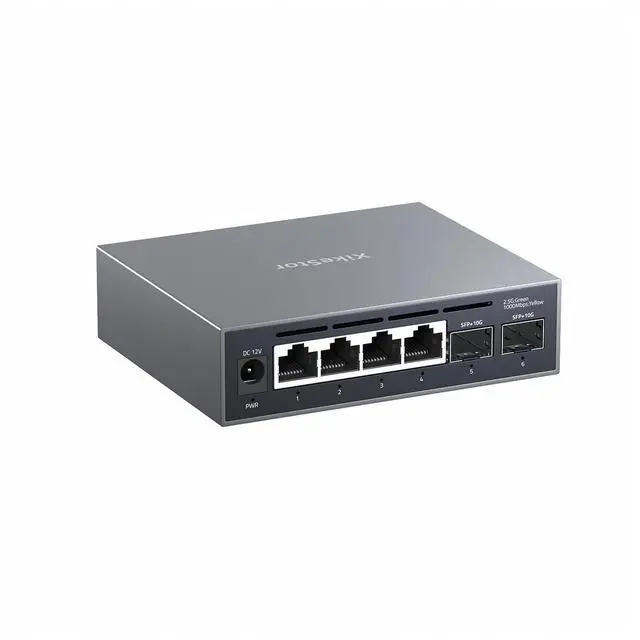
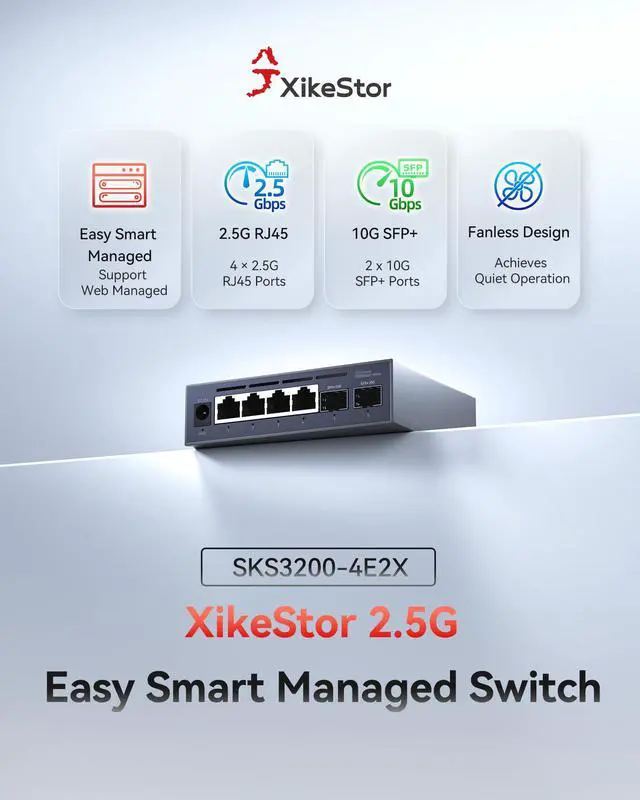
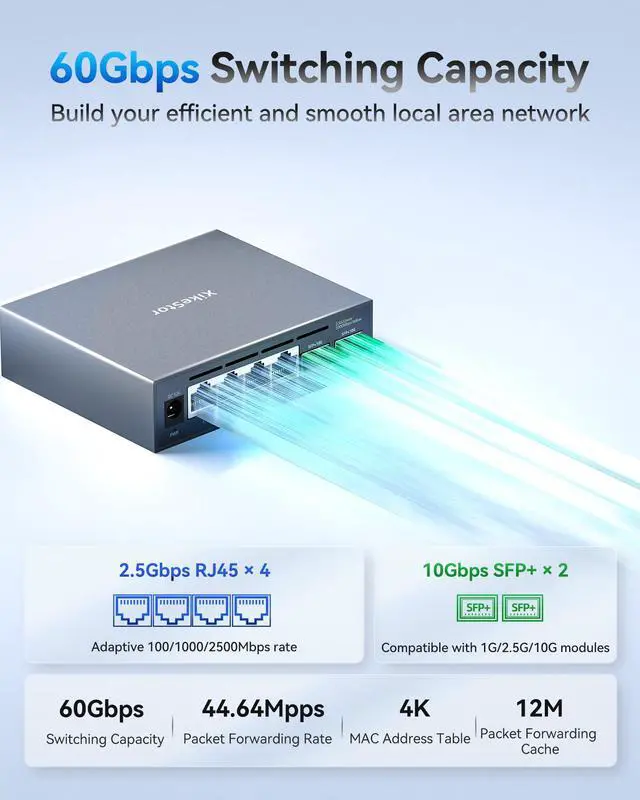
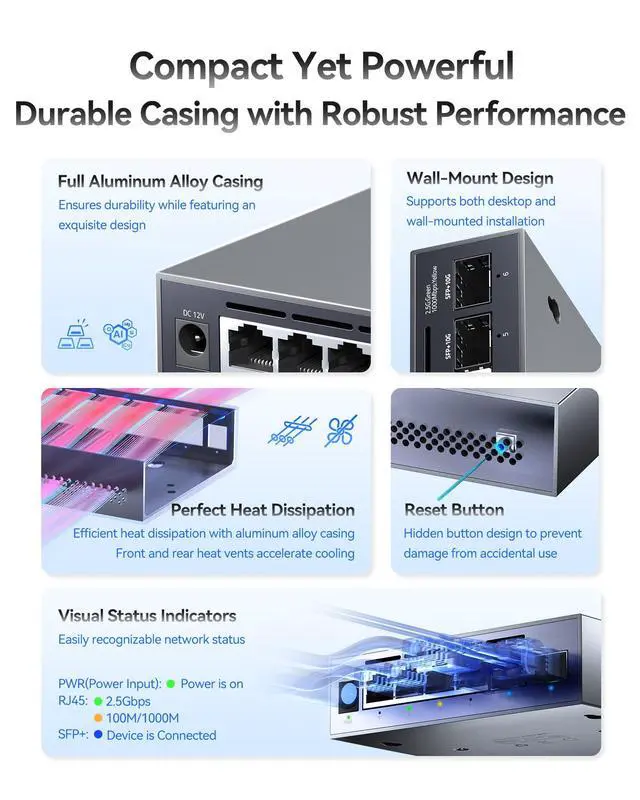



Any questions? Ask CelesteSM will help you find out quickly.


How do I access the management interface?
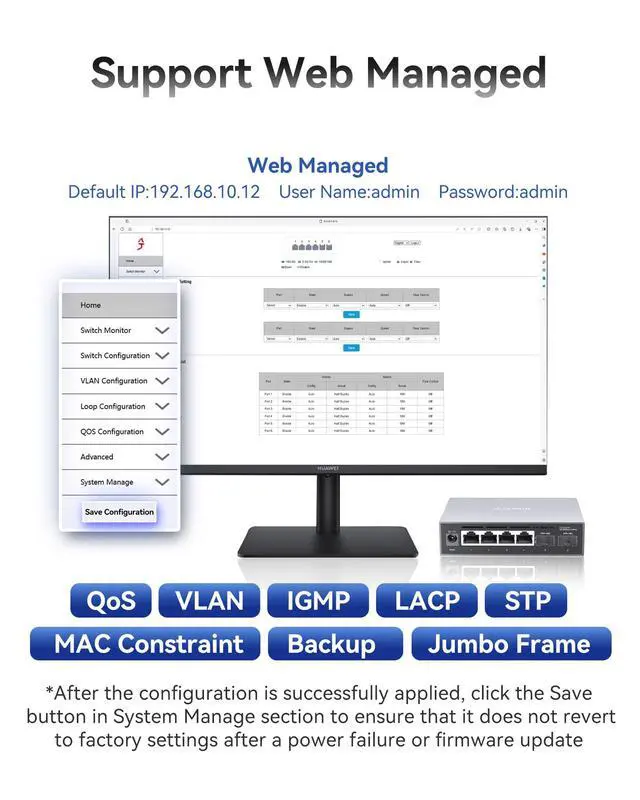
Set your network IP to 192.168.10.X (X=2-254, excluding 12) and subnet mask to 255.255.255.0. Enter 192.168.10.12 in your browser. Log in with the default credentials ("admin") to access the management interface.
Why does my configuration reset after each power outage, and how can I prevent this?
To retain your settings after a power outage, go to the System Manage section and save your current configuration. Once saved, the settings will be retained even after the device is powered off and on again.
How do I update the firmware to the latest version?
Download the latest firmware for your product model from our official website's Download Center. Upload it via the management interface. Ensure the firmware matches your model to avoid any issues.
How can I recover my configuration after a firmware update?
Save your configuration in the System Manage section before updating. You can also back up your settings and restore them by uploading the saved configuration file after the update.
 SKS3200-4E2X |  SKS3200-5E1X |  SKS3200-8E1X |  SKS1200-4GPY2XF-P |  SKS3200M-8GPY1XF |  SKS7300-8GPY4XGS |  SKS8300-8X | |
|---|---|---|---|---|---|---|---|
Customer Reviews | — | — | — | — | — | — | — |
Price | — | — | — | — | — | — | — |
Switch Type | Web Managed | Web Managed | Web Managed | Unmanaged PoE+ | Web Managed | L2 Managed | L3 Managed |
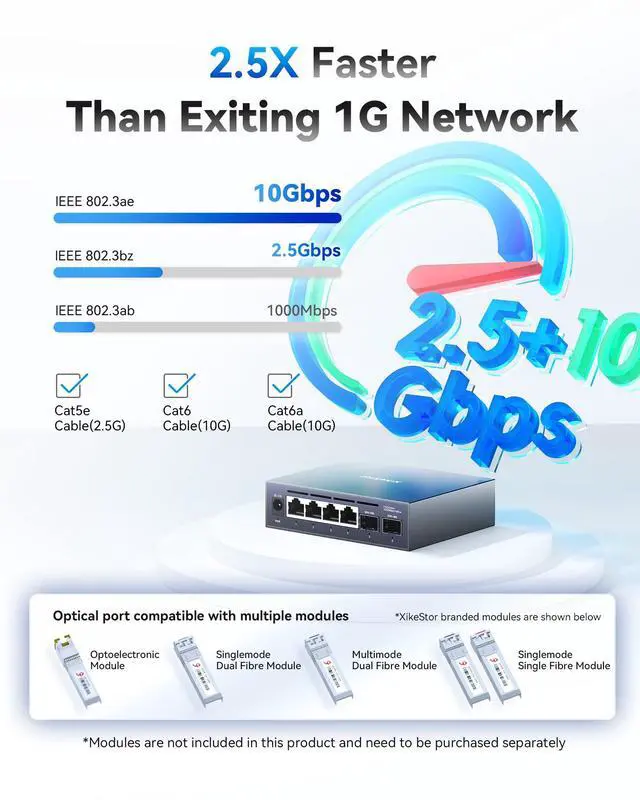
Port Speed | 4*2.5G RJ45 & 2*10G SFP+ | 5*2.5G RJ45 & 1*10G SFP+ | 8*2.5G RJ45 & 1*10G SFP+ | 4*2.5G RJ45 PoE+ & 2*10G SFP+ | 8*2.5G RJ45 & 1*10G SFP+ | 8*2.5G RJ45 & 4*10G SFP+ | 8*10G SFP+ |
VLAN | ? | ? | ? | ? | ? | ? | ? |
PoE Power Budget | ? | ? | ? | 75W | ? | ? | ? |
Switching Capacity | 60Gpbs | 45Gbps | 60Gpbs | 60Gpbs | 60Gpbs | 120Gbps | 160Gbps |
Link Aggregation | ? | ? | ? | ? | ? | ? | ? |


How do I access the management interface?
Set your network IP to 192.168.10.X (X=2-254, excluding 12) and subnet mask to 255.255.255.0. Enter 192.168.10.12 in your browser. Log in with the default credentials ("admin") to access the management interface.
Why does my configuration reset after each power outage, and how can I prevent this?
To retain your settings after a power outage, go to the System Manage section and save your current configuration. Once saved, the settings will be retained even after the device is powered off and on again.
How do I update the firmware to the latest version?
Download the latest firmware for your product model from our official website's Download Center. Upload it via the management interface. Ensure the firmware matches your model to avoid any issues.
How can I recover my configuration after a firmware update?
Save your configuration in the System Manage section before updating. You can also back up your settings and restore them by uploading the saved configuration file after the update.
SKS3200-4E2X | SKS3200-5E1X | SKS3200-8E1X | SKS1200-4GPY2XF-P | SKS3200M-8GPY1XF | SKS7300-8GPY4XGS | SKS8300-8X |
|---|---|---|---|---|---|---|
| Customer Reviews | ||||||
| — | — | — | — | — | — | — |
| Price | ||||||
| — | — | — | — | — | — | — |
| Switch Type | ||||||
| Web Managed | Web Managed | Web Managed | Unmanaged PoE+ | Web Managed | L2 Managed | L3 Managed |
| Port Speed | ||||||
| 4*2.5G RJ45 & 2*10G SFP+ | 5*2.5G RJ45 & 1*10G SFP+ | 8*2.5G RJ45 & 1*10G SFP+ | 4*2.5G RJ45 PoE+ & 2*10G SFP+ | 8*2.5G RJ45 & 1*10G SFP+ | 8*2.5G RJ45 & 4*10G SFP+ | 8*10G SFP+ |
| VLAN | ||||||
| ? | ? | ? | ? | ? | ? | ? |
| PoE Power Budget | ||||||
| ? | ? | ? | 75W | ? | ? | ? |
| Switching Capacity | ||||||
| 60Gpbs | 45Gbps | 60Gpbs | 60Gpbs | 60Gpbs | 120Gbps | 160Gbps |
| Link Aggregation | ||||||
| ? | ? | ? | ? | ? | ? | ? |


