

Your Browsing History
- Free 30-day Returns
$320.99

Meet Your Seller


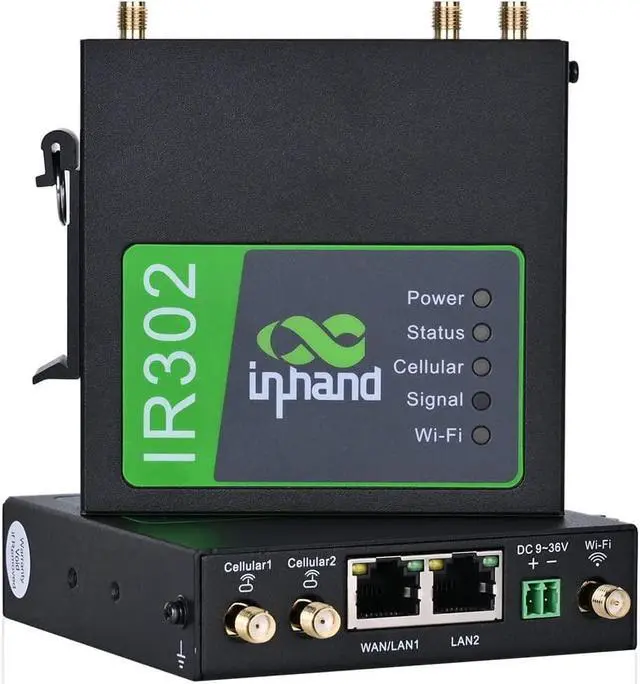


InHand Networks IR302 Industrial IoT 4G LTE VPN Cellular Router, LTE Cat 4+ Wi-Fi, Dual sim Card Slots, Management by Cloud Platform, DI/DO Port, Support T-Mobile, AT&T & Verizon, UL Certification
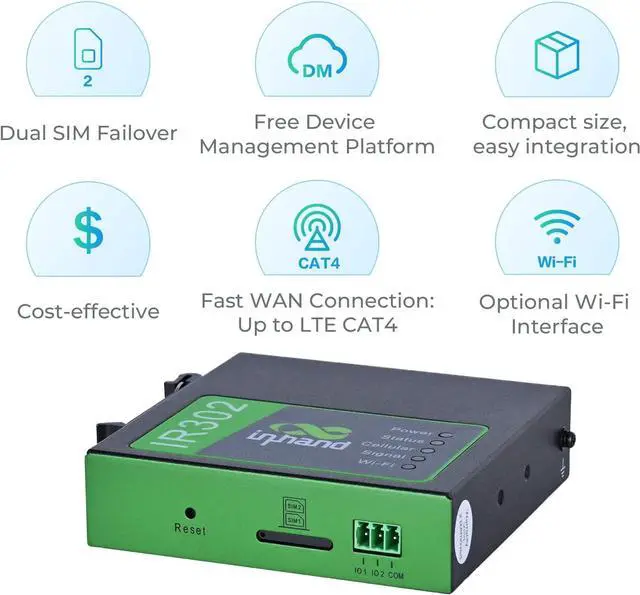
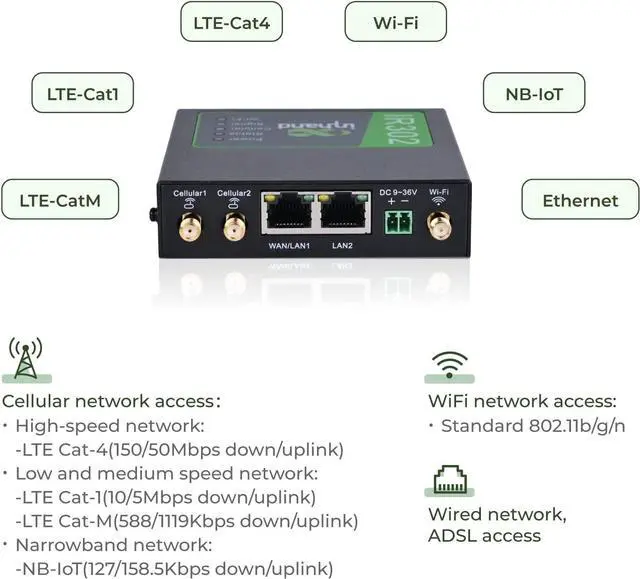
- 4G LTE Router: working band: LTE CAT4, FDD: B2/ B4/ B5/ B12/ B13/ B14/ B66/ B71, WCDMA: B2/ B4/ B5; Dual sim card slot, use this cellular router with any mobile carriers that using the same frequency bands; Equipped with complete functions, it is applied in various industries and applications, suitable for family, business, outdoor, industry.
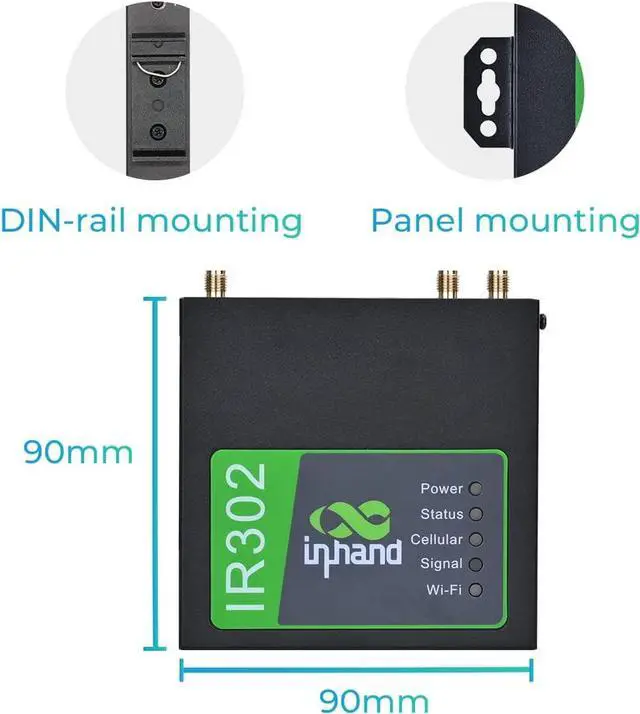
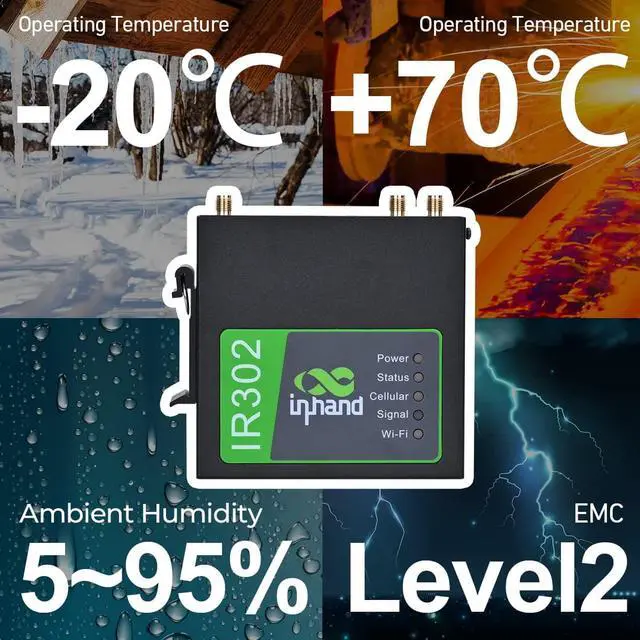
- Industrial Design & Wide Coverage: Industrial rugged metal casing, compact size for mass deployment; Transmission Distance can reach to 80 meters; Featuring both panel and DIN-rail installation.Working Temperature -4 to 158 (-20 to 70), Working Voltage DC 9V to 36V, works well even in harsh environments
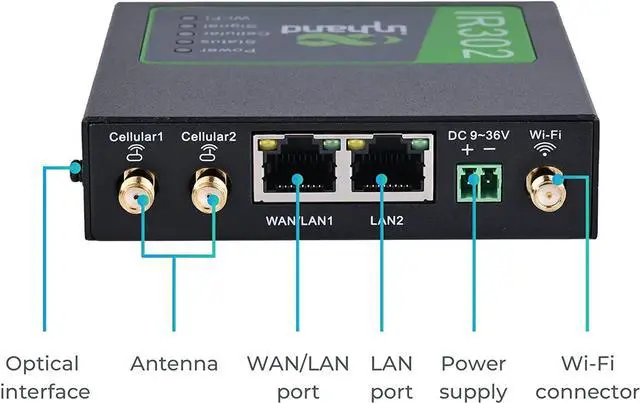
- Multiple Means for Internet Access: Available with wired network access, high speed LTE CAT4 and Wi-Fi connection. One LAN port, one WAN/LAN switchable port and Wi-Fi access. Support multiple WAN access methods, including PPPPPPoEDHCP ; Supports WIFI, Compatible with 802.11b/g/n, AP, Client and WDS modes The IR300 is a compact M2M LTE
+
+
Overview
Specs
Reviews

Any questions? Our AI mode will help you find out quickly.
Try me now
Notice: If you are not sure which model you want to order, if you were encounterd trouble using the device, please tell us. We will try our best to solve the problem for you
1. Insert the SIM card into the slot 1 and attach 4G antennas to the Main and AUX connectors; then power cycle the device. To replace or insert SIM Card, the device must be powered off to avoid data loss or equipment damage.
2. Connect the LAN2 port with your PC.
3. Fill in the IP of the router on the browser (you could find the IP on the label of router).
IP: 192.168.2.1
User name/password:can be found on the device label
Now the router switches to the random password version
4. Go to 'network >>Cellular', select 'profile 1' under the network provider, fill in the SIM card information in the Profiles table down below: APN, User Name, Password, (User Name and Password are not mandatory), hit 'ok' and 'Apply'.
Notice: Please make sure the APN is correct. If you are not sure, please confirmwith ISP or search it on Google.
Below are the example of APN information
AT &T's APN: broadband
Verizons APN: vzwinternet
Some sim cards can get a static IP and require some specific APNs, please confirm with your Carrier.
5. Check the network status, 'Status >> Network connection'
IR302 is compatible with InConnect Service, a cloud-based platform engineers can utilize to access the downstream devices through its secure tunnels.
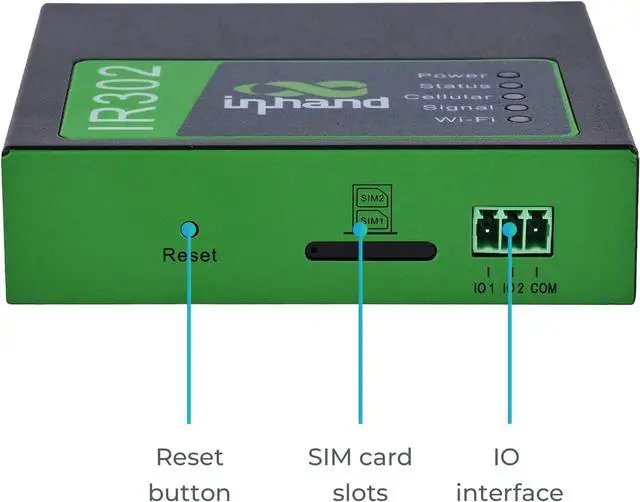
CPU Platform580MHzRAM128MB DDR2Flash32MB SPIEthernet Ports2*10/100Mbps fast Ethernet port, LAN/WAN port 1.5KV network isolation transformer protectionPower SupplyDC9-36V, over-current protection, anti-reverse connection, 2 PIN industrial terminal blockSIM CardDual drawer-type SIM card slots. 2FF SIMWi-Fi IEEE 802.11b/g/n, 150MbpsAntenna Connector3G/4G: SMA x 1; Wi-Fi: RP-SMA x 1 Note: North America models (FQ38, FQ33): 2 x SMA 4G antenna connectors.Reset ButtonPinhole reset buttonInstallation MethodPanel mounting, DIN-rail mountingStorage Temperature-40 ~ 85 Operating Temperature-20 ~ 70 Humidity5 ~ 95% (non-condensing)Network AccessAPN, VPDN, Private NetworkAccess AuthenticationCHAP/PAPWAN ProtocolPPP, PPPoE, DHCPNetwork TypeGSM/GPRS/EDGE, UMTS/HSPA+/EVDO/TD-SCDMA, TDD LTE/FDD LTE (Please refer to the Ordering Guide for frequencies.)IP ApplicationPing, RouteTrace, DHCP Server, DHCP Relay, DHCP Client, DNS relay, DDNS, TelnetIP RoutingStatic routingNATSupports network address translation Network SecurityStateful Packet Inspection (SPI), DoS attack defense; Multicast filter/Ping probe packet, Access Control List (ACL); Content URL filter, port mapping, virtual IP mapping, IP-MAC bindingWLAN ProtocolIEEE 802.11b/g/nTransmission Distance80 meters by line of sight (Actual transmission distance depends on environment of the site.QoS ManagementBandwidth limit, IP speed limitConfigurationTelnet, web, ssh and consoleUpgradeWeb, Device ManagerLogLocal system log, remote log, and serial export of log. Power down saving of important logs. How to use the router with SIM card ? Reliable Network Connection & InConnect Service InConnect Service-Access to Downstream Devices InRouter300 Hardware Specifications InRouter300 Software Specifications
1. Insert the SIM card into the slot 1 and attach 4G antennas to the Main and AUX connectors; then power cycle the device. To replace or insert SIM Card, the device must be powered off to avoid data loss or equipment damage.
2. Connect the LAN2 port with your PC.
3. Fill in the IP of the router on the browser (you could find the IP on the label of router).
IP: 192.168.2.1
User name/password:can be found on the device label
Now the router switches to the random password version
4. Go to 'network >>Cellular', select 'profile 1' under the network provider, fill in the SIM card information in the Profiles table down below: APN, User Name, Password, (User Name and Password are not mandatory), hit 'ok' and 'Apply'.
Notice: Please make sure the APN is correct. If you are not sure, please confirmwith ISP or search it on Google.
Below are the example of APN information
AT &T's APN: broadband
Verizons APN: vzwinternet
Some sim cards can get a static IP and require some specific APNs, please confirm with your Carrier.
5. Check the network status, 'Status >> Network connection'
IR302 is compatible with InConnect Service, a cloud-based platform engineers can utilize to access the downstream devices through its secure tunnels.
CPU Platform580MHzRAM128MB DDR2Flash32MB SPIEthernet Ports2*10/100Mbps fast Ethernet port, LAN/WAN port 1.5KV network isolation transformer protectionPower SupplyDC9-36V, over-current protection, anti-reverse connection, 2 PIN industrial terminal blockSIM CardDual drawer-type SIM card slots. 2FF SIMWi-Fi IEEE 802.11b/g/n, 150MbpsAntenna Connector3G/4G: SMA x 1; Wi-Fi: RP-SMA x 1 Note: North America models (FQ38, FQ33): 2 x SMA 4G antenna connectors.Reset ButtonPinhole reset buttonInstallation MethodPanel mounting, DIN-rail mountingStorage Temperature-40 ~ 85 Operating Temperature-20 ~ 70 Humidity5 ~ 95% (non-condensing)Network AccessAPN, VPDN, Private NetworkAccess AuthenticationCHAP/PAPWAN ProtocolPPP, PPPoE, DHCPNetwork TypeGSM/GPRS/EDGE, UMTS/HSPA+/EVDO/TD-SCDMA, TDD LTE/FDD LTE (Please refer to the Ordering Guide for frequencies.)IP ApplicationPing, RouteTrace, DHCP Server, DHCP Relay, DHCP Client, DNS relay, DDNS, TelnetIP RoutingStatic routingNATSupports network address translation Network SecurityStateful Packet Inspection (SPI), DoS attack defense; Multicast filter/Ping probe packet, Access Control List (ACL); Content URL filter, port mapping, virtual IP mapping, IP-MAC bindingWLAN ProtocolIEEE 802.11b/g/nTransmission Distance80 meters by line of sight (Actual transmission distance depends on environment of the site.QoS ManagementBandwidth limit, IP speed limitConfigurationTelnet, web, ssh and consoleUpgradeWeb, Device ManagerLogLocal system log, remote log, and serial export of log. Power down saving of important logs. How to use the router with SIM card ? Reliable Network Connection & InConnect Service InConnect Service-Access to Downstream Devices InRouter300 Hardware Specifications InRouter300 Software Specifications
Warranty & Returns
Warranty, Returns, And Additional Information
Warranty
- Please contact the Seller directly for warranty information. Warranty information may also be found on the Manufacturer's website.
- CONTACT
Return Policies
- Return for refund within: 30 days
- Return for replacement within: 30 days
- This item is covered by E-Transit Limited Return Policy
Manufacturer Contact Info
- For a directory of all our manufacturers, please click below.
- Manufacturers Directory
LOADING...