Get a $25 Newegg Promo Gift Card when you spend $250+ between 1/17/26 and 1/19/26. Learn More>
  • $99.99
  • Free 30-day Returns
  • Price alert
    Shop it at NeweggBusiness.

    Meet Your Seller

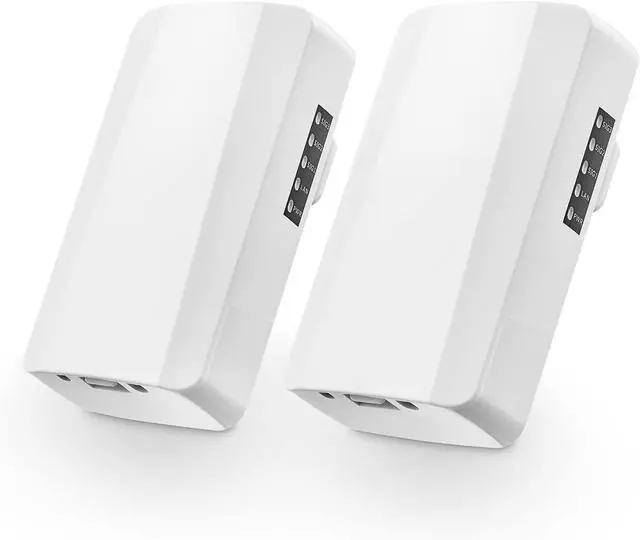
    Outdoor Wireless Bridge, Point to Point WiFi Bridge, 2.4GHz 500M-1KM Distance, 2X 100Mbps Ethernet Port, 24V PoE Adapter, 2 Pack

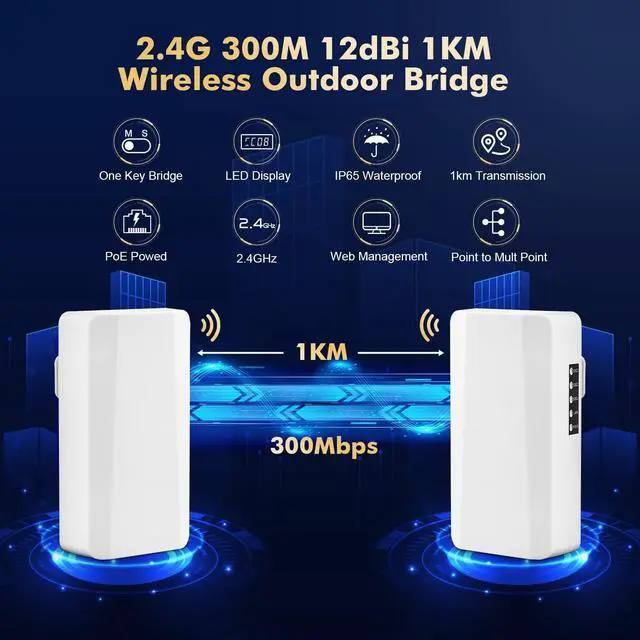
    • 2.4GHz WirelessInclude 2 bridges, which can be set as master and slave through the DIP switch. The communication frequency band between is 2.4GHz, the transmission distance is 500-1000 meters. The maximum rate is 100Mbps.
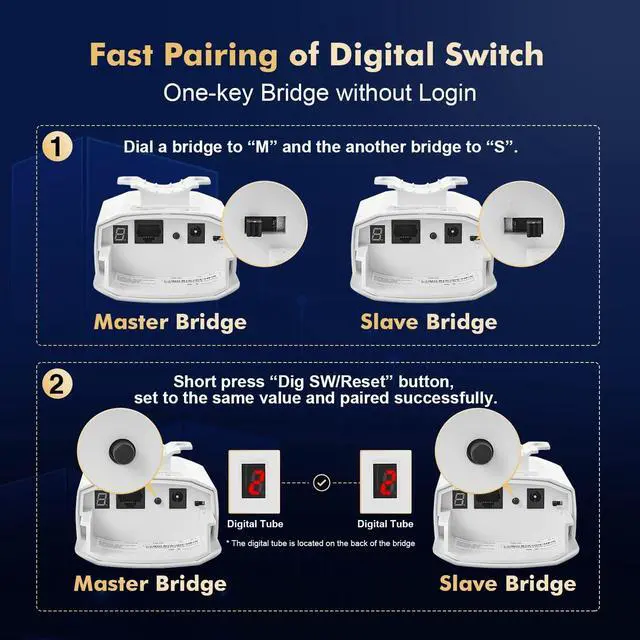
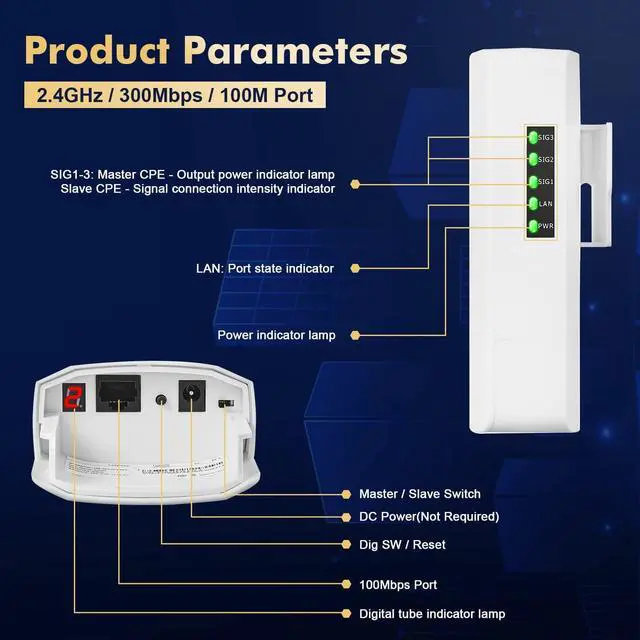
    • 2 Step PairingSupports 12V DC and POE power supply(include). First power on, set the DIP switch of the master and slave bridges to M and S respectively(Step 1). Then short press the Dig SW button to set the channel so that the value on the LED screen is the same(Step 2), it will automatically match, and the SIG indicator will light up after success
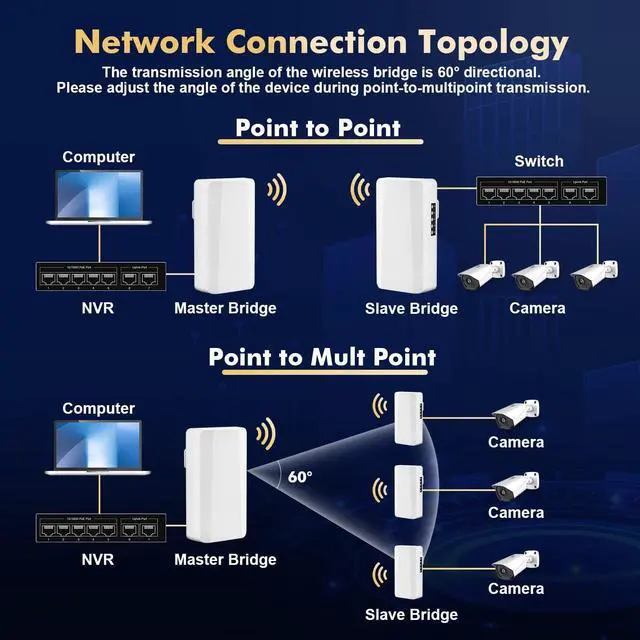
    • Bridge ConnectionConnect the ethernet port of the master bridge or the LAN port of the POE adapter to upstream device(Router, NVR, switch, etc.); connect the ethernet port of the slave bridge or the LAN port of the POE adapter to downstream device(camera, AP, switch, etc.), or connect to the wifi ssid of the slave bridge, so that downstream devices can access the network through the bridge
    • LED & WEB ManagedP
    +
    +
    Overview
    Specs
    Reviews
    avatar

    Any questions? Our AI beta will help you find out quickly.

    2.4GHz WirelessInclude 2 bridges, which can be set as master and slave through the DIP switch. The communication frequency band between is 2.4GHz, the transmission distance is 500-1000 meters. The maximum rate is 100Mbps.
    2 Step PairingSupports 12V DC and POE power supply(include). First power on, set the DIP switch of the master and slave bridges to M and S respectively(Step 1). Then short press the Dig SW button to set the channel so that the value on the LED screen is the same(Step 2), it will automatically match, and the SIG indicator will light up after success
    Bridge ConnectionConnect the ethernet port of the master bridge or the LAN port of the POE adapter to upstream device(Router, NVR, switch, etc.); connect the ethernet port of the slave bridge or the LAN port of the POE adapter to downstream device(camera, AP, switch, etc.), or connect to the wifi ssid of the slave bridge, so that downstream devices can access the network through the bridge
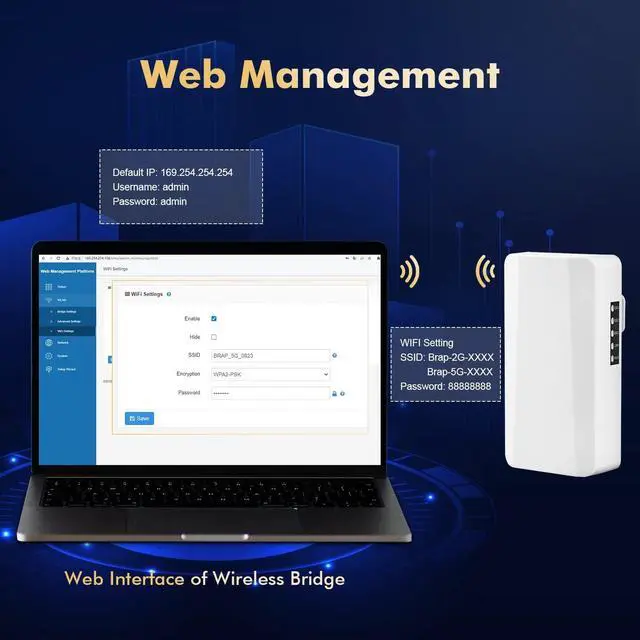
    LED & WEB ManagedPower, LAN, signal, and channel indicators can clearly display the working status of the device and wireless signals, easy to install and maintain. Support WEB GUI management, access master and slave bridges through management IP on PC, view device status, set wireless parameters, data statistics, etc.
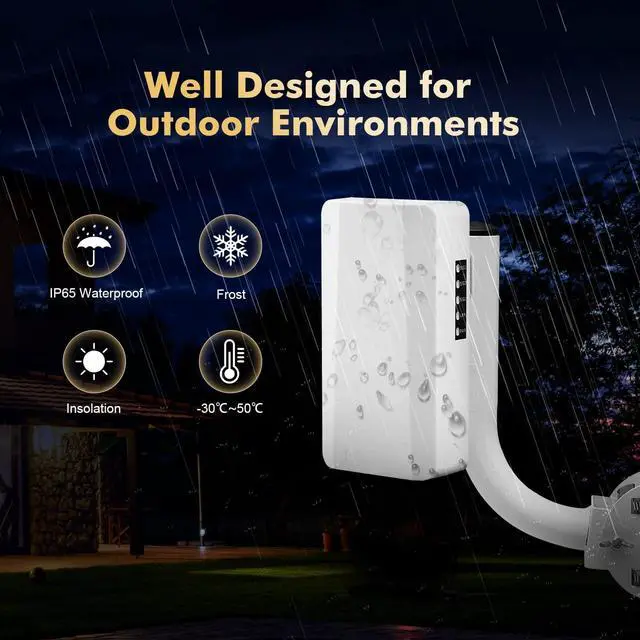
    PtP & PtMPWaterproof design, suitable for outdoor, extend ethernet distance wirelessly, support ptp and ptmp connection, also supports single independent use for wifi access(default password 88888888)

    Warranty & Returns

    Warranty, Returns, And Additional Information

    Warranty

    • Please contact the Seller directly for warranty information. Warranty information may also be found on the Manufacturer's website.
    • CONTACT

    Return Policies

    Manufacturer Contact Info

    LOADING...