

Your Browsing History
- Free 30-day Returns
$216.99

Meet Your Seller

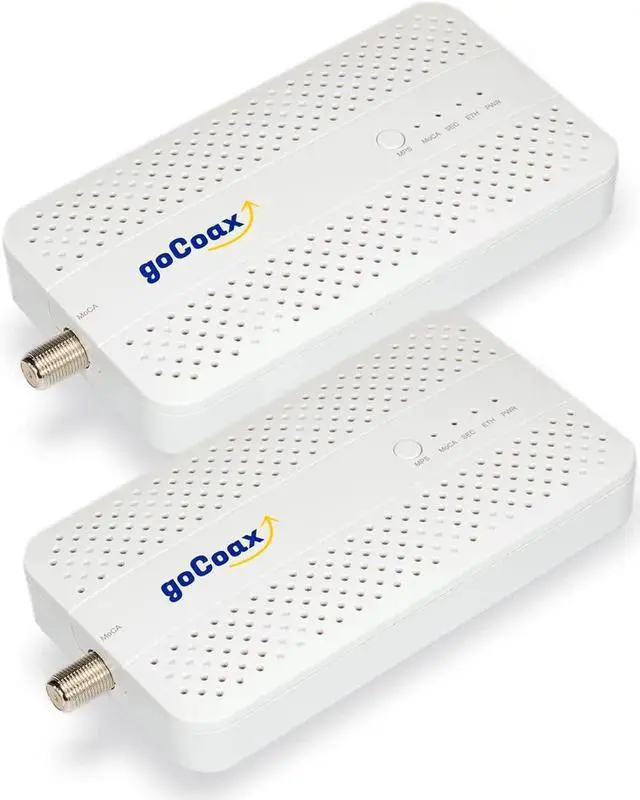
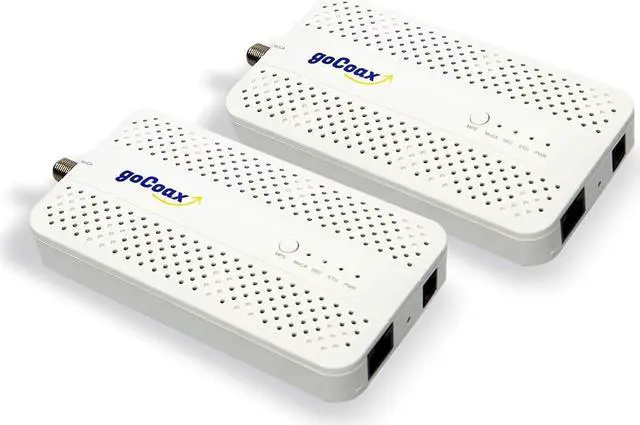
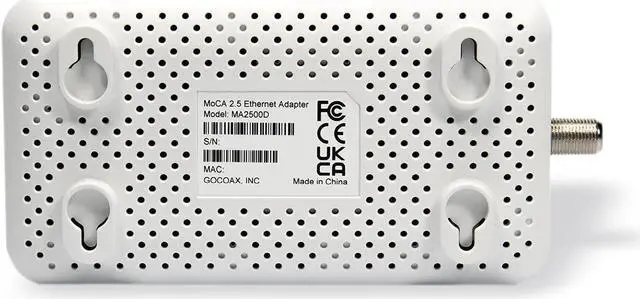


goCoax MoCA 2.5 Adapter with 2.5GbE Ethernet Port. MoCA 2.5. 1x 2.5GbE Port. Provide 2.5Gbps Bandwidth with existing coaxial Cables. White(2-Pack, MA2500D)
- MoCA 2.5 can offer extremely high bandwidth of 2.5 Gbps. This bandwidth are shared by all the MoCA devices in the same coaxial network. Thats more than enough to allow streaming 4K/8K videos at the same time, while still playing an online game and transferring pictures from a computer or a mobile device to a television for viewing.
- Combined with the 2.5GbE Ethernet inerface, our product can provide the real 2.5Gbps backhual to your home network. This is a cost effective and amazing upgrading.
- Unlike Wi-Fi, MoCA is based on coaxial cable, a shielded metal wire. That can minimize the external interference. Also the attenuation of the cable is very small, less than 8dB per 100 feet. Even with a 60dB path loss, you still can get a full-speed connection. It is almost comparable to Ethernet.
- Improve online gaming by lower latency. Latency is the important quality of your network, it is the term used to indicate any kind of delay that happens in data communication over a network. When pl
+
+
Overview
Specs
Reviews

Any questions? Our AI mode will help you find out quickly.
Try me now
2.5GbE is 2.5 times faster than standard Ethernet (1GbE), increasing network performance to boost productivity
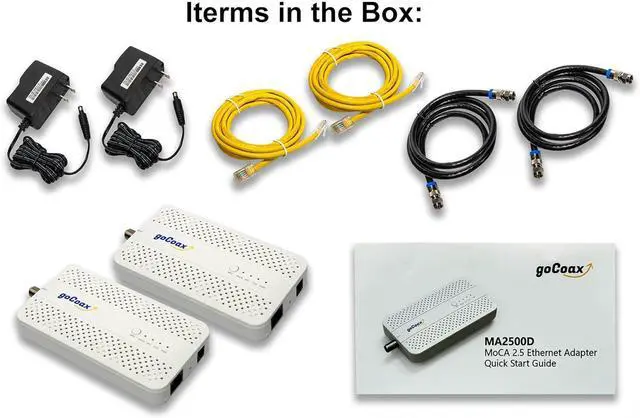
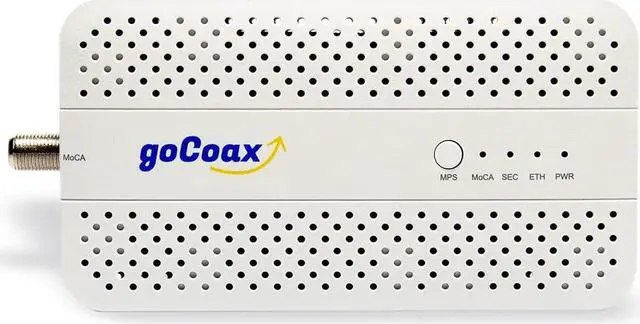
MoCA 2.5Capable of up to 2.5 Gbps actual throughputs over coaxial network2.5GbE Ethernet2.5 times than normal GE port5 bounded channels5 bounded channels utilize frequency 1125MHz to 1675MHzMulti-bands D-band low/D-band high/Ex-D bandMoCA protected setup (MPS) Easy setup of new nodes with unique password sharing via push-button (similar to Wi-Fi WPS).MoCASec Link Security MoCASec is a robust security layer that provides point-to-point link privacy enabling seamless integration of MoCA technology into home networks1x RF interfaces For MoCA 2.5 connection4x LEDs Power/MoCA/Ethnet/Security LED for status indication and debugging.1x Reset Button Can reset the system or return the device to factory default configuration.11x MA2500D21x 6ft CAT5e ethernet cable31x 12V/0.5A 100-240V power adapter(US plug)41x quick start guide Cable modems(DOCSIS3.0 or DOCSIS3.1) have 1002MHz upper frequency. MoCA is using 1125-1675MHz. They can share the same coaxial network and work together.
If the cable modem has 1218MHz upper frequency, you need to install two PoE splitters to separate DOCSIS and MoCA signals. Or you need to configure our product to D-band High mode.
Important Notes:
The RF splitter in your house should be MoCA compatible. It should cover MoCA frequency band(1125-1675MHz).
Make sure all the coaxial cables to your each room are connected to the splitter. Then can build a whole home coaxial network.
To build the MoCA network, you need to have at least two MoCA devices.
Normal MoCA(D-band) and Satellite TV have frequency overlap, so they can't work together in the same coaxial network. Please physically separate the two networks.
Some legacy products used very old MoCA chips, for example WCB6200Q, ECB6000, HT-EM2, E2C699E9, NVG468MQ. They may have compliance issues with the latest MoCA 2.5 products. Please replace them with latest MoCA 2.5 products. You can get a more stable connection and higher bandwidth.
Some DOCSIS3.1 modems/routers have a frequency upper limit of 1218MHz, which overlaps with the MoCA frequency band of 1125-1675MHz. Please change the MoCA operating frequency band to D-band high and set the LOF parameter to 1400. You can find the operating frequency information of most DOCSIS devices from the CableLabs certification page.
Many cable operators prefer to skip the main splitter in the home and connect the external coaxial cable directly to the cable modem/router. If you want to build a MoCA network, please connect all the coaxial cables through the splitter, both external and internal.
Most importantly, this is a MoCA adapter, not a Cable modem. Do not use it as a Cable Modem.
2.5 times faster Key Features Items in the package For cable ISP users, you may need one or two PoE filters.
MoCA 2.5Capable of up to 2.5 Gbps actual throughputs over coaxial network2.5GbE Ethernet2.5 times than normal GE port5 bounded channels5 bounded channels utilize frequency 1125MHz to 1675MHzMulti-bands D-band low/D-band high/Ex-D bandMoCA protected setup (MPS) Easy setup of new nodes with unique password sharing via push-button (similar to Wi-Fi WPS).MoCASec Link Security MoCASec is a robust security layer that provides point-to-point link privacy enabling seamless integration of MoCA technology into home networks1x RF interfaces For MoCA 2.5 connection4x LEDs Power/MoCA/Ethnet/Security LED for status indication and debugging.1x Reset Button Can reset the system or return the device to factory default configuration.11x MA2500D21x 6ft CAT5e ethernet cable31x 12V/0.5A 100-240V power adapter(US plug)41x quick start guide Cable modems(DOCSIS3.0 or DOCSIS3.1) have 1002MHz upper frequency. MoCA is using 1125-1675MHz. They can share the same coaxial network and work together.
If the cable modem has 1218MHz upper frequency, you need to install two PoE splitters to separate DOCSIS and MoCA signals. Or you need to configure our product to D-band High mode.
Important Notes:
The RF splitter in your house should be MoCA compatible. It should cover MoCA frequency band(1125-1675MHz).
Make sure all the coaxial cables to your each room are connected to the splitter. Then can build a whole home coaxial network.
To build the MoCA network, you need to have at least two MoCA devices.
Normal MoCA(D-band) and Satellite TV have frequency overlap, so they can't work together in the same coaxial network. Please physically separate the two networks.
Some legacy products used very old MoCA chips, for example WCB6200Q, ECB6000, HT-EM2, E2C699E9, NVG468MQ. They may have compliance issues with the latest MoCA 2.5 products. Please replace them with latest MoCA 2.5 products. You can get a more stable connection and higher bandwidth.
Some DOCSIS3.1 modems/routers have a frequency upper limit of 1218MHz, which overlaps with the MoCA frequency band of 1125-1675MHz. Please change the MoCA operating frequency band to D-band high and set the LOF parameter to 1400. You can find the operating frequency information of most DOCSIS devices from the CableLabs certification page.
Many cable operators prefer to skip the main splitter in the home and connect the external coaxial cable directly to the cable modem/router. If you want to build a MoCA network, please connect all the coaxial cables through the splitter, both external and internal.
Most importantly, this is a MoCA adapter, not a Cable modem. Do not use it as a Cable Modem.
2.5 times faster Key Features Items in the package For cable ISP users, you may need one or two PoE filters.
Warranty & Returns
Warranty, Returns, And Additional Information
Warranty
- Please contact the Seller directly for warranty information. Warranty information may also be found on the Manufacturer's website.
- CONTACT
Return Policies
- Return for refund within: 30 days
- Return for replacement within: 30 days
- This item is covered by E-Transit Limited Return Policy
Manufacturer Contact Info
- For a directory of all our manufacturers, please click below.
- Manufacturers Directory
LOADING...