

Your Browsing History
- Free 30-day Returns
$137.99

Meet Your Seller


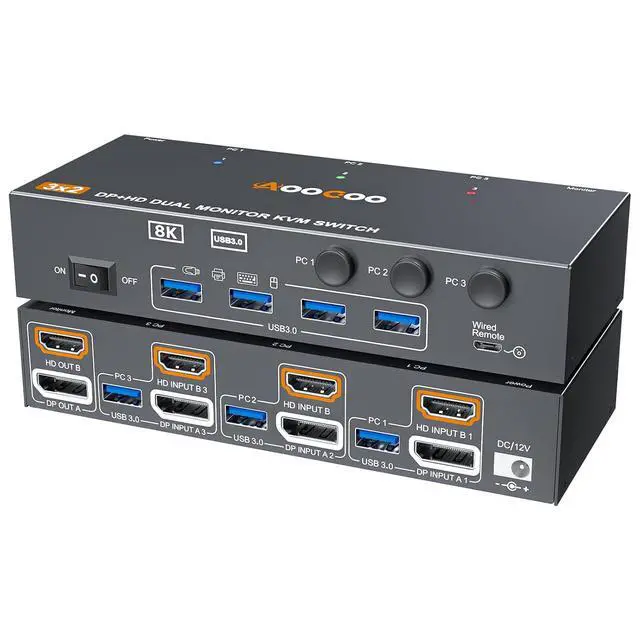



KVM Switch 2 Monitors 3 Computers 8K@60Hz/4K144Hz,DP+HDMI USB3.0 Dual Monitors KVM Switches with 4 USB 3.0 Port,Wired Remote,USB3.0 Cables Included(8K 3 PC 2 Monitor KVM)
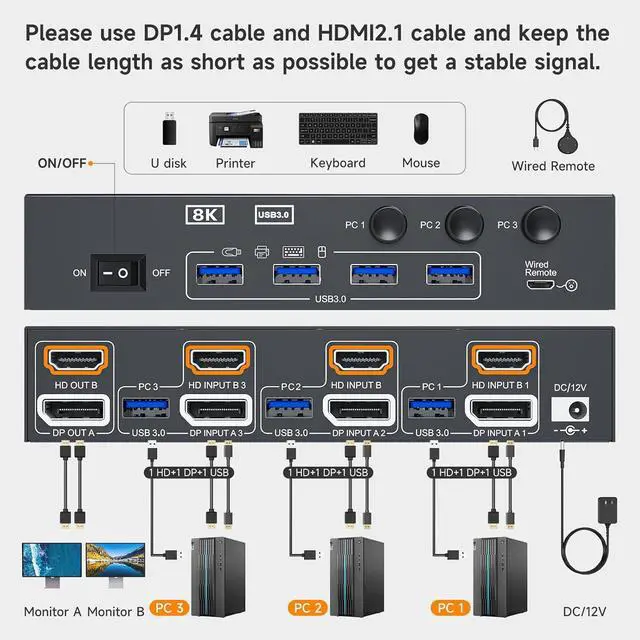
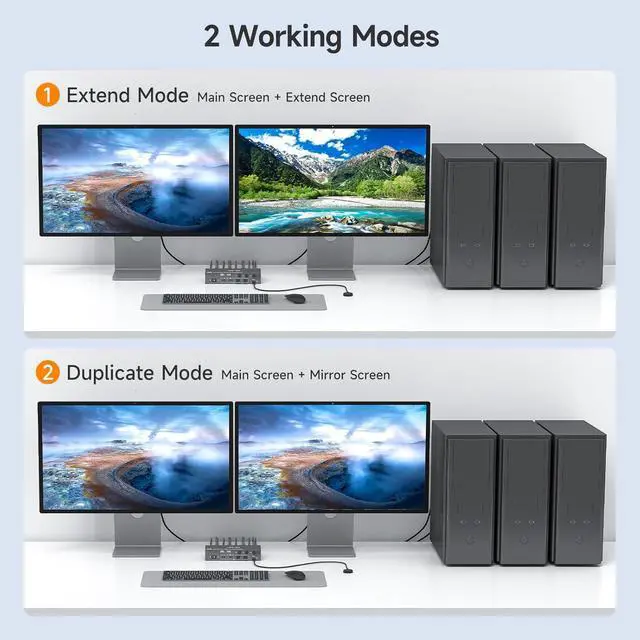
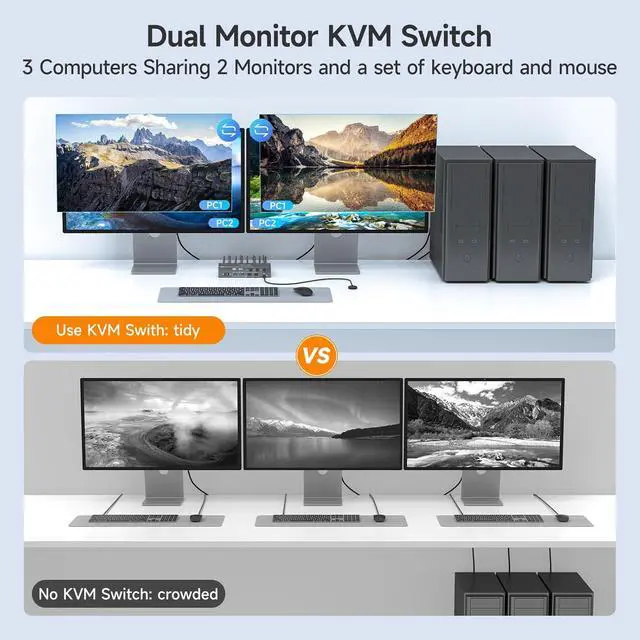
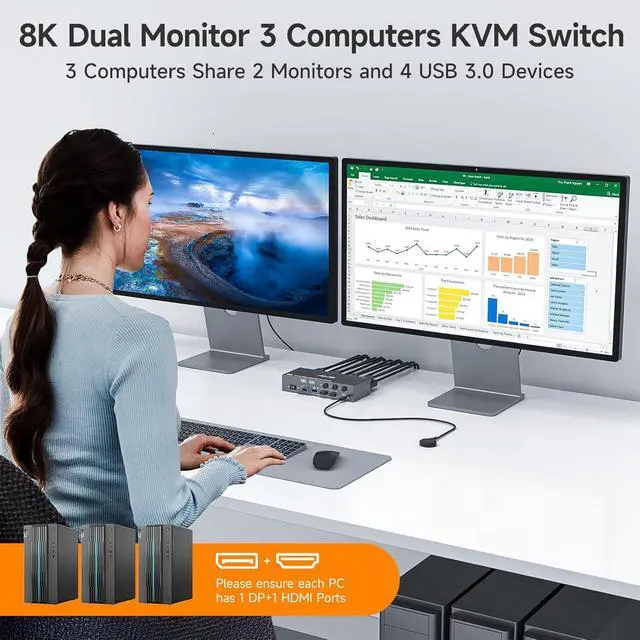
- Dual Monitor KVM Switch 3 IN 2 OUTThis Dual Monitor KVM HDMI+DP Switch allows to control 3 computers by 1 set of keyboard & mouse and 2 monitors(Extend display mode or Copy display mode
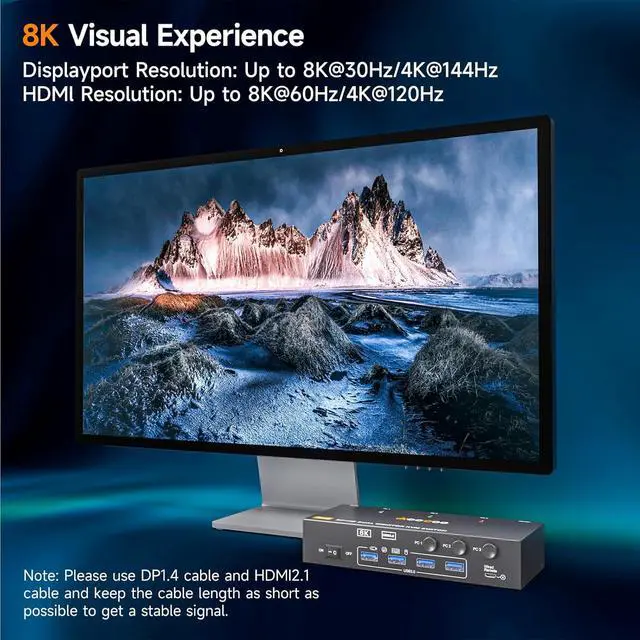
- Support up to 8K@60Hz/4K@144Hz USB3.0 dual monitor KVM switch supports resolution up to 8K@60Hz/4K@144Hz. Please note: The DP part supports 8K@30Hz/4K@144Hz, and the HDMI part supports 8K@60Hz/4K@120Hz. Both the input and output cables use 8K HDMI cables and 8K DP cables.
- Dual Monitor KVM Switches with 4 USB 3.0 PortsDual monitor kvm switch with 4 USB 3.0 ports which can recognize keyboard,mouse,printer,scaner and other USB devices. USB 3.0 offers data transfer speeds of up to 5Gbps, while USB 2.0 offers data transfer speeds of only 480Mbps.Note:If the input USB3.0 ports are not connected to the KVM or connected incorrectly, the output USB device will not be recognized.
- 2 Switching Mode& IndicatorThis KVM Switch with 2 swtich methdos that are pressing the button on the panel and the
+
+
Overview
Specs
Reviews

Any questions? Our AI mode will help you find out quickly.
Try me now
14 USB 3.0 Ports2Two switching methods3Packing list4DC12V5Application Scenario 8K@60Hz/4K@144Hz Dual Monitor KVM for 2 Computer HDMI DP kvm switch Connection Diagram Supports up to 8K@60Hz/4K@144Hz. KVM makes your life more convenient 2 Display Model for the Dual Monitors KVM
Warranty & Returns
Warranty, Returns, And Additional Information
Warranty
- Please contact the Seller directly for warranty information. Warranty information may also be found on the Manufacturer's website.
- CONTACT
Return Policies
- Return for refund within: 30 days
- Return for replacement within: 30 days
- This item is covered by Chinathru Trading Co., Limited Return Policy
Manufacturer Contact Info
- For a directory of all our manufacturers, please click below.
- Manufacturers Directory
LOADING...