

Your Browsing History
- Free 30-day Returns
$90.99

Meet Your Seller




Dual Monitor KVM Switch HDMI 2 Port 4K@60Hz,MLEEDA USB HDMI Extended Display Switcher for 2 Computers Share 2 Monitors and 4 USB 2.0 Hub,Desktop Controller and USB HDMI Cables Included
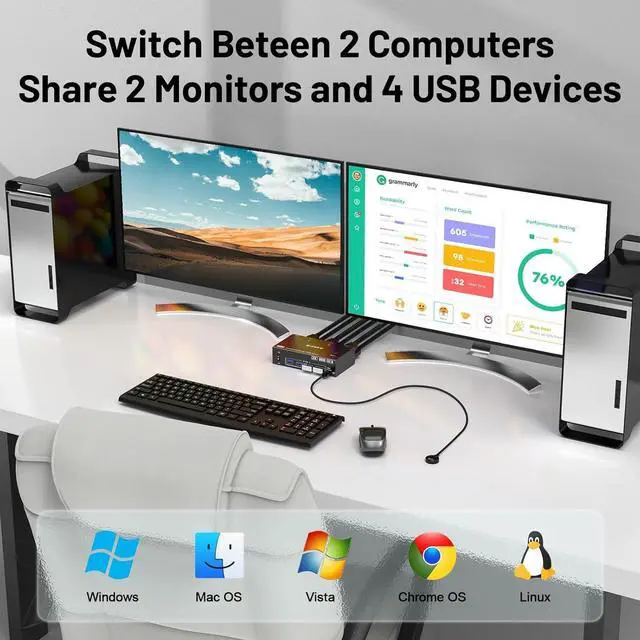
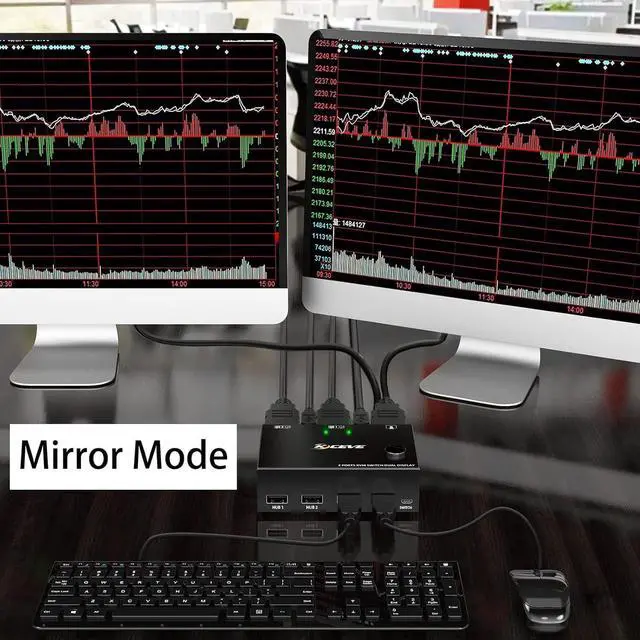
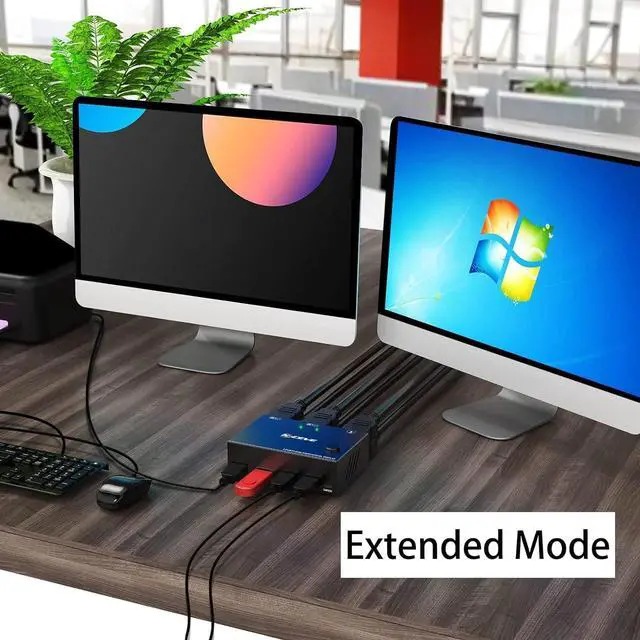
- KVM Switch Dual Monitor HDMI 2 PortThis Dual Monitor KVM switcher 2 monitors 2 computers allow you to control 2 PCs by only one set of keyboard & mouse,share 4 USB devices and 2 monitors(Extend display mode or copy display mode). Please note that the extended mode can output two different screens, and the copy mode can output two identical screens.
- Ultra HD 4K@ 60Hz2 port HDMI KVM switch dual monitor support input of different resolutions, such as 4K@60Hz, 1440P@60HZ, 3D and 1080P@60Hz or lower resolution. Note: if you need a 4K resolution , please use version 2.0 HDMI cable and make sure your computers and monitors support 4K !
- KVM Switch with 4 USB 2.0 PortsDual monitors HDMI USB switcher with standard USB 2.0 port which can recognize wired/wireless keyboard mouse USB hard drive printer or other USB devices.please note that this KVM switch not compatible with HD Webcam and macbook pro well,so we don't recomand connect to our product.
- Great Compatibility & 2 Switching Mode
+
+
Overview
Specs
Reviews

Any questions? Our AI mode will help you find out quickly.
Try me now
Advantages:
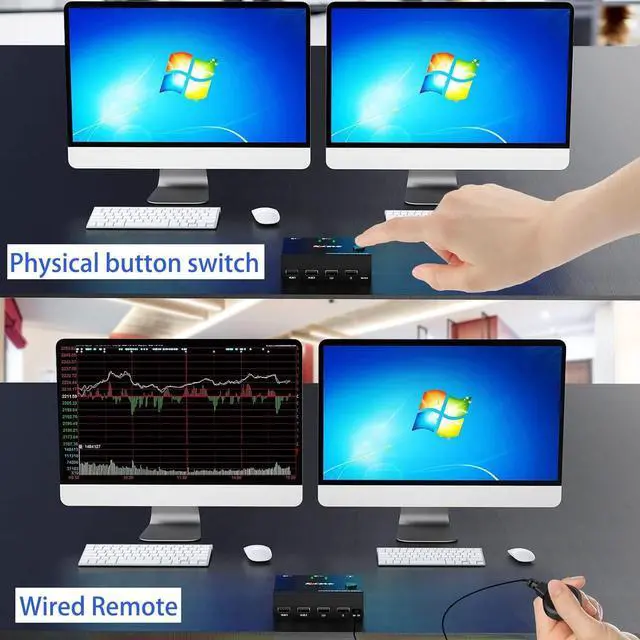
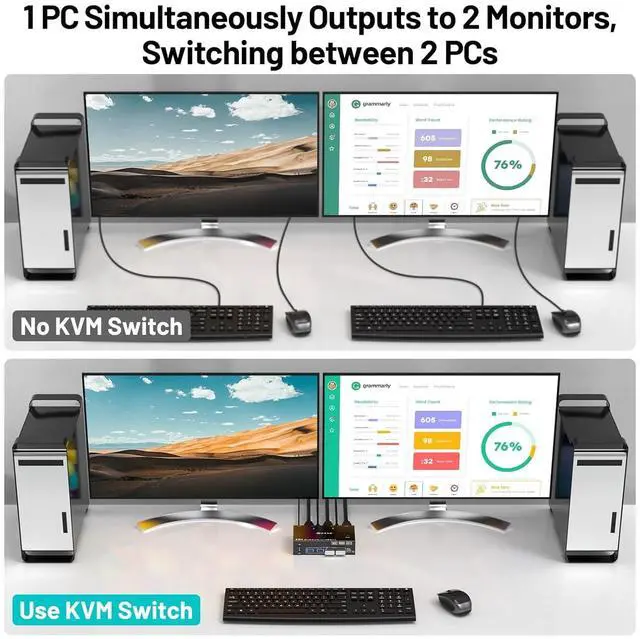
2 computers share one set of keyboard, mouse and 2 monitors.Dual monitors output support extended and mirror display.Switching modes: Button switch and wired remote.Support wired or wireless keyboard and mouse.Cross support most major OS including Windows, Linux, MacWith 4 USB 2.0 ports for keyboard mouse U disk etc.Support max up resolution 4K@60Hz,and downward compatible.A USB hub can expand the USB2.0 ports if multiple connections are required.
Each computer must connection 2 HDMI cables and 1 USB A / B cable to ensure keyboard, mouse and monitor to work correctly.
Connection steps:
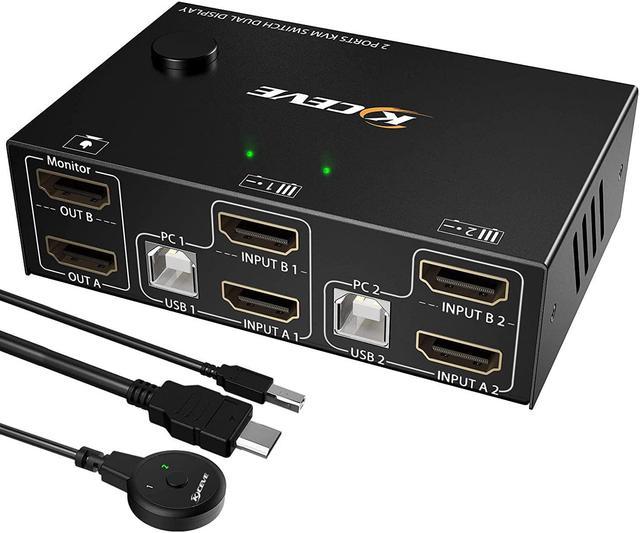
Step 1. Connect 2*HDMI cables+1*USB-B cable between computer 1 and KVM (USB 1, INPUT A1, INPUT B1).
Step 2. Connect 2*HDMI cables+1*USB-B cable between computer 2 and KVM (USB 2, INPUT A2, INPUT B2).
Step 3. Connect 2*HDMI cables between the KVM (OUT A, OUT B) and the monitors.
Step 4. Connect the keyboard and mouse to the K/M USB ports on the KVM.
Step 5. Insert your USB devices into the USB HUB port on the KVMHUB 1,HUB 2).
Step 6. Insert the desktop controller into the "SWITCH" port to remotely switch between PC1 and PC2.
***Notice***
Most of the reasons why only one video output works is because of incorrect connection. Please make sure each computer have(2 HDMI cables+1 USB cable) connect to the KVM.
Support wireless keyboard & mouse and USB keyboard & mouse.
With 4 USB 2.0 ports, transfer rate of up to 480 Mbps. Sharing devices as keyboard mouse scanners, printers, flash drives etc.
1. Why does only one of my two monitors have video output?
Most reasons for only one video output are due to incorrect connections. Please ensure that each computer has (2 HDMI cables + 1 USB cable) connected to the KVM.
2. The ports of my desktop are Displayport and HDMI, my laptop only has USB C and one HDMI port, the two monitors are DP and VGA, this dual monitor KVM is HDMI, does it work for my device?
PC: support USB C/DP to HDMI cable or converter, if your laptop only has a USB C port, you can use a USB C docking station that supports multi-screen output.
Monitor: support HDMI to VGA, HDMI to DP, (Note: HDMI to DP requires a dedicated cable, the cable must be powered by USB, it is completely different from the DP to HDMI cable)
3.This KVM does not support EDID emulation,
Packing List:
1x Dual Monitor KVM Switch
2 x USB CableUSB-A to USB-B 2 x HDMI Cable 1 x 12V power adapter
1x Desktop Controller1.52m 1x User Manual
Laptop/Desktop (2*HDMI Port)Just use 2*HDMI +1*USB cables to connect the PC and KVM.Desktop (1*HDMI +1 DP Port)Requires 1*USB cable+1*HDMI cable + 1*DP to HDMI cable or (DP to HDMI converter + HDMI cable)Desktop (2*DP Port)Requires 1*USB cable+2*DP to HDMI cables or (2*DP to HDMI converter + HDMI cable)Laptop(only 1*HDMI+USB-C Port)Requires 1*USB cable+1*HDMI cable + 1*USB-C to HDMI cable or (USB-C to HDMI converter + HDMI cable)Laptop(only 1*DP+USB-C Port)Requires 1*USB cable+1*DP to HDMI cable + 1*USB-C to HDMI cable or (USB-C to HDMI converter + HDMI cable)Laptop(only USB-C Port)Requires 1*USB cable+ USB C docking station with 2 HDMI ports and supports expansion capabilitiesPC with VGA or DVI Port VGA or DVI to HDMI cables are Not recommendedMonitor(HDMI Port)Just use 1*HDMI to connect the KVM and Monitor.Monitor(DP Port)Requires 1*HDMI to DP cable with USB powerd or (HDMI to DP converter with USB powerd+ DP cable),Not recommendedMonitor(only DVI Port)1*HDMI to DVI cable or (HDMI to DVI converter + DVI cable)Monitor(only VGA Port)1*HDMI to VGA cable or (HDMI to VGA converter + VGA cable)Monitor(only USB-C Port)Not recommendedAbout resolutionUsing conversion cables or converters may cause monitor resolution to drop, flicker, or the monitor to not work (depending on their quality and compatibility) MLEEDA 2 Port Dual Monitor KVM Switch (HDMI + HDMI),each pc must make 2 video connections f
2 computers share one set of keyboard, mouse and 2 monitors.Dual monitors output support extended and mirror display.Switching modes: Button switch and wired remote.Support wired or wireless keyboard and mouse.Cross support most major OS including Windows, Linux, MacWith 4 USB 2.0 ports for keyboard mouse U disk etc.Support max up resolution 4K@60Hz,and downward compatible.A USB hub can expand the USB2.0 ports if multiple connections are required.
Each computer must connection 2 HDMI cables and 1 USB A / B cable to ensure keyboard, mouse and monitor to work correctly.
Connection steps:
Step 1. Connect 2*HDMI cables+1*USB-B cable between computer 1 and KVM (USB 1, INPUT A1, INPUT B1).
Step 2. Connect 2*HDMI cables+1*USB-B cable between computer 2 and KVM (USB 2, INPUT A2, INPUT B2).
Step 3. Connect 2*HDMI cables between the KVM (OUT A, OUT B) and the monitors.
Step 4. Connect the keyboard and mouse to the K/M USB ports on the KVM.
Step 5. Insert your USB devices into the USB HUB port on the KVMHUB 1,HUB 2).
Step 6. Insert the desktop controller into the "SWITCH" port to remotely switch between PC1 and PC2.
***Notice***
Most of the reasons why only one video output works is because of incorrect connection. Please make sure each computer have(2 HDMI cables+1 USB cable) connect to the KVM.
Support wireless keyboard & mouse and USB keyboard & mouse.
With 4 USB 2.0 ports, transfer rate of up to 480 Mbps. Sharing devices as keyboard mouse scanners, printers, flash drives etc.
1. Why does only one of my two monitors have video output?
Most reasons for only one video output are due to incorrect connections. Please ensure that each computer has (2 HDMI cables + 1 USB cable) connected to the KVM.
2. The ports of my desktop are Displayport and HDMI, my laptop only has USB C and one HDMI port, the two monitors are DP and VGA, this dual monitor KVM is HDMI, does it work for my device?
PC: support USB C/DP to HDMI cable or converter, if your laptop only has a USB C port, you can use a USB C docking station that supports multi-screen output.
Monitor: support HDMI to VGA, HDMI to DP, (Note: HDMI to DP requires a dedicated cable, the cable must be powered by USB, it is completely different from the DP to HDMI cable)
3.This KVM does not support EDID emulation,
Packing List:
1x Dual Monitor KVM Switch
2 x USB CableUSB-A to USB-B 2 x HDMI Cable 1 x 12V power adapter
1x Desktop Controller1.52m 1x User Manual
Laptop/Desktop (2*HDMI Port)Just use 2*HDMI +1*USB cables to connect the PC and KVM.Desktop (1*HDMI +1 DP Port)Requires 1*USB cable+1*HDMI cable + 1*DP to HDMI cable or (DP to HDMI converter + HDMI cable)Desktop (2*DP Port)Requires 1*USB cable+2*DP to HDMI cables or (2*DP to HDMI converter + HDMI cable)Laptop(only 1*HDMI+USB-C Port)Requires 1*USB cable+1*HDMI cable + 1*USB-C to HDMI cable or (USB-C to HDMI converter + HDMI cable)Laptop(only 1*DP+USB-C Port)Requires 1*USB cable+1*DP to HDMI cable + 1*USB-C to HDMI cable or (USB-C to HDMI converter + HDMI cable)Laptop(only USB-C Port)Requires 1*USB cable+ USB C docking station with 2 HDMI ports and supports expansion capabilitiesPC with VGA or DVI Port VGA or DVI to HDMI cables are Not recommendedMonitor(HDMI Port)Just use 1*HDMI to connect the KVM and Monitor.Monitor(DP Port)Requires 1*HDMI to DP cable with USB powerd or (HDMI to DP converter with USB powerd+ DP cable),Not recommendedMonitor(only DVI Port)1*HDMI to DVI cable or (HDMI to DVI converter + DVI cable)Monitor(only VGA Port)1*HDMI to VGA cable or (HDMI to VGA converter + VGA cable)Monitor(only USB-C Port)Not recommendedAbout resolutionUsing conversion cables or converters may cause monitor resolution to drop, flicker, or the monitor to not work (depending on their quality and compatibility) MLEEDA 2 Port Dual Monitor KVM Switch (HDMI + HDMI),each pc must make 2 video connections f
Warranty & Returns
Warranty, Returns, And Additional Information
Warranty
- Please contact the Seller directly for warranty information. Warranty information may also be found on the Manufacturer's website.
- CONTACT
Return Policies
- Return for refund within: 30 days
- Return for replacement within: 30 days
- This item is covered by Chinathru Trading Co., Limited Return Policy
Manufacturer Contact Info
- For a directory of all our manufacturers, please click below.
- Manufacturers Directory
LOADING...