

Your Browsing History
- Free 30-day Returns
$269.99

Meet Your Seller



JetKVM Open-Source IP KVM Switch jetkvm Computer remotely Control lP/MAC/HDMl/USB Touchscreen LCD USB-C(Power/Keyboard/mouse) Mac/Windows/Linux,KVM Switches for Home Offices,Business,Data Center
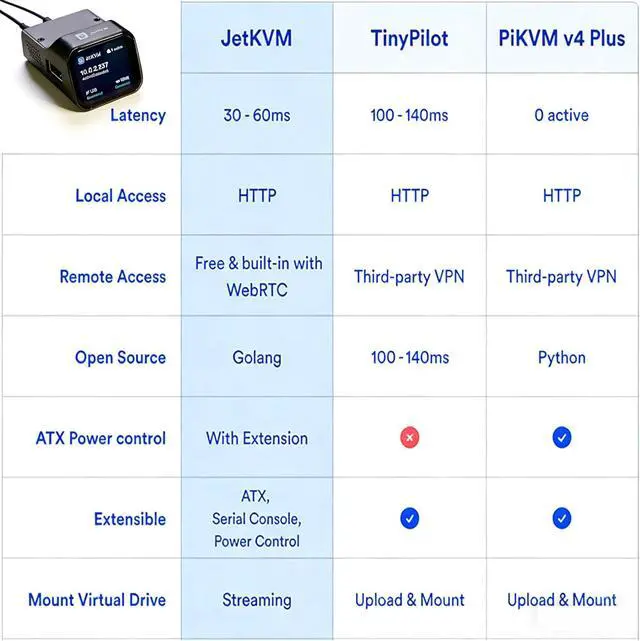
- Ultra-low Latency&Free and Optional Remote AccessHigh-definition 1080p video at 60 FPS with 30-60 millisecond latency, using efficient H.264 encoding. Smooth mouse and keyboard action transfer for responsive remote interaction.Remote management via JetKVM Cloud using WebRTC. Secure and a fast direct connection, even behind the most restrictive NAT environments, with our STUN and TURN servers.
- Open Source&Interactively Upgradeable SystemWritten in Golang, running on Linux, making it easy to modify the software on your JetKVM device. Want to customize the JetKVM? Simply patch the software and upload it to the JetKVM device through SSH, and youre good to go.Continuous interaction allows for ongoing optimization and upgrades of the product system. Regular updates provide further improvements.
- Multi-System Flexible Internet AccessRemote access is enabled through our web-based cloud control, supporting Windows, macOS, and Linux systems without any software installation. Thr
+
+
Overview
Specs
Reviews

Any questions? Our AI mode will help you find out quickly.
Try me now
Seamless Remote Control
Experience fluid control and crystal-clear video quality that makesremote access feel local. Perfect for IT professionals, developers, andpower users who demand responsive remote management.
Ultra-low Latency
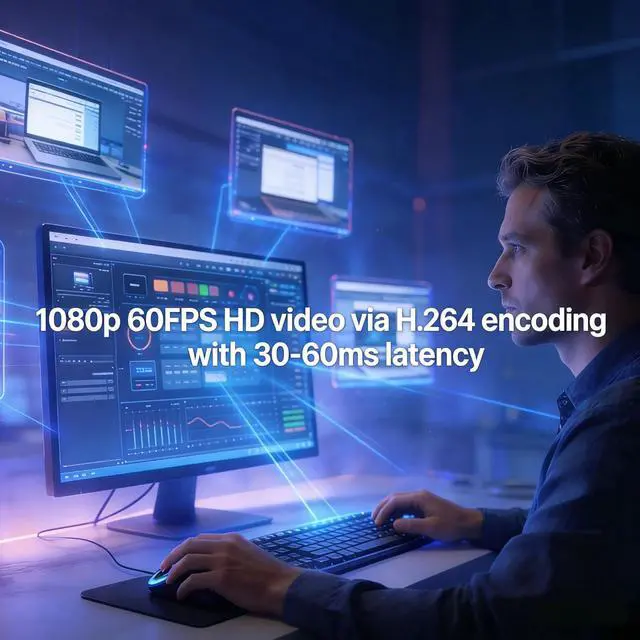
1080p@60FPS video with 30-60ms latency using H.264 encoding. Smooth mouse and keyboard interaction for responsive remote control.
Free & Optional Remote Access
Remote management via JetKVM Cloud using WebRTC.
Open-source Software
Written in Golang on Linux. Easily customizable through SSH access to the JetKVM device.
Built-in VPN protects private workflows
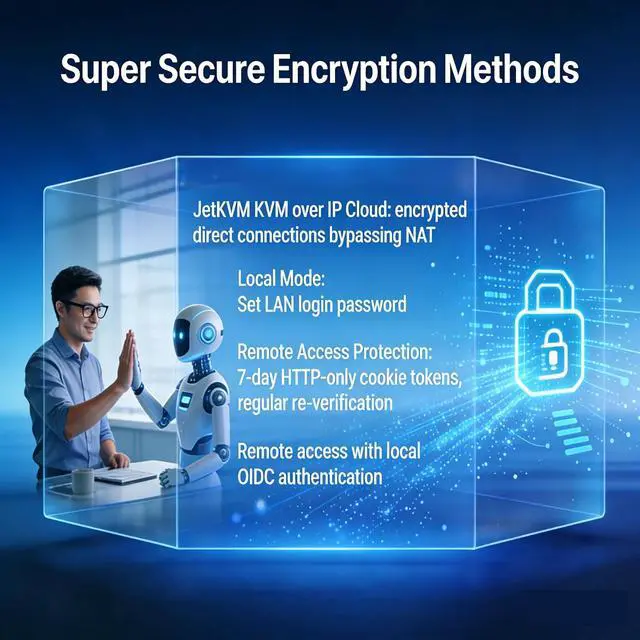
JetKVM KVM over IP Cloud (WebRTC/STUN/TURN) bypasses restrictive NAT for encrypted direct connections. 100% free cloud access, ideal for remote workers/travelers.
JETKVM's security modes
Local ModeLocal mode allows you to set a login password within a local area.Remote Access Password Protection: Access tokens are stored as HTTP-only cookies in your browser for 7 days,Regular re-verification is required to ensure the absolute safety of the equipment.OIDC authenticationRemote access requires OIDC authentication, meaning all access controls are processed locally on the device.
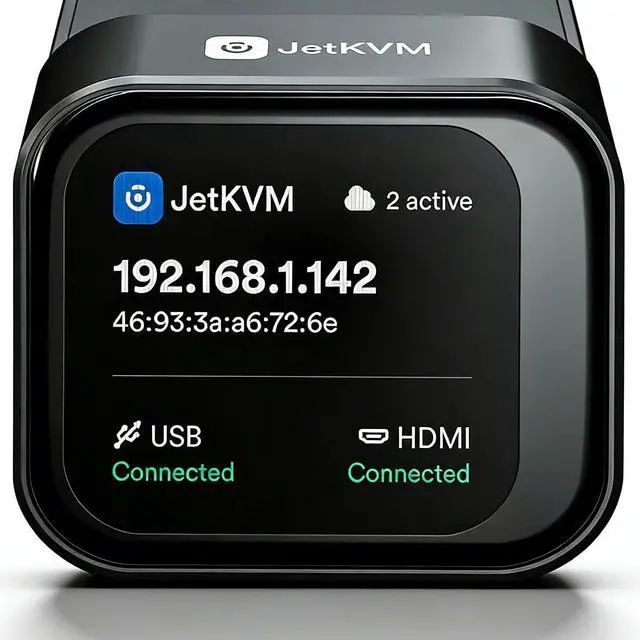
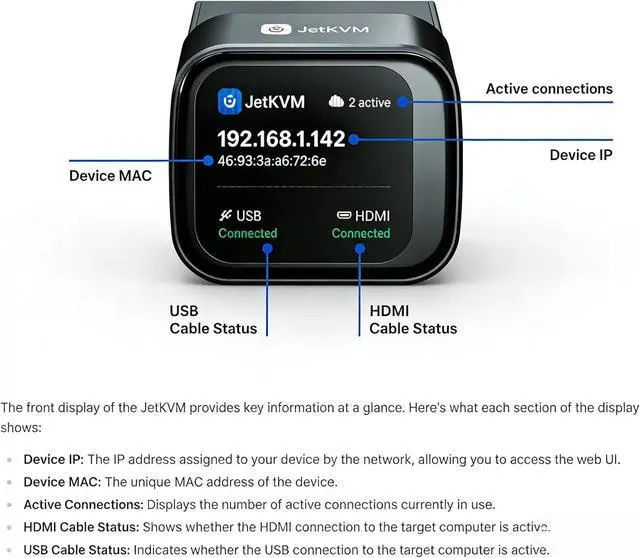
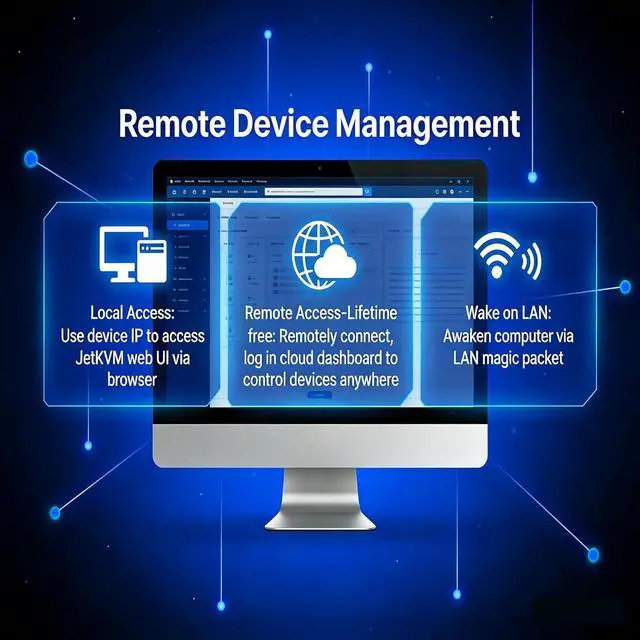
To access the JetKVM web UI, you'll need the device's IP address, which is displayed on the front screen of the JetKVM device along with the MAC address. Simply refer to this screen, note the IP address, and use it to navigate to the web UI in your browser.
Special Features of JetKVM
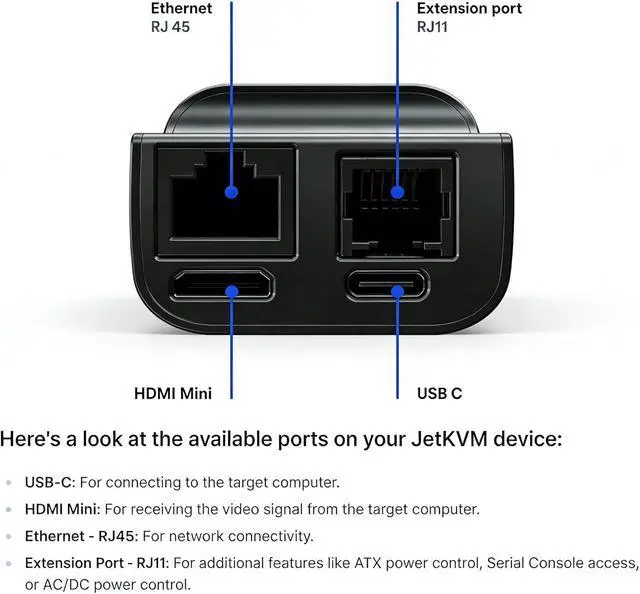
After installing the driver, JetKVM remains accessible during BIOS or UEFI boot processes. This proves extremely useful for tasks like reinstalling operating systems or mounting ISO images to install applications on the target host.Beyond standard keyboard and mouse support, JetKVM includes a virtual keyboard feature, providing basic keyboard input via the UI. This enables sending individual keystrokes to the remote computer as needed.Note: Currently, JetKVM supports only US keyboard layouts, with host key mappings defaulting to US settings.The rear of JetKVM features an RJ-12 expansion port designed for complete customization and flexibility. Whether integrating additional hardware functions or providing custom add-ons, the expansion port offers limitless possibilities for extension.
Power Options
Primary Power Method:The most common way to power the JetKVM is through its USB-C port, connected directly to the computer you're controlling. Many computers have USB ports with constant power, though in some cases, you may need to enable it in the BIOS or UEFI settings (often labeled as "USB Power During Standby" or "USB Always On"), so be sure to check there if it's not working by default.Alternative Power Options:USB-C Power/Data Splitter (Included),DC Extension,ATX Board Extension.
A control board that manages computer power states through the JetKVM's RJ-12 extension port. Connect to your motherboard's front panel headers to gain remote power control over your PC.
Eachpin features dual headers: one set for KVM control and another for theoriginal front panel buttons -- meaning you don't have to choose betweenthem. Both can be connected simultaneously.
Comes with a PCIe slot cover bracket for clean cable routing through your PC case without requiring an actual PCIe slot.
Seamless Remote Control Main features Super Secure Encryption Methods Secure Connectivity for JetKVM Three Ways of Networking Local Access Open-Source Go/React WebRTC Dashboard with Lightweight Linux System Special Features and Power Options Three Expansion Modules ATX Power Extension
Experience fluid control and crystal-clear video quality that makesremote access feel local. Perfect for IT professionals, developers, andpower users who demand responsive remote management.
Ultra-low Latency
1080p@60FPS video with 30-60ms latency using H.264 encoding. Smooth mouse and keyboard interaction for responsive remote control.
Free & Optional Remote Access
Remote management via JetKVM Cloud using WebRTC.
Open-source Software
Written in Golang on Linux. Easily customizable through SSH access to the JetKVM device.
Built-in VPN protects private workflows
JetKVM KVM over IP Cloud (WebRTC/STUN/TURN) bypasses restrictive NAT for encrypted direct connections. 100% free cloud access, ideal for remote workers/travelers.
JETKVM's security modes
Local ModeLocal mode allows you to set a login password within a local area.Remote Access Password Protection: Access tokens are stored as HTTP-only cookies in your browser for 7 days,Regular re-verification is required to ensure the absolute safety of the equipment.OIDC authenticationRemote access requires OIDC authentication, meaning all access controls are processed locally on the device.
To access the JetKVM web UI, you'll need the device's IP address, which is displayed on the front screen of the JetKVM device along with the MAC address. Simply refer to this screen, note the IP address, and use it to navigate to the web UI in your browser.
Special Features of JetKVM
After installing the driver, JetKVM remains accessible during BIOS or UEFI boot processes. This proves extremely useful for tasks like reinstalling operating systems or mounting ISO images to install applications on the target host.Beyond standard keyboard and mouse support, JetKVM includes a virtual keyboard feature, providing basic keyboard input via the UI. This enables sending individual keystrokes to the remote computer as needed.Note: Currently, JetKVM supports only US keyboard layouts, with host key mappings defaulting to US settings.The rear of JetKVM features an RJ-12 expansion port designed for complete customization and flexibility. Whether integrating additional hardware functions or providing custom add-ons, the expansion port offers limitless possibilities for extension.
Power Options
Primary Power Method:The most common way to power the JetKVM is through its USB-C port, connected directly to the computer you're controlling. Many computers have USB ports with constant power, though in some cases, you may need to enable it in the BIOS or UEFI settings (often labeled as "USB Power During Standby" or "USB Always On"), so be sure to check there if it's not working by default.Alternative Power Options:USB-C Power/Data Splitter (Included),DC Extension,ATX Board Extension.
A control board that manages computer power states through the JetKVM's RJ-12 extension port. Connect to your motherboard's front panel headers to gain remote power control over your PC.
Eachpin features dual headers: one set for KVM control and another for theoriginal front panel buttons -- meaning you don't have to choose betweenthem. Both can be connected simultaneously.
Comes with a PCIe slot cover bracket for clean cable routing through your PC case without requiring an actual PCIe slot.
Seamless Remote Control Main features Super Secure Encryption Methods Secure Connectivity for JetKVM Three Ways of Networking Local Access Open-Source Go/React WebRTC Dashboard with Lightweight Linux System Special Features and Power Options Three Expansion Modules ATX Power Extension
Warranty & Returns
Warranty, Returns, And Additional Information
Warranty
- Please contact the Seller directly for warranty information. Warranty information may also be found on the Manufacturer's website.
- CONTACT
Return Policies
- Return for refund within: 30 days
- Return for replacement within: 30 days
- This item is covered by Chinathru Trading Co., Limited Return Policy
Manufacturer Contact Info
- For a directory of all our manufacturers, please click below.
- Manufacturers Directory
LOADING...